
What is Krea AI and How Does it Work
Learn what is Krea AI and how it works. Also find some best alternatives to Krea AI.
Are you struggling to turn ideas into visuals? Krea makes the process effortless. An advanced AI-powered tool that is designed to generate, enhance, and edit images and videos in real time.
Krea AI comes with a wide range of tools, from image generation in Flux to 3D object creation and AI-powered videos. Together, such features help bring the creative ideas into reality.
The tool caters to all design workflows, whether for a creator or a designer. In this Krea AI review, we will highlight its unique features, use cases, and alternatives that can help you elevate your creative projects.
- What Makes Krea AI Unique
- A Brief History of Krea AI
- How to Access Krea AI: A Step-By-Step Guide
- Who Actually Uses Krea AI?
- Real-World Applications of Krea AI
- For Social Media Creators
- For Small Businesses
- For Designers & Freelancers
- For Educators & Students
- Pricing Breakdown for Krea AI
- Top Alternatives to Krea AI
- 1. Zawa AI Agent
- 2. Recraft
- 3. Adobe Firefly
- 4. Midjourney
- 5. Stable Diffusion
- Top AI Design Tools Compared: Which One Fits Your Needs?
- Final Thoughts
What Makes Krea AI Unique
Krea AI image generator is a versatile platform that offers real-time image editing, high-resolution upscaling, and more. Here are the key features that distinguish the tool.
Feature | Description |
Text-to-Image Generation | The Krea AI tool allows you to enter the prompt and transform it into high-quality images with minimal effort. Custom images can be created in Flux and Ideogram. The tool generates professional visuals and aligns with your creative intent. |
Real-Time Canvas Editor | Real-time canvas editor is one of the most unique features of Krea AI. It allows you to sketch and shape in real time with AI that smartly interprets the lines and integrates them into the scene. It allows you to have full control over the composition. |
Image-to-Video Conversion | Convert the best images to videos and breathe life into them. A perfect feature that allows you to create cinematic clips or animations with the Hailuo, Runway, and more. AI video creation crafts the clips in seconds. |
Motion Transfer | Add a character or reference video, and then add expression and motion to generate a similar character. It is quite useful to create realistic dance moves and add animations without having to spend hours on manual editing. |
Lip-Sync Tool | Add lip movements to any audio or animations and make it look natural. The tool allows you to add face and speech simultaneously. It is ideal for educational videos and brand mascots, ensuring your story is delivered directly to the audience. |
3D Object Generation | Generate a 3D object or a mesh directly from a text or image prompt. Designers can quickly bring the ideas to life without having to start from scratch. |
AI Upscaling (up to 22K resolution) | With the ultra-high-definition feature, you can upscale images to a resolution of up to 22K. This ensures you get crystal-clear results, even when displayed on large screens. |
Style Transfer & Filters | Rearrange objects in your image, blend it with multiple images, or apply different artistic styles. You can create different variations of the same image while keeping the brand identity consistent. |
Train (Custom Style Replication) | The tool allows you to create custom replicated styles your own way. Replicate your elements, characters, or products with this feature. Allows you to produce consistent outputs customized to your business needs. |
A Brief History of Krea AI
Phase / Period | Detailed Timeline of Events |
Jan 2019 – Early Stage | Krea started as a small project focused on basic image creation, offering only simple tools for generating pictures. |
Oct 2019 – Gradual Expansion | The platform grew beyond static images, introducing video generation, real-time sketch-to-image workflows, and AI training features that allowed users to customize styles. |
Jul 2020 – Interactive Shift | Krea became more interactive with the release of a live canvas, letting users sketch ideas directly, along with training options that enabled the AI to adapt to personal creative styles. |
2021–2023 – Recent Updates | During this period, Krea steadily rolled out advanced features, including video tools, motion transfer, lip sync for animations, and even 3D object generation, making it a versatile creative platform. |
2024–Present – Ongoing Evolution | Krea continues to evolve with consistent updates, focusing on improving speed and usability. |
How to Access Krea AI: A Step-By-Step Guide
Getting started with the web-based application is pretty simple. It requires no installation, and you can save a significant amount of space on your phone.
1. Go to the official Krea website.
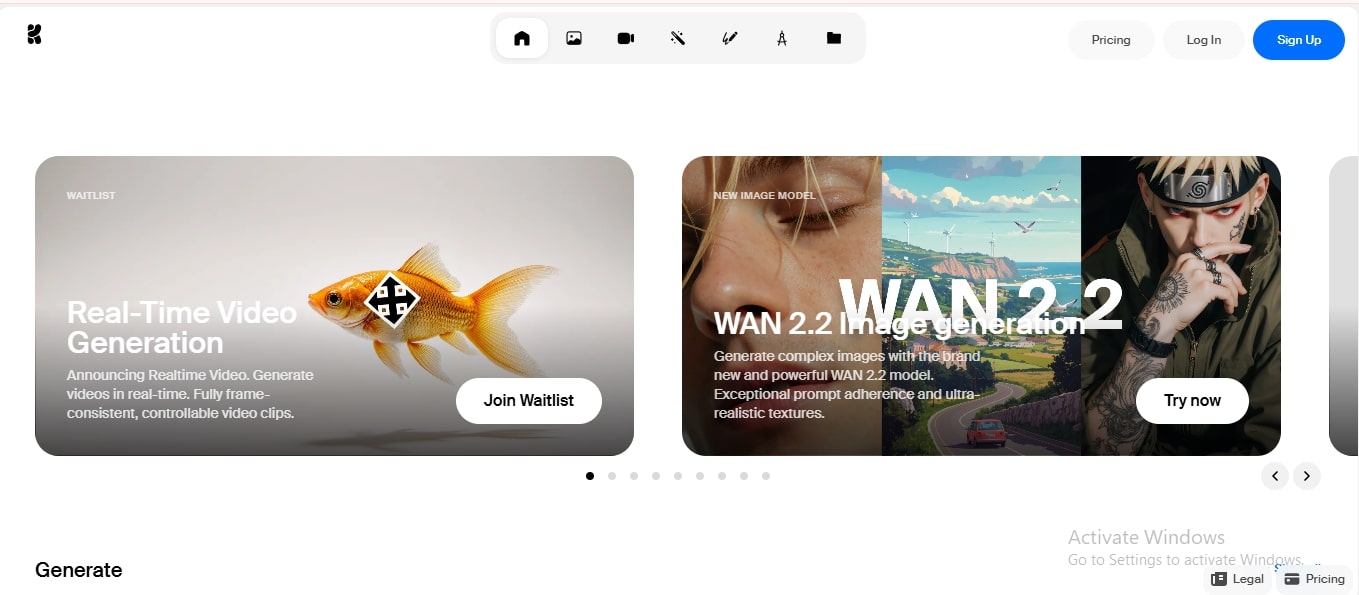
2. The signup is completely free and can be done via your email or Google account.
3. You can start experimenting once you are in. Describe your image using a text prompt, and click ‘Generate’.
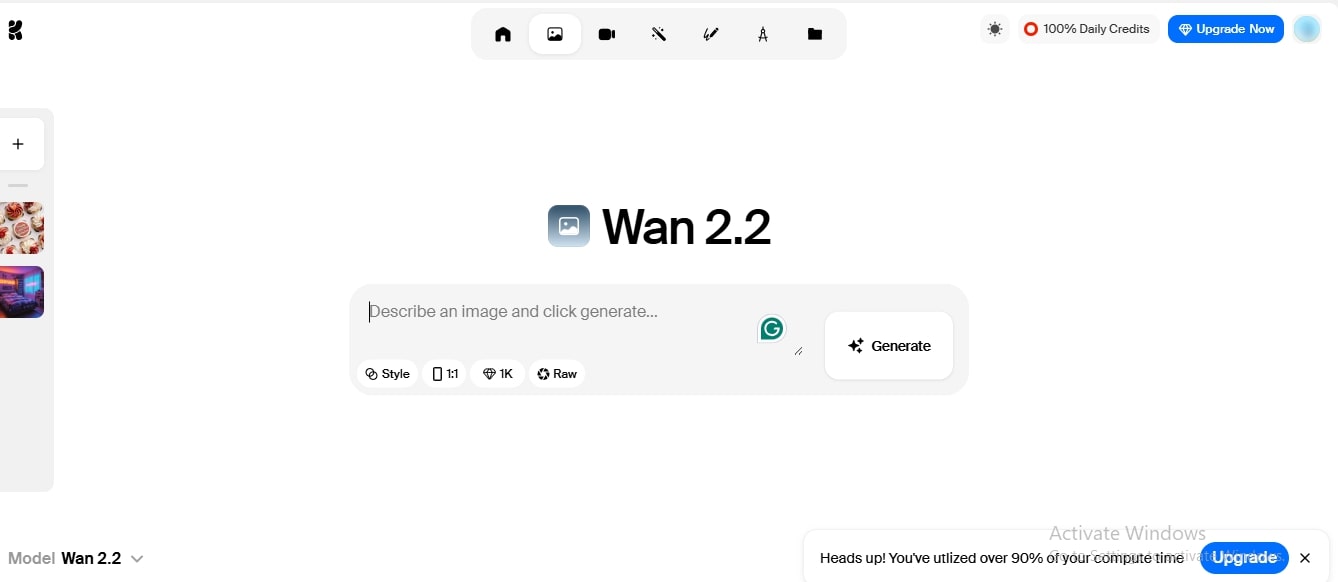
4. Access the platform via website or a mobile app and use the free features. However, if you require additional features or wish to generate content in bulk, you can upgrade to a paid plan.
Who Actually Uses Krea AI?
Krea AI reviews have been tremendous. It has been praised due to its advanced image generation capabilities. This AI design tool is not just for content creators, but also for dedicated businesses.
Creators on social media frequently need fresh posts. They can create unique images in minutes instead of digging through stock image websites.
Marketing folks who always need “one more version” of a banner or ad. Instead of waiting days for revisions, they can try out a few variations quickly.
Freelancers and artists sometimes use it like a sketchbook. You throw in an idea, see what comes back, and then refine it in your design software.
Teachers have started using Krea, too! A quick visual or short clip often explains a concept way better than a block of text on a slide.
And of course, small businesses. Hiring a design team might not be an option. So tools like Krea fill the gap by helping them create logos, patterns, or product shots without a big budget.
In short, Krea AI is like a creative partner. It provides you with ideas and polished results, while still allowing you to add your own personal touch.
Real-World Applications of Krea AI
Krea AI isn’t just another design tool; it adapts to the user. Whether you’re a student, a business owner, or a creative professional, the platform can fit into your daily routine in surprising ways.
For Social Media Creators
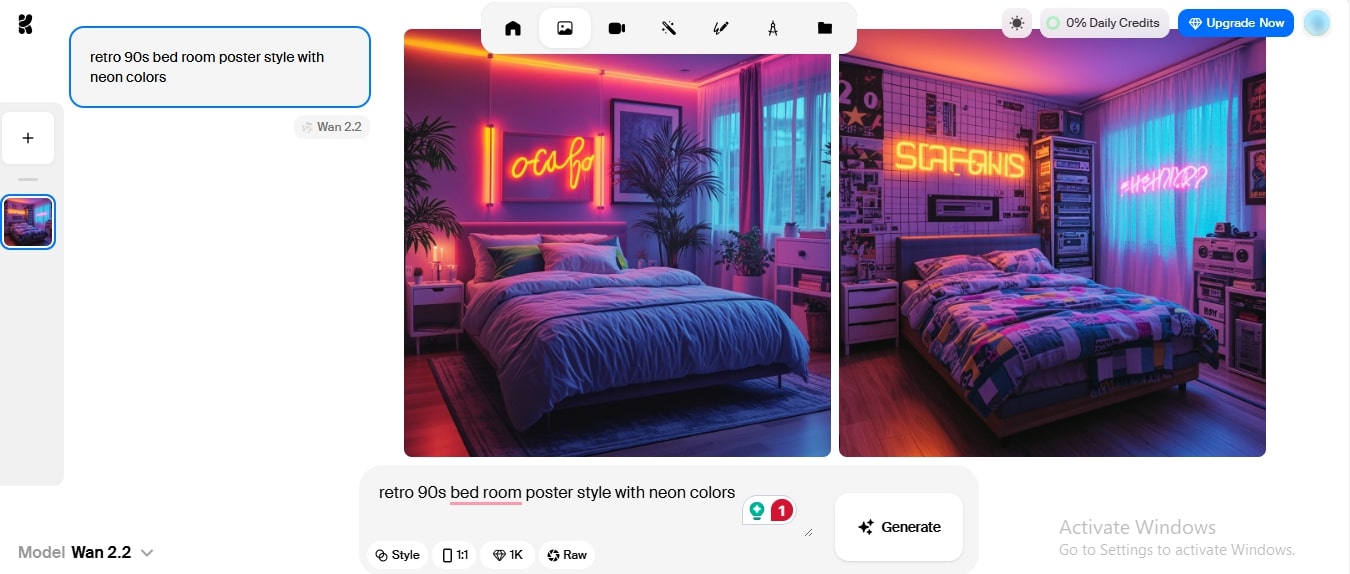
If you’re running an Instagram page and you’ve hit a creative block. You type in “retro 90s bedroom poster style with neon colors”, and within seconds, you’ve got a fresh set of graphics ready to post. No expensive software, no waiting for a designer - just instant content.
For Small Businesses
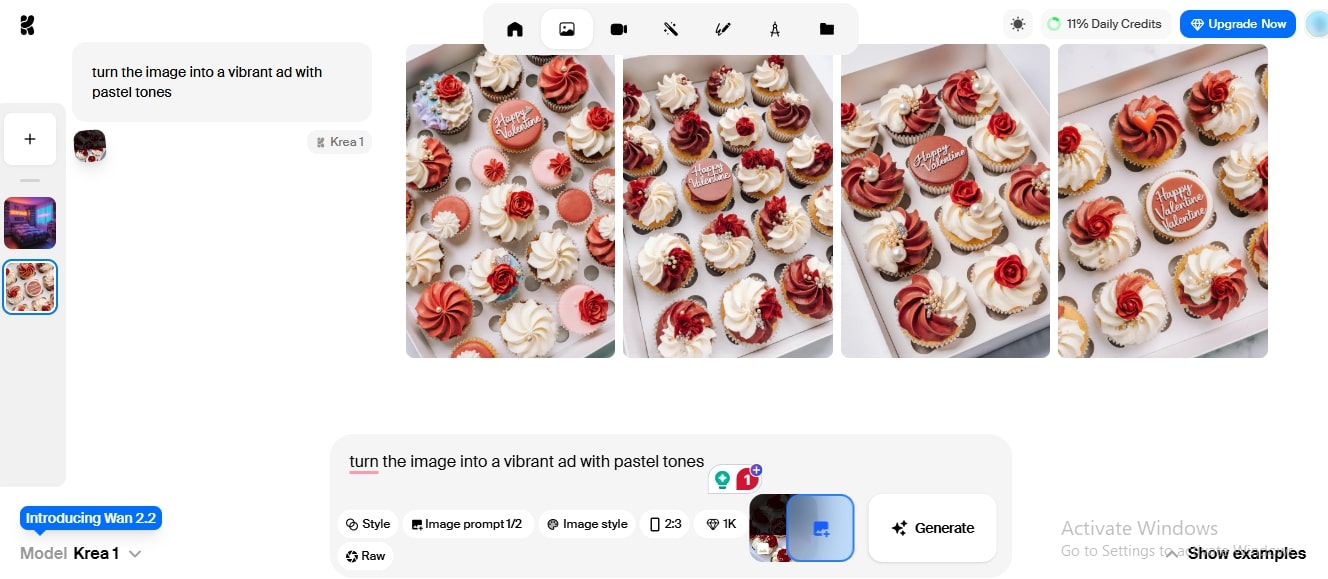
A bakery owner wants to promote their new cupcake line. They upload a simple photo and ask Krea to “turn the image into a vibrant ad with pastel tones.” The result? An eye-catching promotional banner perfect for Facebook and flyers, done in minutes.
For Designers & Freelancers
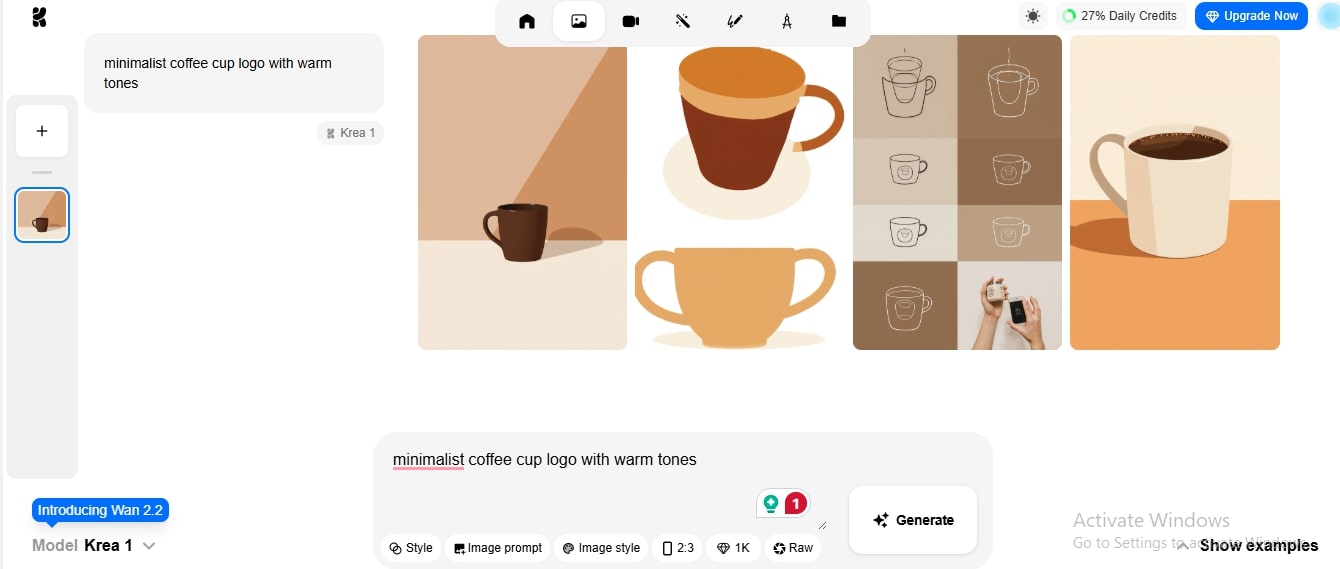
Imagine a freelance graphic designer working on a logo project for a startup café. Instead of sketching dozens of ideas manually, they type a few prompts into Krea AI, such as “minimalist coffee cup logo with warm tones,” and instantly generate multiple concepts.
For Educators & Students
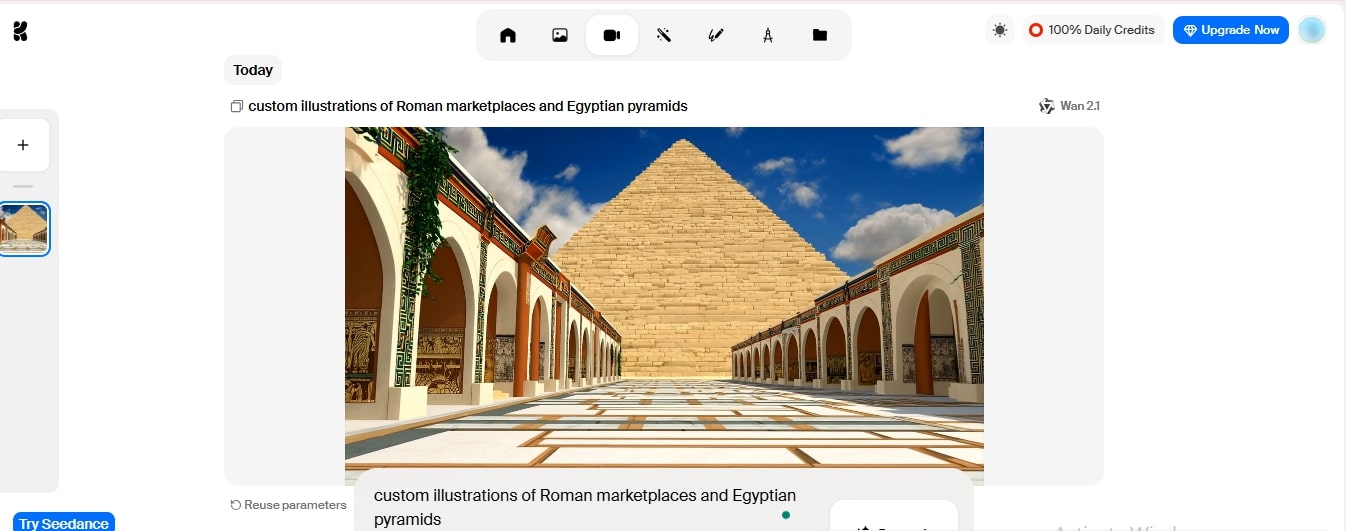
Suppose a history teacher needs to make ancient civilizations fun for her students. Using Krea can help her generate custom illustrations and videos of Roman marketplaces and Egyptian pyramids, allowing her to present them in minutes. History suddenly didn’t feel so boring anymore.
In short, Krea AI is like a creative partner. It provides you with ideas, visuals, and polished results, while still allowing you to add your own personal touch.
Pricing Breakdown for Krea AI
Before anything else, it's nice that you can try Krea AI without paying; it offers a forever-free tier with limited daily usage.
If you want more freedom, there are three paid tiers, each stacking up more capacity as you go:
Basic Plan (around $8/month if billed yearly)Great for light users. You get a decent number of image generations, some real-time edits, the ability to enhance visuals, and even a few custom “train” jobs to tailor the tool to your style. Pro Plan (approximately $28/month with yearly billingStepping up to this level gives you a significantly higher quota, more image generations, faster processing, additional training credits, and continued commercial rights. Max Plan (roughly $48/month on annual billing)If you’re a heavy-duty user, cranking out visuals and videos regularly, this gives you the most allowances and a full commercial license. |
Top Alternatives to Krea AI
Every tool has a different personality when it comes to creating images or videos with AI. Some offers speed and precision, while others focus on more clarity, depth, and deeper integrations. Here is some critical information about these tools.
1. Zawa AI Agent
Zawa is built as an all-in-one creative partner for sellers, marketers, and small businesses. It isn’t just about editing product photos. The main advantage is that you don’t need several different apps. Zawa pulls everything into one place, which is why it’s considered the strongest alternative here. It also handles:
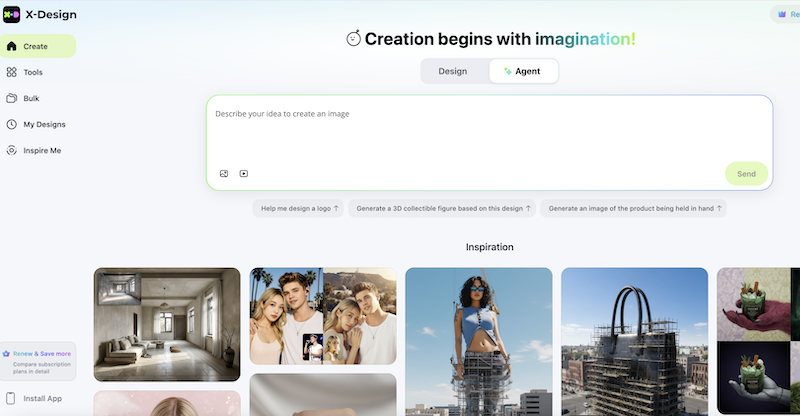
Text-to-Image for unique product visuals.
Text-to-Video to quickly generate short promotional clips.
Logo and Poster Generation for branding campaigns.
AI Background Removal & Styling to instantly make products look professional.
2. Recraft
Recraft is more like a precision tool for designers, offering text-to-image conversion in seconds. Instead of throwing endless variations at you, it helps maintain a consistent brand identity across packaging, social posts, and campaigns. It shines when you care about:
Pixel-perfect layouts
Consistent branding elements across assets
Accurate text rendering
3. Adobe Firefly
Adobe’s Firefly works best if you already live inside the Creative Cloud ecosystem. The tool is quite flexible and keeps everything so seamless, therefore loved by the users. The true value of the tool can be heard by the artists. It is not simply for businesses and strict branding, but rather a tool that sparks imagination. It is good for creative brainstorming. What sets it apart is:
It offers integration with Photoshop and Illustrator.
Generate text, images, and short video clips instantly. Plus, you can edit them with utmost precision using the built-in editor.
Time-saving inside familiar workflows. Highly considered by professional graphic designers.
4. Midjourney
Midjourney has become a favorite among artists and creatives because of its ability to create realistic images. Specific art forms for comic generation and video game illustrations can also be generated through Midjourney. Once you enter a prompt, you get four variants to choose from. Then, you can make more edits to them or upscale them within the tool itself. Here are the features of Midjourney:
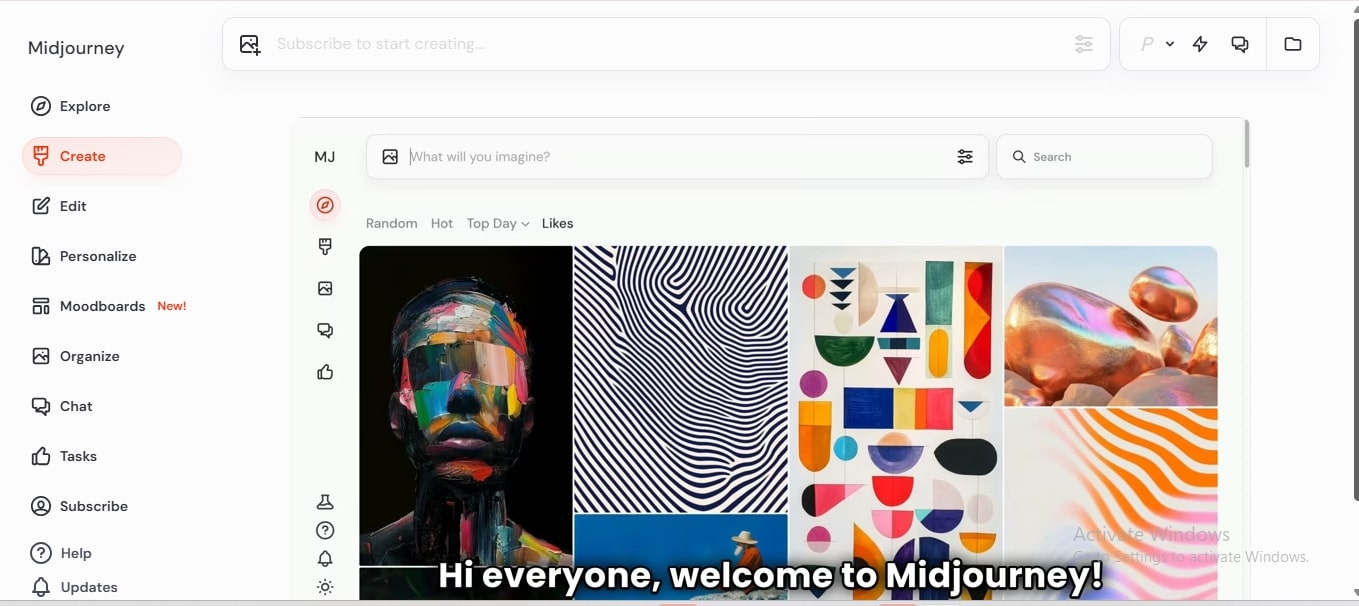
Highly detailed, realistic image generation within seconds.
Atmospheric concept art for games, animated movies and comics.
Artistic visuals that often feel hand-painted and original
5. Stable Diffusion
The tool is open-source. The developers and advanced users can modify it as per their needs. For companies that want full control and flexibility, this tool offers the most room to experiment. Its strengths include:
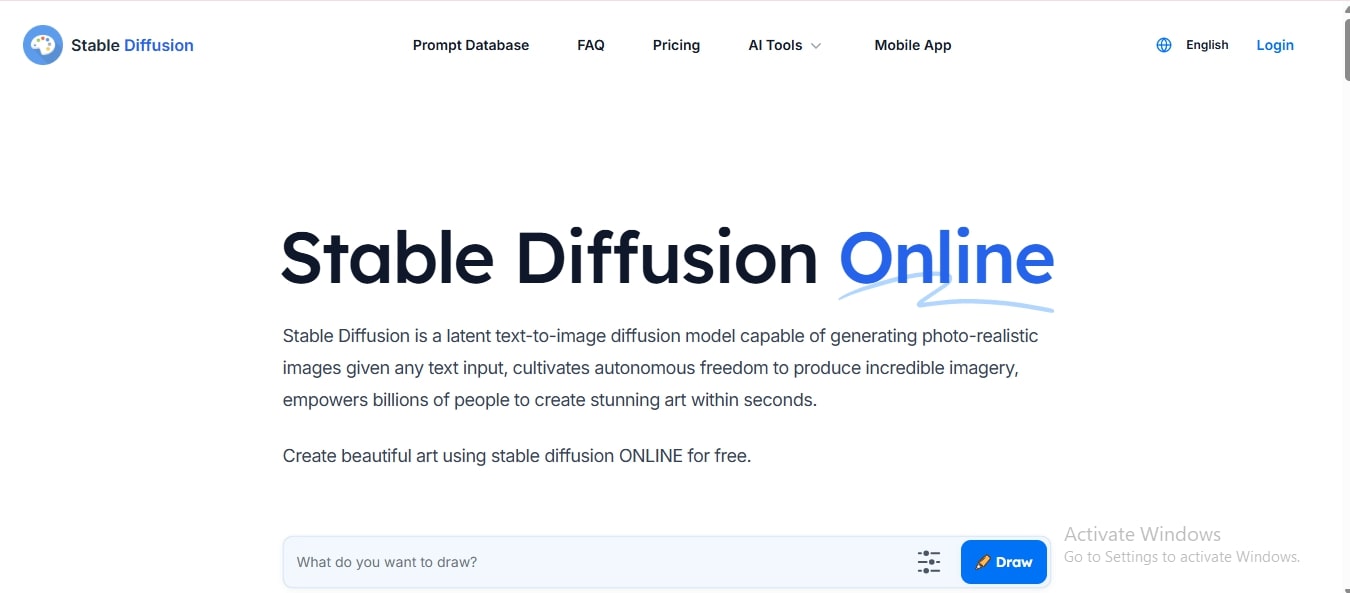
Text-to-image generation with high customization.
Inpainting and editing existing images can be easy even for non-designers.
Training the model on your own datasets for brand-specific results
Top AI Design Tools Compared: Which One Fits Your Needs?
Tool | What It Does? | Use Case |
Zawa AI Agent | AI product photo editor for sellers; add models, remove backgrounds, upscale images, design logos or posters. | An e-commerce seller transforms plain product shots into styled lifestyle images for Amazon listings. |
Recraft | Designed for designers with strong layout, brand consistency, and text rendering. | A branding agency mocks up logo applications across packaging and social templates instantly. |
Adobe Firefly | Text-to-image and video generation seamlessly integrated with Creative Cloud apps. | A designer can create visuals directly in Photoshop and boost the client's deliverables. Doesn’t have to leave the Adobe ecosystem. |
Midjourney | Inspires with highly realistic image generation from simple prompts. | A concept artist quickly generates atmospheric backgrounds for a game pitch deck. |
Stable Diffusion | Open-source image engine for text generation, inpainting, and remixing. | A developer custom-trains the model on company product photos to automate campaign visuals in-house. |
Final Thoughts
Whether you wish to create photo-realistic images, videos, lip sync, experiment with abstract, change background, and more, the AI design tools have become a valuable asset in the digital creative world. What earlier took hours to edit manually can now be done instantly with these creative tools. Among them, Zawa stands out as an even better option. It offers advanced features and more precise customization for professionals and creators alike.
Related articles

The Creator's Guide to Veo 3.1: What's Changed and How to Use it
What is VEO 3.1? The Video Model That Demands Creative Control
The Best Roles for Veo 3.1: Where Google's New AI Video Model Excels
