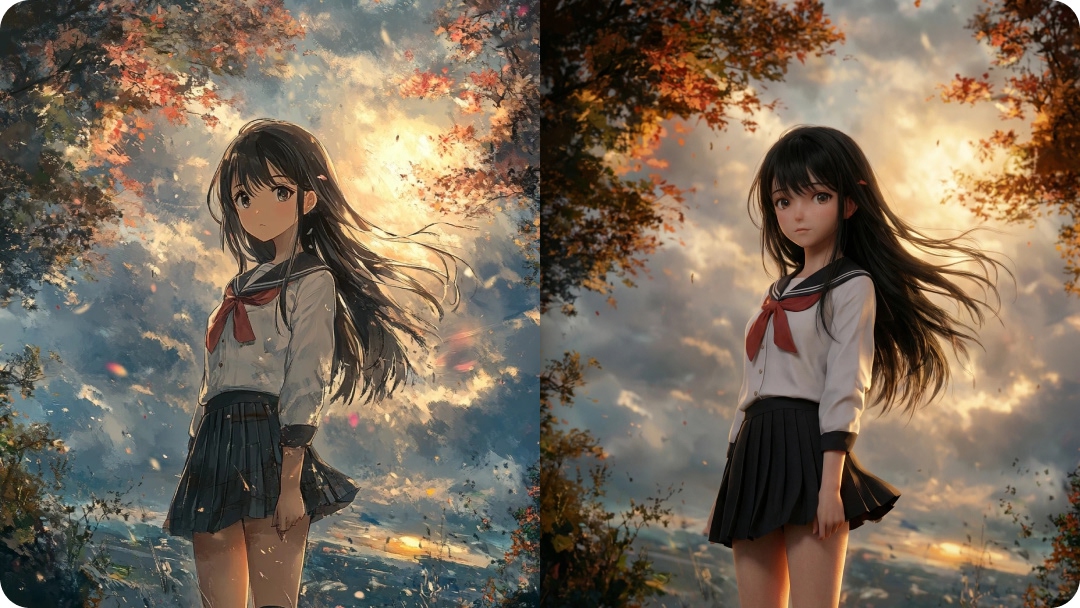
9 Best AI Poster Design Tools to Try in 2025
Know about the best AI poster design tools in 2025. A complete list with pricing, features, and test results.


A striking poster still makes a difference. It has numerous uses. Some use it to promote an event. While others use it for establishing a campaign, boosting brand awareness, or simply decorating a space. The right poster demands both visual appeal and clarity. But designing something good takes time, skill, and tools.
These days, powerful tools driven by AI are helping people. Even beginners and people from different domains, like marketers, business owners, or creatives, are able to make posters faster and often better than before. In this article, we share what we believe are the best poster design tools right now: tools that balance ease, creativity, pricing, and real output quality. We’ll also simulate how each one could produce a poster, so you know not just what they offer, but what they deliver.
- What Makes a Good AI Poster Design Tool?
- Top 10 Best AI Poster Design Tools| Quick, Creative, and Professional
- Zawa AI Agent
- Canva
- Adobe Express
- VistaCreate
- Kittl
- PosterMyWall
- Designhill AI Poster Maker
- Snappa
- Piktochart
- How These Tools Compare
- How to Choose the Right Poster Design Tool?
- Pro Tips for Making Posters with AI
- Conclusion
What Makes a Good AI Poster Design Tool?
Not all tools are equal. A poster maker should always be easy to use. Which means that the tool should be intuitive and not loaded with jargon or overly technical steps. Here are the criteria we complied with to select and compare the tools:

Intuitive Interface & Workflow: This is the basic quality that we checked in each tool. Can you select a template or start from scratch? Does it have drag-and-drop functionality? Can you generate a poster from scratch?
AI-Powered Creativity: AI-powered capabilities were most important. We checked for features like text-to-image generation. It suggests better layouts, automatic font pairing and color palette generation for your poster.
Template Variety & Customization: Does the tool have enough templates for different themes, like events, marketing, promotion, and artistic posters? Also, does it have the ability to edit deeply (fonts, imagery, size, etc.)?
Export Quality & Formats: We also checked whether it has high-resolution prints. Additionally, is it digital-friendly (supporting CMYK, high DPI, and various file types)?
Brand Tools & Collaboration: Ability to save logos, fonts, color palettes; share designs, collaborate with others.
Pricing & Accessibility: Lastly, what is the pricing of each tool, too? Free versions, trials, paid plans. Moreover, we also checked how much feature access you get per tier and whether the pricing is fair given what's offered.
Also, in choosing tools, we considered how they interact with related creation workflows (for example, the tools useful for design may also be useful when doing social media content, or generating blog graphic assets), because sometimes you want synergy across your content stack.
Finally, we kept in mind that people looking for the best poster design tools also often search for tools like poster makers, graphic design software, and AI design tools, among others. So, if you want to know about the best AI poster design tools and even a graphic design software that can help you build posts, our curated list is the best guide you can get!
Top 10 Best AI Poster Design Tools| Quick, Creative, and Professional
There’s no shortage of platforms claiming they can help you design posters in minutes, but only a handful are actually worth using. Some are built for speed, others for creativity, and a few manage to balance both. After testing and comparing dozens of options, I’ve pulled together the nine best poster design tools that consistently stand out.
The list isn’t about your go-to one-size-fits-all kind of list! A student putting out a fundraiser flyer doesn’t always need the same tool a marketing team would pick for a massive campaign. That’s why we’ve laid out each option below, pointing out what it excels at, who it’s meant for, and how its pricing holds up.
Zawa AI Agent
Zawa (also called Zawa AI Agent) is a suite of AI-powered design tools aimed at fast visual content creation. Among its features are an AI poster generator, background remover, image enhancer, and object remover, among others. It also works best for e-commerce photos, promotions, posters, and marketing assets.

Features
AI poster generator: Generate posters in minutes, starting from templates or a blank canvas.
Smart Image Tools: Background removal, object removal, and image enhancement. Helps if you upload your own photos.
Templates & Customization: Edit layouts, fonts, colors, and upload your own assets.
Branding Consistency: Helps keep visuals coherent for business use.
Pricing
Free Tier / Trial Available: “Try it free, no card needed.”
Paid plan(s): Their model is subscription-based and starts for only $4.17/month.
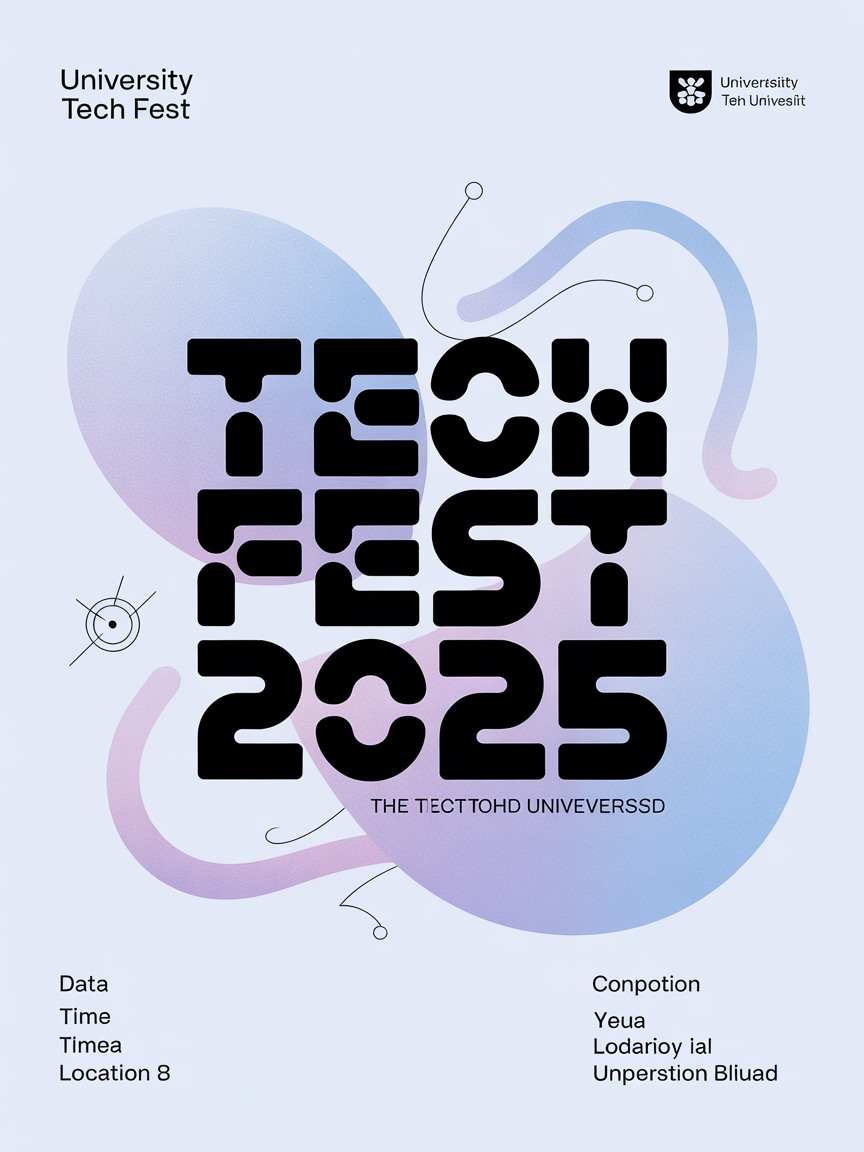
Prompt Used:
“Create a modern event poster for a university tech fest. Use bold typography, abstract shapes, and a bluish-purple gradient. The text should say “Tech-Fest 2025.” Also, add space for date, time, and location.”
Result:
Canva
Canva remains one of the most popular tools when people search for design tools, as it strikes a balance between friendliness and power. Its AI features are improving, and it has a very large template library.
Features
Magic Studio Tools: AI-assisted image editing (erasing objects, background removal, repositioning), prompt-to-image, etc.
Endless Posters: A Huge number of templates for posters, marketing, and social media. Thousands.
Royalty-Free Images: Royalty-free stock photos, illustrations. Also collaboration: share designs, comment, co-edit.
Export Options: Print-friendly, digital formats.
Pricing
Free Plan: A wide range of templates and essential tools are available.
Paid (Pro / Teams): Use premium templates, more assets, brand kits, and more AI tools. The price for the premium plan starts from $15/month.
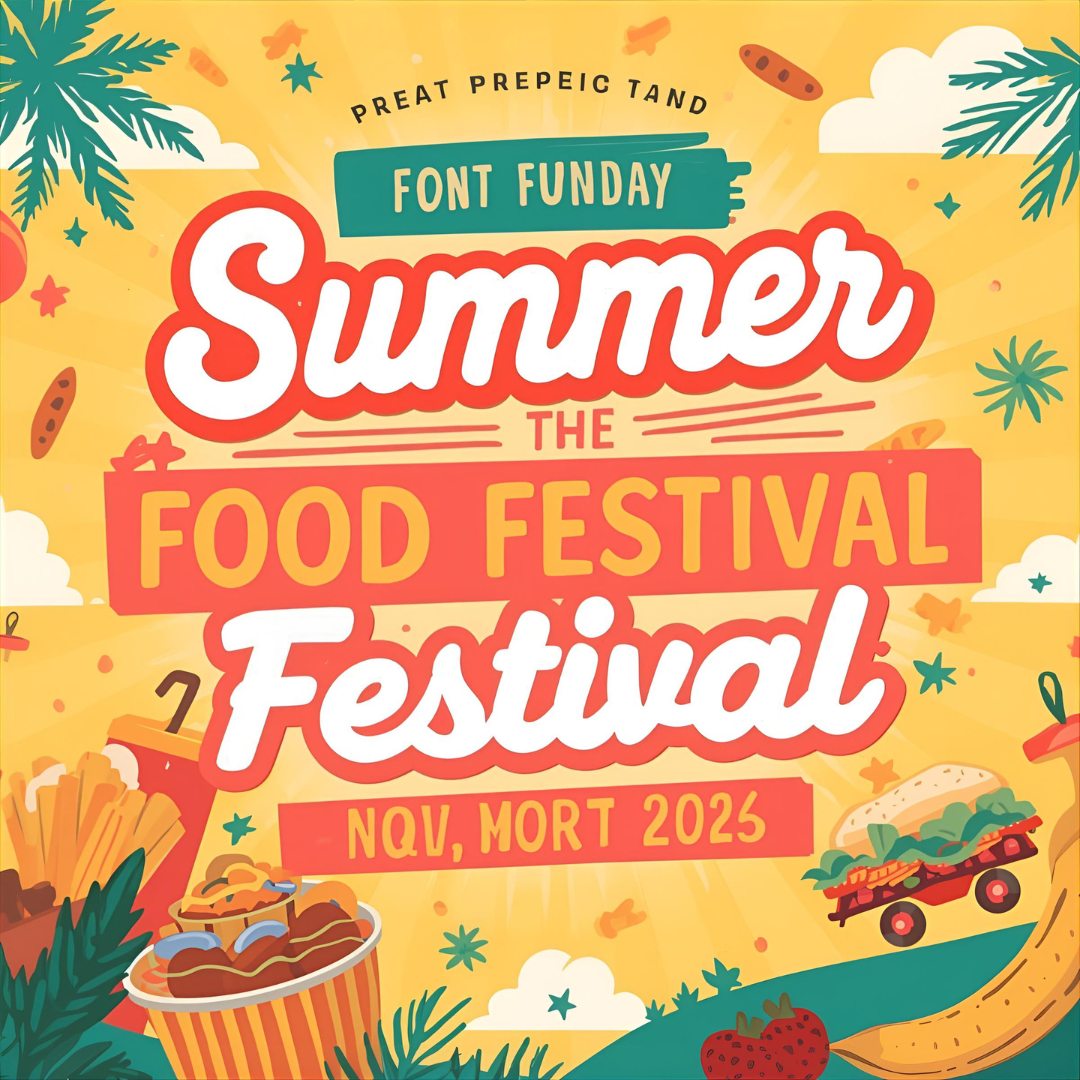
Prompt Used:
“Design a poster for a summer food festival. Bright colors, playful fonts, and illustrations of street food. Make it easy to resize for Instagram and print flyers”
Adobe Express
Adobe Express (formerly Adobe Spark) is Adobe's effort to bring design tools from the professional realm closer to everyday creators. It ties in with the Adobe ecosystem, providing access to numerous assets and AI features. a
Features
Generative AI: Image generation/editing, and other Firefly-powered features.
Templates Availability: Thousands of templates and assets (static and video), plus brand tools (fonts, logos).
Quick actions: Remove backgrounds, resize, animate text, export in various formats.
Sharing: You can collaborate and share your posters with anyone.
Pricing
Free Plan: Limited assets and features.
Premium Plan (Individuals): About $9.99/month gives access to most premium templates, more assets, and AI tools. Teams/enterprise plans cost more, offer brand control, and more storage.
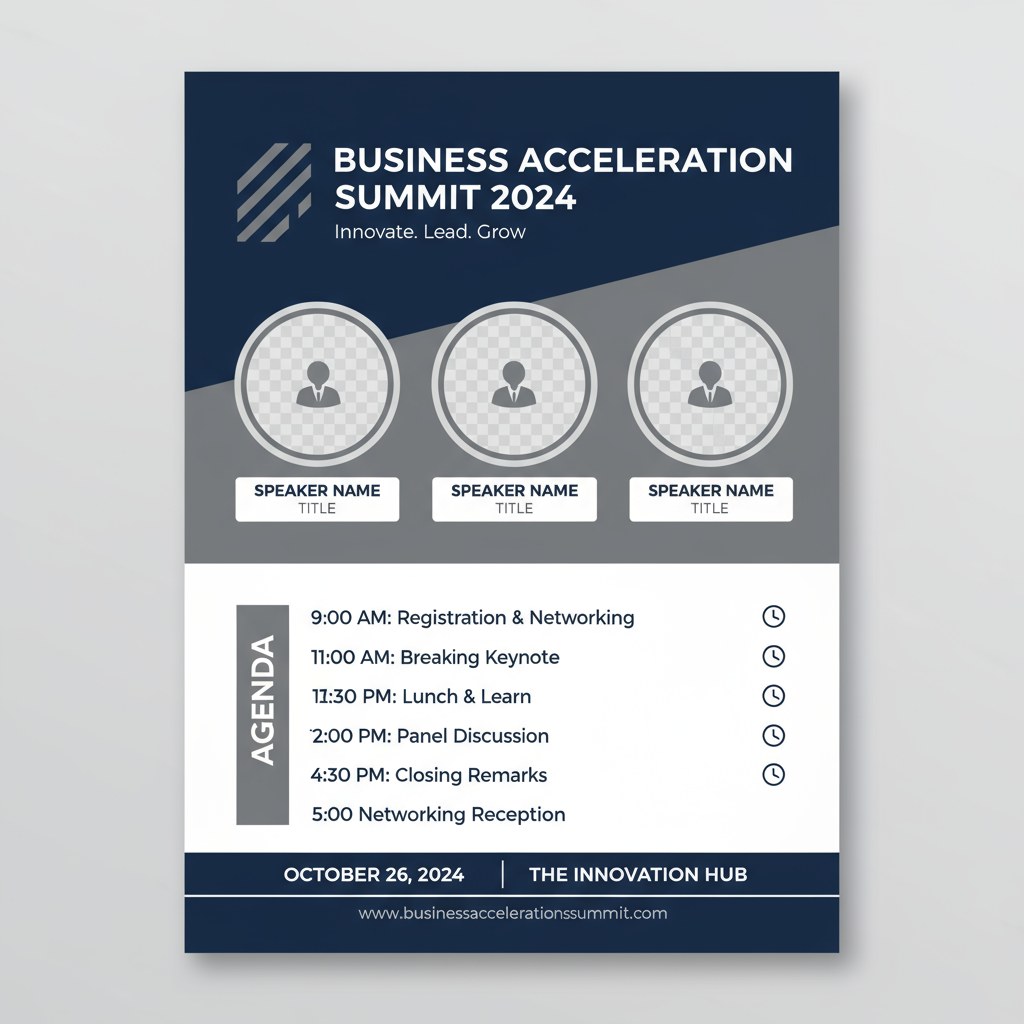
Prompt Used:
“Generate a professional-looking poster for a business seminar. Use clean lines, corporate colors (navy and gray), and include placeholders for speaker photos and schedule.”
Result:
VistaCreate
VistaCreate (formerly Crello) is an easy-going design tool oriented toward non-designers. It offers many templates, stock assets, and a few AI tools. It may not always have the best AI functionality. However, what it has tends to work reliably and is accessible.
Features
Templates Availability: Large library of templates for posters, social media, and videos.
Royalty-Free Images: clipart, vectors, backgrounds.
Quick Tools: Background remover, smart resize, brand kits, version history, and tools for team collaboration.
Pricing
Free (Starter) Plan: Many templates & basic tools.
Pro Plan: About US$10-13/month depending on region, giving access to premium templates, unlimited assets, more collaboration, advanced tools.
Prompt Used:
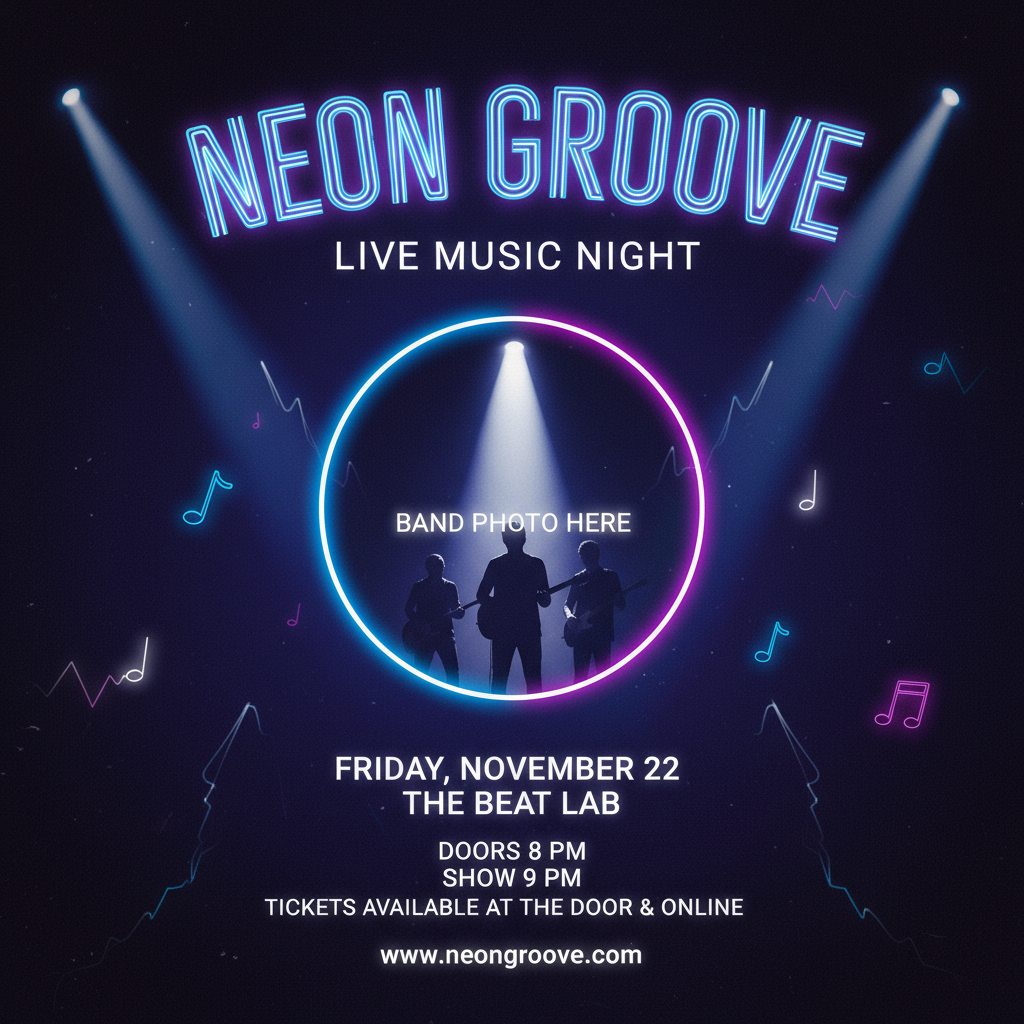
“Make a creative poster for a live music night. Dark background with neon-style fonts, spotlight effects, and room for a band photo at the center.”
Result:
Kittl
Kittl is more design-oriented, with strong tools for typography, vector art, mockups, and visual style. If you have an eye for detail, it's a powerful tool. It also includes AI capabilities to speed up parts of design work.
Features
Comprehensive Editor: It comes with vector tools, mockup generation, and many fonts, especially for artistic/stylized text work.
AI tools: image generator, background remover, upscaler, vectorizer.
Asset Libraries: fonts, licensed typefaces, design templates.
Pricing
Freemium Model: free version with basic export, templates, and assets.
Premium Plan: Unlock more assets, higher-quality exports, more tools. Their pro plan starts from $10/month.
Prompt Used:
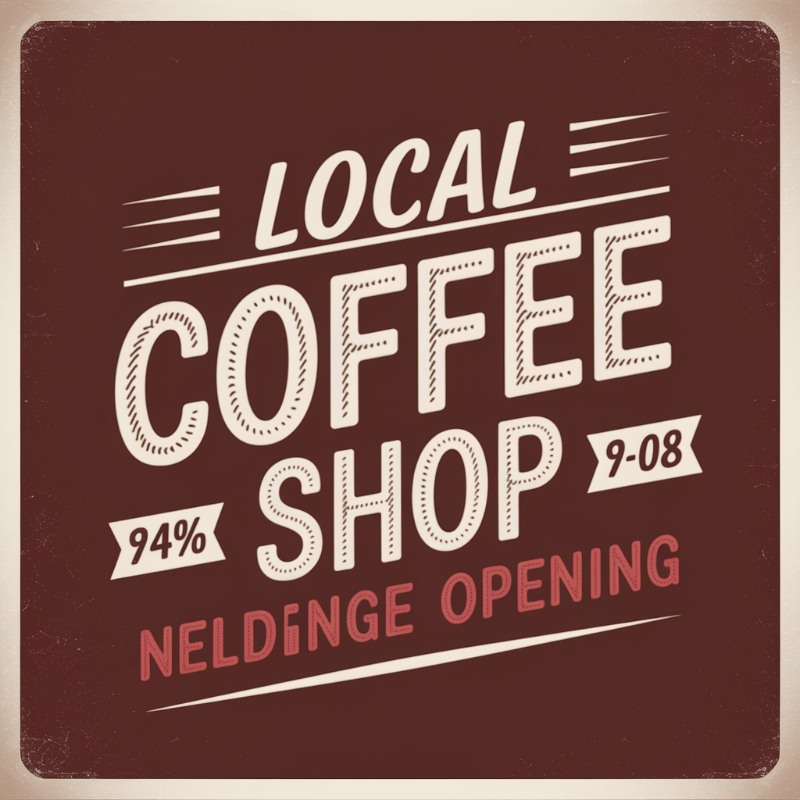
“Design a vintage-style poster for a local coffee shop opening. Hand-drawn typography, retro color palette (brown, beige, and muted red), with space for logo and discount offer.”
Result:
PosterMyWall
For small businesses and community organizers, PosterMyWall is one of the friendliest options around. No design expertise needed to get started—that’s what pulls in restaurants, schools, and event planners for poster layouts that shine with bold style.
The editor is easy to use, templates come in all sorts, and the AI powered text tool steps in when a blank poster stalls the creative flow. Another strength is its ability to quickly resize your poster into matching graphics for Facebook, Instagram, or flyers.
Features
Ready-Made Templates to Try: This tool features a large set of ready-made poster templates across various categories. You can find templates for concerts, restaurants, education, etc.
Easy Drag & Drop Functionality: You can use their drag and drop functionality, which is versatile and beginner-friendly.
Built-in AI Suggestions: Use its AI text suggestions to ignite ideas for slogans and even short descriptions for your poster.
Resize Tools: Instant resizing for different formats and platforms.
Sharing: Team collaboration for editing and approvals.
Pricing
Free: May have watermarked and low-resolution posters.
Premium Plan: Premium ensures you enjoy high-resolution downloads and premium brand kits. Pricing starts at $ 2.90/month.
Prompt Used:
“Build a community poster for a charity walkathon. Use warm colors, silhouettes of people walking, and an uplifting headline. Include date, route, and sponsor logos.”
Result:

Designhill AI Poster Maker
Designhill is mostly known as a design marketplace. But it also has a poster tool tucked inside its platform, which is why it is part of the list. This tool works wonders for quick marketing materials, where users want to keep their brand identity intact.
The templates lean more toward professional or business use, and they connect with Designhill’s larger suite of branding tools. That way, your posters don’t look like on and off. Instead, they tie naturally and neatly into your overall branding graphics.
Features
AI-Based Tool: AI-powered poster generator with editable layouts.
Easily Integrated: Smooth integration with other branding tools on Designhill.
HD Quality Prints: High-resolution outputs suitable for printing.
Comprehensive Tools Library: Business-oriented layouts for events, campaigns, or promotions.
Pricing
Free trial: Limited templates.
Pay-per-download: From $2.99 per poster.
Subscription options are available for frequent users.
Prompt Used:
Create a marketing poster for an online tech course launch, and add an image as well. Use modern fonts, a professional color scheme (teal and white), and space for a discount banner and course details.
Result:

Snappa
Snappa has built a reputation for speed. If you want something clean and professional in under ten minutes, this is the kind of tool you’d open. The interface is stripped down to the essential functionality. This is the reason it is perfect for social media marketers or small teams that just require the necessary tools.
Best part? Snappa also saves you from hunting for stock images. Due to its built-in library, with one click, you can adjust your design to fit different poster sizes and even digital formats.
Features
Numerous Templates to Try: Poster-sized templates already set up.
Easy Background Remover: AI-assisted background remover.
Built-in Image Library: Integrated stock photo collection.
Pricing
Free: Limited downloads per month.
Pro: Unlimited downloads and expanded template access. Starts from $15/month.
Prompt Used:
“Design a poster for a weekend sale at a clothing store. Use bold red and white colors, fashion photography in the background, and a large ‘50% Off’ headline.”
Result:

Piktochart
If your posters need to display numbers, research, or structured data, Piktochart is one of the smarter choices. It was originally built for infographics. However, over the years, it's become just as reliable for the posters, which is why it has millions of users worldwide.
Creators and Poster-enthusiasts use it when they want designs that feel clear, polished, and factual. You can even import spreadsheets directly into your poster, saving time on manual formatting. All these functionalities make it the best bet when people want to deliver “All Facts and No Fluff” kind of Posters.
Features
Poster templates focused on infographics and reports.
Direct import of Excel or CSV files is supported.
Large library of charts, icons, and illustrations.
Collaboration tools for teams to edit and comment.
Pricing
Free: A small number of monthly designs.
Pro ($14/month): Unlimited visuals, brand kits, and priority support.
Prompt Used:
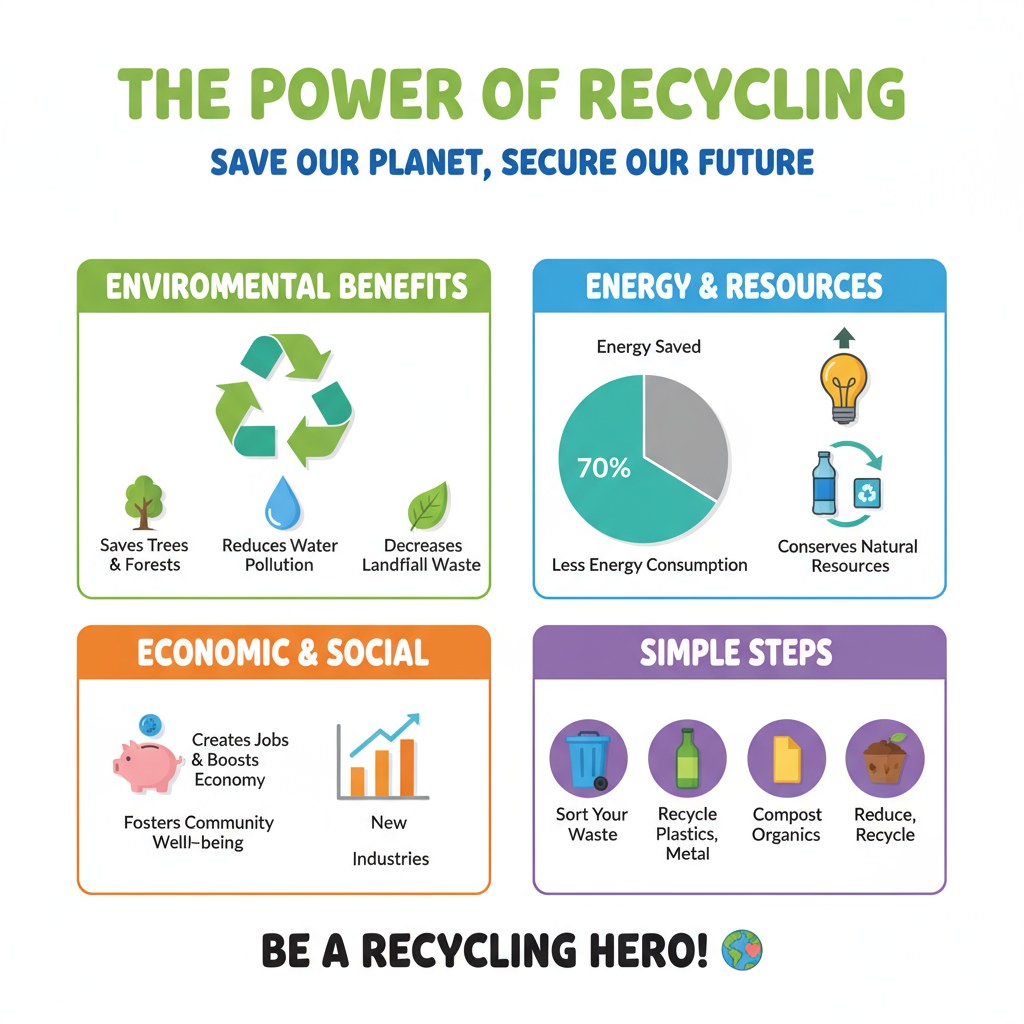
“Make an educational poster showing the benefits of recycling. Clean design with infographics, pie charts, and icons. Keep it suitable for schools and community boards.”
Result:
How These Tools Compare
Here’s a quick comparison of strengths:
Tool | Strength / Best Use Case |
Fast, AI-powered poster creation with multiple innovative tools | |
Canva | All-rounder with massive template variety, great for individuals and teams |
Adobe Express | Professional-grade option with full Adobe ecosystem integration |
VistaCreate | Affordable, intuitive, ideal for small businesses and freelancers |
Kittl | Creative typography and artistic poster design |
PosterMyWall | Event posters and local business promotions |
Designhill | Business-focused with branding integrations |
Snappa | Quick resizing and optimized social media poster formats |
Piktochart | Data-driven posters for education and corporate use |
How to Choose the Right Poster Design Tool?
Your choice depends on your goals:
Small Businesses → Tools like PosterMyWall or VistaCreate give quick results with templates ready for marketing.
Students & Nonprofits → Canva’s free plan offers the best value for casual use.
Design Agencies → Adobe Express or Kittl provide creative depth and integration with professional workflows.
Marketers → Zawa AI Agent and Snappa help with quick campaigns that connect across print and social.
For setups already leveraging a best AI social media post generator or a best AI blog post generator, selecting a tool that integrates smoothly ensures posters, posts, and blogs maintain a unified style and tone.
Pro Tips for Making Posters with AI
Stay on Brand: Save your colors, fonts, and logo so posters remain consistent.
Print & Digital Versions: Always create both, making sure the resolution suits each medium.
Pair AI Copywriting with Design: Combine poster tools with the best AI poster generator or text-based AI to come up with catchy taglines.
Test Variations: Create two or three versions and observe which one draws more engagement online.
Keep it Simple: Don’t overload with text; AI layouts help, but minimalism wins clarity.
Conclusion
Posters remain one of the most versatile ways to spread a message, and AI tools are now making them easier to design than ever. If you need a high-impact event poster, a stylish campaign asset, or a professional corporate visual, there’s a tool tailored to your workflow.
From Zawa AI Agent's quick and smart features, to Canva's templates, to Kittl's creative flair, the landscape of best poster design tools has never been stronger. Pair them with related solutions, such as the best AI social media post generator and the best AI blog post generator, for a comprehensive creative workflow that keeps your message consistent across all channels.
The future isn’t about machines replacing creativity—it’s about using them to give your ideas a faster, sharper, and more professional finish.
Related articles
How to Design a Good Advertising Poster

Human vs. AI in Design: Who Really Creates Better Art?
The Difference Between Motion Graphics and Animation: A Detailed Analysis