
YouTube Banner Maker
Just pick a template, customize, and create high-quality YouTube banners in no time.
Click or drop to upload, paste files.
How to create YouTube banners online
Upload your images
Upload some images to the platform if you need.
Create YouTube Banners
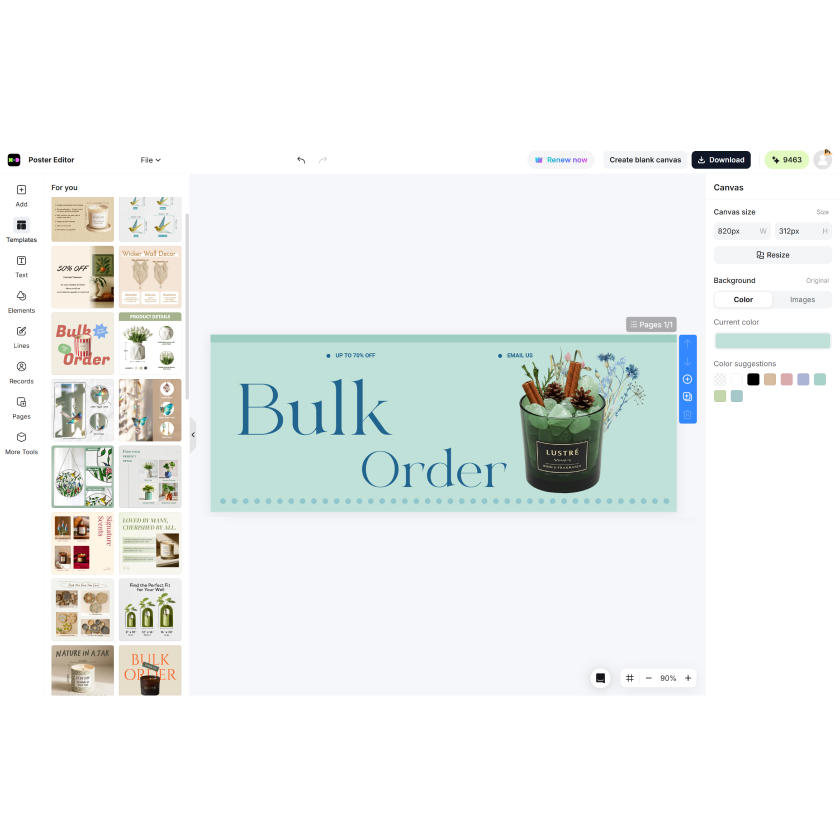
Choose a "YouTube Channel Art" canvas or use a template. Move text, icons, background, and images around.
Download
Preview your banner for responsiveness on devices. Download in HD and upload to your YouTube channel.

Smart Canvas for All Devices
Make YouTube banners that work perfectly on various devices such as TV, desktop, tablet, and mobile. Our smart layout ensures your YouTube channel banner remains professionally appealing on any screen.

Drag-and-Drop Simple Customization
Small fonts, colors, and photos with a simple drag-and-drop editor. Use the intuitive editor to create brilliant YouTube headers that suit your content theme—gaming, beauty, education, or vlogging—with full artistic freedom.

Free YouTube-Designed Templates
Choose from professionally curated templates specifically designed for YouTube banner dimensions. From launching a business to a lifestyle vlog, there's a trendy, pertinent design waiting to be personalized.

Sharp HD Export for Smooth Uploads
Export banners in crisp high-resolution formats that upload effortlessly to your YouTube channel. The YouTube banner maker guarantees crispness and clarity without cropping or pixelation.
Frequently Asked Questions
What is the best YouTube banner size?
Can I add my logo and social media icons?
Yes. Include your logos, Twitter, or Instagram icons to enhance branding. Simply place by dragging and dropping on the banner effortlessly.
Will this banner be compatible on both desktop and mobile?
Yes, of course! Our software automatically detects safe zones so your banner will not get cut off on mobile or tablet displays.
Is it free?
Yes, you can use all editing features and download banners for free—no watermarks, no trial.