How to Turn Images Into AI Prompts
Master the art of image-to-prompt conversion by breaking down visuals into structured descriptions to recreate styles and generate high-quality AI images with precision.

Have you ever seen a beautiful picture online and wondered how it was created? Maybe it was a scene in the movie, a post-apocalyptic megacity, or a cute anime image. As AI image generation tools gain popularity, images like these can be generated from text prompts. However, it is not always easy to write the perfect prompt.
This is where image-to-prompt comes into play.
This approach may go a long way in enhancing the degree of accuracy of AI-generated images for designers, digital artists, marketers, and content creators. The users can reverse-engineer an image and encode the elements of an image into particular instructions rather than guessing what prompt will produce a certain style.
Let's explore how to turn pictures into prompts step by step.
What Does Image to Prompt Mean?
"Image to prompt" is just a term used to describe the process of transforming the visual contents of an image into textual directions that an artificial intelligence model can interpret.
Tools like Zawa’s AI image generators are prompt-based. These prompts are the accounts of what the AI will be producing. When we cue an image, we deconstruct what the image represents and explain it in a comprehensible manner.
A prompt may consist of such elements as:
The main subject of the image
The context or the setting.
Lighting and mood
Artistic style
Camera angle or composition
Level of detail
As an example, we could take a futuristic city image.
Image description:
A bright city of cyberpunks with light and flying vehicles.
Converted prompt:
Skyline of the future cyberpunk city at night, with the lights, the sky cars, the cinematic lights, and the ultra-processed digital art.
It is also possible to make such images through the support of AI and turn the picture into such a prompt.
Why Image to Prompt Is Useful
Image-to-prompt conversion is now a critical tool for most creators.
First, it assists in the reproduction of similar pictures. You do not have to create a totally new picture, but rather analyze one that exists and create a prompt based on its components.
Second, it enhances timely writing abilities. As soon as you get to know how to deconstruct images into elements, you start to write more descriptive prompts.
The other benefit is that it assists in enhancing the precision of AI-generated images. The prompts are detailed, and the AI is more effectively guided to give you visuals that are more in line with your expectations.
Why AI Image Tools Need Detailed Prompts
How AI Image Generators Work
AI image generators never really perceive images as humans do. Rather, they read the descriptions of texts and translate them into visuals according to what they were trained to do.
This is to say that the AI is solely reliant on the timely response you give.
A good prompt typically has several items:
A clear subject
The environment or setting
Artistic style or medium
Lighting conditions
Camera angle or composition
Quality modifiers
The Problem With Basic Prompts
Prompts with beginners are very short.
For example:
"A cat sitting on a chair."
Although this prompt will create an image, the output will probably be highly generic.
Now compare it with some more descriptive version:
“A fluffy orange cat, sitting on a wooden chair before the window, warm sunlight through the curtains, warm house, realistic photography.”
The second prompt gives a much finer and more correct image. This is the reason why it is important to learn image-to-prompt techniques.
Breaking Down an Image Before Converting It Into a Prompt
You should analyze an image before you convert it to a prompt. Imagine that this step is the reverse engineering of the visual elements.
Identify the Main Subject
The initial thing to determine is the predominant theme of the picture. This is the central focus.
Ask questions like:
What is the main object or character?
Is it a portrait, a portrait of an individual, a portrait of an animal, a portrait of a structure, or a portrait of a landscape?
Analyze the Environment
Then notice the setting or the background. The environment provides the context and sense for the picture.
Examples of environments will include:
Forests
Cities
Beaches
Mountains
Fantasy landscapes
Prompt element:
Night street in rainy Tokyo with neon lights in the rain bouncing off the wet streets.
The fact that the environmental data is added will help the AI to make the scene more specific.
Identify Lighting and Mood
In the visual impression of an image, lighting contributes enormously to the picture.
The following are some of the common lighting styles:
Soft natural lighting
Cinematic lighting
Golden hour sunlight
Neon glow
Dramatic shadows
For example:
Cinema lights, theatrical shadows, and the coziness of the sunset.
Lighting details can be mentioned as one of the characteristics that can distinguish a mediocre image from an impressive visual image.
Observe Colors and Style
One more significant thing is to determine the artistic style.
The styles that may be used in different pictures include:
Watercolor painting
Anime illustration
Digital concept art
Photorealistic photography
Oil painting
Step-by-Step Guide to Convert an Image Into a Prompt
Step 1: Observe the Image Carefully
Start by looking at the image sometimes. Trying to notice each essential detail.
Look for elements like:
The main subject
Background environment
Lighting conditions
Artistic style
Mood or atmosphere
For example:
"A lantern in the hands of a young girl in a forest."
It is based on this observation that your prompt is built.
Step 2: Write Down Key Visual Elements
The second thing to do is to classify the image.
The data may be organized in the following manner:
Represented: a young girl, carrying a lantern in her hand.
Environment: dark forest
Lighting: the lantern light.
Style: fantasy illustration
To build a detailed prompt, it is easier to break the image into small pieces.
Step 3: Combine the Elements Into a Prompt
At this point, you will add those components into one prompt.
Example:
Fantasy of a young girl with a glowing lantern in a dark forest, dark ambience, and gentle light.
This step translates the information that is visualized into the text instructions.
Step 4: Add Quality and Style Modifiers
Most artificial intelligence prompts have modifiers to enhance the performance:
ultra-detailed
high resolution
cinematic
photorealistic
4K
Final prompt Example:
Fantasy picture of a small girl and a lantern in the woods in the dark, baffling world; film light, hyper-realism, 4K digital art.
Such additions affect AI to produce a superior image.
How to Reverse-Engineer Image Styles
Reverse engineering an image refers to examining the way an image was made to be able to recreate a similar appearance.
Identify the Artistic Style
The initial step is the identification of the style of art.
Examples include:
Cyberpunk
Watercolor
Anime
Pixar-style animation
Realistic photography
As an illustration, when an image includes a neon city in the future, you may include:
Cyberpunk digital art style and neon lighting.
This aids the AI in reproducing the same aesthetic image.
Analyze Composition and Camera Angle
The arrangement of the elements in the image is referred to as composition.
Search angles of the camera include:
Close-up shot
Wide landscape shot
Aerial view
Portrait composition
The camera perspective may greatly alter the look of a picture.
Study Texture and Detail
Images are three-dimensionalized through textures.
The following are some of the common texture descriptions:
Smooth digital shading
Soft brush strokes
Film grain
Matte painting texture
Example prompt phrase:
Film grain texture with the movie lights.
These details make the image replicate the style of the image better.
Examples of Converting Images Into AI Prompts
Example 1 – Fantasy Artwork
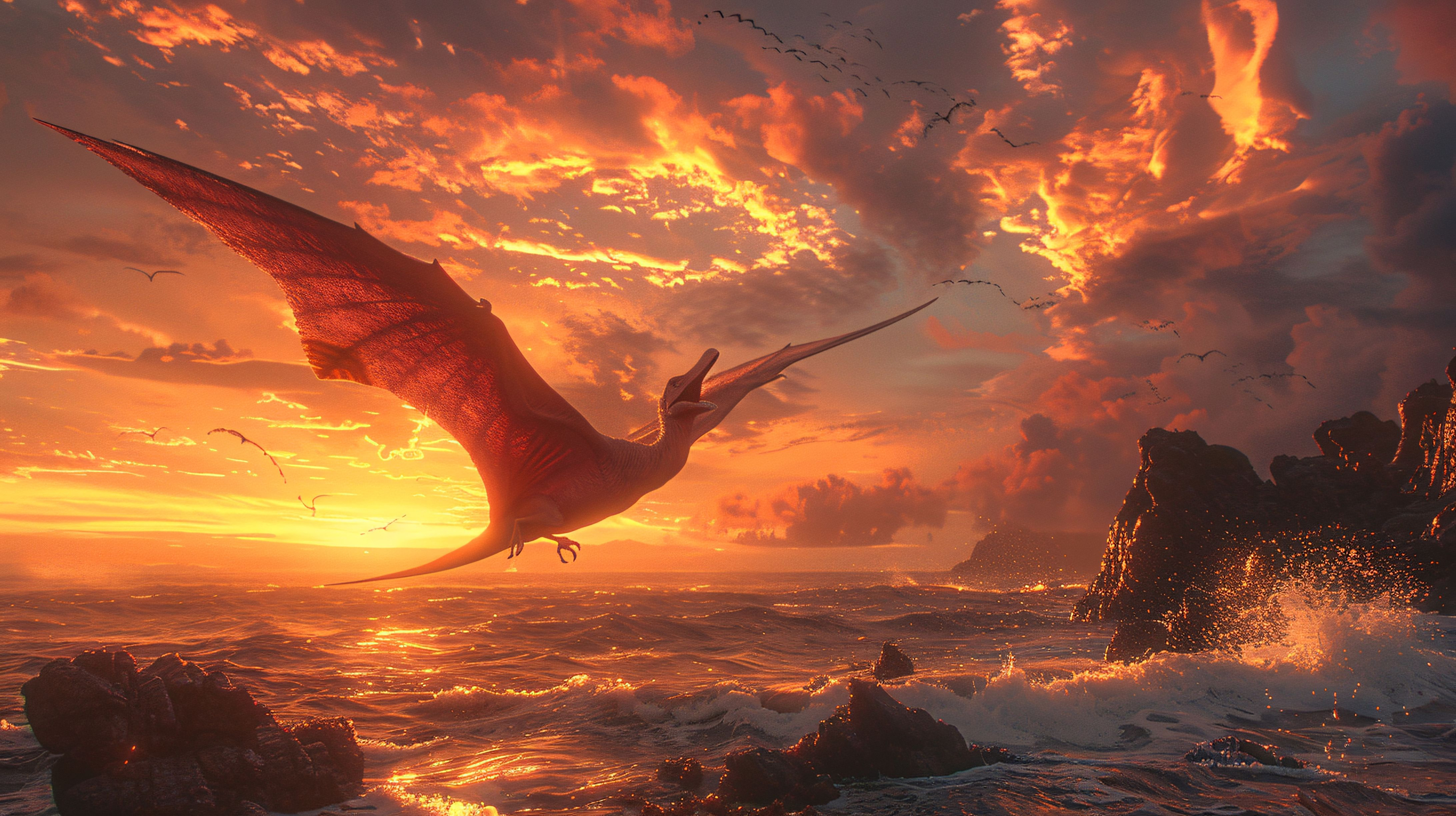
Image description:
It is a dragon flying over a castle at sunset.
Converted prompt:
Epic fantasy perspective of a gigantic dragon flying over an ancient castle in the sunset, dramatic clouds, cinematic light, and extremely detailed digital painting.
Example 2 – Realistic Photography
Image description:
It is a man who is walking in the forest, and there is fog.
Converted prompt:
Photorealistic image of a man walking in the foggy forest during sunrise, ambient fog, gentle natural lighting, and movie photography.
Example 3 – Anime Illustration
Image description:
The anime girl is sitting in a comfortable cafe.
Converted prompt:
The illustration is of a girl sitting in a comfortable cafe with nice light, pastel colors, and detailed designs of anime characters.
These illustrations suggest that detailed prompts can assist in restoring images more precisely.
Conclusion
The ability to recognize how to translate pictures into an instructional act is an extremely helpful technique in the realm of AI-generated visuals. Breaking down an image and writing down what is in a picture, like the subject, the surroundings, the lighting, and the style, can make you replicate the same pictures with great precision.
It is also a method that enables users to reverse engineer artistic styles, acquire knowledge in how to compose images, and create better prompts for AI tools. With time, you will master image-to-prompt conversion and be far more efficient in creating high-quality images using the tools.
As a designer, as a creator of content, or as an AI lover, it is much easier to turn images into powerful AI prompts and create gorgeous visuals with Zawa agent.
Related articles
150+ Instagram Bio Ideas for Moms
140+ Facebook Bio Ideas: Short, Professional, Unique, and More
80+ X(Twitter) Bio Templates and Examples

How to Create Aesthetic Instagram Posts That Stand Out in 2026

Telegram Bio Ideas: 100+ Cool, Aesthetic & Unique Bio Examples (2026)
100+ Good Quotes for Instagram Bio (Copy & Paste Ideas)
150+TikTok Bio Ideas That Attract Followers
The Best Times to Post Reels on Instagram for Every Creator

How Automatic Prompt Engineering Works
AI Assignment Generator for Teachers, Students, and Educational Institutions
The Best AI Tools for Writing GPT Prompts

150+ Instagram Bio Ideas to Catch Eyes at a Glance in 2026

How to Turn Images Into AI Prompts

100+ Trending Instagram Bios for Boys to Upgrade Your Profile

60 Instagram Business Bio Examples

7 Ways to Use an AI Topic Generator

Create Stories With a Text Story Maker

Generate Flawless Sentences for Free

5 Ways To Use Journal Prompts

10 Best AI Content Generators of 2026

130+ Unique Instagram Bios for Girls

AI Response Generator: Create Professional Replies in Seconds
100 Short Success Quotes to Inspire Your Creative Journey
30 Graduation Quotes to Celebrate Your Achievement and Inspire Your Journey
30 Teamwork Quotes That Build Stronger and Smarter Teams
40 Quotations About Education That Inspire Learning, Growth, and Success
80 Quotations About Leadership That Will Transform Your Leadership Journey
Student Success Motivational Quotes to Inspire Growth and Confidence