
How to Use an AI Text Generator: A Comprehensive Guide
Learn what an AI text generator is, how it works, and how you can use it to create social media posts, product descriptions, and other content faster while keeping your writing clear and authentic.


Imagine if you could generate high-quality content in a small percentage of the time it normally takes, without compromising its originality? Thanks to the advent of AI-based text generators, this is no longer simply a matter of imagination. You can now use artificial intelligence to generate long text files within a few minutes.
However, the text generated by an AI tool lacks authenticity. All it takes is the right prompt and some manual iteration to convert generic AI-generated text into an original document. Do you want to know how to use an AI text generator to create captivating text content? Let’s get started.
What is an AI Text Generator?
A text generator AI tool is an artificial intelligence-based tool that helps in generating text based on the given input. It mimics human writers to write content with minimum errors and a natural flow.
The tool can be used for generating engaging content for various purposes such as social media content creation, caption writing, and drafting speeches. Moreover, it can be used to shorten long texts or expand small descriptions about a product.
By generating versatile content in just a matter of seconds, you can save your time and plan your schedule more efficiently. On top of everything, the tool can be trained on company-specific data to generate outputs that are completely tailored to your requirements.
Applications of AI Text Generator
You can use an AI text generator for different purposes. Here are some examples:
Social Media Posts
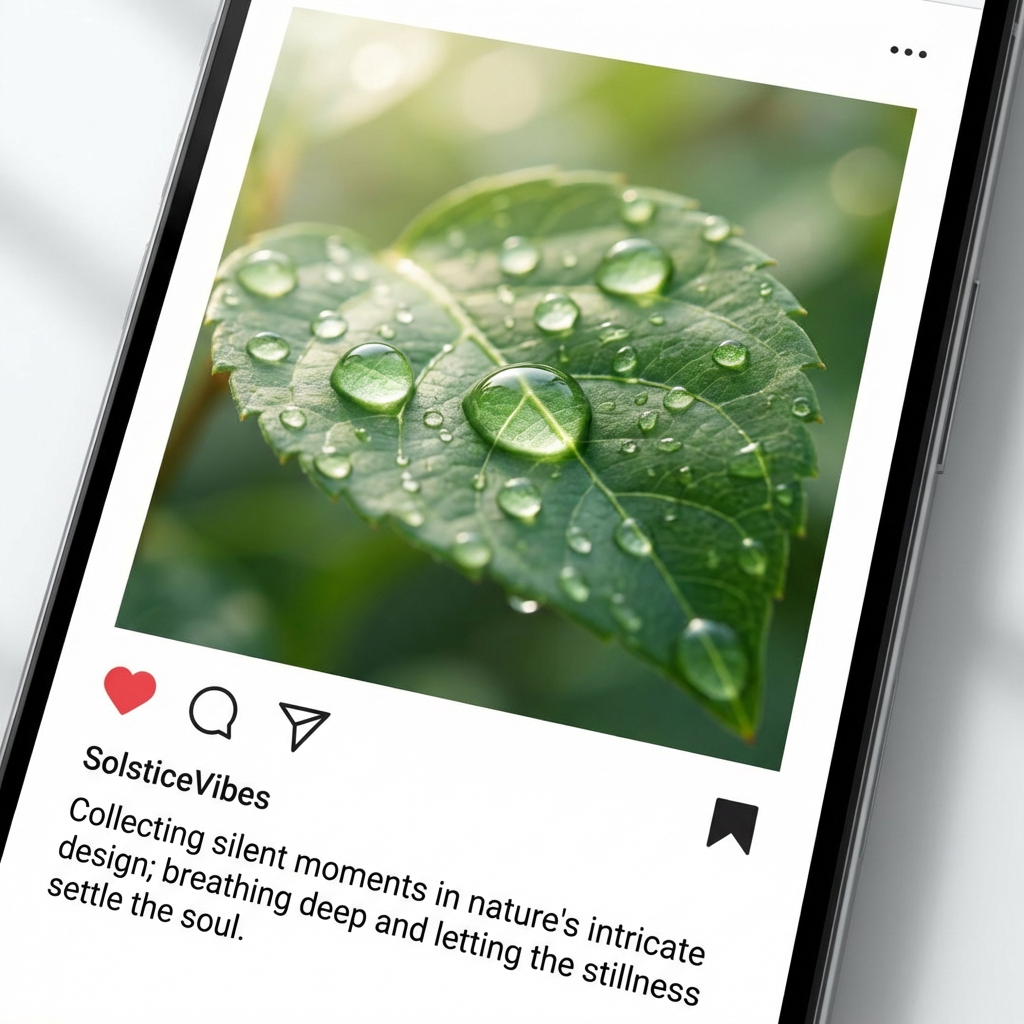
You can use the AI text generator to create social media content, whether it is generating blog posts or creating captions for your photos. It can help you to come up with aesthetic captions about your latest trips or a product review in collaboration with a brand.
Personalized Messages
Chosen to be a maid of honour at the wedding of your best friend and cannot come up with a good speech? Talk about all your beautiful memories in the description box of an AI text generator and prompt it to generate a memorable speech.
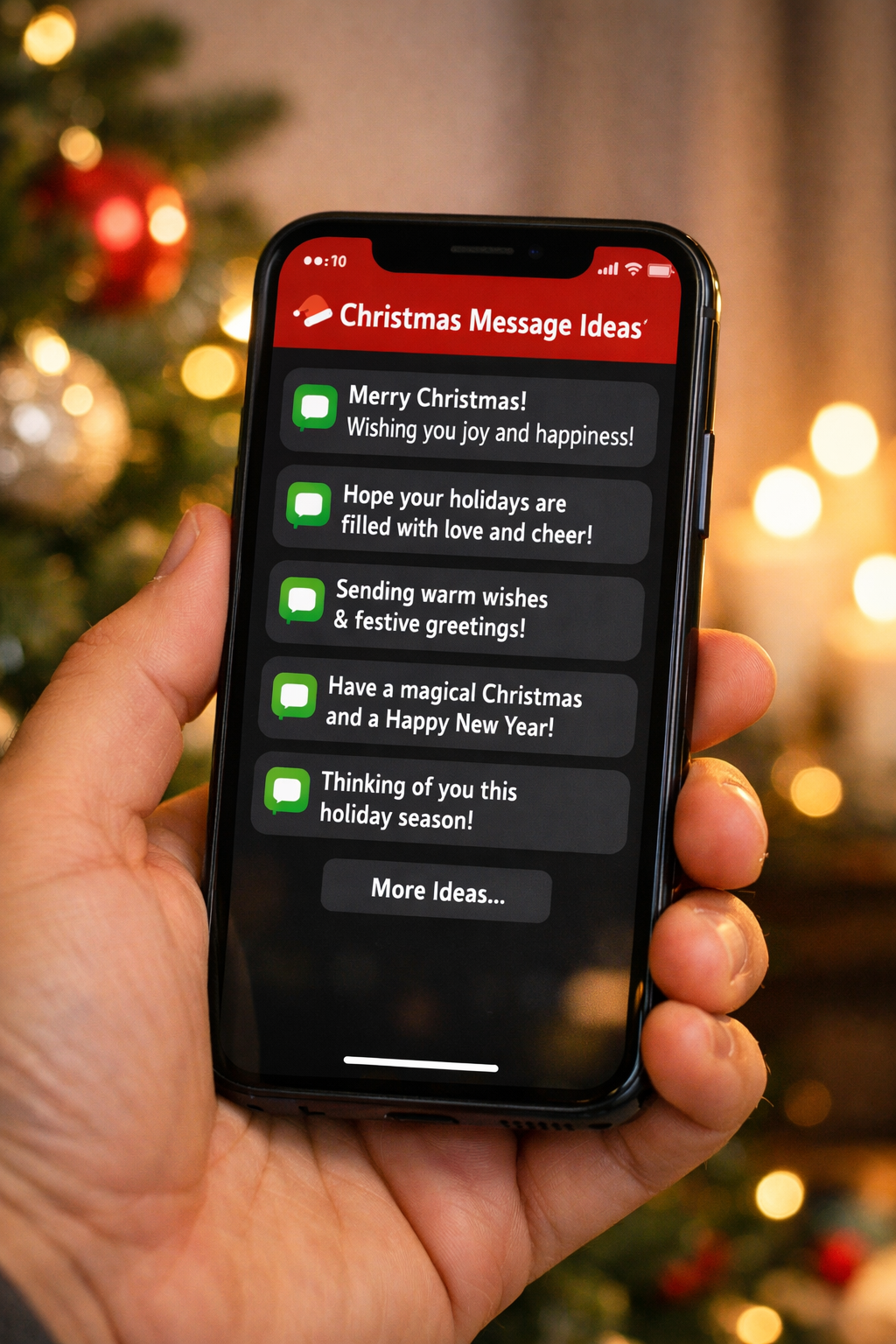
You can also use it to send personalized messages to your team on various occasions such as Christmas, New Year, and Thanksgiving.
Product Descriptions
An AI text generator is useful in product description writing in an online business. It can develop appealing texts that will urge the customers to click on the product.
This is particularly helpful when introducing a new collection with multiple products. It can quickly craft the descriptions and help you launch your products on time.
Content Writing
Content writing with back-to-back deadlines is never easy. From making outlines to in-depth search of data, the job can get exhausting leading to writer’s block. An AI text-generating tool can help you in composing a perfect paper. Just generate a rough draft using an AI text generator and revise it manually to make it original.
Healthcare
AI can be used in healthcare systems smartly to ensure patient satisfaction. They can help in generating clinical notes and treatment plans for patients in less time. To generate a summary of any clinical diagnosis and its progression in layman's language, hospitals can use AI.
In addition, the text generators can be used to generate small messages for patients to make them smile in times of distress.
How to Use an AI Text Generator?
To generate text using an AI text generator:
Step 1: Provide Prompt
First, you need to write an effective prompt to generate high-quality content using an AI generator. For this, write information about the context, tone, formatting, the main idea, and the ending message that you want to convey through the generated text.
Here is an example:
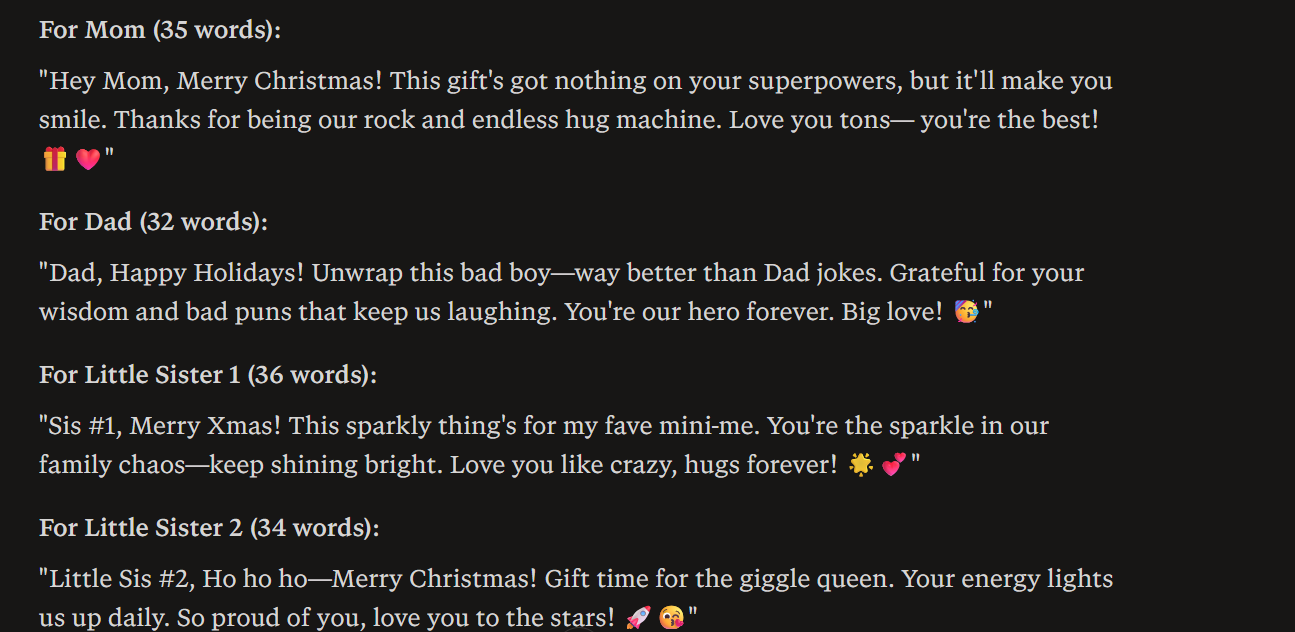
Write Christmas wishes to write on presents for my family and keep the tone friendly. Add some witty remarks with an emotional touch to show my care and love for the family.
Step 2: Set Parameters
The second step is to set the parameters for the text you require the AI to generate. These parameters include the length, style, and your target audience.
Also mention related keywords to generate SEO-friendly text that can help drive traffic towards your content.
Here is an example:
Generate 4 messages. One for the mother, one for the father, and two for my little sisters. Each message should be around 30-40 words. Keep the style casual.
Step 3: Generate
After providing all the relevant information, hit the generate button. The output will be ready within a minute or two.
Step 4: Optimize and Share
Finally, read the AI-generated text carefully to check for any mistakes in the grammar, structure, tone, or facts.
Iterate on the content according to your requirements and share it.
You can use follow-up prompts to improve the draft for improved grammar, choice of words, or factual information.
How to Make the AI-Generated Text Look Unique?
The text generated by an AI tool usually lacks depth. It looks like you have already seen it many times before. Fortunately, you can still use an AI tool to create engaging text without feeling generic. Here is how you can make your content look unique:
Iterate Manually
After generating the first draft, you can prompt the AI text generator to make an improved version. However, avoid over-reliance on the tool. Iterate the final copy manually to add a human touch and make the text look unique.
You can add personalized elements such as brand information, company statistics, or firsthand industry insights etc. to make the text look like your own.
Follow SEO Guidelines
AI generators may or may not use SEO-friendly keywords while writing text. To make the content look SEO-optimized, search related keywords manually.
You can put the AI on its toes to make sure that the natural placement of SEO-friendly keywords in the article is done without being overloaded. This way, it is easy to optimize your content to rank better with the search engines.
Ensure Authenticity
AI text generators are known to generate text within seconds. However, there is no certainty whether the content is plagiarized or not. Moreover, the information used may be outdated.
They usually extract data from the datasets fed to them during training. Most AI tools do not support real-time browsing. You can make your content authentic by cross-checking facts and removing plagiarism.
Maintain Consistency
AI tools differ from human-written content in terms of consistency. They might change sentence composition from one paragraph to another. This makes the content look poorly drafted.
Once the tool has generated a rough document for you, proofread everything. Maintain consistency throughout the AI-generated text file to ensure authenticity.
Tips to Generate High-quality Content Using an AI Text Generator
Assign AI a Role
Assign a role to the AI text generator before providing any information about the content you want to generate. For example, you can prompt it to act as an Instagram content creator to write a product review on sunscreen.
It sets the perspective for the required output. Moreover, it makes the content feel expertly crafted.
Provide Context
Provide the context about the text that you want the AI tool to generate. Without any relevant information, AI generates a generic text that lacks depth. Therefore, you must clearly provide the context for the output you want.
It must include information about your audience, your goal, any emotional relevance, and the style.
Ensure Correct Structure and Grammar
Sometimes, even AI tools can make errors. Some tools follow British English while others write according to the rules of American English. Therefore, it is important to check everything before sharing the AI-generated text with anyone. Any document or text with mistakes makes the reader question your credibility.
Ethical Considerations Before Using an AI Text Generator
The ethical concerns related to the usage of AI are of great importance to note before engaging an AI-based text generator to produce any content. The ethical issues relating to AI use include:
False Information: AI tools may sometimes generate false information, which can be harmful to a certain party. The information that is being provided should be true.
Plagiarism: AI tools are trained using existing information and may use similar or the same sentences while generating the text. This gives rise to a major issue when it comes to the rightful ownership of the generated content.
Privacy Concerns: It is not advisable to provide sensitive personal, financial, or confidential company information to the AI text generator.
Conclusion
It has become easier to produce good-quality content within a matter of minutes using AI generators. The uses of AI generators vary from industry to industry, including the education sector, media, marketing, the business world, and the healthcare system.
However, the content created using AI might look boring. It is best to iterate it manually to add depth and make the text look unique. In addition, manual refinement remains critical to ensure that the content meets the ethical standards of responsible writing and publishing any content.
Related articles
How to Take Good Food Photography

How to Make Instagram Reels Viral: Step-by-Step Guide

Best Times to Post on LinkedIn for Better Results in 2026

Top LinkedIn Banner Ideas for Professional Growth

LinkedIn Carousels Explained - Examples, Tips, and Top Design Tool

Video Clarity Guide: Make Any Video Look Clearer and Sharper

10 Best AI Video Upscalers Tested and Ranked (2026)

How to Fix Pixelated Video: A Comprehensive Guide (2026)
What Is 4K Resolution? Pixels, Formats & Device Guide

10 Best Remove.bg Alternatives Tested & Ranked (2026)

Video Compression Artifacts Explained: Causes, Fixes & AI Solutions

What Is Deinterlacing? Complete Guide to Converting Interlaced Video

What Is Video Bitrate and How Does it Affect Video Quality?

Media.io AI Video Upscaler Review: Is It Worth It in 2026?

How to Stabilize Video in Premiere Pro: Complete Step-by-Step Guide

How to Improve Video Quality: Step-by-Step Creator Guide

How Many Frames per Second (FPS) Can the Human Eye See? The Real Answer

SD vs HD Video: Differences, Use Cases & How to Upgrade

HD vs 4K: Differences, Visual Impact & Which to Choose

720p vs 1080p: Key Differences, Use Cases & Which to Choose

What Is Frame Rate? FPS Explained for Video & Gaming

1440p vs 4K: Key Differences, Real Scenarios & Blur Fix

What Is 2K Resolution? Dimensions, Quality & Use Cases
1080p vs 4K: Key Differences, Real-World Results (2026)
What Is 1440p Resolution? QHD Explained (2026)

Google Photos Magic Eraser: Honest Review & Best Alternatives (2026)

How to Remove Objects in Photoshop in 2026 (Easy Guide)

How to Remove White Background in Illustrator (Simple Methods)
How to Remove Background in Canva (2026 Guide)
How to Remove Watermark in Photoshop (7 Methods)

How to Remove an Object from a Photo on an iPhone (2026)

[2026 Updated] Best Apps to Remove Person From Picture

How to Download Images on Facebook in 2026 (Mobile & Desktop Guide)
2026 Facebook Group Cover Photo Size & Design Guide

How to Make Money on Facebook: Step-by-Step Guide for Beginners

How to Make Facebook Ads: Complete Beginner-to-Pro Tutorial
How to Post a Carousel on Facebook: The Right Ways in 2026
How to Make Money on Instagram Reels in 2026
Apowersoft Watermark Remover: Review, Pricing & Alternatives

6 Bold Text Generators for Facebook in 2026

Hidden Tricks to Remove Getty Watermarks Using AI & Photoshop (2026 Guide)

Facebook Ad Size: Complete Guide to Dimensions, Formats & Specs
Facebook Marketing Strategy: A Guide to Turn Clicks Into Customers
Facebook Cover Photo Size Guide - Specs, Upload, and Design Process

How to Change Thumbnails on YouTube Shorts
LinkedIn Ad Specs 2026: Complete Guide for All Ad Formats
Instagram Profile Picture Size - Complete Specs & Design Guide

10 Best Instagram Follower Trackers to Grow Faster in 2026
Top 30 Instagram Post Ideas: Grow Your Page Fast
Top 7 Instagram Post Schedulers: Automate Your Posts Like a Pro
How to Increase Resolution of Image Without Losing Quality

How to Fix Pixelated Photos and Enhance Quality Instantly

10 Best AI Photo Enhancers to Try in 2026
How to Post Multiple Photos on Instagram - A Step-By-Step Guide
How to See Who Shared Your Instagram Post to Maximize Engagement
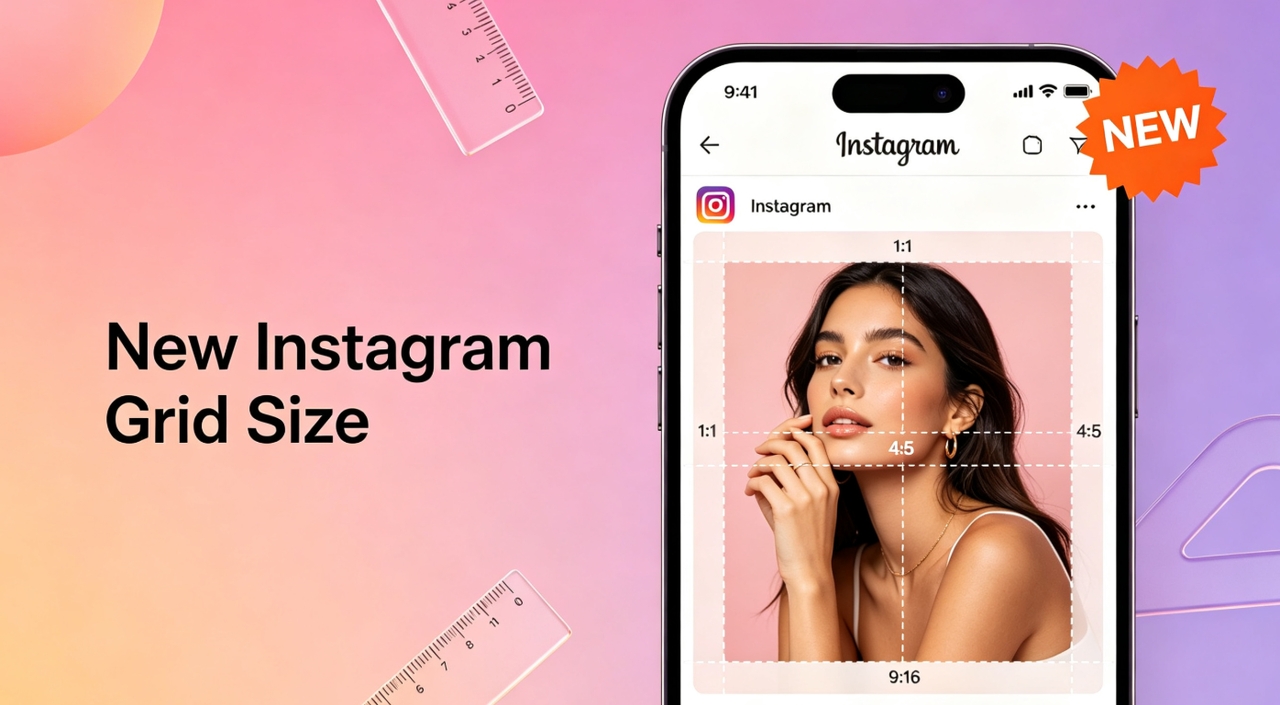
New Instagram Grid Size Guide - Optimization, Benefits, Design, Tips
How to Make a Grid on Instagram Story - Best Methods in 2026

Canva Image Upscaler 2026: Full Review & Alternative

Pixelcut Image Upscaler: 2026 Review & Better Alternative

PicWish Unblur Review: Full Guide & Best AI Alternative 2026
How to Upscale an Image in Photoshop (Step-by-Step)

How to Sharpen an Image in Photoshop: 2026 Guide & Top AI Alternative

Fotor Photo Enhancer: Full Review & Best Alternative 2026

Remove Fold of Scanned Image: Best AI Restoration Guide

Noise Reduction Software: 10 Top Tools for Cleaner Photos

How to Fix Unfocused Pictures and Restore Image Clarity

How to Fix Grainy Photos: Causes, Fixes, and Prevention Guide
10 Best YouTube Thumbnail Ideas to Skyrocket Your Views

How to Add Link to Instagram Post

Most Liked Instagram Post Guide - Insights, Top Posts, and Process
Best 5 YouTube Thumbnail Testers in 2026
13 Best Fonts for YouTube Thumbnails
How to Make a Picture Less Blurry and Restore Sharpness
Best YouTube Thumbnail Size - Create Perfect Thumbnails

Fantasy Plot Generator: How to Write Unique Fantasy Story Plots Using AI

130+ Unique Instagram Bios for Girls

How to Use an AI Text Generator: A Beginner-Friendly Guide

AI Script Writing: How to Generate Professional Scripts with AI (Step-by-Step Guide)

Nano Banana 2 vs. Nano Banana Pro: What’s the Difference? (2026 Updated)
Canva Menu Maker vs ZaWa: Key Differences Explained
30 Best Wedding Menu Ideas to Wow Your Guests

How to Start a Food Truck Business
How to Create a Meal Prep Plan

What Is a Tasting Menu and How to Design One
How to Make a Menu

How to become a food blogger

Food Ad Design Guide: How to Create Clickable Food Ads

How to Get a Perfect Coffee Photo

AI in the Food Industry: Practical Use Cases for Modern Food Businesses
How to Take Good Food Photography
10 Best Instagram Follower Trackers to Grow Faster in 2026
How to Create an Instagram Post that Gets More Likes: Proven Methods
New Instagram Grid Size Guide - Optimization, Benefits, Design, Tips
How to See Who Shared Your Instagram Post to Maximize Engagement
How to Post Multiple Photos on Instagram - A Step-By-Step Guide
13 Best Fonts for YouTube Thumbnails
10 Best YouTube Thumbnail Ideas to Skyrocket Your Views
Best YouTube Thumbnail Size - Create Perfect Thumbnails
What Is a Carousel Post and How to Use It for Stunning Social Media Feeds
Fantasy Plot Generator: How to Write Unique Fantasy Story Plots Using AI

How to Craft the Perfect Instagram Bio in 2026: Tips, Mistakes & Tools
How to Use an AI Text Generator: A Beginner-Friendly Guide
AI Script Writing: How to Generate Professional Scripts with AI (Step-by-Step Guide)
2D Animation vs. 3D Animation: A Detailed Guide for 2026

2D logo vs 3D logo: Which One is More Impactful for Branding

Poster vs. Flyer: Key Differences Every Marketer Should Know

Pamphlet vs Brochure: A Complete Guide for Modern Businesses
The Difference Between Motion Graphics and Animation: A Detailed Analysis

Latest Logo Design Trends for 2026 Every Brand Should Follow

Logo Color Meanings and How to Choose the Best Color For Your Brand

Human vs. AI in Design: Who Really Creates Better Art?

How Wordmark vs. Lettermark vs. Brandmark Shapes Visual Identity

How to Make a Movie Poster That Grabs Attention in Seconds

How to Draw a Logo Easily: From Start to Finish

How To Design an Abstract Logo For Your Brand

How to Design a Personal Logo? A Complete Guide!

How to Design a Logo? Learn the Quick & Easy Steps

How to Choose the Perfect Poster for Your Bedroom

An In-Depth Guide on How to Make a Photography Logo

How to Design a Good Advertising Poster
Flyer vs. Brochure vs. Leaflet: What’s the Difference?

Emblem Logo That Tells Your Brand Story

Combination Logo: Everything A Brand Must Learn About This Powerful Logo Type

Choosing the Right Logo Font Generator for Your Business Style

14 Best Café Interior Design Ideas to Maximize Your Space and Brand

7 Best Bar Interior Design Ideas for a Modern Look

7 Best AI Packaging Design Tools to Transform Your Brand

8 Best AI Interior Design Tools to Redefine Your Living Space

9 Best AI Tools for Graphic Design

How to Create a Logo for Bakery Business

9 Types of Logos You Must Know Before Designing

50 Famous Logos in the World and What Makes Them Timeless

45 Brand Color Palette Examples To Consider For Businesses

The Ultimate Guide to Remove Shutterstock Watermarks from Images

What is the Difference Between Graphic Design and Animation: A Detailed Guide for Beginners

What Are the Top Sources for Logo Design Inspiration

The Ultimate Guide For Restaurant Interior Design

What Is a Pictorial Mark Logo and 30 Famous Examples

What Makes a Good YouTube Thumbnail That Stops the Scroll
60+ AI Art Styles to Transform Your Prompts into Masterpieces

5 Free AI Random Image Generators—Generate Unique Images Instantly Online

8 Best Image-to-Image AI Generators: Transform Existing Photos with AI

100+ Free Stable Diffusion Prompts to Generate Amazing AI Art

How to Turn Any Sketch into a Digital Image Using AI

Image to Drawing with AI for Sketches, Line Art, and Illustrations
6 Free Art Prompt Generators

5 Tools to Extract & Convert Images to Text

15 Top AI Art Generators to Create the Best Masterpieces

How to Write AI Art Prompts to Get Desired Results?

How to Design a Logo for Your Coffee Shop: Tips, Tools, and Ideas

How to Create Iconic Wedding Logos with AI

How to Create Restaurant Logos That Attract Customers

How to Create Logos for Websites

How to Create Logos for a Barber Shop

How to Create Logos For a Hair Salon?

Best YouTube Logo Makers

Best Restaurant Logo Design Ideas to Make Your Brand Stand Out
25 Best Fashion Logos We've Ever Seen and the AI That Creates Logos
20 Best Lettermark (Monogram) Logos in the World

12 Trusted Green Logo Examples Used by Successful Brands

The Complete Wordmark Logo Design Guide

Mascot Logo: An In-Depth Guide a Brand Must Check

How to Instantly Create Free Store Logo Mockups

30 Best Restaurant Logos We've Ever Seen and How to Create Yours
Why a PNG Logo Maker Is a Must for Modern Branding

What Makes a Good Logo? Tips, Rules, and More

Replicate Any Poster You Love Instantly

9 Best AI Poster Design Tools to Try in 2025

Best Poster Design Ideas: Creative Concepts and AI Tools for 2026

35 AI Image Prompt Examples: How to Get Outstanding AI Images
