
LinkedIn Ad Specs Breakdown: Image, Video & Carousel Ads
Master ad specs for LinkedIn with Zawa strategy for video ad specs, single image ad specs, carousel ad specs, and static ads. Improve CTR and scale your LinkedIn ad campaigns effectively.

LinkedIn ad specs define exact sizes, formats, and rules needed for effective campaign delivery. Wrong dimensions or file types can break ads and reduce visibility across feeds daily. Each format, like images and carousels, has specific limits for design.
Following these rules helps ads display and improves clicks from targeted professional audiences. This guide explains core requirements to avoid common production mistakes.
What are LinkedIn Ad Specs and Why They Matter for Advertising Success?
Ad specs LinkedIn control how ads appear across feed placements, desktop screens, and mobile devices. Each format includes exact dimensions, aspect ratios, and supported file types.
Copy rules define headline text limits, descriptions, and character counts allowed in each ad. These specifications prevent cropping errors, distortion, and rejected ads during campaign setup processes.
Here’s a quick look at the most common LinkedIn ad specs, including dimensions, file formats, size/length limits, and copy rules for different ad types. In the following sections, we’ll explore the major ad formats in more detail, along with practical tips for Single Image Ads, Video Ads, and Carousel Ads to help improve ad performance.
| Ad Type | Dimensions | Format | Size / Length Limits | Copy Rules |
|---|---|---|---|---|
| Single Image Ads | 1200 x 628 pixels 1200 x 1200 pixels 720 x 900 pixels |
JPG, PNG, or GIF Animated GIF images must be 250 frames or shorter. |
≤ 5 MB | Headlines should stay within 70 characters; intro text is recommended within 150 characters |
| Video Ads | 4:5 (vertical, 0.8) 9:16 (vertical; 0.57) 16:9 (landscape; 1.78) 1:1 (square; 1.0) |
MP4 | 75 KB – 500 MB; 3 seconds – 30 minutes | Ad name (optional): 255 characters Headline: 70 characters. Maximum of 200 characters Introductory text: 150 characters. Maximum of 600 characters |
| Carousel Ads | 1080 × 1080 px | JPG, PNG | 2–10 cards per carousel ≤ 10 MB |
Ad name (optional): 255 characters Card headline: 45 characters Introductory text: 255 characters |
| Lead Ads | Usually paired with image or video ad dimensions | JPG, PNG, MP4 | Follows the limits of the main ad format | Form Name: 256 characters Call-to-Action: 20 characters Confirmation Message: 300 characters |
Why Do These Rules Matter for Delivery?
The importance of following these specifications includes the following:
-
Ads display without cropping across different placements and screen sizes today.
-
Prevents file upload errors by meeting platform limits for format sizes and file weight.
-
Improves click-through rates by showing clear visuals and readable text to target audiences.
-
Better engagement by aligning ad structure with how LinkedIn displays sponsored content formats.
-
Helps campaigns pass review faster and maintain consistent performance across different placements.
Impact on Performance Metrics
Well-structured ads attract more clicks, interactions, and conversions from targeted professional audiences. The factors below impact campaign results by improving engagement and conversion:
-
Click-Through Rate: A higher CTR brings more users to landing pages through a clear ad presentation.
-
Engagement Rate: Engagement shows users interact with content via impressions and lines.
-
Conversion Rate: User conversions improve when ad content matches their intent.
-
Audience Relevance: Relevant ads match user interests to reduce ignored impressions.
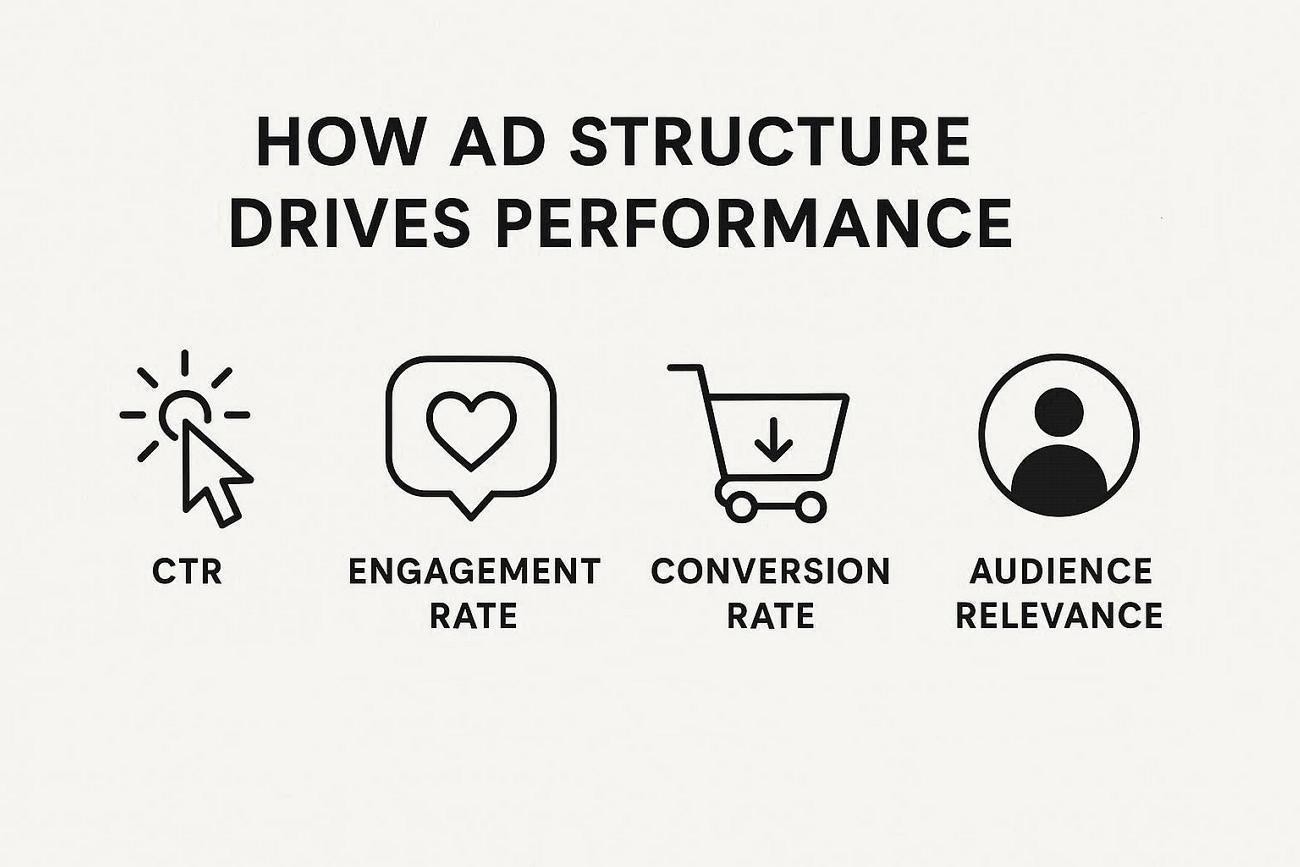
Accurate formatting signals platform systems that ads meet delivery and content quality standards. Higher quality scores lower costs and improve ranking during competitive bidding and placement. Better scores help campaigns perform across different audience segments.
LinkedIn Ad Format Specs Overview for All Ads
LinkedIn provides ad formats for audience engagement strategies. Single-image ads use one visual with short text to deliver clear messages. Video ads use motion and sound to explain products and ideas in detail.
Additionally, Carousel ads display cards to allow brands to show product collections. Understanding LinkedIn ad format specs helps match each format with these platform requirements:
-
JPG or PNG images with recommended dimensions for proper display.
-
MP4 videos with supported duration for different campaign goals.
-
10 to 12 cards with square images and a consistent layout across carousel ads.
-
Built-in forms that collect user data within the platform for submissions.
Differences Between Sponsored Content Formats
The table below compares key differences across major LinkedIn sponsored content ad formats:
| Format | Visual Type | Content Length | Interaction Style |
|---|---|---|---|
| Single Image | Static image | Short text | Click focused |
| Video | Motion video | Medium to long | View and engage |
| Carousel | Multiple cards | Short per card | Swipe interaction |
| Lead Ads | Form based | Minimal text | Form submission |
Choosing the Right Ad Format
-
Image ads work well for quick awareness with one clear message.
-
Video ads fit campaigns that need explanation and storytelling to hold viewer attention.
-
Carousel ads help show multiple features and offers in one scrollable ad format.
-
Lead ads suit campaigns focused on collecting user data without sending users outside the platform.
-
Document ads support sharing detailed content like guides and case studies for education.
LinkedIn Single Image Ad Specs and Dimensions
LinkedIn image ad specsdefine how visuals should be structured for placement delivery. Correct dimensions help maintain clarity and prevent unwanted cropping across different feed placements. File compatibility plays a key role in maintaining image quality standards. Below are the requirements needed to maintain smooth ad performance:
-
Landscape: 1200×628 px (1.91:1)
-
Square: 1200×1200 px (1:1) — recommended for cross-device safety
-
Vertical: 720×900 px (4:5)
-
File Format: Upload images in JPG format for compatibility with platform systems.
-
File Size: Keep file under 5MB to avoid processing delays.
-
Aspect Ratio: Use a rectangular shape where the width is twice the height.

Writing Text and Headlines for Image Ads
Keep text overlay minimal to make the main visual clear and easy to understand. Write headlines that highlight one clear benefit rather than combining multiple ideas. Place text in safe areas to avoid cropping on different screen sizes.
Tips to Improve Visual Performance in Ads
-
Use high contrast colors to make key elements stand out in busy feeds.
-
Focus on one subject to keep the attention on the main message and avoid confusion.
-
Include human faces to create a stronger connection with viewers.
-
Align visuals with brand identity using consistent colors and style.
-
Test different creatives to find which design drives better click behavior.
LinkedIn Video Ad Specs for Higher Engagement
Video ads require a precise setup to maintain playback quality across LinkedIn placements. Choosing the correct duration helps deliver the message without losing the viewer's attention. LinkedIn video ad specs guide format selection to avoid errors during processing stages. The requirements below define essential settings needed for a stable viewing experience:
-
Video Length: Keep duration between 3 seconds and 30 minutes based on campaign objective.
-
Resolution: A 720p resolution keeps clear visuals for different screen sizes.
-
File Format: Use the MP4 format to maintain compatibility with LinkedIn video processing systems.
-
Aspect Ratio: Use a square or horizontal layout to fit feed placements without cropping issues.
-
File Size: Keep file under 200MB to prevent upload failure and maintain smooth processing.
Using Captions and Sound
Add captions so viewers understand the message even when videos play without sound in feeds. Keep spoken audio clear with balanced volume and remove background noise that distracts viewers. Match captions timing with visuals so users follow the content without confusion.
Tips to Improve Video Watch Time and Interaction
-
Start videos with interactive visual action to capture attention early.
-
Keep pacing tight by removing pauses and unnecessary scenes that reduce viewer interest.
-
Use on-screen movement to maintain focus and prevent users from scrolling past content.
-
Deliver the main message early to help viewers understand the value before dropping off.
-
End with the next step that tells viewers what to do afterward.
LinkedIn Carousel Ad Specs for Better Conversions
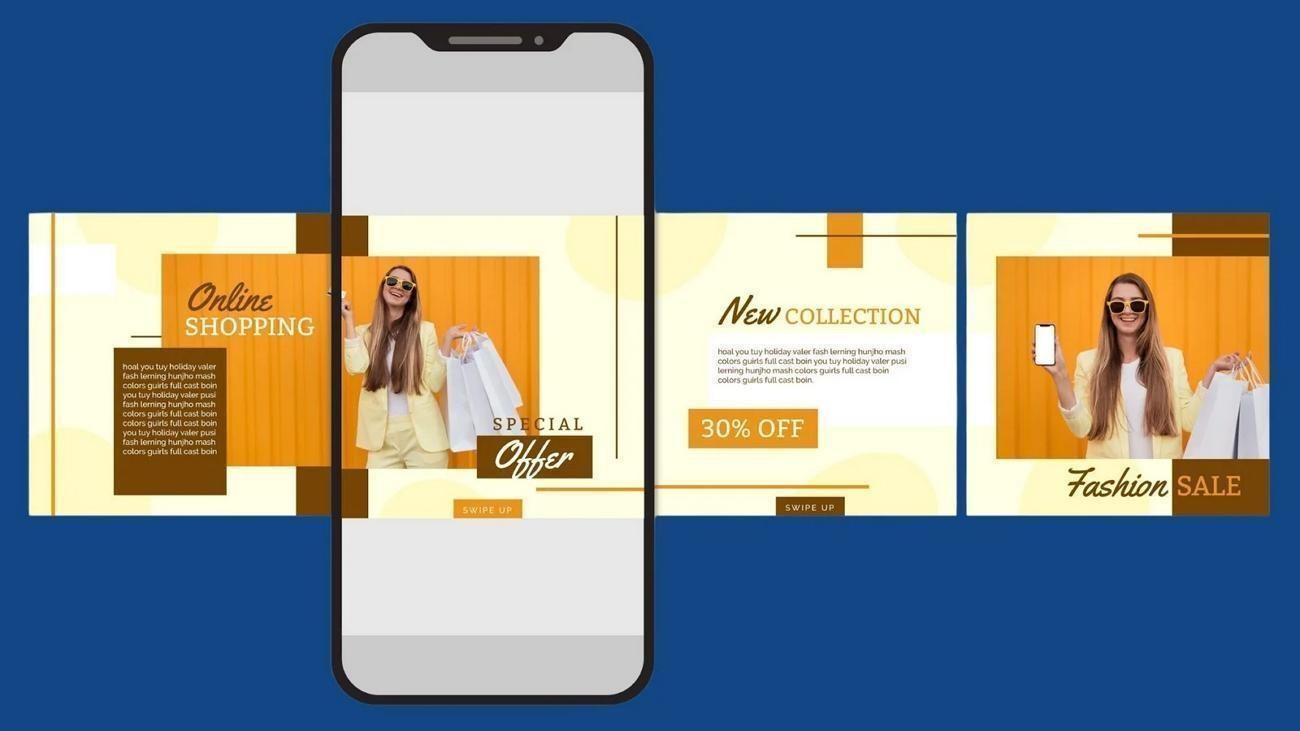
Carousel ads allow multiple visuals to appear within one swipe-able ad unit. Each card presents its own message, but together they form a complete advertising campaign. LinkedIn carousel ad specs guide how cards should be arranged for consistent display. See the requirements below to set up carousel ads without formatting issues.
-
Card Count: Use between 2 and 20 cards within one carousel ad.
-
Image Format: Upload JPG or PNG files for each card to maintain compatibility.
-
Image Size: Keep consistent dimensions across all cards to avoid layout shifts.
-
File Limit: Ensure each image stays within the allowed size to prevent upload errors.
Writing Text for Each Carousel Card
Each card allows short headlines and descriptions to keep messaging clear and readable. Limited text space requires focusing on one idea per card. Clear wording helps users understand each card while scrolling through the carousel sequence.
Carousel Flow for Better Results
Arrange cards in a sequence that builds interest and guides users through information. Start with content, then follow with value points before showing the final action. Logical flow helps users stay engaged and increases the chances of completing actions.
Zawa AI: Create LinkedIn Ad Images and Videos
For marketers handling strict LinkedIn ad specs, Zawa turns basic inputs into ready-to-use creatives. It analyzes your brand style and placement needs to produce platform-fit visuals. The tool reduces manual design steps by generating ad-ready images and backgrounds from simple prompts. Teams launch campaigns faster because creative production stays aligned with channel requirements and brand consistency.
Key Features
-
Text-to-image Creation: Turn written prompts into detailed visuals without manual drawing.
-
AI Model Support: Use Nano Banana Pro, GPT Image 2 High, and Kling 3.0 for image and video.
-
Property Visualization: Create realistic interiors and architecture visuals that help present property layouts.
-
Image Styles: Switch between styles like oil painting, anime, cartoon, 3D figurine, and blended photos.
-
Editable Outputs: Refine generated images with built-in editing tools before exporting final high-resolution files.
How to Create LinkedIn Ads with Zawa
To create LinkedIn ad visuals with Zawa, follow the simple steps below:
Step 1. Write an Image or Video Prompt
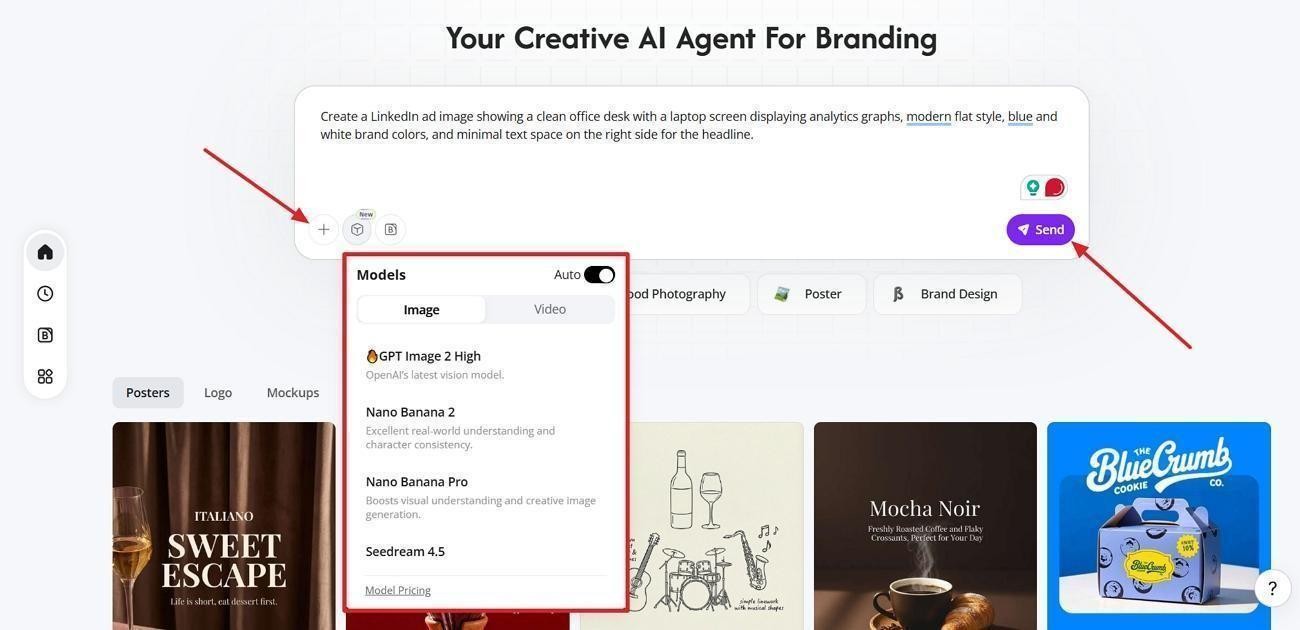
On the Zawa’s workspace, enter the prompt to create a LinkedIn image or video with the proper details. Click the “+” option if you want to add a reference output. Choose the AI model and press the “Send” button.
Step 2. Edit and Enhance The Generated Output
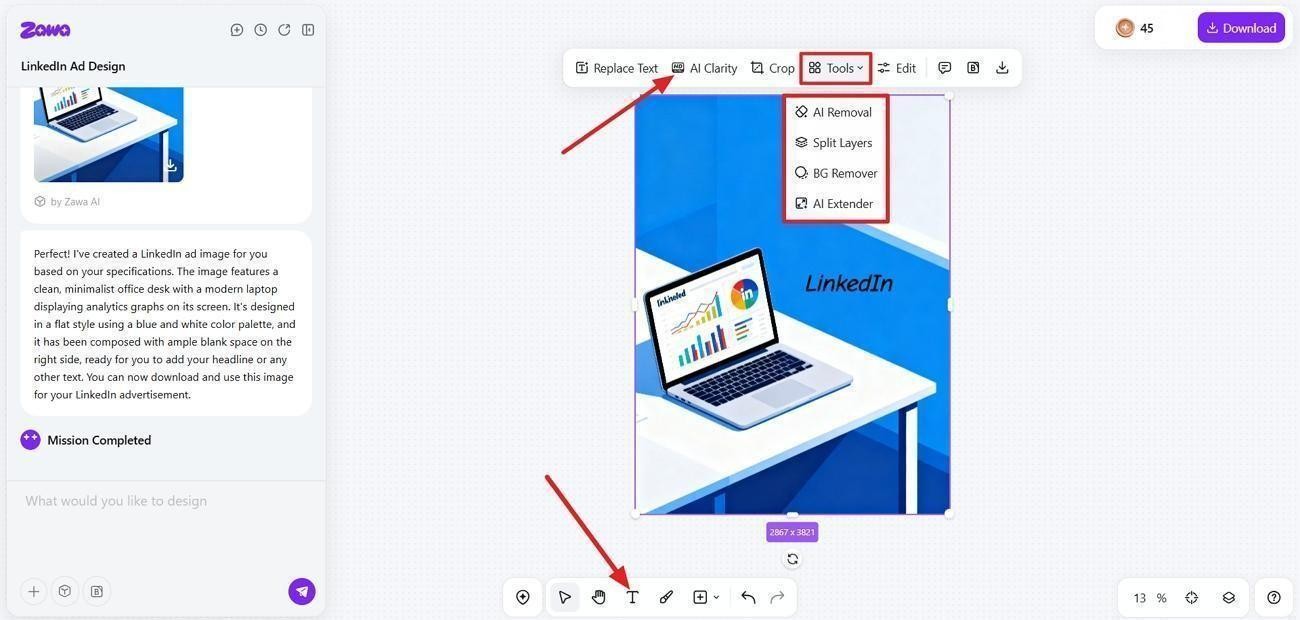
Once created, press the “AI Clarity” button to enhance the image. To add text, use the “Add Text” option and click anywhere on the image to add text. For further editing, press the “Tools” option and use the tools like “AI Removal” or “AI Extender.”
Step 3. Download The Final Product
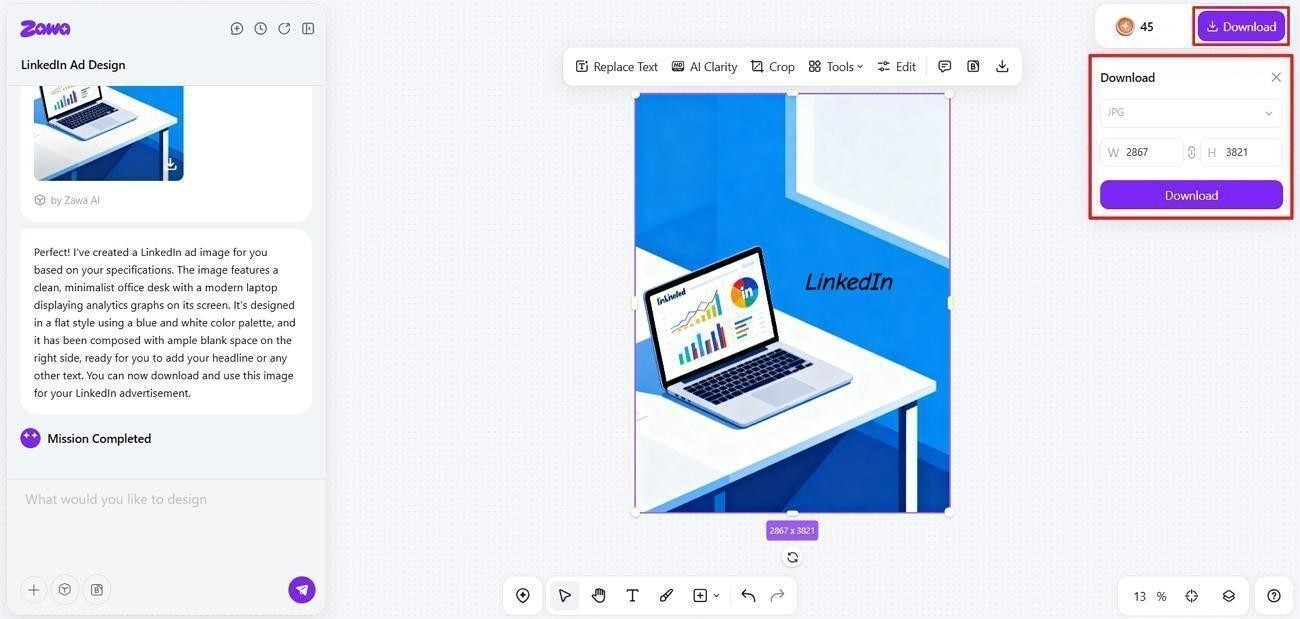
After the image is finalized, click the “Download” button and choose the format to download the final output.
Common Mistakes to Avoid in LinkedIn Ad Specs
Many advertisers misuse LinkedIn ad format specs, causing blurry visuals and truncated text. Even if the rest of the advertisement is good, pay attention to these small mistakes to avoid affecting the advertisement's effectiveness.
-
Incorrect Image Sizes: Using non-recommended dimensions causes stretched layouts and inconsistent rendering.
-
Cluttered Ad Design: Overloaded visuals and dense copy hide your core message and reduce scanning ability.
-
Ignoring Video Limits: Oversized files and incompatible codecs trigger delivery issues.
-
No Mobile Optimization: Desktop layouts break on smaller screens and shrink headlines.
-
Blurry Creatives: Pixelated images and dull color palettes lower engagement potential.
-
Skipping A/B Testing: Running single variants slows incremental performance improvements.
Conclusion
In conclusion, using the right LinkedIn ad specs helps prevent wasted budget and effort. You can try Zawa AI Advertisement Generator to generate clear, on-spec creatives without design struggles. These simple choices build stronger engagement and more predictable results from every campaign.
FAQs
-
Why is mobile optimization important for LinkedIn ads?
Mobile users dominate LinkedIn, so unoptimized layouts cause cropped visuals and fewer clicks. You can use Zawa to Resize Image for LinkedIn and preview creatives to ensure buttons, logos, and headlines stay visible.
-
What is the ideal size for a LinkedIn single-image ad?
The recommended size is 1200 by 627 pixels, using a 1.91:1 aspect ratio.
-
How can LinkedIn ad specs improve campaign ROI?
Following the ad specs LinkedIn provides improves delivery and increases engagement.
-
How many images are allowed in LinkedIn carousel ads?
LinkedIn carousel ads support a minimum of 2 cards and a maximum of 10.
-
What are LinkedIn ad copy specs, including headline, description, and character limits?
Headlines work best under 70 characters, while descriptions should stay around 100 characters.
-
What are LinkedIn static ad specs, including resolution, aspect ratio, and file types?
Static image ads work best at 1080 by 1080 or 1200 by 628 pixels.
You May Be Interested

Most Liked Instagram Post Guide - Insights, Top Posts, and Process
140+ Facebook Bio Ideas: Short, Professional, Unique, and More

100+ Trending Instagram Bios for Boys to Upgrade Your Profile

Top 6 AI Video Generators for Beginners and Experts
New Instagram Grid Size Guide - Optimization, Benefits, Design, Tips
