Instagram Profile Picture Size - Complete Beginner's Guide 2026
Understanding Instagram profile picture size helps you maintain clarity and professionalism. Learn recommended dimensions, upload methods, and design practices. Then simplify sizing and editing with a feature-rich tool for polished profiles.
The Instagram profile picture size is crucial for your account's appearance. The right size prevents blurriness, cropping, and poor-quality images. You also have to know how to create and set up your profile photo. Here, we'll take you through the optimal size, how to resize, and things to avoid. You'll also learn how Zawa makes it easy to create, resize, and optimize your profile pictures quickly with intuitive, powerful tools.
Why does the correct Instagram profile picture size matter??
The correct size of the Instagram profile picture influences image quality and user impressions. The appropriate size prevents blurriness and pixelation, and your profile picture remains clear on any device. It guarantees a professional appearance, trust, and contributes to branding your personal or corporate identity. It also ensures the image is cropped to fit the circular profile picture on Instagram, avoiding cropping or distortion. Standardized profile images aid in building brand recognition on social media networks and create a unified, recognizable online presence.
What is the ideal size of an Instagram profile photo?
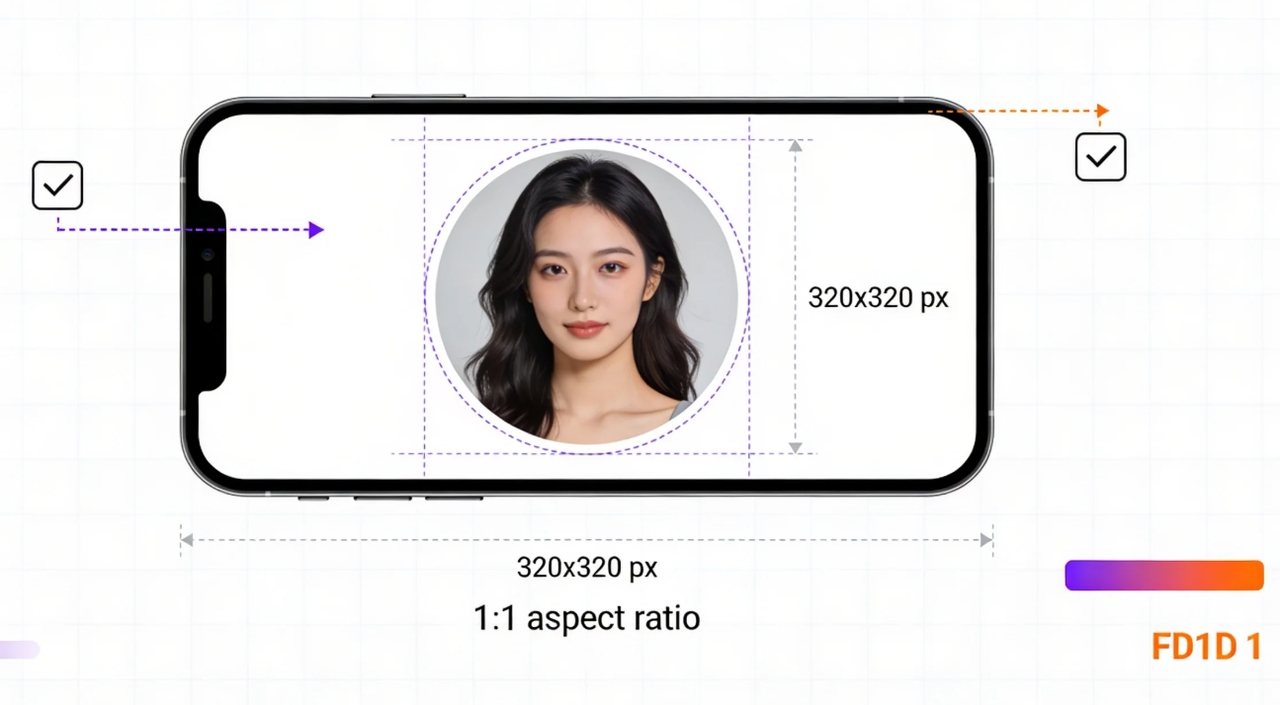
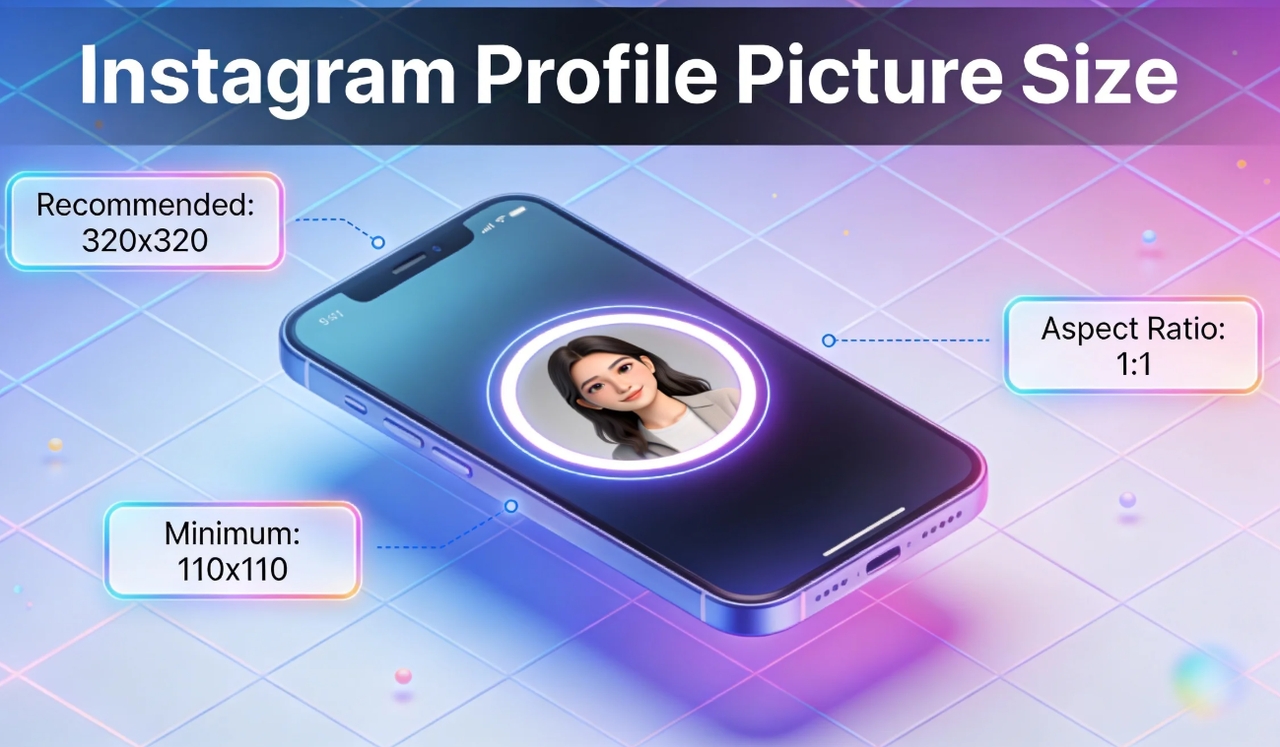
The suggested size of an Instagram profile photo makes it clear, consistent, and professional. On the safe side, Instagram recommends 320 by 320 pixels. However, the 1080 x 1080-pixel design is high-quality and preserves detail when compressed. On profile pages, your picture will be displayed in 110 by 110 pixels. Less detailed, smaller-scale versions of the image can be seen in comments, likes, and messages. The aspect ratio is 1:1, which ensures that cropping is not applied and the image is well-composed. The larger images enable Instagram to crop without blurring or pixelation.
Upload size vs display size of Instagram profile photo - Differences
The display size and upload size of an Instagram profile photo differ. Instagram saves a smaller and rounded version of the original image. It enables faster loading, reliable layouts, and smaller file sizes. Compression removes unwanted detail but preserves significant image data. Good originals are sharp since a lot of information is retained. An example of this is when a 320-by-320-pixel image is uploaded, it seems to be about 110-by-110 pixels. Bigger pictures do not scale well and pixelate, as well as blur edges and contours.
How to upload a full size profile picture on Instagram
Here we will guide you on how to upload a full-size profile picture on Instagram using a mobile and a computer:
Steps to upload a full-quality profile picture on a mobile
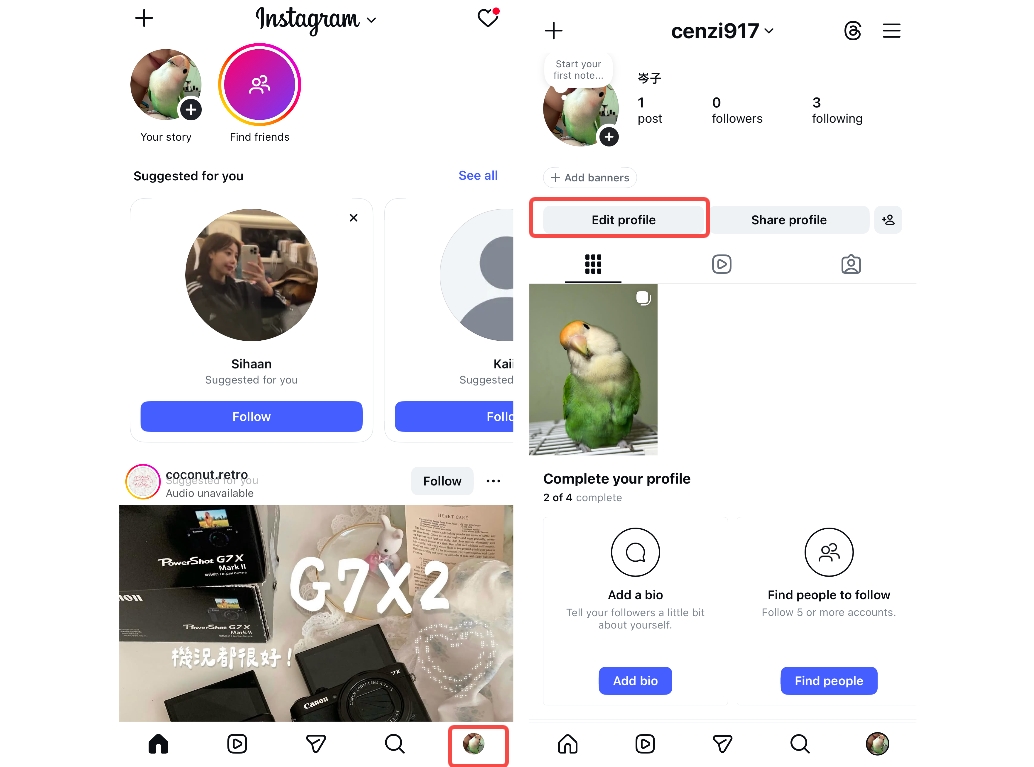
Step 1: Open Instagram and go to your profile
First, open the Instagram app, tap the profile icon in the bottom-right corner, and click it. Next, in the opened interface, click the "Edit profile" icon located directly below the profile picture circle.
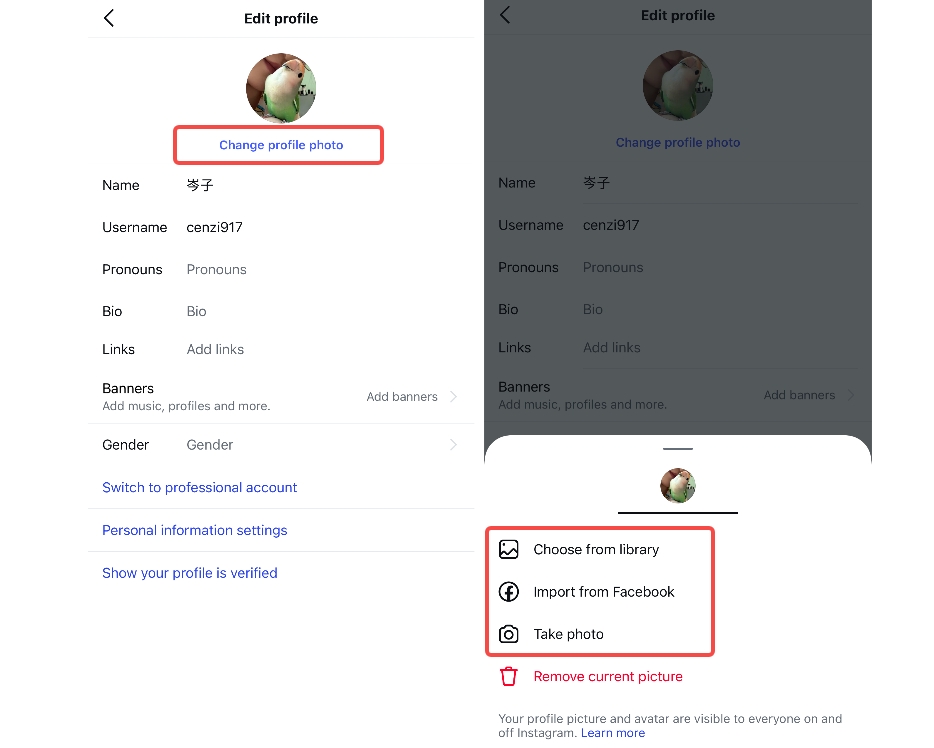
Step 2: Upload or take a photo
In the edit profile interface, click "Change profile photo." This action will open the window from the bottom. This window provides three options: Choose from library, import from Facebook, or take a photo. Click on "Choose from library".
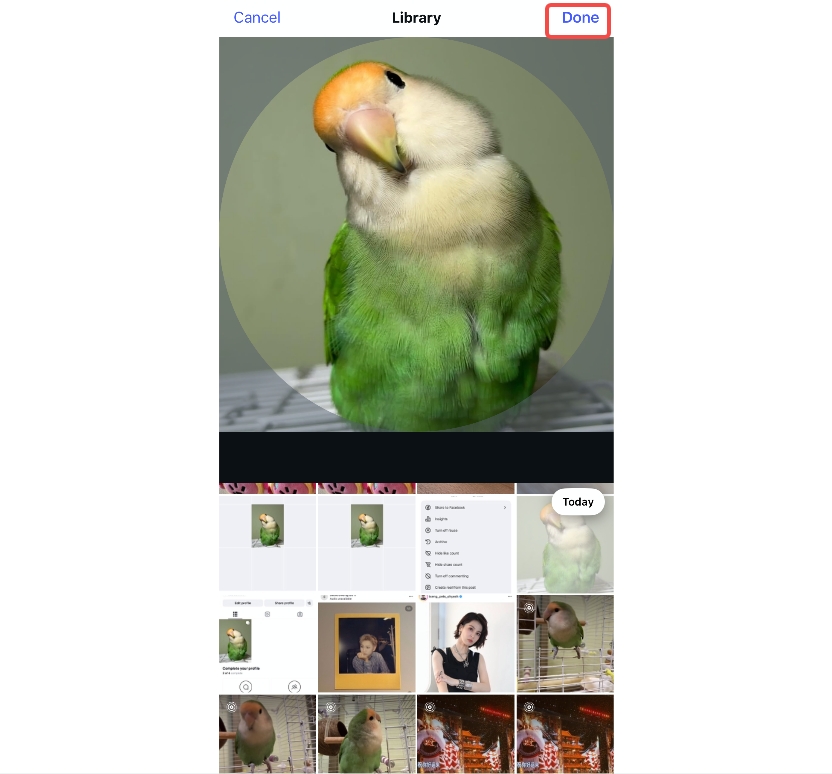
Step 3: Publish profile photo
After choosing the profile image that you want to upload, click on the "Done" tab to finish uploading the profile image to your Instagram.
Steps to upload a full-quality profile picture from the desktop
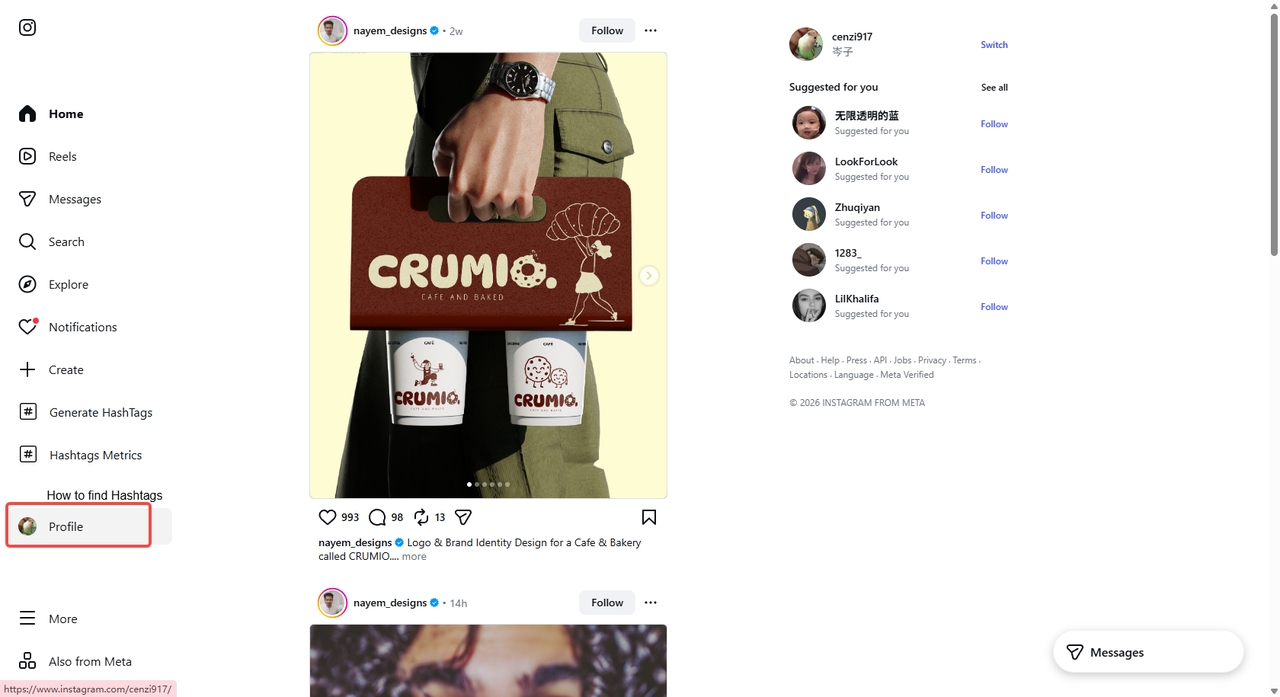
Step 1: Open your Instagram web and go to your profile
Launch the Instagram app on the web and open the "Profile" tab in the vertical menu bar on the left.
Step 2: Click on the profile icon and upload the image
Now, on the new interface, click on the profile image. Clicking the profile image and selecting "Upload Photo."
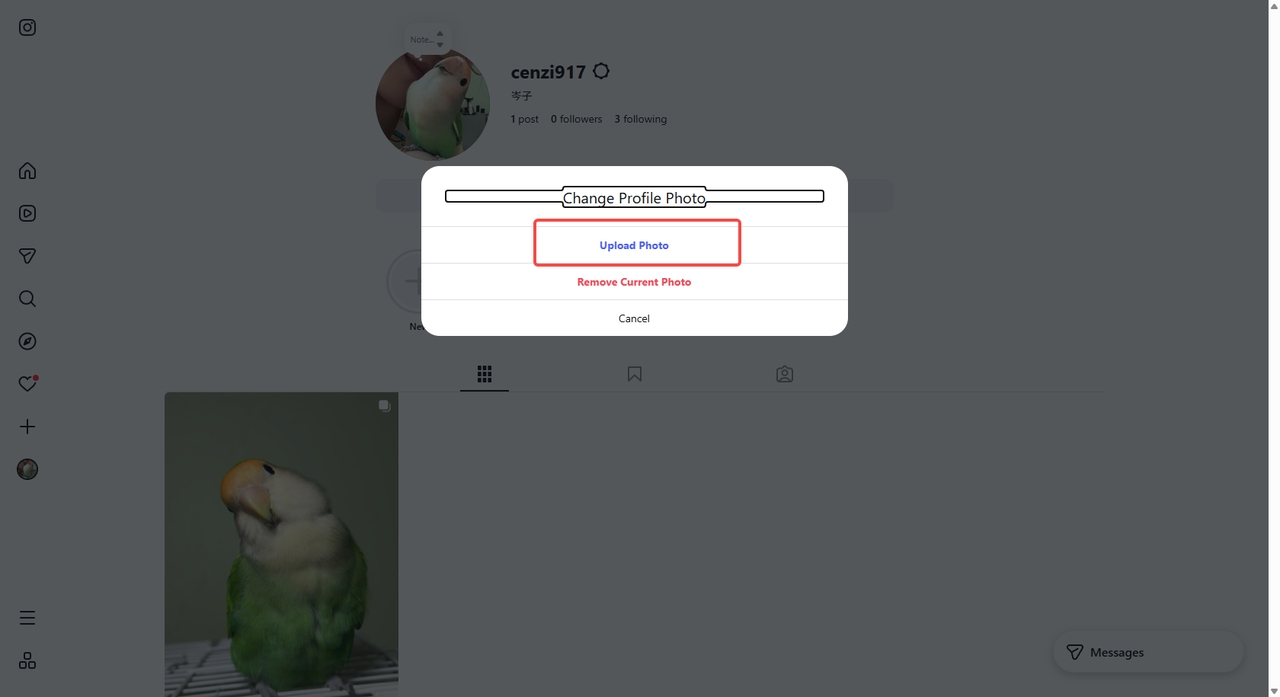
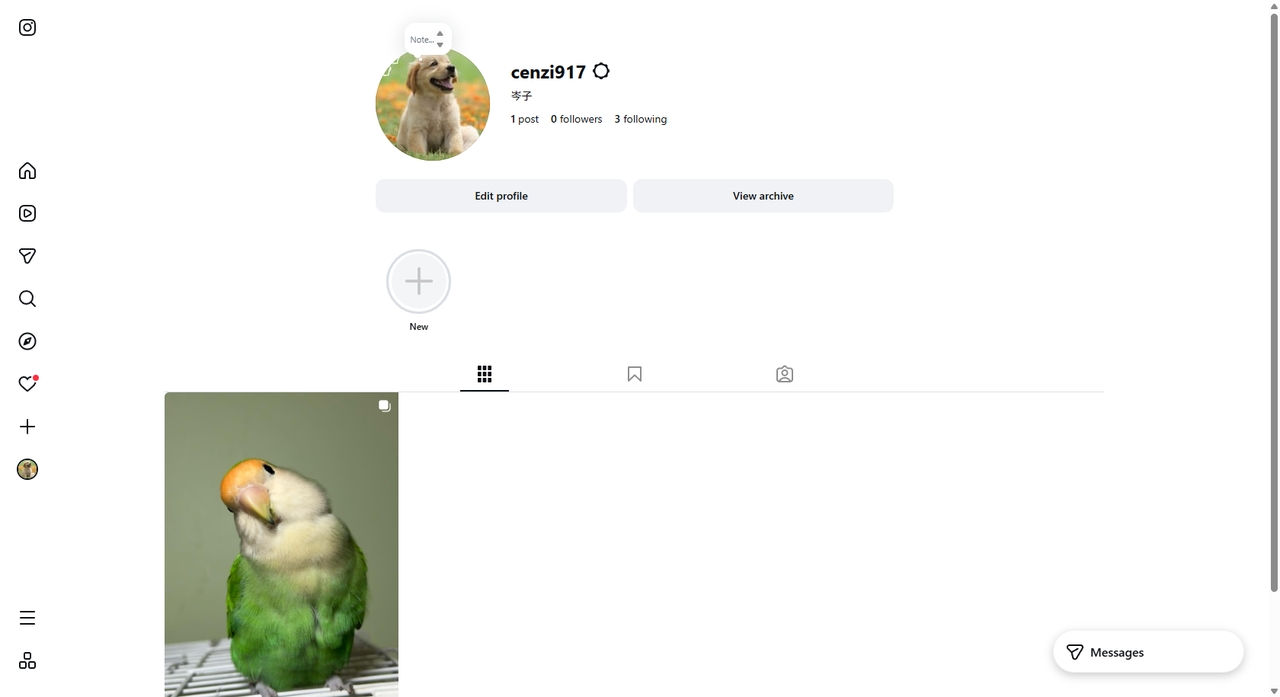
Select an image from your local device. After selecting the desired image, click on the "Open" tab to finish.
Resize your picture for your Instagram profile picture with one click
Instantly resize your Instagram profile picture with Zawa AI. It maintains precise dimensions, avoiding cropping issues and preserving image quality across devices. Smart resizing preserves resolution and allows branding options. Exporting at high resolution ensures quality output, making your image look great. Zawa's image resizer makes it easy to create impressive Instagram profile pictures.
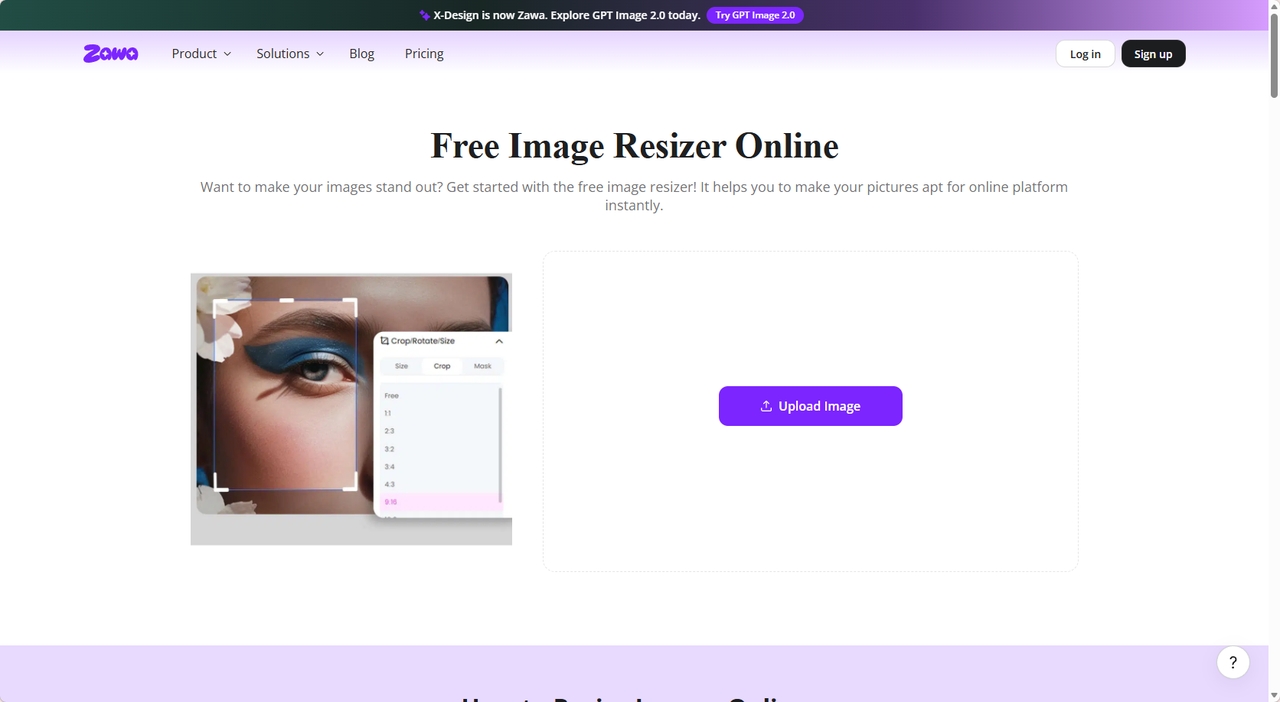
Step 1: Access the Zawa image resizer and upload the image
First, you need to access the Zawa online image resizer. Next, click on the "Upload Image" tab to begin the process. Clicking the upload tab opens a window that lets you select an image from your device.
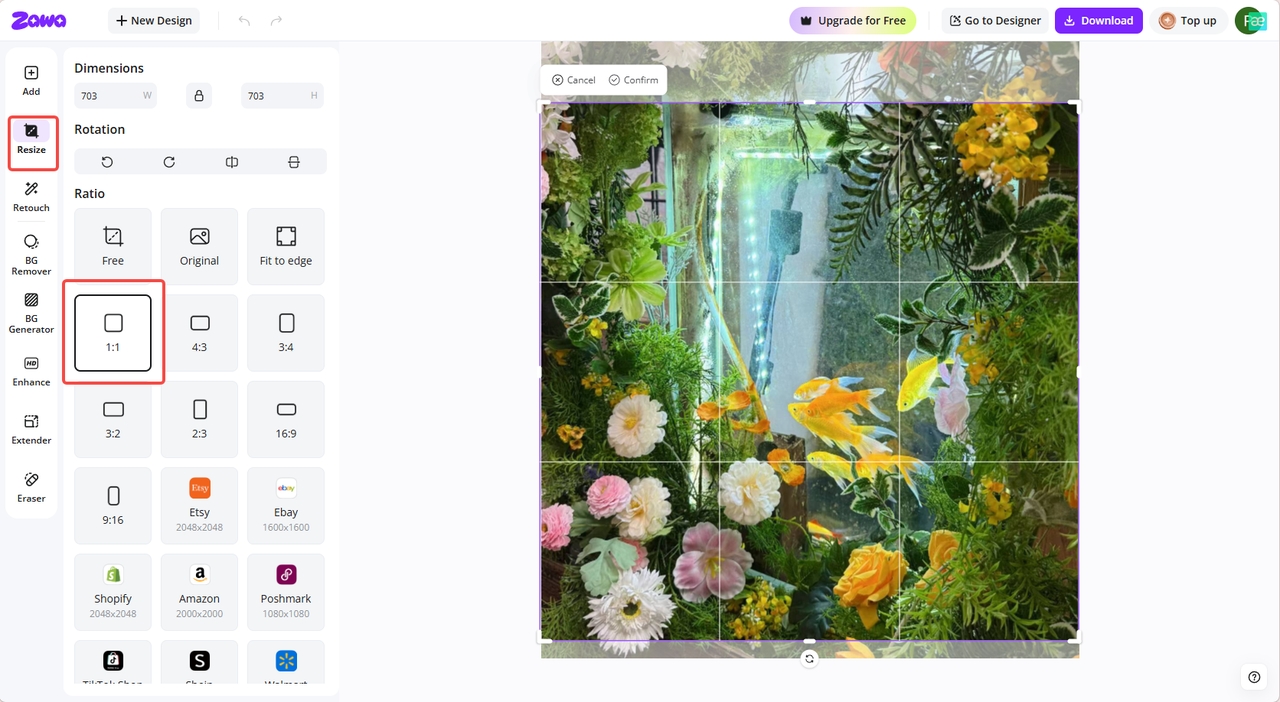
Step 2: Resize the image
Click the "Resize" option in the extreme left vertical menu bar. Next, enter the height and width of the profile image, then press "Confirm." Zawa will resize the image automatically.
Step 3: Edit or download
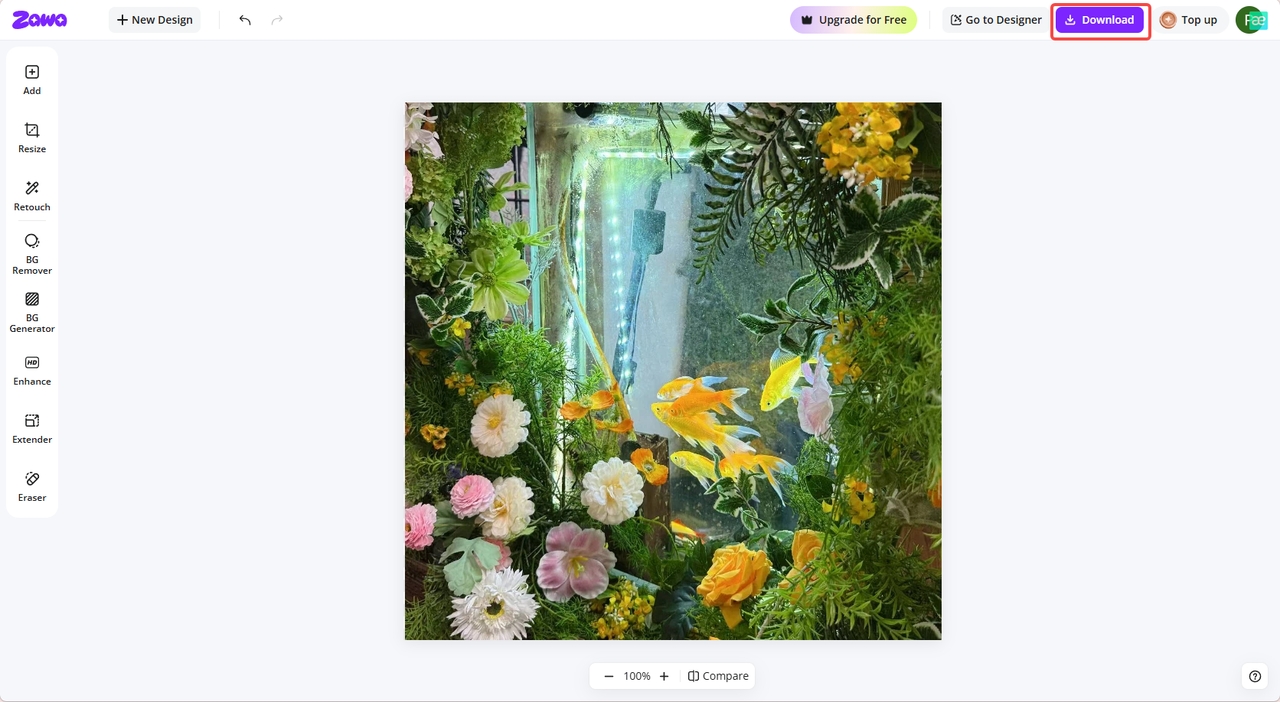
Once you are satisfied with the final results, click the "Download" tab in the drop-down menu to save the image to your local device or share it on Instagram.
Common Instagram profile picture full size problems (and fixes)
-
Blurry or pixelated image
Low-quality images are often blurry or pixelated. Instagram stretches small images, resulting in a loss of quality. To avoid blurry images, you should upload images that are at least 320 x 1080 pixels.
-
Cropped or cut-off image
Images cut off or cropped are often caused by subjects being placed too far left or right. Instagram crops images into circles, cutting off parts you might not expect. You must position your subject in the middle and ensure there are sufficient margins. This maintains composition and visibility in profile images.
-
Color distortion
Color distortion can be caused by excessive compression and incorrect image formats. Instagram may distort tones, making them less accurate. PNG with RGBs is the best format for exporting. This ensures the colors are consistent across devices and are displayed as intended.
-
Poor visibility in small sizes
Poor visibility in small sizes occurs when there are too many elements in profile pictures. Instagram thumbnails are very small, so intricate details are hard to see. You should simplify your design and use bold shapes. And opt for distinct subjects to boost recognition and engagement.
-
Zoomed or misaligned image
This is due to the image being zoomed or misaligned. Instagram previews may crop unexpectedly. Make sure to set the zoom and framing properly. Make sure to provide enough space around the subject for harmonious alignment and composition.
Conclusion
Knowing the right Instagram profile picture size helps ensure clarity, consistency, and professionalism in your profile. Whether it's selecting the right size or avoiding mistakes, it's all for better results. These techniques enhance the user experience on all devices and interactions. Along the way, tools such as Zawa make resizing, editing, and optimizing quick and accurate. For high-quality, easy-to-manage results, begin designing and editing your profile picture today.
FAQs
How to adjust Instagram profile picture size without cropping?
A square image with the subject centered is used to avoid automatic cropping issues. Before uploading, you can use editing tools to add padding or background margins. Using AI resizers, you can resize exactly, preserving visual balance and composition.
What happens if the Instagram profile picture size is wrong?
Inappropriate sizes can lead to blurriness, distortion, or clumsy cropping of valuable visuals. This may diminish your profile's credibility and affect its appearance to visitors. Use image resizers to make your profile picture look professional and sharp, using easy-to-correct dimensions.
What size of Instagram profile photo avoids pixelation?
To ensure the image is not pixelated, a 320-by-320-pixel image is suggested. Higher-resolution images, when appropriately downsampled, also help maintain visual sharpness. You can use professional image resizers to maximize resolution and size to get high-quality, crisp profile pictures.
How often should I change my Instagram profile picture?
When branding, appearance, or content direction changes radically, update your profile picture. Unnecessary changes can be frequent and disorienting for followers, making your visual identity inconsistent. You can intelligently redesign updates and maintain visual unity and recognition for your profile.
You May Be Interested
100+ Good Quotes for Instagram Bio (Copy & Paste Ideas)

100+ Instagram Bio Ideas for Moms: Make Your Profile Attractive

Most Liked Instagram Post Guide - Insights, Top Posts, and Process
How to Craft the Perfect Instagram Bio in 2026: Tips, Mistakes & Tools

How to Create Aesthetic Instagram Posts That Stand Out in 2026
How to Fix Unfocused Pictures and Restore Image Clarity