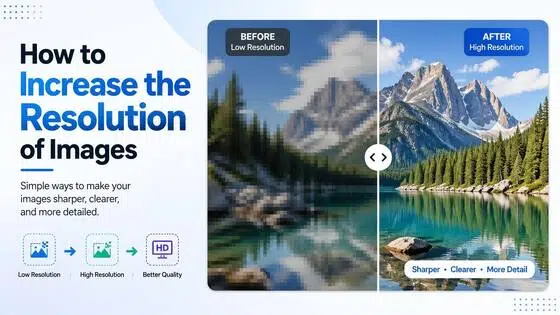
What Is 4K Resolution? Pixels, Formats & Device Guide (2026)
4K resolution means 3,840 x 2,160 pixels for consumer displays - four times the pixel count of Full HD. This guide explains the formats, compares resolutions side by side, covers device support, and shows how to upscale existing video to 4K quality.

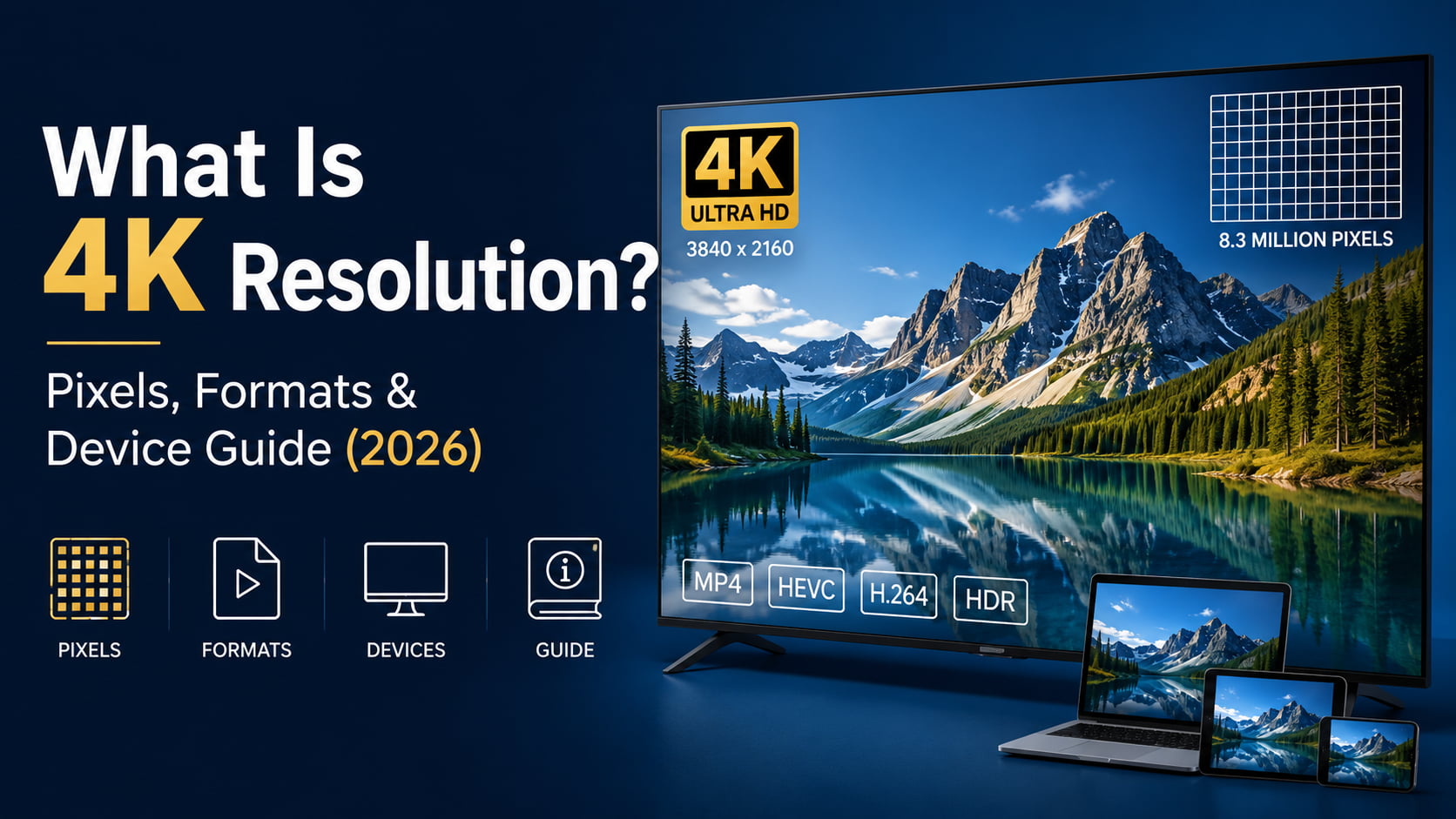
You have seen the 4K label on TVs, cameras, and streaming menus. But what does it actually mean? The short answer is that 4K refers to roughly 4,000 horizontal pixels. The full answer is a bit more involved because two different standards use the 4K name. This guide covers both, compares 4K to other common resolutions, and explains which devices actually support it.
What Is 4K Resolution? The Exact Pixel Count and Two Standards
The word 4K is used loosely in marketing. The exact pixel count depends on whether you are talking about a consumer TV or a professional film camera.
Consumer 4K: UHD (3,840 x 2,160)
Consumer 4K is 3,840 x 2,160 pixels. That gives you 8,294,400 total pixels. It is exactly four times the pixel count of 1080p Full HD.
The aspect ratio is 16:9, the same as every modern TV and monitor. This format goes by several names. UHD, Ultra High Definition, 2160p, and 4K UHD all refer to the same thing.
Every consumer 4K TV, streaming platform, and most 4K cameras use this format. Netflix, YouTube, and Disney+ all stream in 3,840 x 2,160.
Cinema 4K: DCI 4K (4,096 x 2,160)
The film industry uses a slightly different format. It is called DCI 4K, defined by the Digital Cinema Initiatives. The resolution is 4,096 x 2,160 pixels.
That is about 6 percent more horizontal pixels than consumer UHD. The aspect ratio is approximately 17:9, slightly wider than 16:9.
Professional cameras from Sony, Canon, and Blackmagic often offer this format alongside standard UHD. You may see it labeled C4K or Cinema 4K.
One practical note: consumer TVs do not display DCI 4K natively. The extra pixels get scaled to fit the 3,840 x 2,160 UHD frame during playback.
4K vs. 1080p vs. 1440p vs. 8K: Resolution Comparison
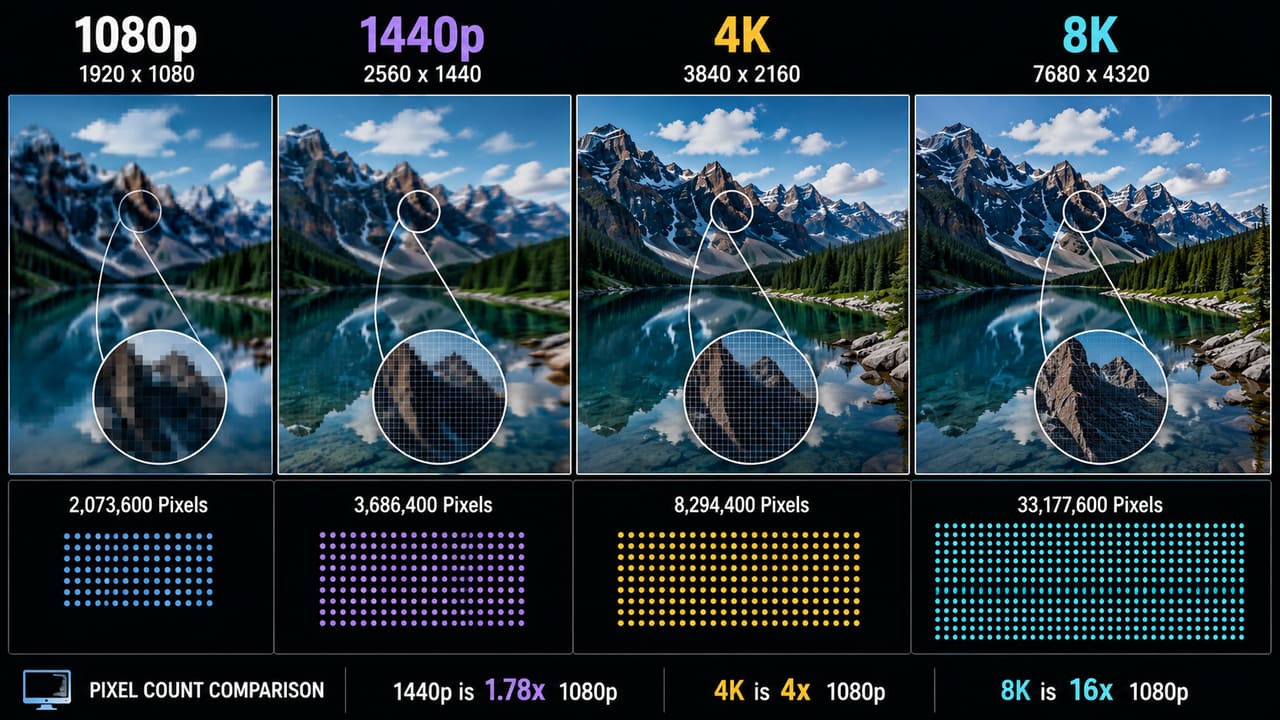
4K sits two steps up from 1080p and one step below 8K in the resolution hierarchy, and seeing where it lands among its neighbors makes the rest of this guide easier to follow. The table below lines up pixel counts and typical applications side by side.
|
Resolution Name |
Pixel Dimensions |
Total Pixels |
Aspect Ratio |
Common Use |
|---|---|---|---|---|
|
1080p (Full HD) |
1920 x 1080 |
2,073,600 |
16:9 |
Streaming, laptops, budget monitors |
|
1440p (QHD) |
2560 x 1440 |
3,686,400 |
16:9 |
27-inch gaming monitors |
|
4K (UHD) |
3840 x 2160 |
8,294,400 |
16:9 |
TVs, consoles, creative work |
|
8K |
7680 x 4320 |
33,177,600 |
16:9 |
Premium TVs, prototype displays |
Key Differences at a Glance
-
720p (HD): 1,280 x 720 = 921,600 pixels. Used in lower-bandwidth streaming and older broadcast formats.
-
1080p (Full HD): 1,920 x 1,080 = 2,073,600 pixels. The current standard for most streaming, broadcast TV, and gaming.
-
1440p (QHD): 2,560 x 1,440 = 3,686,400 pixels. About 78 percent more pixels than 1080p. Common on PC monitors.
-
4K UHD: 3,840 x 2,160 = 8,294,400 pixels. Four times the pixel count of 1080p. The current premium standard for TVs and streaming.
-
8K UHD: 7,680 x 4,320 = 33,177,600 pixels. Four times 4K. Very little native content is available at this level.
How Much of a Difference Does 4K Actually Make?
It depends on screen size and how close you sit.
On a 27-inch monitor at desk distance, 4K produces 163 pixels per inch. That is sharp enough to read fine text without seeing individual pixels. At 1080p on the same screen, you get 82 PPI. Most people can see the difference at that range. The difference becomes noticeable at this viewing distance.
On a 55-inch TV viewed from 10 feet away, the gap between 4K and 1080p is harder to spot. You would need to sit within 5 to 7 feet for the extra pixels to be clearly visible.
For gaming, 1440p at 144Hz is the more practical choice for most users in 2026. Running games at a true 4K pixel resolution takes high-end GPU hardware that costs considerably more.
Why 4K Resolution Matters: The Real Benefits by Use Case
4K is not the right choice for every situation. Here is where it makes a real difference and where it does not.
Home Entertainment and Streaming
On large screens, 4K looks noticeably sharper than 1080p. The improvement is most visible on screens 55 inches and larger. You will see cleaner edges on faces, text, and background detail.
Netflix, YouTube, Disney+, Apple TV+, and Amazon Prime Video all offer 4K content. Streaming it requires a stable connection of 15 to 25 Mbps. Netflix recommends 25 Mbps for 4K HDR.
For the best 4K picture quality, 4K UHD Blu-ray beats streaming. Physical discs carry much higher bitrates than any streaming tier can match.
One thing worth knowing if you mainly watch cable TV: US broadcast television still transmits at 720p or 1080i in 2026. ABC and Fox use 720p. CBS, NBC, and most cable channels use 1080i. There is no native 4K on standard broadcast or cable. If cable makes up most of your viewing, a 1080p display covers it just fine. 4K matters most when you stream from platforms that actually deliver it.
Video Production and Content Creation
Shooting in 4K and editing in 1080p is a well-established workflow. It gives you room to reframe, zoom in, or stabilize a shot without losing resolution in the final export.
Downscaling 4K to 1080p also produces sharper results than native 1080p from the same camera. The downscale averages pixel data rather than discarding it.
Recording at 4K now means your archive stays usable as display standards keep rising.
Gaming
Gaming at 4K makes the hardware cost very visible. In 2026, running AAA titles at 3,840 x 2,160 on high settings takes an RTX 4080, RTX 4090, or RX 7900 XTX class GPU. That rules out 4K gaming for most mid-range setups.
The visual benefit is clearest in open-world and story-driven games. Cyberpunk 2077 and Red Dead Redemption 2 are common examples where 4K detail adds to the experience.
Competitive multiplayer is a different story. Most pro players use 1080p at 240Hz or higher. Frame rate and input response matter more than resolution there.
NVIDIA DLSS and AMD FSR have changed the math. Both let games render at a lower internal resolution and output near-4K quality. That reduces GPU demand without giving up much visual fidelity.
Photography and Professional Displays
Photo editing on a 4K monitor at 27 inches gives you close to print-quality pixel density. At 163 PPI, the display stops being the weak point in your color accuracy work.
In security, 4K cameras capture enough detail to zoom into a license plate or face at distance without losing the information you need.
Medical imaging, architectural work, and professional broadcast are treating 4K as a baseline standard rather than a premium feature.
Which Devices Support 4K Resolution?
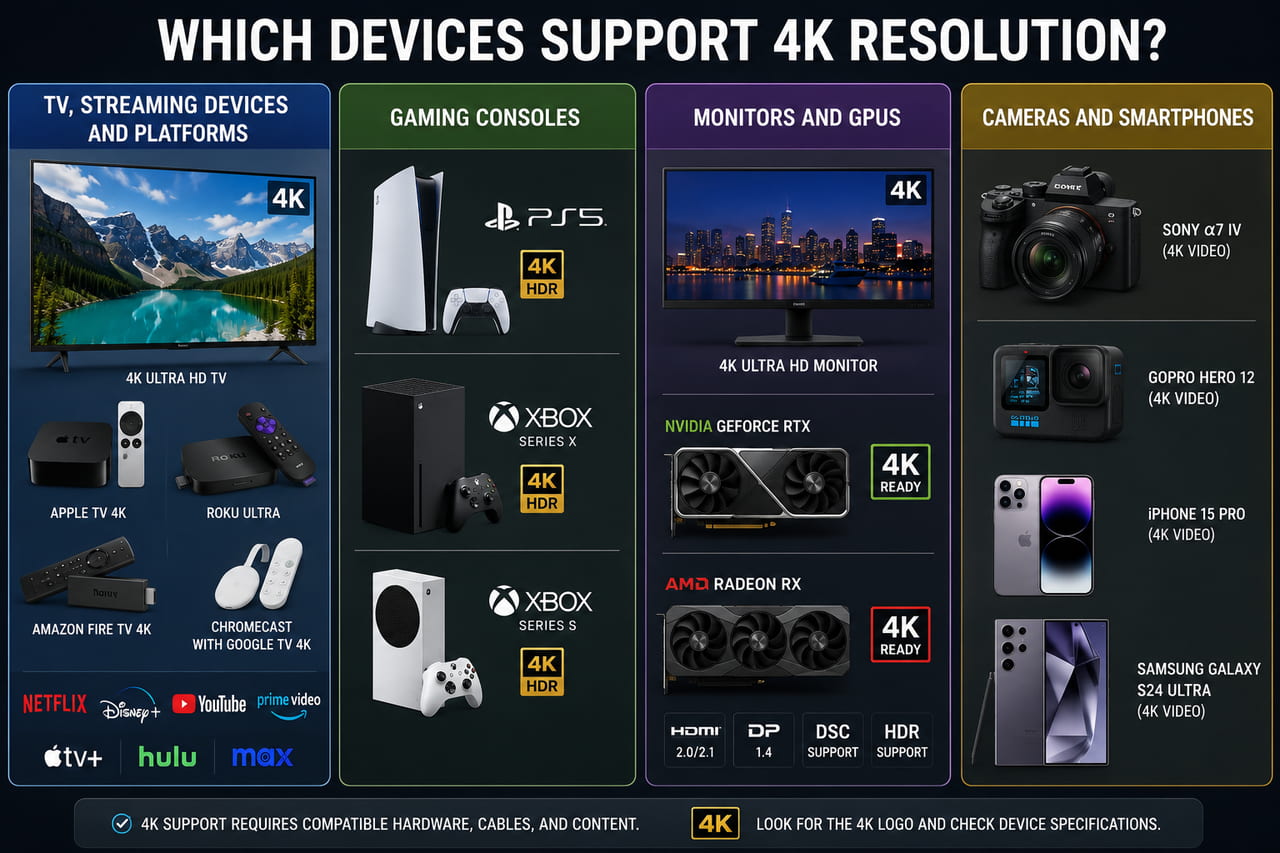
4K is now standard across most consumer electronics. Here is the current state by device type.
TVs
All new TVs at 40 inches and above are 4K UHD as of 2024 to 2026. 1080p TVs have largely disappeared from the mainstream market at larger sizes.
HDMI 2.0 handles 4K at 60Hz. That covers most streaming and film content. HDMI 2.1 supports 4K at 120Hz, which is required for PS5 and Xbox Series X at full performance. HDMI 1.4 supports 4K at 30Hz, which works for movies but not for gaming.
Streaming Devices and Platforms
Main 4K streaming hardware options: Apple TV 4K, Chromecast with Google TV, Amazon Fire TV Stick 4K, Roku Ultra, and NVIDIA Shield. All support 4K HDR on a compatible TV.
Netflix requires the Premium plan for 4K. YouTube, Disney+, Apple TV+, Amazon Prime Video, and HBO Max all include 4K in their standard or premium plans. You need 15 to 25 Mbps for stable 4K playback.
Gaming Consoles
-
PlayStation 5: native 4K at up to 120fps. 4K Blu-ray drive included on disc versions.
-
Xbox Series X: native 4K at up to 120fps. 4K Blu-ray drive included.
-
Xbox Series S: outputs at 4K but renders games internally at 1440p and upscales. No disc drive.
-
PlayStation 4 Pro: upscaled 4K output, not native. Standard PS4 outputs at 1080p only.
-
Nintendo Switch (all models): 1080p docked output. No 4K support on any version.
Monitors and GPUs
Consumer 4K monitors range from 24 to 32 inches in the mainstream market. Larger professional panels exist above that.
For 4K gaming at 60fps on high settings in 2026, you need at minimum an RTX 4070 or AMD RX 7900 XT. For 4K at 120Hz to 144Hz, RTX 4090 or RTX 5080 class hardware becomes necessary in modern AAA titles.
Cameras and Smartphones
Most flagship smartphones record 4K as standard. iPhone 15 Pro and later records 4K at up to 60fps. Samsung Galaxy S24 and later matches that. GoPro Hero 12 and later records 4K at up to 120fps.
Mid-range and above mirrorless cameras from Sony, Canon, Nikon, and Panasonic offer DCI 4K or UHD recording. 4K security cameras need a compatible NVR or DVR system and enough bandwidth to handle the data.
Why You Do Not Always Get Real 4K Content
Owning a 4K display does not mean everything shown on it is true 4K. This is one of the most common points of confusion around the format.
Native vs. Upscaled 4K
Native 4K means the content was captured or rendered at 3,840 x 2,160 from the start. Every pixel holds original data.
What does 4K resolution mean when it comes from an upscaled source? It means a lower-resolution file has been stretched to fill the 4K frame. The image looks smoother than it would at native 1080p size. But no new detail has been added.
Most broadcast TV, older streaming titles, DVDs, and standard Blu-ray discs get upscaled on a 4K display. The TV's processor does it automatically. The result is better than native SD on a large screen, but it is not 4K.
AI Upscaling vs. Traditional Upscaling
Traditional upscaling calculates new pixel values from neighbors using algorithms like bicubic or Lanczos. The output is smooth but not sharper. The algorithm is estimating colors rather than reconstructing detail.
AI upscaling works differently. A neural network trains on matched pairs of low and high-resolution images. It learns to predict what higher-resolution content would look like. At each frame it recovers edge sharpness, texture, and fine detail that interpolation cannot produce.
The difference shows most clearly on faces, text, and surfaces with repeating patterns.
This is now built into high-end TVs. Sony X-Reality Pro, Samsung Neural Quantum Processor, and LG Alpha AI Processor all do some version of AI-based frame enhancement. NVIDIA DLSS and AMD FSR apply the same approach in gaming.
When Real 4K Content Is Actually Available
-
Streaming: Netflix, Disney+, Apple TV+, and Amazon Prime Video offer native 4K on select titles. Look for the 4K UHD badge on individual content pages.
-
4K UHD Blu-ray: the only consumer format delivering full bitrate native 4K with HDR. The quality gap between disc and stream is measurable on an HDR display.
-
Gaming: native 4K is only confirmed when the game renders at 3,840 x 2,160. The Xbox Series S and games using dynamic resolution may output less than full 4K.
-
User-created video: only native 4K if shot on a 4K device and exported without any resolution downscale in the production chain.
How to Upscale Your Video to 4K with AI Video Enhancer
Have video that was shot at 360p, 1080p or 1440p? AI upscaling can bring it much closer to 4K quality without a reshoot.
Zawa Video Enhancer processes each frame using AI. It improves overall visual clarity and perceived sharpness across the clip.It is useful for archived footage, older recordings, and social media clips where a native 4K source is not available.
Step-by-Step: Using Zawa Video Enhancer
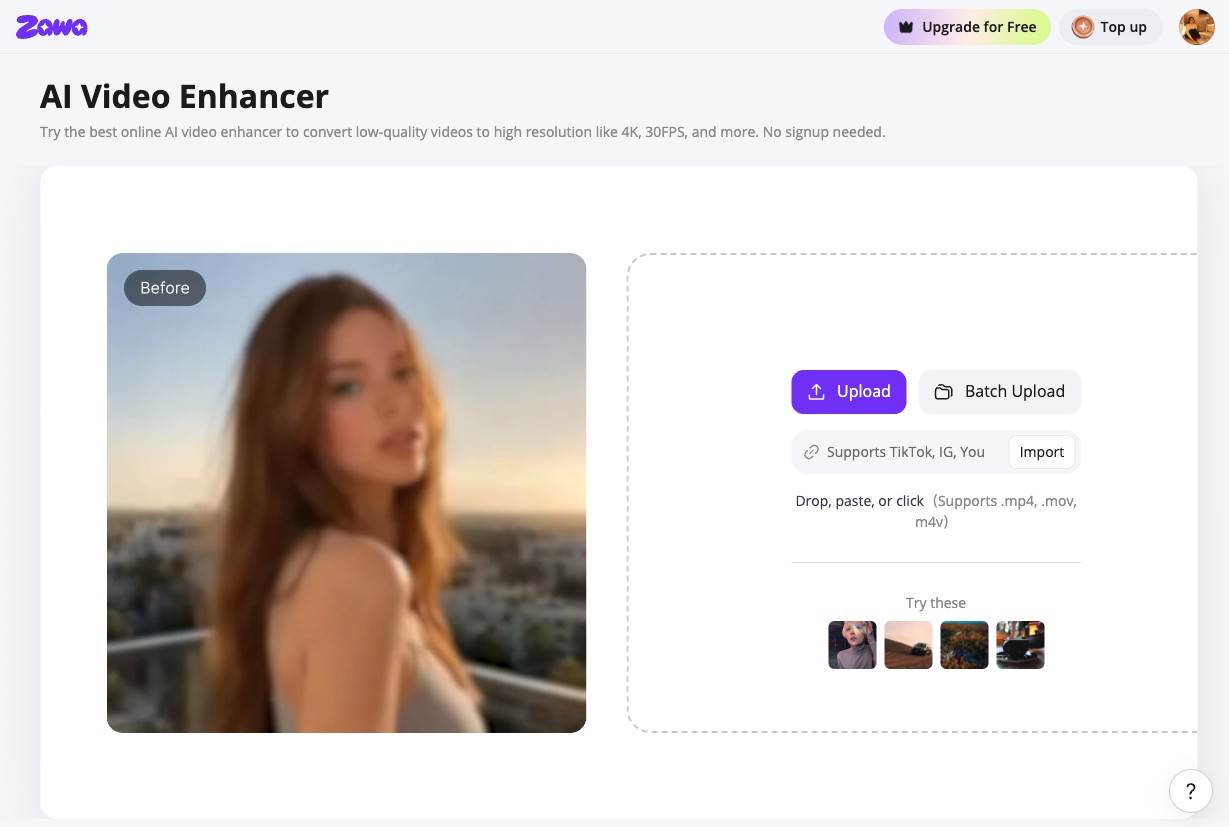
Step 1: Launch Zawa and Upload Your Video
Find Video Enhancer in the tool panel at the bottom-right of the Zawa workspace. MP4, MOV, and M4V. The file uploads directly to the editor with no software install required.
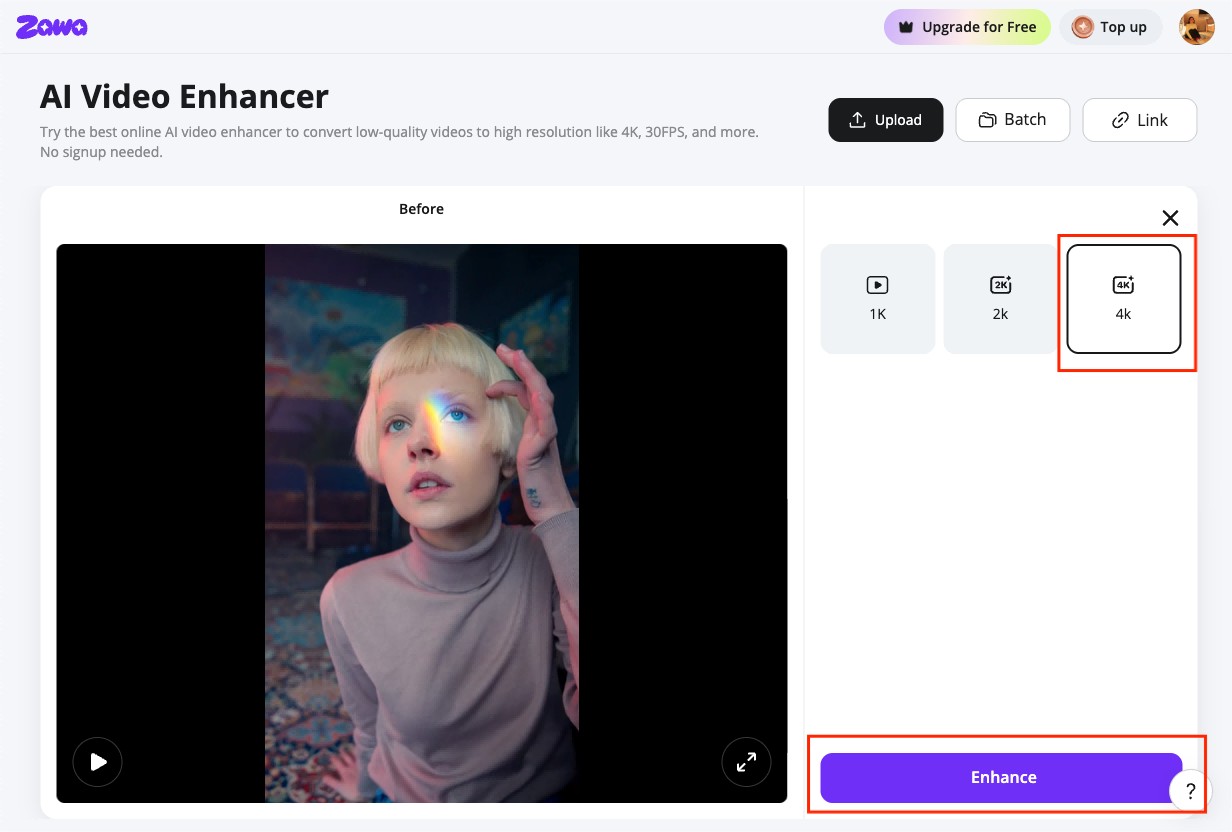
Step 2: Select 4K Target Resolution
Choose 4K as the output resolution. Select the enhancement mode for your footage type. Zawa enhances video clarity and sharpness while upscaling footage to higher resolutions.
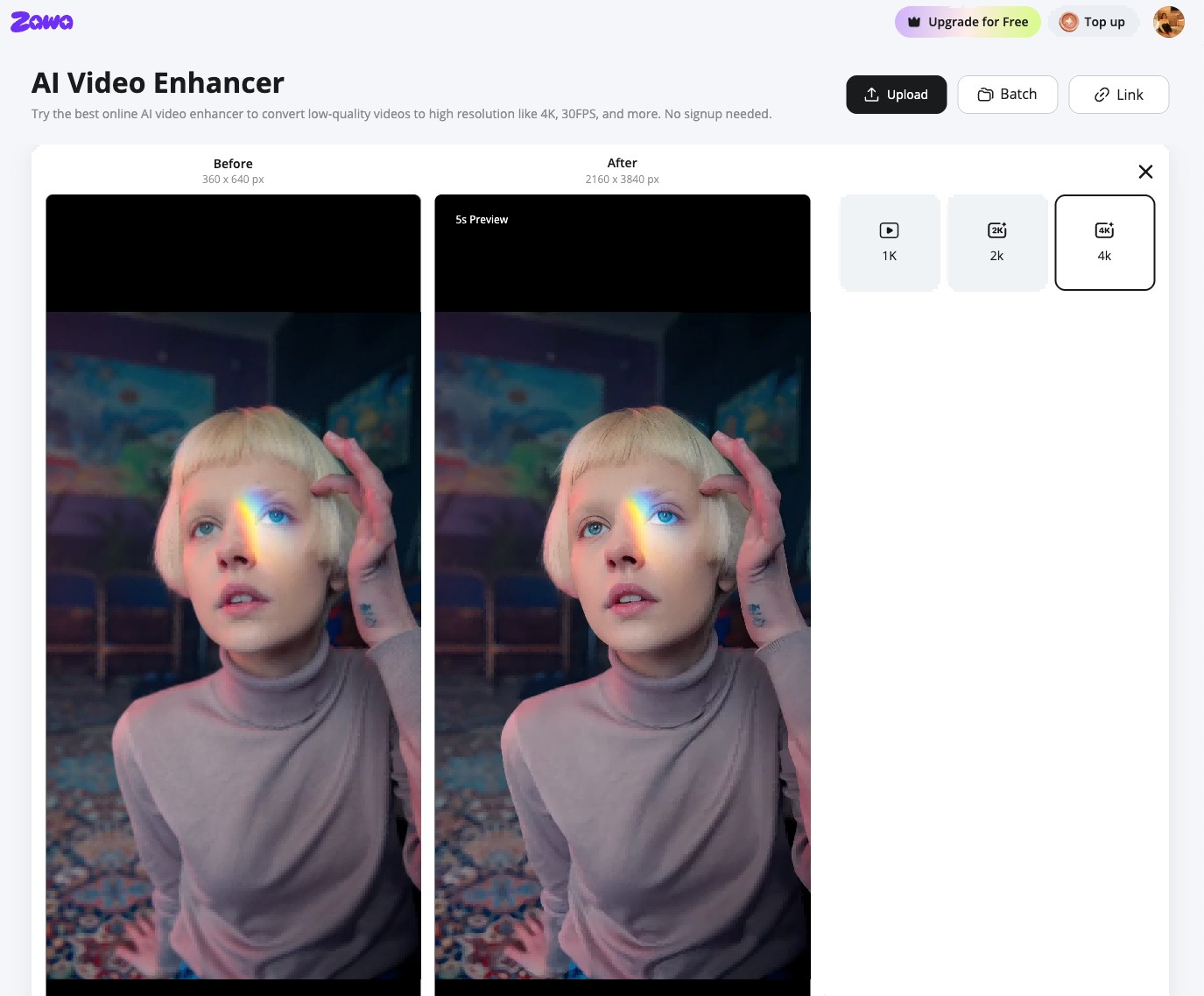
Step 3: Preview and Download
Preview the result before downloading. The output holds up on large 4K displays much better than standard upscaling from the same source.
After enhancing your video, Zawa offers even more AI-powered tools, including video watermark removal and video background removal, helping streamline your entire editing workflow in one place.
Conclusion
4K resolution delivers four times the pixel count of 1080p, resulting in sharper images and greater detail. Today, 4K has become the standard for TVs, streaming services, gaming, photography, and content creation. However, the actual viewing experience still depends on factors such as screen size, viewing distance, and whether the content is native 4K. Understanding the different 4K standards, device compatibility, and content sources can help you get the most out of your 4K setup.
FAQs
Is 2560x1440 considered 4K?
No. 2,560 x 1,440 is QHD or 1440p, often marketed as 2K in consumer products. 4K UHD is 3,840 x 2,160. 1440p has approximately 3.69 million pixels; 4K has approximately 8.29 million. They are distinct resolutions with different hardware requirements and different display characteristics.
What is the difference between 4K and Ultra HD (UHD)?
In the strictest technical sense, 4K refers to the cinema DCI standard of 4,096 x 2,160, while Ultra HD is the consumer standard of 3,840 x 2,160. The horizontal pixel difference is about 6 percent, which is imperceptible at normal viewing distances. In practice, consumer products use both labels for the same 3,840 x 2,160 format. When a TV, monitor, or streaming service says 4K, it means 4K pixel resolution at 3,840 x 2,160.
Is 4K worth it for a TV or monitor?
For TVs at 55 inches and larger: yes, the improvement over 1080p is visible at typical viewing distances. For PC monitors at 27 inches used at desk distance: yes, the jump from 82 PPI (1080p) to 163 PPI (4K) is clear for text and detail work.
For gaming: the answer depends on budget. 4K gaming requires RTX 4080 class hardware to run at acceptable frame rates in modern titles. For most users, 1440p at 144Hz is a more practical balance in 2026.
One more factor: if your primary use is broadcast or cable television, US broadcast still transmits in 720p or 1080i in 2026. No cable or terrestrial channel broadcasts native 4K. For that viewing context, 1080p is sufficient and the 4K investment yields no visible improvement on broadcast content.
What internet speed is needed to stream 4K?
Netflix recommends 25 Mbps for 4K Ultra HD streaming with HDR. Most other platforms including YouTube and Disney+ require a minimum of 15 to 20 Mbps for stable 4K playback. Below those thresholds, the platform will automatically drop to 1080p or lower to maintain uninterrupted playback.
Can I upscale 1080p video to 4K?
Yes. Both display hardware and dedicated software tools can upscale 1080p to 4K. What is 4k format when it comes from an upscaled source? It is a 4K-sized frame with reconstructed rather than native detail. Traditional upscaling produces a smoother image but does not add sharpness. AI upscaling, such as the kind Zawa Video Enhancer applies, reconstructs edge detail and texture using a trained neural network. The result is significantly sharper than standard interpolation. It is not identical to a natively captured 4K file, but meaningfully closer to it.
You May Be Interested
1080p vs 4K: Key Differences, Real-World Results (2026)

1440p vs 4K: Key Differences, Real Scenarios & Blur Fix

HD vs 4K: Differences, Visual Impact & Which to Choose
What Is 1440p Resolution? QHD Explained (2026)

What Is 2K Resolution? Dimensions, Quality & Use Cases