Top 5 YouTube Thumbnail Testers Must-Try for YouTubers in 2026
Discover the ultimate 5 best YouTube thumbnail testers for creators in 2026. Whether you're testing designs or refining visuals, elevate results using a free AI thumbnail creator.

A YouTube thumbnail tester allows you to test what grabs attention before publishing your video. Good thumbnails boost click-through rates, create first impressions, and impact channel growth. But testing is only effective if you follow the right testing protocol, key performance indicators, and tools. You'll cover how to test thumbnails, the metrics to track, and the top platforms to use in 2026.
What is a YouTube thumbnail tester?
A YouTube thumbnail tester is a tool that compares and studies the design of thumbnails. It will preview different variations to see which will be more appealing. It's used to predict how the video will perform. They use simulations, voting, or previews. They assist with designing YouTube thumbnails by studying user preferences.
What metrics to look at in Thumbnail tests?
Thumbnail testing will reveal what is really appealing and what boosts your performance. Analyzing the right metrics will help you improve visuals to increase clicks, retention, and channel growth.
-
Click-through rate (CTR): Click-through rate indicates the number of times that viewers have clicked after viewing your thumbnail. The increased CTR typically reflects greater visual appeal and a clearer value proposition for the audience.
-
Impressions: How many times is your thumbnail displayed on different pages of YouTube? The more impressions, the more reach, but to convert the viewers, quality targeting is essential.
-
Views: The number of times people watch your video content. Comparing views to impressions helps determine how persuasive your thumbnails are.
-
Watch time: This is the time that viewers have to spend after clicking on your thumbnail. High watch time indicates that your thumbnail is a good match for the content and meets the viewer's expectations.
-
Viewer retention: the ratio of videos viewed by viewers. Premature drops can indicate false thumbnails or misaligned expectations for the viewer's first clicks.
-
Engagement (likes, comments, shares): Engagement is a measure of likes, comments, and shares after the audience watches your video. The high engagement indicates that the thumbnail appeals to the right audience and drives valuable interactions.
-
Subscriber gain rate: The number of viewers who subscribe after watching your video. A rising rate means thumbnails attract loyal audiences interested in your ongoing content.
Top 5 YouTube thumbnail testing tools in 2026
-
TubeBuddy
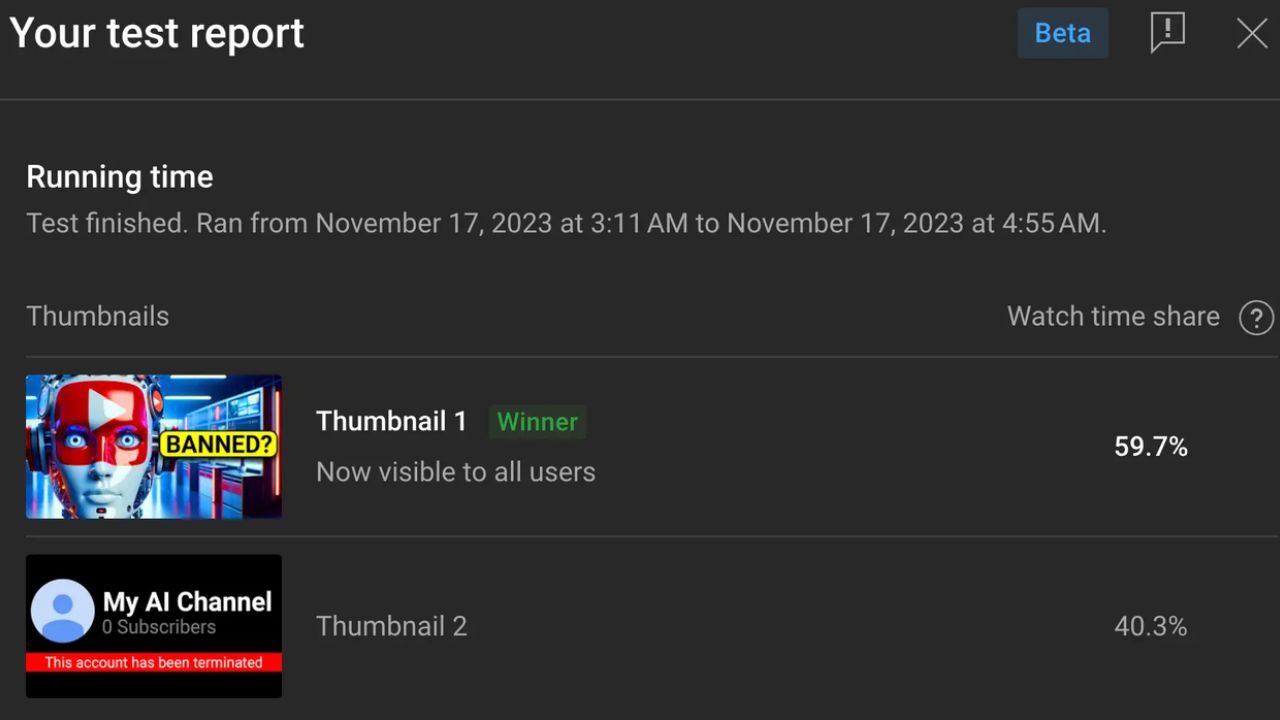
TubeBuddy is a popular YouTube optimization tool with an effective thumbnail A/B testing option. It is built into YouTube Studio and enables creators to test up to 3 thumbnails for a video. The system automatically switches variants, and a winner is chosen based on statistically significant CTR performance.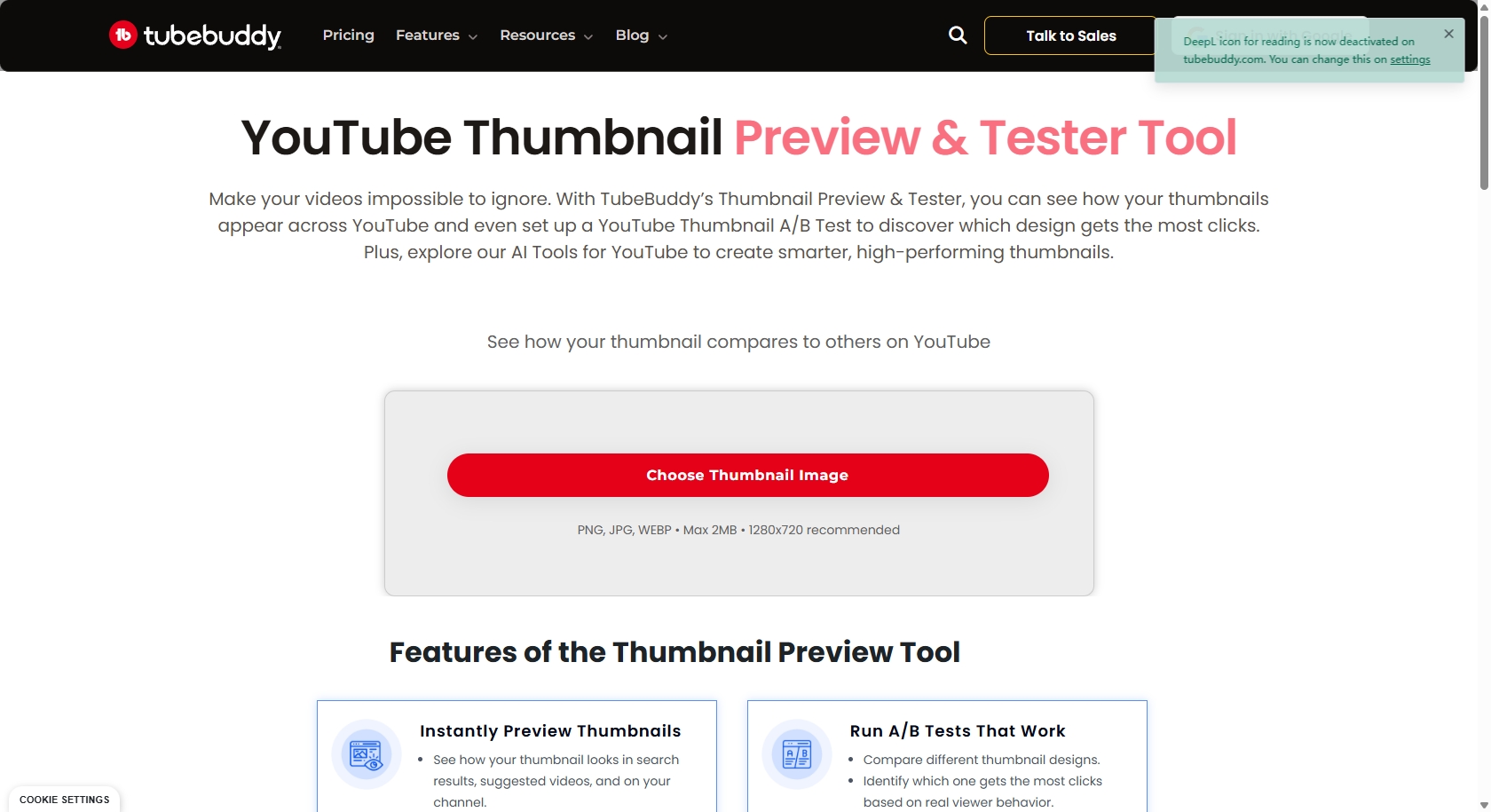
Key features
-
A/B thumbnail testing: A/B thumbnail testing compares variations to determine which variant has the higher click-through rate. Findings are always more effective at guiding creators to make better decisions.
-
Statistical winner selection: Statistical winner selection uses significance levels to ensure credible results. It minimizes prejudice and makes a clear validation of differences.
-
YouTube studio integration: Automatically syncs experiments with your channel dashboard. Installation is easy, and centralized reporting is available.
-
Enhanced SEO tools: Use these tools to analyze keywords, tags, and trends to improve discoverability. They expose opportunities and streamline metadata.
Steps to use TubeBuddy
-
Click the TubeBuddy menu, then under "Website Tools," click "A/B Tests."
-
Click on "Create AB Test" to begin setting up the testing process.
-
Select whether you want to run a thumbnail or metadata test.
-
Next, insert the video link to fetch the video. Select the test type and define the tests' length. Once done setting parameters, click the "Continue" tab.
-
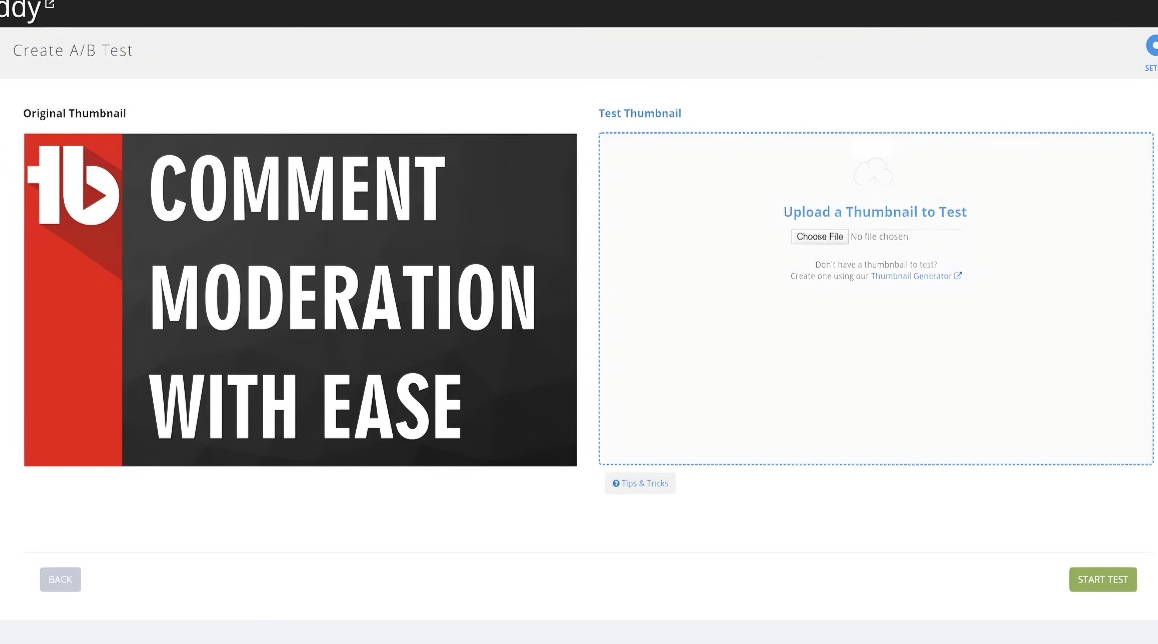
Add the new thumbnail that you want to test against the original one. Once done, click the "Start Test" tab to run your tests.
-
VidIQ
VidIQ offers thumbnail testing with its Boost plan, which combines A/B testing and advanced analytics. It enables testing two thumbnail variants for a video and measures CTR, views, and engagement. It is also strong in its dashboard, which contains a lot of data to help creators make informed decisions based on trends and competitor insights.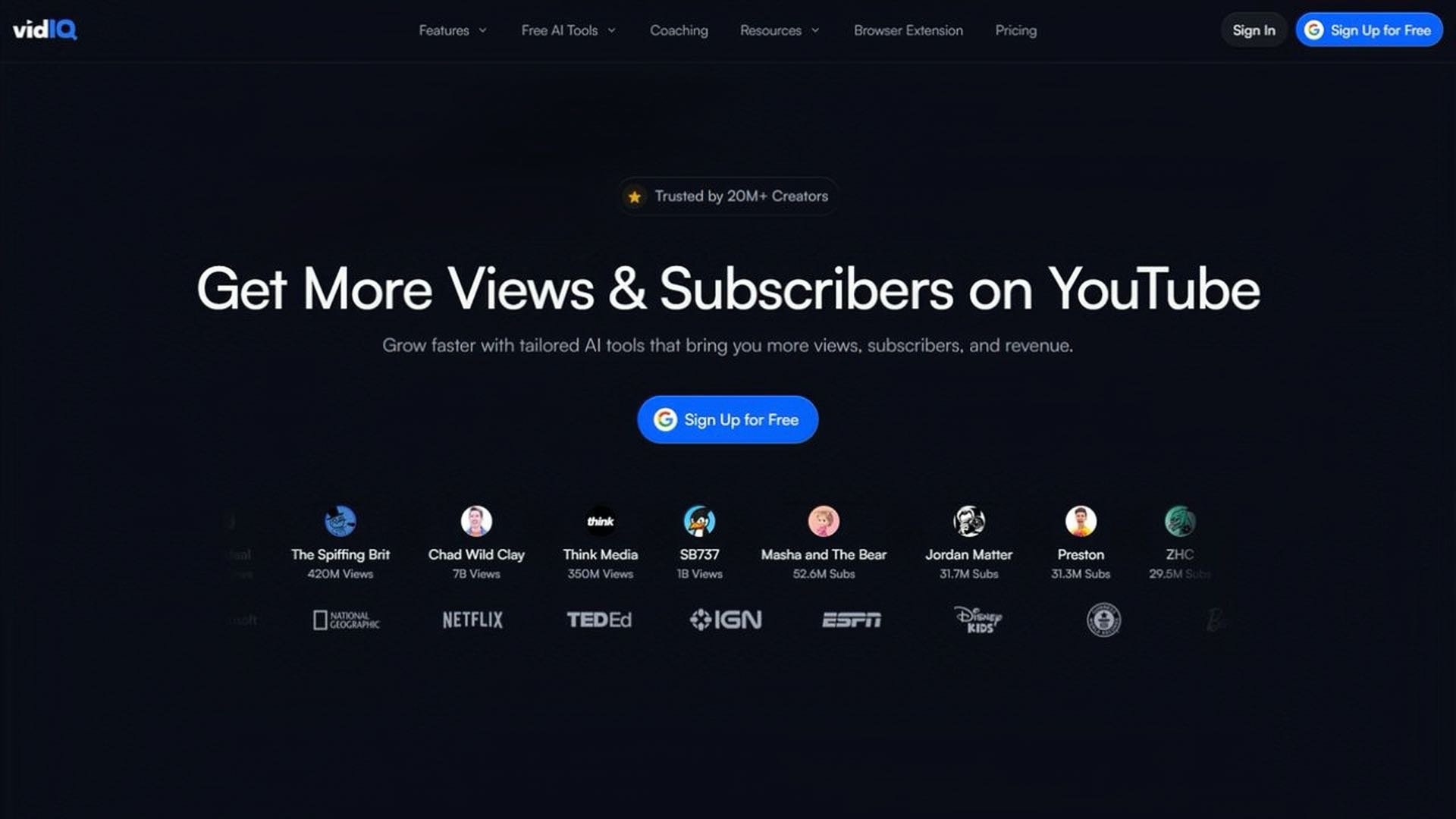
Key features
-
Two-variant testing system: Compares two variants simultaneously to evaluate performance effectively. Eliminates guesswork and speeds decision-making, resulting in overall results.
-
Performance analytics dashboard: An easy-to-read, real-time dashboard that displays metrics and trends. Helps recognize victors soon and with certainty.
-
Automated test completion: Tests are automatically terminated as soon as the statistical significance is achieved. Saves time and avoids overtesting or inconclusive results.
-
Competitor analysis tools: Analyze competitors' content and reveal gaps and opportunities. Guides smarter positioning and successfully differentiates your campaigns.
Steps to use VidIQ
-
First, install the VidIQ extension in your web browser. Connect it with your YouTube channel.
-
Open a video in YouTube Studio. Go to the VidIQ panel and select Thumbnail Testing (Boost plan required).
-
Add 2–3 different thumbnail designs. Make clear visual differences (text, colors, layout).
-
Launch the A/B test. VidIQ rotates thumbnails between viewers automatically.
-
Let it run for 7–14 days. Track CTR and performance in VidIQ analytics.
-
The best-performing thumbnail is selected or applied manually. Use results to improve future designs.
-
IntoThumbnail
IntoThumbnail is a simple thumbnail preview and testing tool designed specifically for creators to assess thumbnail designs. It prioritizes YouTube-like previews, enabling users to upload their thumbnail designs, include titles, and preview how thumbnails will look in various positions. Its minimal design allows for easy and efficient testing, so it can be used by creators looking for a simple way to validate thumbnails quickly.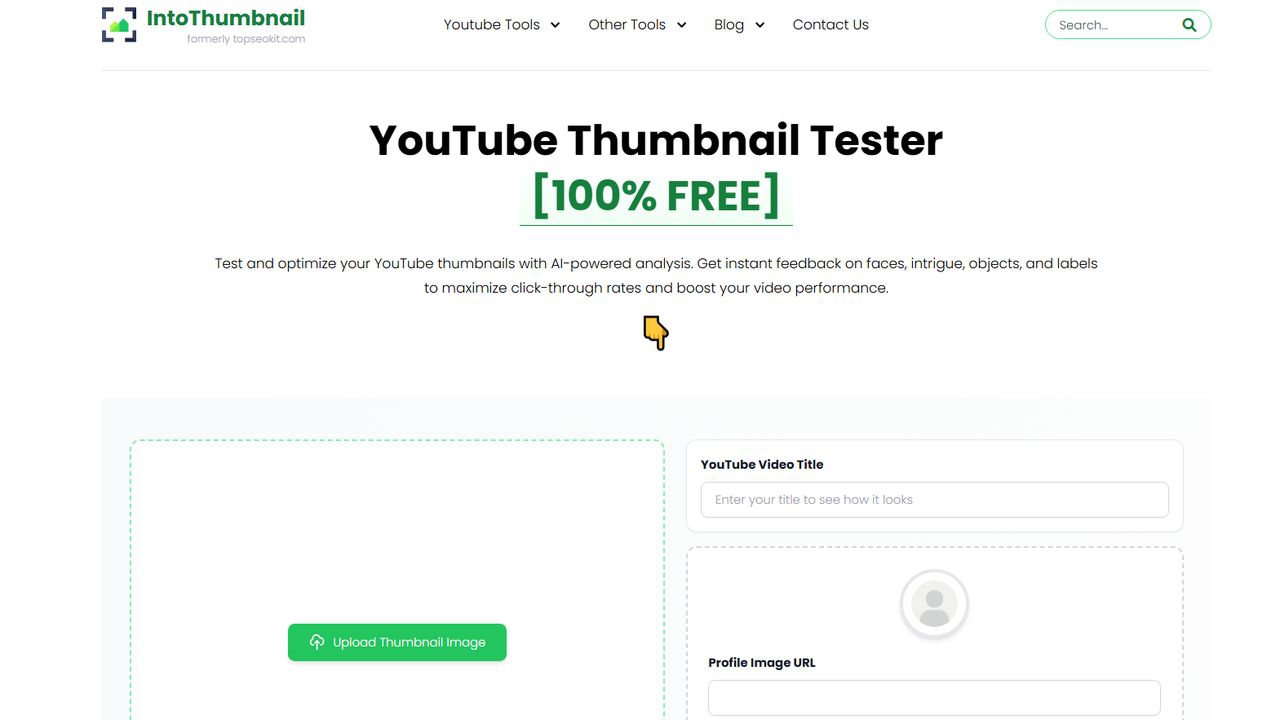
Key features
-
Realistic thumbnail preview: Shows you a YouTube-like view of your thumbnail, so you can assess how it will look and how clickable it might be.
-
Title support: Allows you to combine your thumbnail with a video title for better testing.
-
Mobile and tablet preview: Displays thumbnails on desktop, tablet, and mobile for more effective design.
-
Easy drag-and-drop upload: Fast upload and preview for convenient testing.
Steps to use IntoThumbnail
-
First, open the IntoThumbnail website. Next, upload your thumbnail image using the upload area.
-
Next, type in your video title to create a realistic YouTube preview.
-
Next, paste the image URL. Finally, enter the name of your YouTube channel.
-
Once done, click the "Analyze Thumbnail" option to start the testing process.
-
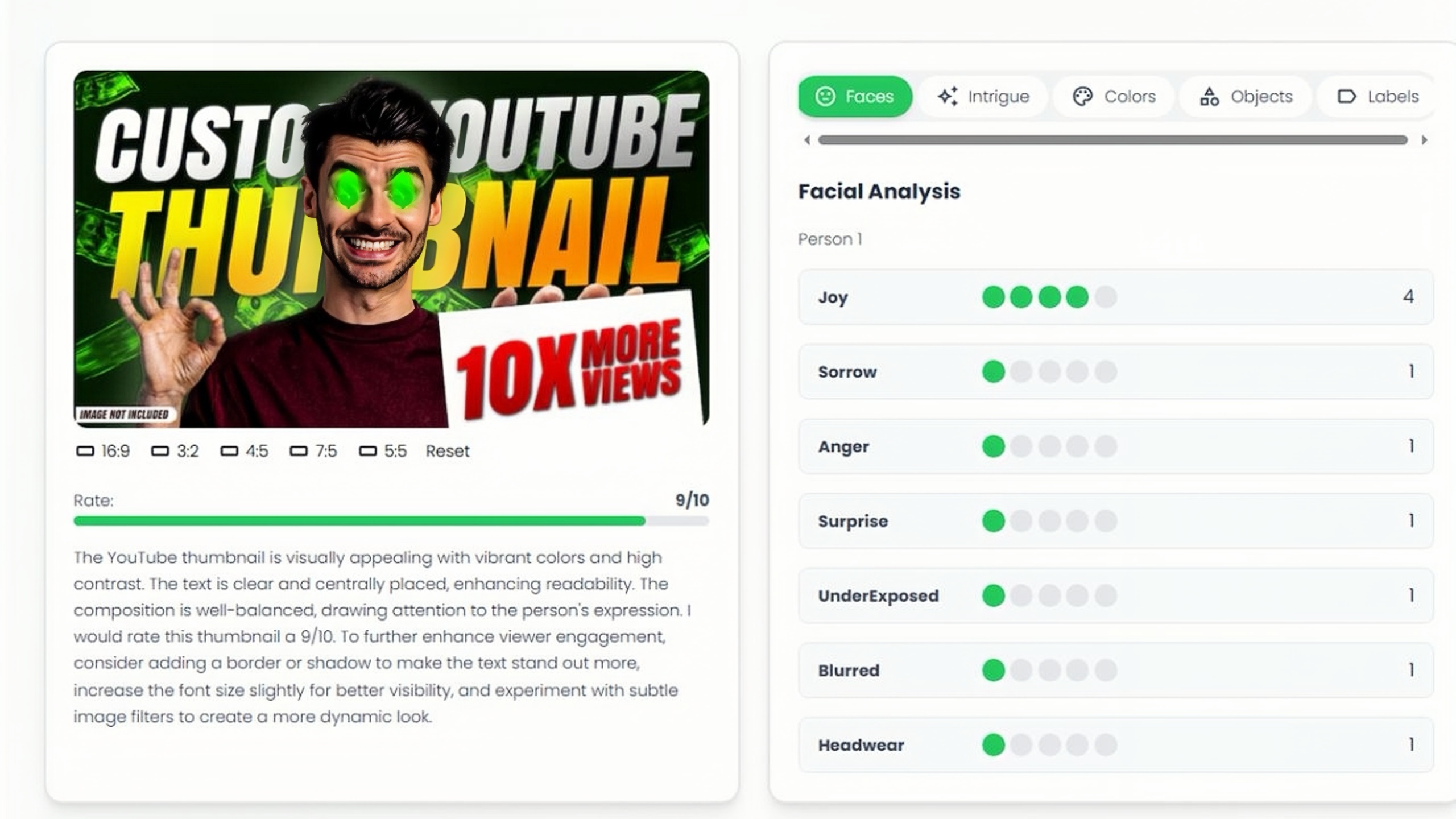
Review how your thumbnail appears on different devices and placements. Then, adjust your design based on readability, intrigue, colors, objects, labels, contrast, and visual impact.
-
You can also select the thumbnail based on the rating displayed below it.
-
ThumbnailTest
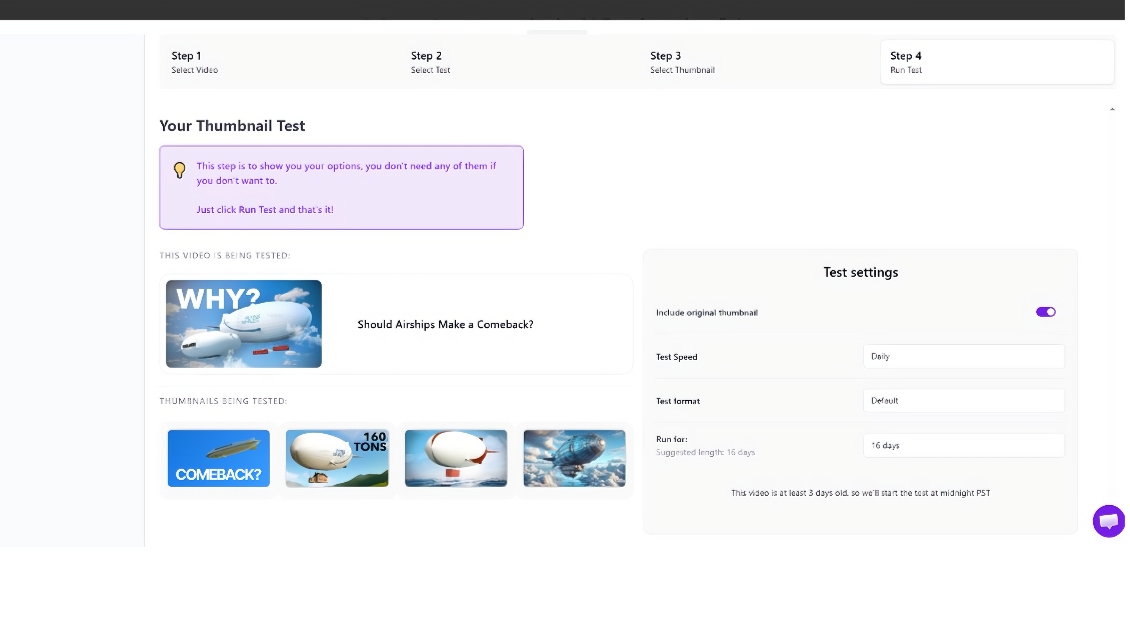
ThumbnailTest is a scalable testing platform that can test an unlimited number of thumbnail variants. It is also compatible with both new and old videos, making it suitable for optimizing old videos. It also offers creators actionable insights to maximize click-through rates through real-time analytics and device previews.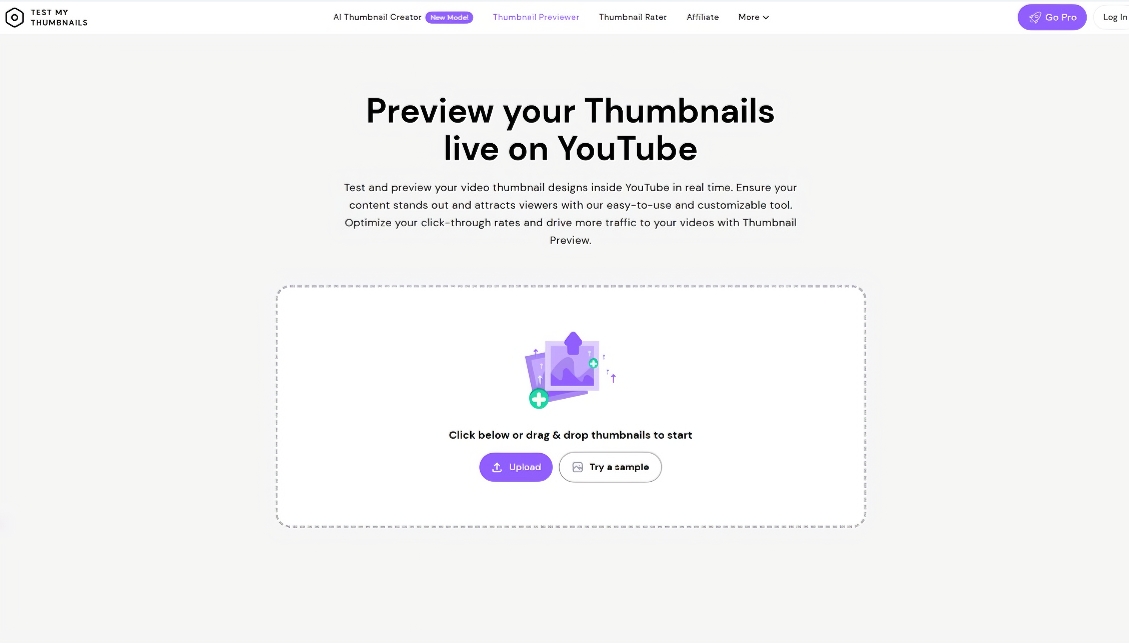
Key features
-
Infinite variant testing: Concurrently test many different experiments to compare performance. Enhance conversions through continuous testing.
-
Real-time analytics dashboard: Track important metrics in real-time with precise live data information to make decisions faster.
-
Device preview functionality: Preview designs across various devices before publishing changes, ensuring a consistent user experience.
-
User-friendly interface: Simple, intuitive design that allows users to navigate features easily, significantly reducing the learning curve.
Steps to use ThumbnailTest
-
First, visit the ThumbnailTest site and register to start. Next, select the "Select Video" option for which you want to test the thumbnail.
-
In step 2, set the settings to test the thumbnail only or the thumbnail plus title. Once done, click on the "Next Step" tab.
-
Next, you can upload three or four variations of the thumbnails that you want to test.
-
In the final step, choose the settings for "Test speed", "Test format", and "Run for" (time duration).
-
Finally, click the "Let's start on A/B test to find out" tab to start the testing process. You will get results 4 days after the test begins.
-
Test Thumbnail
Test Thumbnail is a free, standalone thumbnail preview tool to test and preview thumbnails. It is free to use and has no registration, offering instant previewing with live previews, device emulators, and preview links. It's particularly helpful for creators looking for a quick and easy way to preview thumbnails and get feedback before posting.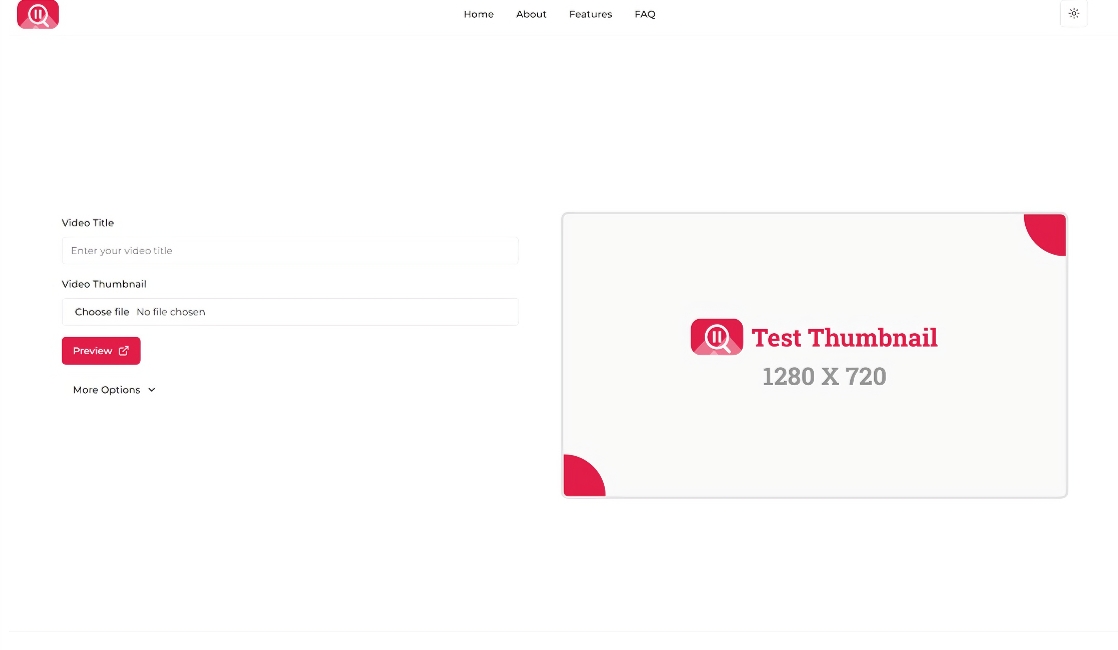
Key features
-
No sign-up required: Start testing thumbnails instantly without creating an account, making access fast and convenient.
-
Device preview simulation: Preview thumbnails on desktop, tablet, and mobile layouts in both light and dark themes.
-
Link to previews: Create links to share with team, clients, or collaborators for instant feedback.
-
Competitor insights support: Assists creators in comparing title placement and thumbnail prominence with similar content.
Steps to use TestThumbnail
-
First, open the Test Thumbnail website. You will see the interface as shown in the image below.
-
Next, upload your thumbnail image directly into the preview tool.
-
Later, enter your video title and the channel name. You can also add the channel's logo, which is optional. Finally, click on the "Preview" tab.
-
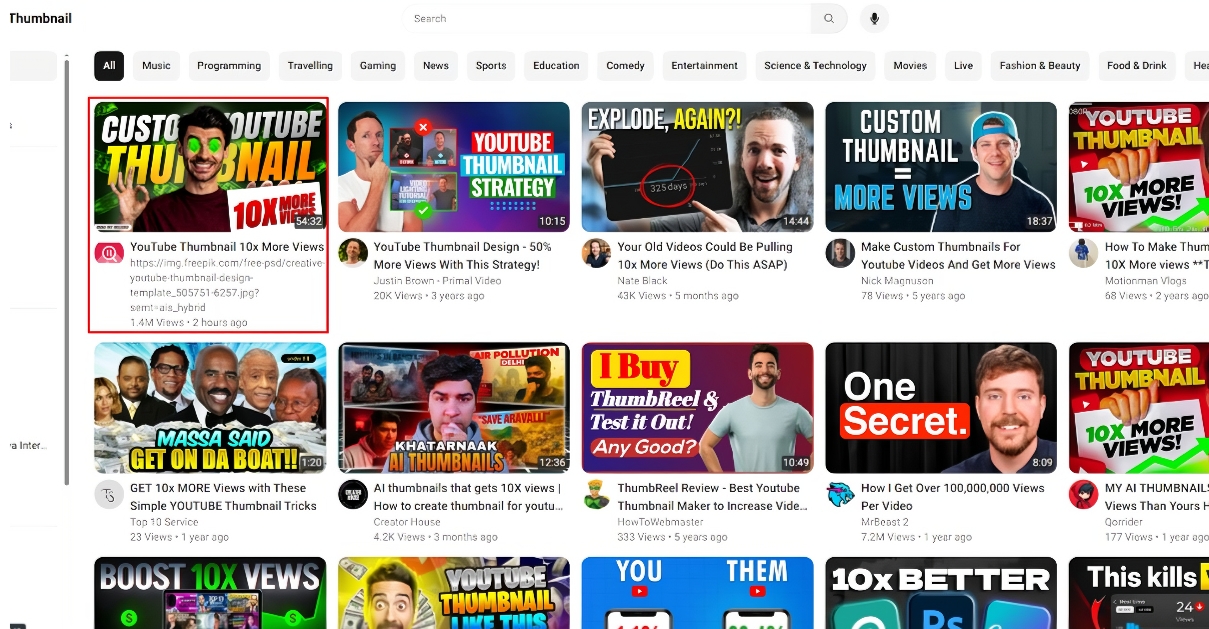
Analyze clarity, contrast, and standout value in the preview. You can also see how many views a specific thumbnail can drive to your video.
Which YouTube thumbnail tester should you choose?
Before choosing the right YouTube Thumbnail tester, you need to compare each one to better understand. The table below explains each difference clearly.
|
Tool |
Testing Type |
Variants Allowed |
Works on Old Videos |
Key Strength |
Limitation |
Starting Price |
|---|---|---|---|---|---|---|
|
TubeBuddy |
A/B Testing |
Up to 3 |
No |
YouTube integration |
Requires higher plan |
$49/month |
|
VidIQ |
A/B Testing |
2 |
No |
Advanced analytics |
Limited variants |
$39/month |
|
IntoThumbnail |
Preview Testing |
Single preview |
Yes |
Multi-device preview |
No direct A/B testing |
Free |
|
ThumbnailTest |
A/B Testing |
Unlimited |
Yes |
Real-time analytics + flexibility |
Registration required |
Free/Paid plans |
|
Test Thumbnail |
PreviewTesting |
Single preview |
Yes |
Fast preview + device simulation |
No direct A/B testing |
Free |
Best practices for testing YouTube thumbnails
-
Test multiple variations: create several thumbnail options for comparison. Use different colors, faces, and layouts. Evaluate performance to identify the strongest, engaging design for success quickly.
-
Readable text on small screens: Ensure thumbnails display text that is large and legible. Avoid cluttered wording. Mobile optimization should be implemented to significantly increase click-through rates.
-
High contrast and emotions: Be bold with colors to make a visual impact. Include facial expressions to make it more emotional. High contrast enhances readability and captures the audience.
-
Combine title + thumbnail testing: effectively match visuals to video titles. Combine tests to maintain consistency in messaging. Enhance click performance with a cohesive content strategy.
-
Analyze results before publishing: Review CTR and engagement metrics carefully. Identify the best-performing designs before upload. Make data-driven decisions to improve video success rates.
Create an Eye-catching YouTube thumbnail in Zawa to raise click rate
Design YouTube thumbnails that are catchy and effective in Zawa AI Agent to increase click-through rates. The platform maximizes visual engagement and CTR across various content niches—export high-resolution aspect-ratio custom thumbnails to fit YouTube needs. Increase visibility and clicks by rapidly optimizing thumbnail designsthumbnail designs to their full potential with Zawa.
Step 1: Access to AI Agent
Open Zawa and select "AI Agent" to pick "Add image" to add images. Then select an image model, such as GPT Image 2 High. Enter your prompt for the thumbnail generation and click "Send" to proceed.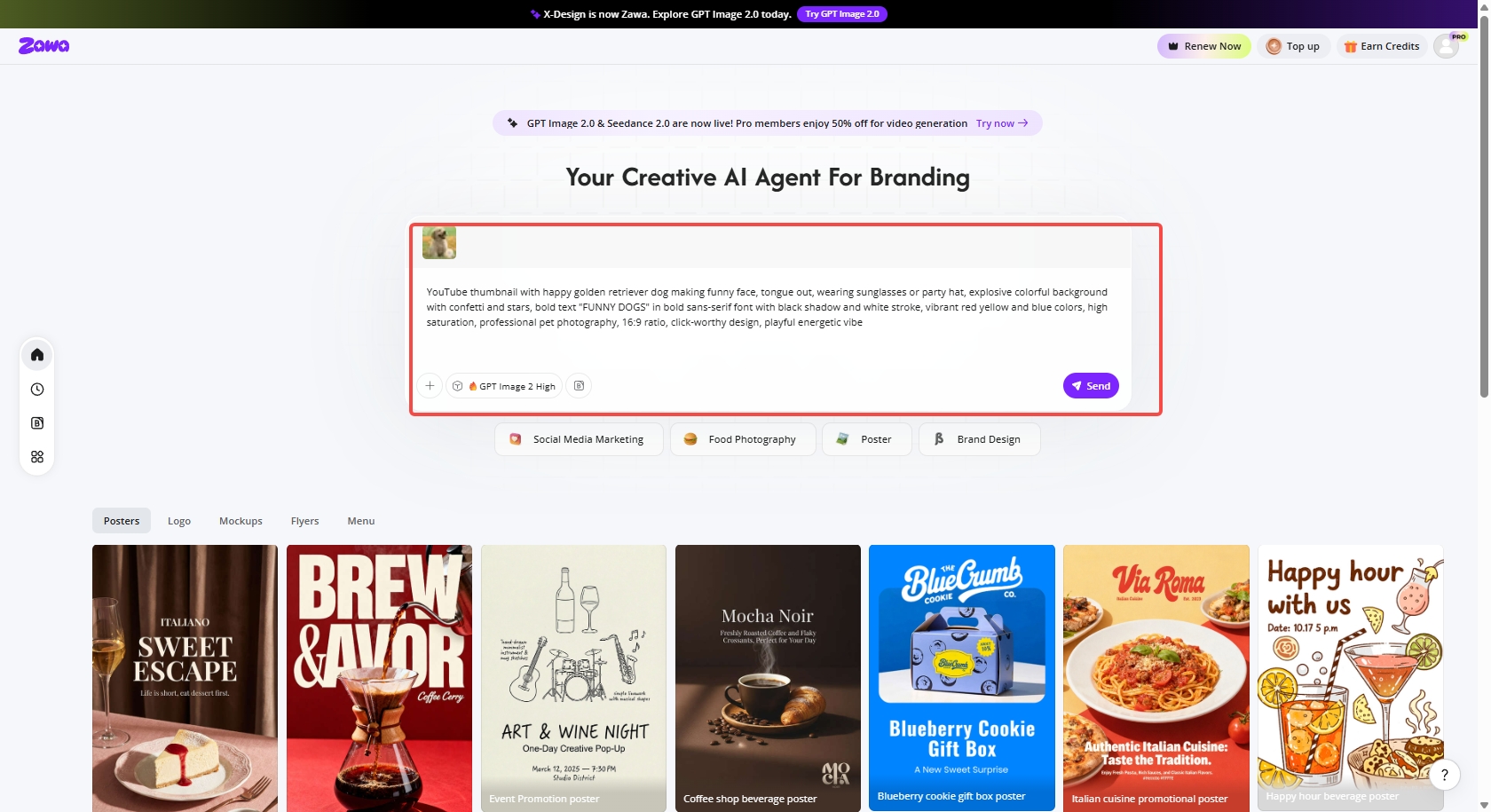
Step 2: Customize the YouTube thumbnail
Once the thumbnail is generated, you can customize it using built-in tools such as "Replace Text," "Crop," "AI Removal," and more.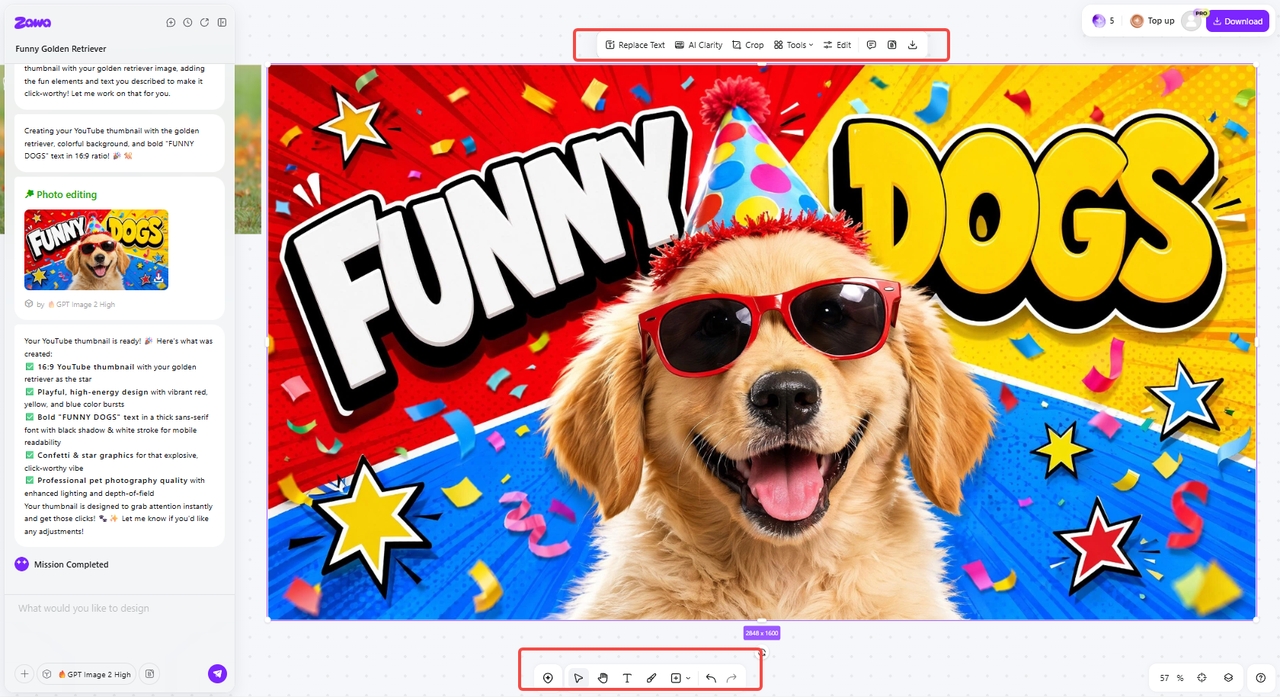
Step 3: Download the final thumbnail image
Once you are satisfied with the thumbnail image, click "Download" to select the image format (e.g., JPG) and save it for a YouTube thumbnail.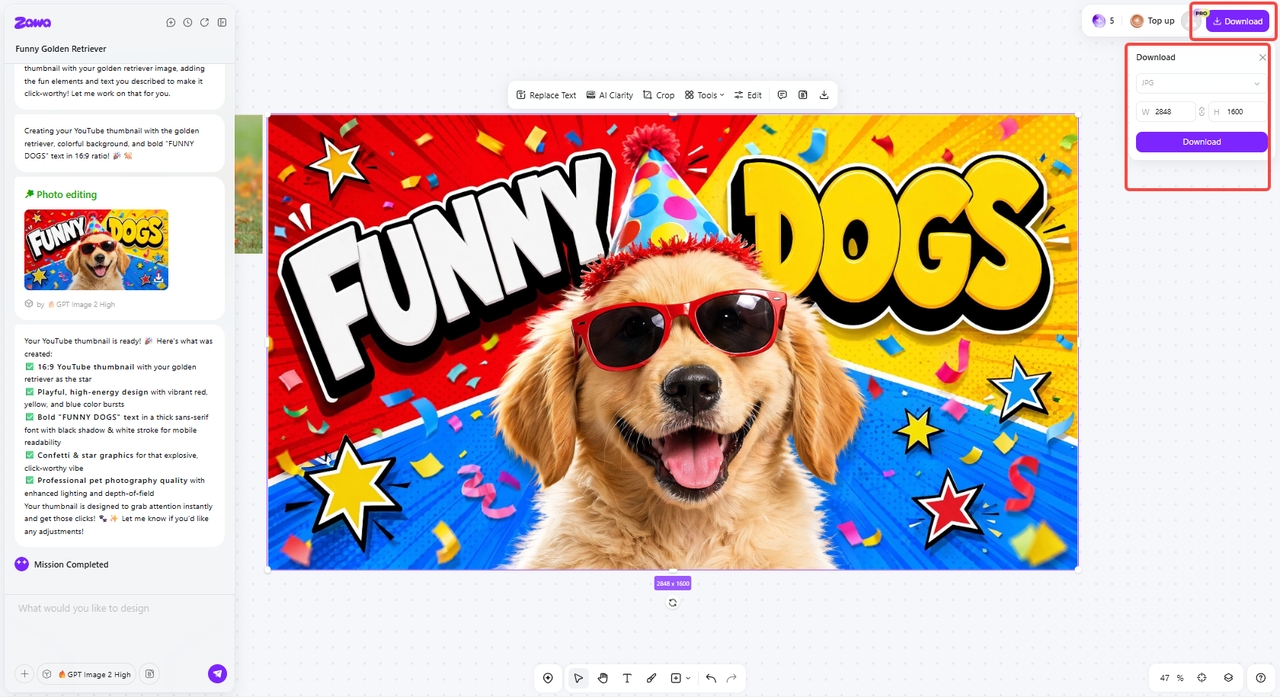
Conclusion
To sum up, testing YouTube thumbnails is crucial for improving CTR and video performance. Tools such as TubeBuddy, VidIQ, IntoThumbnail, Test Thumbnail, and ThumbnailTest allow creators to compare designs. Still, each has drawbacks, including a limited number of variants, a paid subscription, or a lack of in-depth analytics. You can choose anyone you like, depending on the conclusion you draw from the above article, based on your needs. Plus, you can also try Zawa, a unique tool that emphasizes AI for creating thumbnails. It helps creators create captivating, high-converting thumbnails faster and with greater creativity. Try Zawa and witness the perks today!
FAQs
How can a free YouTube Thumbnail A/B test assist in achieving better CTR?
Free YouTube thumbnail A/B testing lets you compare visuals to boost CTR. It lets you identify which design attracts more clicks, while Zawa helps create engaging thumbnails. This improves CTR by consistently guiding decisions based on real viewer behavior data.
How often should I run a YouTube thumbnail test?
Thumbnail tests should be conducted whenever your video performance decreases or slows down significantly. Consistency in improvement is ensured by testing each new upload, and Zawa makes it easy to create thumbnails. The majority of creators run at least one test per video to gain reliable insights into their audience over time.
Which platform helps you test YouTube thumbnails effectively and quickly?
Several analytical tools now effectively enable YouTube creators to test thumbnails. These can be used to compare click rates and engagement to identify the most successful visuals. However, you can use TubeBuddy if you need the best. It helps you optimize thumbnails quickly to enhance your online reach and grow your audience.
What should I do after testing my YouTube thumbnails?
After testing thumbnails, carefully analyze which version generated the most clicks and engagement, and review the overall results. Use the winning thumbnail consistently to further improve video performance and audience retention metrics. Zawa can quickly redesign thumbnails based on insights for future videos.
You May Be Interested

Best YouTube Logo Makers
The Best Times to Post Reels on Instagram for Every Creator

10 Best Selling Items on Etsy: What to Sell and How to Stand Out in 2025

30 Best Restaurant Logos We've Ever Seen and How to Create Yours
YouTube Thumbnail Wizard!

Free YouTube Profile Picture Maker