The 10 Best AI Photo Enhancers to Improve Image Quality (2026)
Looking for the best AI image enhancer? Explore 10 tools to improve image quality, upscale photos, reduce noise, and restore details.


Blurry or low-resolution images can make social posts, product photos, and old pictures look less appealing. AI photo enhancers can quickly improve image clarity for online content and casual editing, without requiring you to learn a full editor. This guide reviews the top 10 AI photo enhancers on the market for 2026. For each one, you'll see how it works, what it does well, and where it falls short. The lineup covers desktop tools for pro photographers, online editors for quick fixes, and platforms built for eCommerce.
What is an AI photo enhancer?
An AI photo enhancer uses machine learning to edit photos for you. There's no need to apply each fix by hand in a tool like Adobe Photoshop. Most AI photo enhancers focus on three main functions: upscaling, denoising, and sharpening.
Many tools also adjust color balance and lighting in the same pass. None of this requires editing experience. The trade-off is creative control. You take what the model gives you instead of dialing in each setting yourself.
AI photo enhancer vs traditional photo editing: What's the difference?
This is not just about speed. It changes how editing works. Manual editing gives better accuracy. AI is faster for routine fixes and can handle many adjustments at once. Knowing both helps you choose the right tool.
-
Hand editing vs AI-assisted editing: Hand editing means adjusting brightness, contrast, sharpness, and color one by one. AI tools apply all these changes in one click. You get results fast, but you lose some control.
-
Skill requirements: Tools like Photoshop and Lightroom take time to learn. Features like layers, masks, and curves can be complex. AI tools are simpler. You upload, click, and download. This makes them a good choice for beginners.
-
Speed and efficiency: Manual editing is slow for large batches. It does not scale well when you have many similar images. AI tools often support batch processing. This makes them useful for product catalogs or bulk photo fixes.
-
Output quality: Manual editing depends on the editor's skill and has no real limit. AI results are more consistent but limited by the model. AI can smooth out textures too much or add false details, especially in low-detail areas like distant faces or fabric.
The 10 best AI photo enhancers of 2026 reviewed
Gigapixel AI
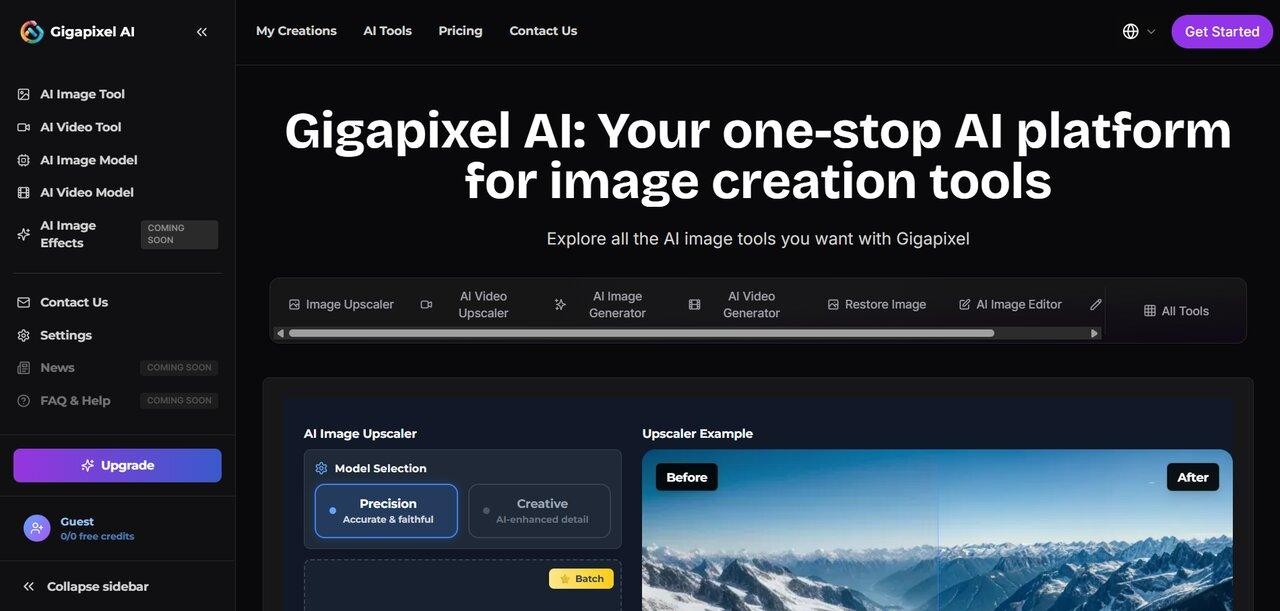
Gigapixel AI from Topaz Labs is a desktop photo enhancer built for photographers and archivists. It runs on your computer, not in a browser. It includes an upscaler that increases resolution up to 600% by reconstructing edges and textures. Instead of interpolating missing data, it synthesizes new details based on what the surrounding pixels suggest.
Pros:
-
Gigapixel performs especially well when enlarging landscapes, product photos, and older low-resolution images. It restores detail and makes images look sharp and clean. The results are suitable for professional use.
-
Its specialized restore image function excels at reviving old photos by repairing damage and regaining lost clarity.
-
It is applicable to all types of images, including portraits, landscapes, and products for sale, as well as scanned images.
Cons:
-
It needs a powerful computer, especially a good graphics card. This may not suit users with basic systems.
-
Large upscaling can smooth out fine textures. This is more noticeable in detailed areas like hair or fabric.
User views (Trustpilot):
-
I'm using Gigapixel to recover images from a compact camera I was using 7 years ago, underwater. They're sentimental to me. It's remarkable what this program has done. Sometimes, if the image has too much texture, the sharpening must be so low to avoid weird highlights that it doesn't help, but I'm still wowed by the results. I had already enlarged my images years before in Photoshop, but now I can go through the images I used Gigapixel on and actually make PS edits using masking and curves that will hide my gear's shortcomings. — Customer Karen
-
Editing quality pictures works best for enhancing the quality. Lower quality pictures don't turn out well as the software guesses when there are gaps in quality, often wrong, by what it interprets as "filling in the gaps". I sent in a photo that gave 3 people bug eyes, and I haven't heard anything back. I thought it was great that the developers would look at the issues, but then I didn't hear anything. — DANA TON
Let's Enhance
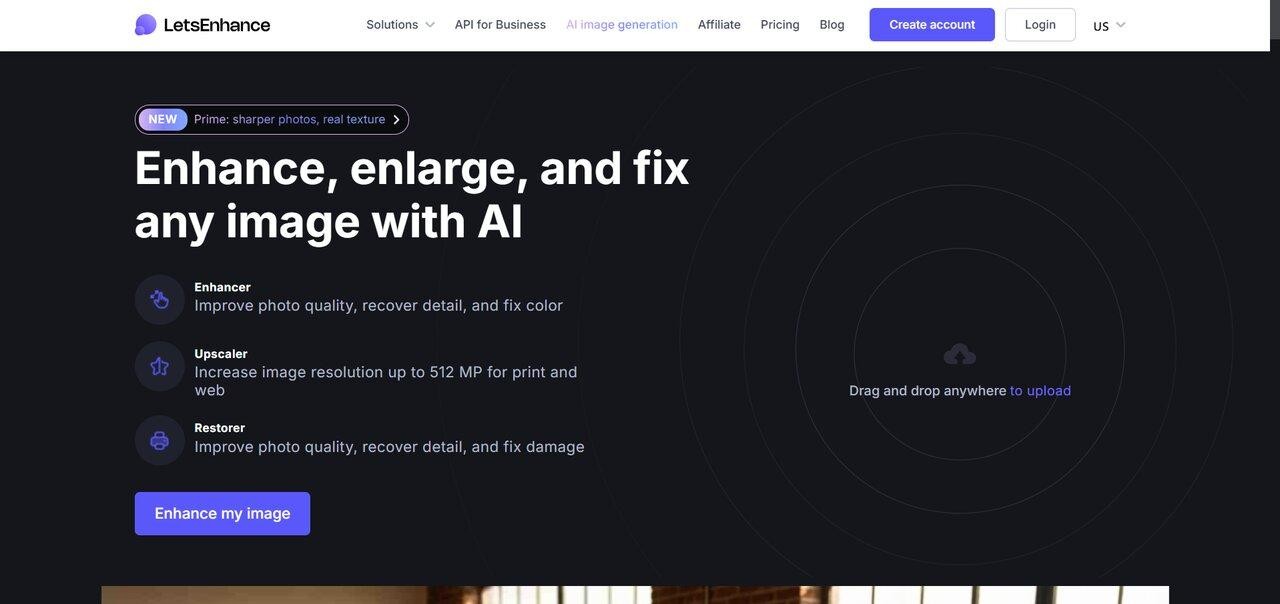
Let's Enhance is a browser-based AI enhancer launched in 2017. It uses several models for different tasks. Prime focuses on detail. Ultra adds stronger reconstruction. There are also modes for digital art and old photos. You can choose the model that fits your image. Many users on Trustpilot, G2, and Capterra say it works well for product photos, print prep, and restoring scanned images.
Pros:
-
It produces high-quality images with accurate colors and better lighting. This makes it useful for marketing and e-commerce.
-
It supports batch processing. You can enhance many images at once without losing quality.
-
It runs in the clouds. You don't need to install heavy software on your computer.
Cons:
-
The free plan offers limited credits. This may not be enough for frequent use.
-
Advanced features and higher resolutions are only available in paid plans.
User views (Trustpilot):
-
I used Let's Enhance for Midjourney renders. It is a must for upgrading the quality of those original renders. I love being able to get the exact file type and resolution dialed in. Simple and easy interface. The support team is great at rolling over unused credits from previous months, even if you cancel a subscription for a few months. I will definitely be using it again. — jay jenkins
-
I tried the Let's Enhance trial (10 credits). After spending 3 credits, the result was already disappointing. The enhanced image still had a watermark, and it could only be downloaded as a JPG — no transparent PNG option. For a service that charges per credit, this feels restrictive and not very professional. — F.
Remini
Remini is a mobile-first AI enhancer focused on face restoration. The app uses generative models. It rebuild low-resolution portraits, old scans, and blurred selfies, restoring details around eyes, hair, and skin in a single tap. It is widely used for personal photo restoration. However, the underlying mechanism, borrowing learned facial features rather than recovering them, means results can drift away from the original subject. It is particularly with people whose faces aren't in the training data.
Pros:
-
Facial features reconstruction that allows blurred portraits to look realistic in terms of skin tone, eyes, and other facial features.
-
This software requires just a tap to enhance the picture, thus beginner-friendly.
-
It can be used to restore damaged, outdated, or low-quality images by improving their resolution.
Cons:
-
The free version is accompanied by advertisements and limitations, thus reducing its usability for those who have to edit many pictures on a regular basis.
-
Works only with faces and portraits, thus might be irrelevant for landscape photography or editing pictures with no faces at all.
User views (Justuseapp):
-
I tried this twice so far…I had a picture my 3-year-old nephew took while playing with my phone, and if it wasn't blurry, it would have been an unbelievable picture. It cleared it up a lot…still blurry, but better. However, I have a weird line across my forehead in the edited picture. Just don't zoom in. If you zoom in on the picture, it looks nothing like my face, though, and it also looks deformed. — K06
-
Overall, a darn good app. A couple of snags I've hit: Remini is not good at dealing with 3/4 views, or someone who is looking away from the camera. Remini seems to want to make eyes looking forward. Which is fine, except when the face is not looking forward. I got some pretty gruesome results and finally accepted that there would be some old photos that I would not be able to use here. — Alarm Doesn't Work
Zawa (formerly X-Design)
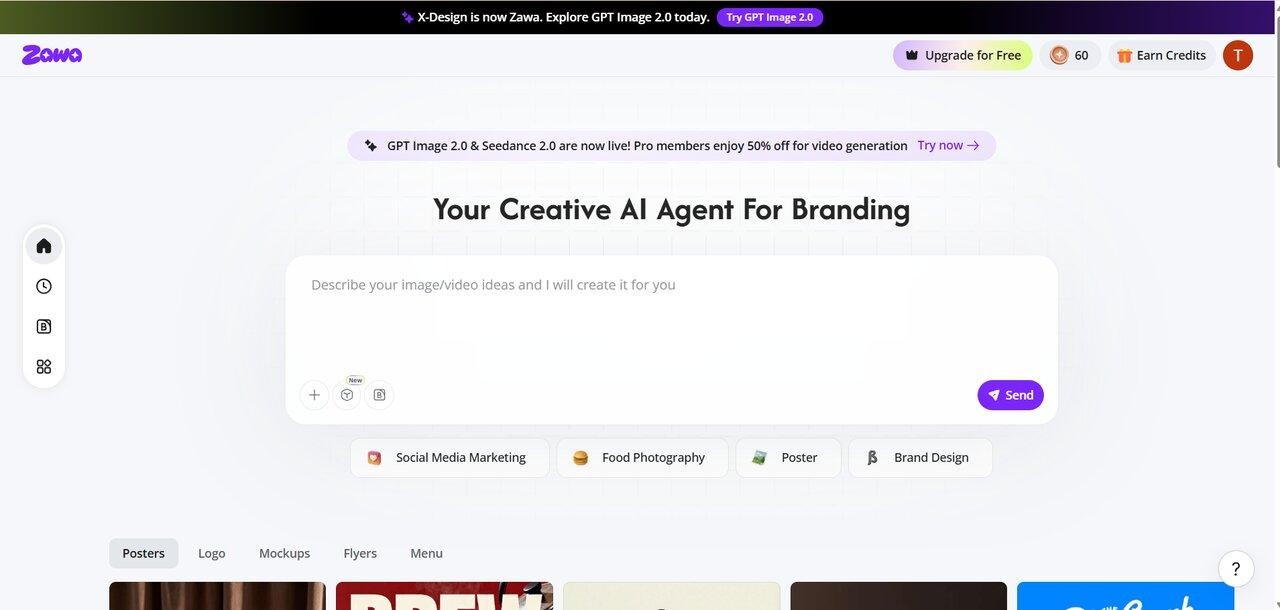
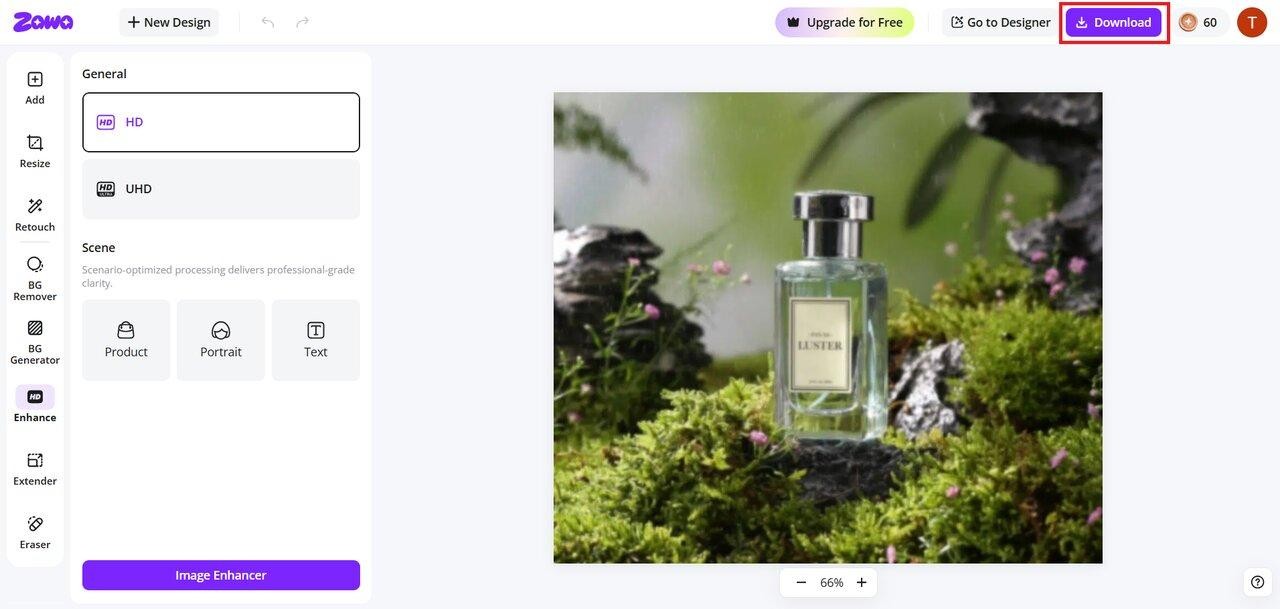
Zawa is a browser-based AI image enhancer that provides HD and UHD quality by sharpening details. It offers specialized modes for portraits, text, and products. As one of the best AI photo enhancers, Zawa lets you adjust sharpness with a single click. Output formats include JPG and PNG. This platform is positioned for e-commerce sellers and small marketing teams. These teams want enhancement and design assets in one tab rather than across multiple specialized tools.
Pros:
-
It sharpens blurry edges and recovers fine textures in hair, skin, and small text . It runs the image through a neural network trained on HD and UHD reference pairs, producing output that holds up at 100% zoom.
-
The single-click interface applies sharpness, contrast, and clarity adjustments. There is no sliders or layer controls required.
-
It provides a privacy-first environment that ensures your creative assets are processed and handled with strict data security.
Cons:
-
You need a steady internet connection to process and upload your images without interruptions.
-
While the tool is free to try, there is a daily credit cap that limits how many enhancements you can perform.
User views (Trustpilot):
-
This is one of the best applications I've used for image enhancement. If you have a powerful PC and need to optimize a large number of images for e-commerce, I definitely recommend it. It saves a huge amount of time when processing in bulk. Downside: On lower-spec systems, the process can feel overwhelming, and a few bug fixes are needed to improve overall performance. — SMBG international
-
X-Design truly delivers on what they promise. The images generated are outstanding in quality — sharp, artistic, and incredibly realistic. Their tools give you everything you need to bring your ideas to life, whether it's for branding, visual campaigns, or personal creative work. — sergio castellanos
VanceAI
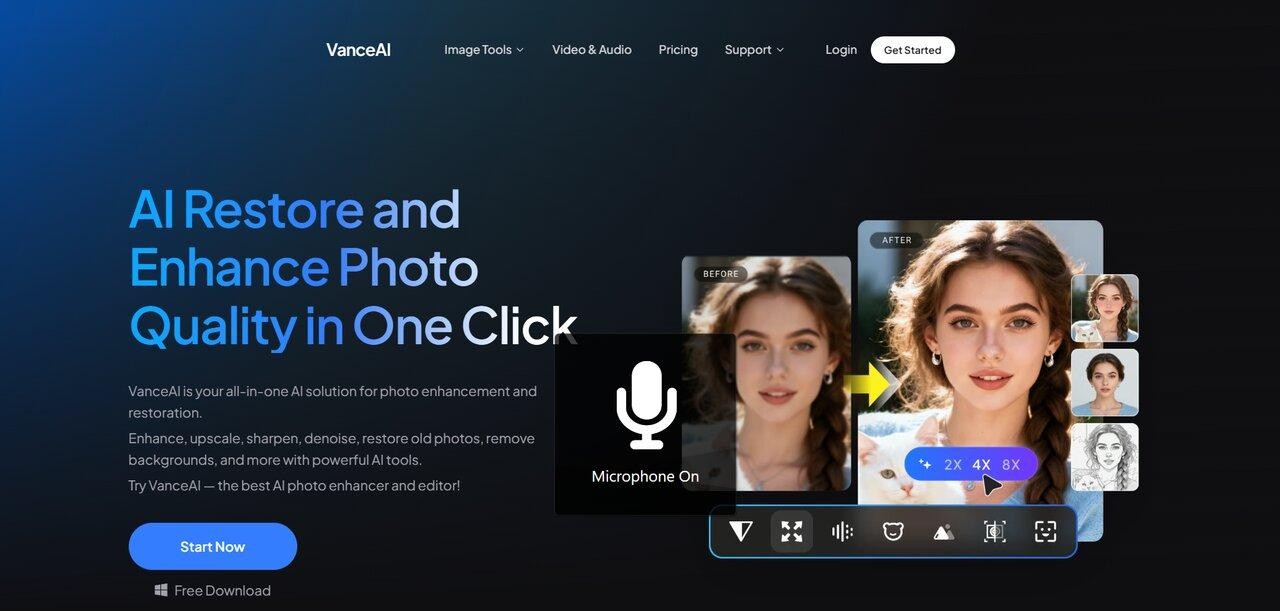
VanceAI is a web and desktop suite covering upscaling, sharpening, denoising, face refinement, photo restoration, and background removal as separate tools. The lineup is broad rather than deep, as it suits designers and e-commerce sellers who want one credit-based account that handles routine cleanup, colorization of B&W scans, and bulk processing in one place. Output is generally adequate for catalog and social use; specialist tools still win out for fine-detail recovery in portrait or RAW work.
Pros:
-
It is beneficial for batching and automating the processes. It allows for rapid image improvement, saving companies and users from spending too much time and energy on this process.
-
The software implements learning models to perform image enhancement, providing results without requiring much manual intervention and advanced knowledge of editing.
Cons:
-
Its output may look better compared to that provided by paid solutions when dealing with high-resolution textures or professional photos.
-
There is a limit to the quantity of images processed with the help of a free version of the tool.
User views (Trustpilot):
-
Beware. I purchased one month because the advertising indicated VanceAI offers AI-assisted deblurring of images. I tried it once, and the preview showed it clearly does not; it only offers edge sharpening, perhaps with an AI element, but no hallucinated detail as is needed to fix actual blur. — Julian Robinson
-
I used the online Old Photo Enhancer with very mixed results on 100-year-old photos. It struggles with groups of men (all faces swirled). For women, it can be amazing or show little difference. Occasionally, the de-noising is brilliant, but I can not see any benefit in de-speckling, scratches, or tears. Inconsistent with the removal of sepia and coloring, maybe the full version is better or more consistent. — Alan Polain
Claid.ai
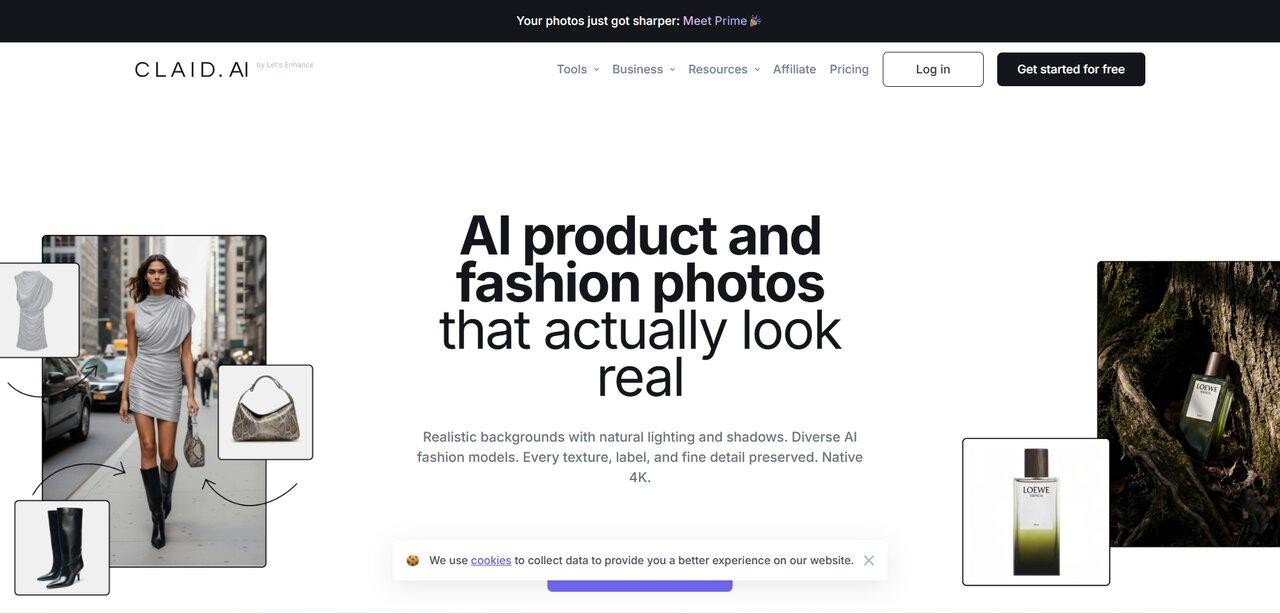
Claid.ai is built by the team behind Let's Enhance and is aimed squarely at e-commerce: enhancing product photos at scale, removing backgrounds, fixing lighting, and generating lifestyle scenes around products through API. Its "Smart Frame" auto-cropping and Custom AI training are the differentiators most reviewers single out. The free tier is limited to 5 uploads, which makes it harder to evaluate without committing to a paid plan.
Pros:
-
This application supports multiple images in itself, which makes it very suitable for use in businesses where there are many product images that need to be edited in bulk.
-
Through its API support, it connects with other applications that allow users to automate their tasks and beautify images automatically without making any effort.
Cons:
-
This application was built mainly for business use, thus not suitable for people looking for photo editing applications with just a click option.
-
It follows a set enhancement process, which limits creativity compared to tools offering options for customization by the user.
User views (Trustpilot):
-
This software is extremely good. I've been using Claid for some months now, and the quality it gives is outstanding, unmatched by anything I've ever seen before. The images, reflections, and lighting —all look real. — Kongregate Kong
-
Claid.ai is an invaluable asset to my marketing workflow. Upscaling low-res images to polished perfection saves tons of time and keeps our visuals professional. Highly recommend! — Kris
Deep Image AI
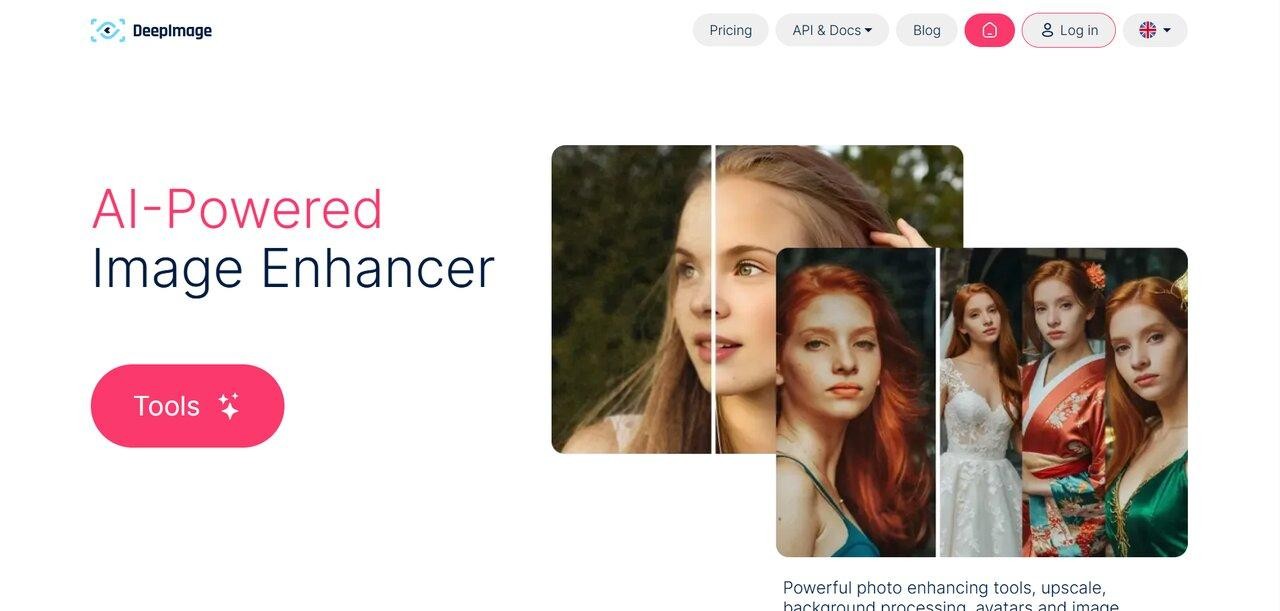
Deep Image AI offers one of the best AI photo enhancers designed to automatically improve photo quality by removing noise, sharpening blurry details, and correcting lighting. The platform features specialized filters for vibrant colors and face enhancement. It provides batch processing for up to 50 images and a dedicated API for seamless workflow integration.
Pros:
-
Supports batch processing and API integration, enabling businesses and developers to automate image enhancement workflows at scale without doing it by hand.
-
Comes with a number of enhancement tools, such as noise removal, color correction, and lighting adjustments, that make images look better with minimal user input.
Cons:
-
This tool does not include editing features such as manual retouching or design tools. So users may still need software to edit complex images.
-
Some users have issues with the program as it sometimes slows down while processing complicated images.
User views (G2):
Rishi T. Associate Product Manager:
What do you like best about Deep Image AI?
-
Easy to begin with
-
Plenty of features for deep enhancement of images
-
The UI is also decent
What do you dislike about Deep Image AI?
-
Without a lot of knowledge of other features, the pictures look completely artificially generated, hence not suited for real-life scenarios
-
Pricing does not seem to justify the value that the product delivers
-
The website has bugs, especially in the background generator tool!
Fotor AI
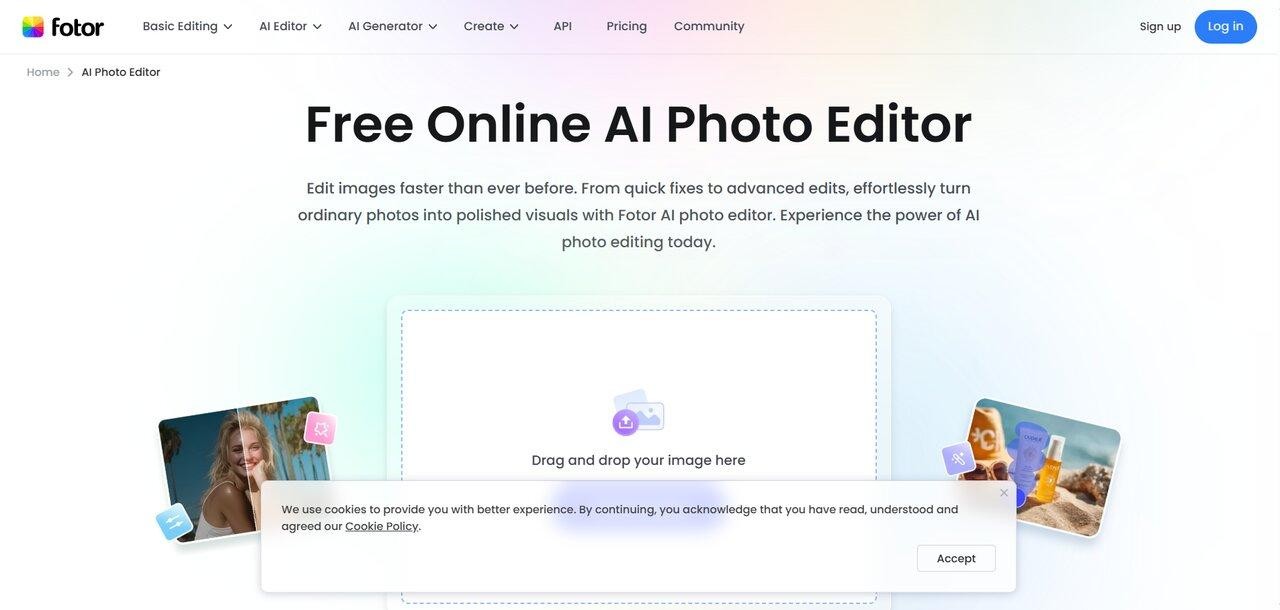
Fotor AI Photo Enhancer is part of Fotor's broader photo-editing and design suite. The enhancer applies one-click adjustments to brightness, contrast, sharpness, and color, and runs alongside background removal, retouching, AI image generation, and template-based design tools. It's a generalist platform aimed at content creators and small businesses; specialist desktop tools still win on RAW files and very high-resolution upscaling.
Pros:
-
Very easy to use, with quick AI enhancement that lets users instantly improve image quality without needing editing skills or technical knowledge.
-
It's entirely online, which means you don't need any software installations. You can use it wherever you want, from anywhere, to quickly improve your images.
Cons:
-
Results hold up well for social and web use, but fine-detail recovery on high-resolution files or complex textures falls short of what dedicated desktop tools produce.
-
The free version is limited in terms of exports and credits, which makes it less suitable for those who need to edit multiple images.
User views (Trustpilot/Capterra):
-
The best photo restore ever! I thought I had lost precious childhood memories due to moisture spots and stains, but with Fotor now, I can have my favorite photos beautifully displayed on a gallery wall! — Kassandra la Hechicera
-
Quality is disappointing. I attempted to enlarge some images, and when printed, the quality was disappointing. Shutterfly ended up fixing it. Their billing is also confusing; the merchant name didn't even match. I signed up for a "7-day free trial" but was billed on the sixth day for a year for a much higher price than that on their website. Lastly, their customer service is impersonal. I was offered a half refund, which shows me whoever is running their billing is aware there are issues. — V.R
PicWish
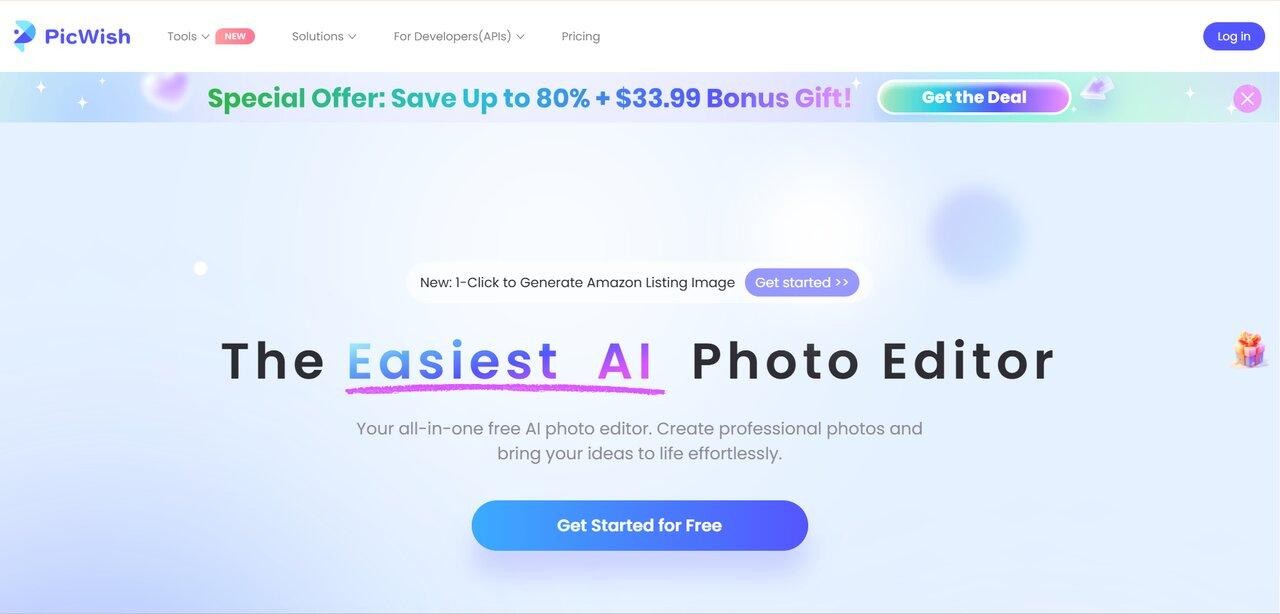
PicWish is well known for its AI background removal, which is the core function most reviewers rate. The photo enhancer, sharpening, and 4x upscaling sit alongside it in a single web/desktop/mobile suite. The platform supports batch processing of up to 30 images online and 10,000 on the desktop app. Best fit: e-commerce sellers, social media managers, and designers who already use it for cutouts and want enhancement in the same workflow.
Pros:
-
PicWish applies sharpening and noise reduction automatically, with no settings to configure.
-
Provides batch processing and automation, allowing multiple images to be edited simultaneously while ensuring the output quality remains consistent.
Cons:
-
Sometimes, the result may not be impressive, especially if you have to deal with high-definition photos and need to control the image editing process.
-
The free version may have restrictions such as low credits and limited tools, which can create problems for those who need to edit multiple images.
User views (ProductHunt):
-
I didn't expect much at first, but this app really surprised me. I was just trying to fix some lighting in a selfie, and the AI cleaned it up super well — without making it look fake... The interface is simple, and I like that it doesn't bombard me with ads every 5 seconds. Not perfect, but honestly better than most free editors out there. — Bob Hoang
-
I have been using it for several months, mainly to remove the background from photos and improve the quality of old pictures. The interface is very simple and understandable - even a beginner will cope. I especially like the function of increasing quality - old photos really become like new! And also, package processing helps out very much - I load a bunch of images at once, and everything is done in a couple of minutes. Saves a lot of time, especially for working with content. — Shorty Video
Upscale.media
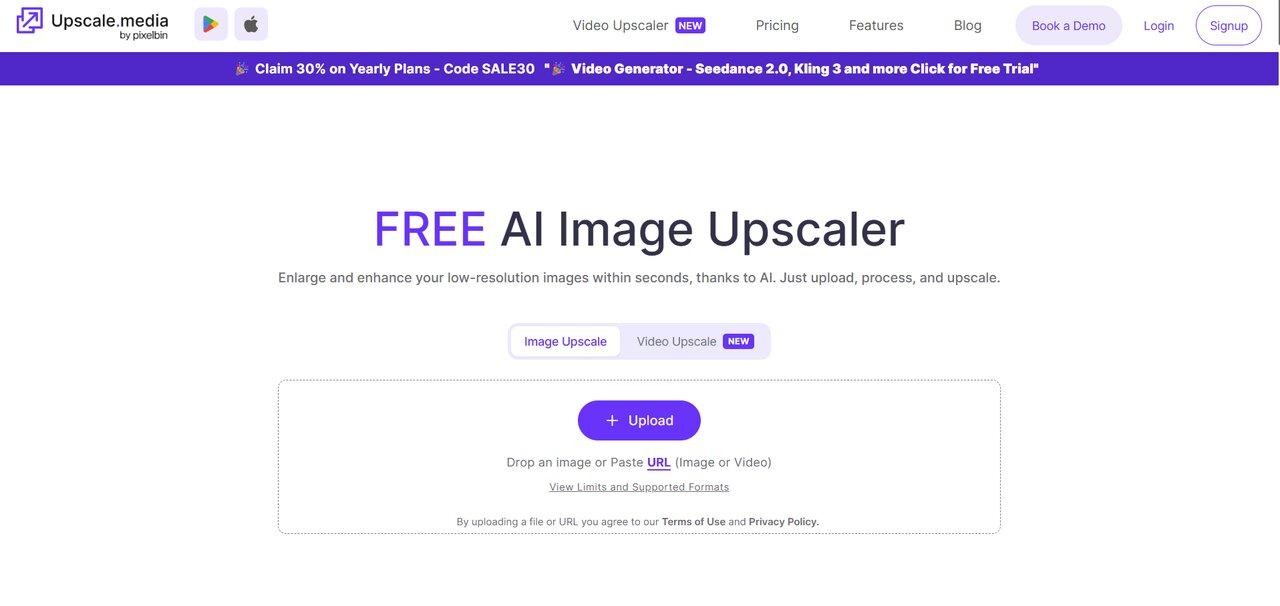
Upscale.media is a free, browser-based AI upscaler that supports up to 4x enlargement on JPG, PNG, and WebP files. There's no signup required for basic use — drag a file in, choose a scale factor, and download. Outputs go up to roughly 5,000 px wide on the free tier. The platform is built for casual users, marketers, and bloggers who need a quick fix on a single image rather than an ongoing batch workflow.
Pros:
-
It does not charge users anything, and the interface is very user-friendly because one only needs to enhance and/or enlarge the image in question, without downloading and learning how to manipulate the application itself.
-
It employs artificial intelligence technology, which ensures that the enlargement of the picture is done effectively and much faster than other means, without compromising the sharpness and clarity of the enlarged image.
Cons:
-
It is not a flexible tool since it cannot offer advanced editing options to meet different user demands.
-
It does not offer high-quality images after enlargement, especially when dealing with professional images or pictures with complex textures.
User views (G2):
Jaspreet K., Full Stack Developer
-
What do you like best about Upscale.media?
Suppose I talk about photoshops that need to put so much effort into enhancing the quality of the image, but the upscale.media's best is improving image quality in seconds without putting so much effort into different tools. As a social media marketing company, we require many creatives to post on our various platforms. Using upscale media, we quickly improve the resolution, and sometimes we need to take pictures from other platforms with watermarks. It helps to remove that also.
-
What do you dislike about Upscale.media?
In terms of usability, all existing features are good, but they can add some more features, which I need to use from other platforms. We sometimes require Photoshop tools to help us in times of need.
Bonus tips: how to enhance your photos using Zawa?
Zawa AI photo enhancer is a good choice for those who want fast enhancements without having to learn complex editing software. This tool is often considered the best AI photo enhancer for its ability to simplify the process through automation while delivering impeccable results.
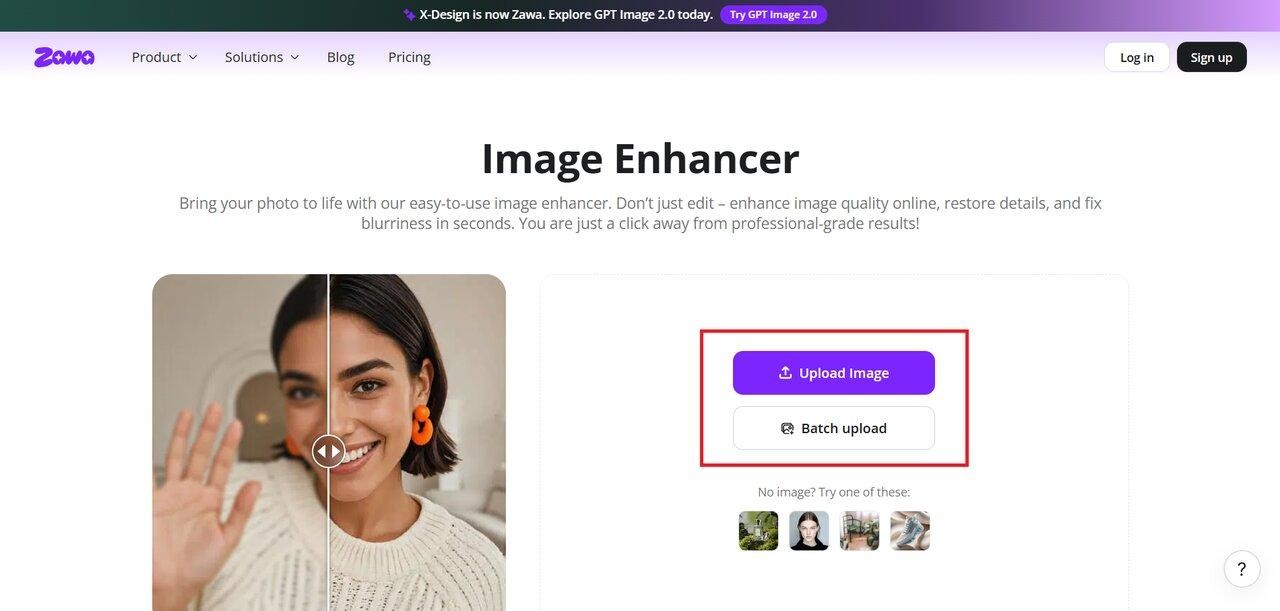
Step 1: Upload your image
Open the image enhancer tool and upload your photo from your device.
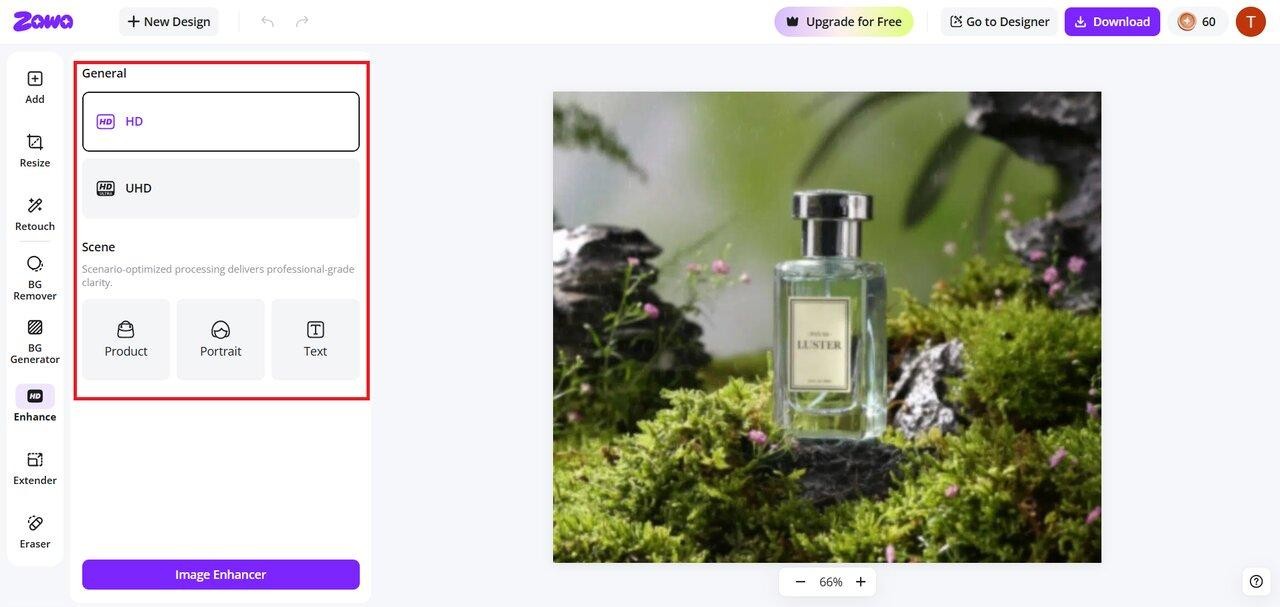
Step 2: Enhance your image using AI
After you have uploaded an image, choose "HD" or "UHD". Zawa instantly analyzes it and enhances its brightness, contrast, and clarity without your intervention.
Step 3: Download the image
Review the image and ensure it is now well-balanced and clear. You can download it or use other tools in Zawa to make it even better if needed.
How to choose the best AI image enhancer for your needs
There is no one-size-fits-all answer to this question. You need to think about what you really need. The best photo enhancement tool is the one that works for you, your skill level, and your budget.
-
Depending on use cases: Pick those that excel at improving lighting, background, and consistency to help with creating professionally styled pictures of products. In case you are working on portraits, pick tools that excel at face reconstruction and detail recovery.
-
Depending on experience: Beginners are better served by browser-based tools that apply fixes automatically on upload, such as Zawa, Fotor, or PicWish. Experienced users who need to control sharpness thresholds, denoise strength, or output resolution should look at desktop tools like Gigapixel AI or Topaz Photo AI, which expose those settings directly.
-
Depending on budget: As for the question of cost, free AI image enhancers could be recommended to people looking for something quick without any additional expenses related to complex editing, such as retouching. On the contrary, free software has significant restrictions regarding quality, number of credits offered, and other aspects. As opposed to that, paid software provides high-quality AI algorithms, resolution, batch editing, etc.
Common mistakes to avoid when using AI photo enhancers
The power of AI technology can hardly be overestimated in this regard; however, inappropriate usage of those tools could lead to the opposite effect by damaging the picture's quality.
-
Excessive enhancement: Sometimes, when adding too many filters, such as sharpness, it may cause overprocessing and oversmooth skin in a picture. Thus, the whole impression becomes artificial and unreal, which does not serve the enhancement purpose at all.
-
Using the wrong tools: Depending on the specific task, different tools prove themselves to be more helpful. For example, a tool great for portrait editing will prove useless when enhancing product photographs or landscapes. Therefore, even if the selected best AI photo enhancer is efficient, its use will not yield high-quality results if not applied properly. To obtain a perfect outcome, users should consider the nature of their editing tasks and select the AI photo enhancer.
-
Assuming resolution constraints do not apply: Upscaling very low-resolution images might result in undesirable output, with the possibility of distortion or unnatural-looking images. Even though artificial intelligence will be able to generate new information, it will not be able to recover lost information that originally belonged to the source image.
Conclusion
The right tool depends on what you are enhancing and how you plan to use the output. Gigapixel AI and Let’s Enhance lead on high-resolution upscaling. Remini focuses on face reconstruction in portraits and old scans. Deep Image AI, VanceAI, and Claid.ai cover batch processing and API workflows for product and catalog work. Zawa covers enhancement alongside background removal, retouching, and design tools in one browser tab, which suits sellers and small teams who want to avoid switching between multiple platforms.
FAQs
Does the AI photo enhancer really work?
Certainly, AI image enhancement tools (such as Zawa) leverage AI training models to analyze and enhance photos without manual intervention. These applications can perform tasks such as making images sharper, reducing noise, and increasing resolution.
How can I enhance a photo with AI for free?
One can always find free utilities on the Internet to resize and enhance image quality. For instance, Zawa offers a free trial for its AI image enhancer. All one needs to do is load their image, edit it to the desired results, and then save the modified image.
Does using the best AI photo enhancer reduce image quality?
No, as photo enhancement programs that work with artificial intelligence aim to enhance your photos, not degrade them. However, excessive enhancement or poor quality input photos may cause the output image to be unrealistic.
Can I use the best AI image enhancer for bulk photo editing?
Yes, most sophisticated artificial intelligence software allows handling several pictures simultaneously. This would be a big help for organizations and professionals whose jobs involve large volumes of tasks. Sometimes, freely available programs may lack certain functions that enable batch processing, and you will have to purchase additional features.
Is the AI photo enhancer app safe?
Useful applications that make your photos better can be used safely since they do all that is expected of them in terms of ensuring your safety. Before uploading any personal images into an application, it is advisable to find out all about their permissions and privacy. You will never face any safety issues if you only use trusted applications.
You May Be Interested
13 Best Free Photo Editors for Mac in 2025 to Enhance Your Photos

4 Solutions to Add a Background in Photos

10 Best AI Video Enhancers to Upscale Your Videos
The Complete Guide: How to Make a Picture Bigger Without Losing Quality

How to Get into Real Estate Photography