6 Bold Text Generators for Facebook You Must Try Today
Creating bold text for Facebook can instantly improve the posts and boost visibility. This article discusses the benefits, the top 6 bold text generators, and Zawa as the best tool for adding bold text into Facebook visuals.

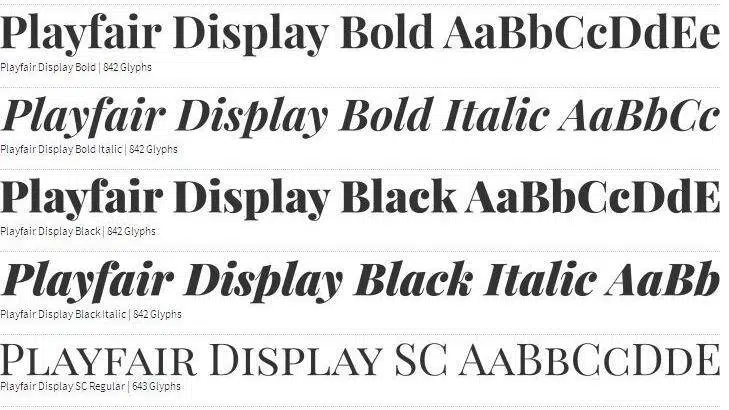
Facebook does not support bold formatting in regular post text. That is a known limitation of the platform. To get bold text for Facebook, you need an external tool. These generators convert standard text into Unicode bold characters. You copy the output and paste it directly into your post, bio, or comment.
This article covers six of the strongest bold text generators for Facebook right now, and introduces Zawa, the best option when you need bold text added directly onto a Facebook image.
Bold Text Examples for Facebook Posts
Different text styles can completely change how a Facebook post looks and feels. Many creators, brands, and casual users use popular fonts to make their captions more eye-catching, readable, and engaging.
Here are some common Facebook text styles people use in posts, comments, bios, and announcements:
|
Style |
Example |
|---|---|
|
Normal |
Happy Father's Day |
|
Bold |
𝗛𝗮𝗽𝗽𝘆 𝗙𝗮𝘁𝗵𝗲𝗿’𝘀 𝗗𝗮𝘆 |
|
Italic |
𝘏𝘢𝘱𝘱𝘺 𝘍𝘢𝘵𝘩𝘦𝘳’𝘴 𝘋𝘢𝘺 |
|
Bold Italic |
𝙃𝙖𝙥𝙥𝙮 𝙁𝙖𝙩𝙝𝙚𝙧’𝙨 𝘿𝙖𝙮 |
|
Monospace |
𝙷𝚊𝚙𝚙𝚢 𝙵𝚊𝚝𝚑𝚎𝚛’𝚜 𝙳𝚊𝚢 |
|
Bubble |
Ⓗⓐⓟⓟⓨ Ⓕⓐⓣⓗⓔⓡ’ⓢ Ⓓⓐⓨ |
Now that you have seen some popular Facebook font styles, let’s look at why bold text is so effective and why so many users rely on bold text generators for Facebook posts in 2026.
Why should you make bold text for Facebook posts?
-
Increases post visibility: Bold text breaks the visual pattern of the feed. Most posts look the same. Bold formatting gives the eye somewhere to land before the reader has decided to slow down.
-
Grabs instant attention: The first line of a post is what decides whether someone taps "See More." Bold text in that line raises the chance they do. It signals that the content is worth pausing for.
-
Enhances readability: Long posts are hard to get through. Bold text breaks them into scannable sections. Readers who skim can still catch the key points without reading every sentence.
-
Highlights key information: Dates, deadlines, prices, and calls-to-action get buried in walls of text. Bold formatting pulls them out. Readers are less likely to miss the thing you most need them to see.
-
Boosts engagement rate: Posts with readable structure consistently get more interaction. Formatting is part of content strategy, not just a visual preference. It makes the content easier to engage with.
Let us further explore the tools worth using in 2026 to create bold text for Facebook posts.
6 must-try bold text generators for Facebook
-
LingoJam
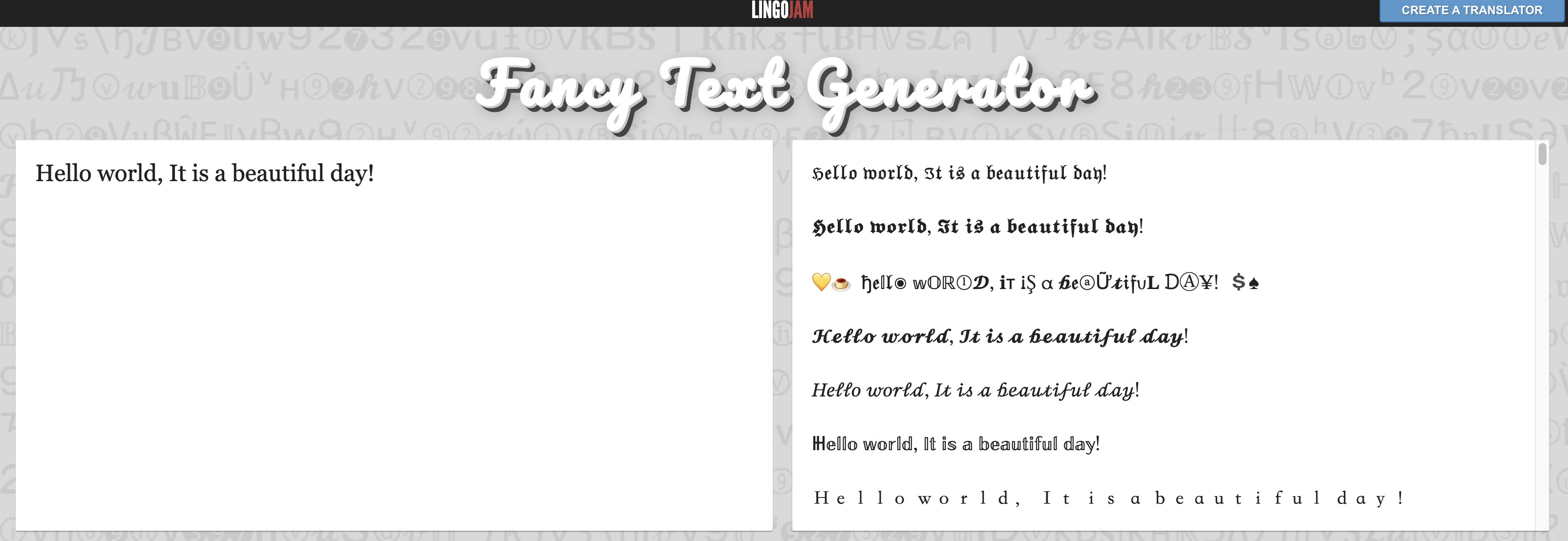
LingoJam is a browser-based translation tool that converts plain text into Unicode bold and bold italic styles in real time. You type on the left side. The styled output appears on the right. From there, copy and paste directly into Facebook. It requires no account, no install, and runs on any browser. Multiple Unicode style options are available beyond just basic bold, making it useful for users who want some variety without switching tools.
Pros:
-
Live output updates as you type
-
Multiple Unicode styles available in one place
-
Free and requires no sign-up
Con:
-
Unicode output may not render correctly on all browsers or older Android devices.
-
Capitalize My Title
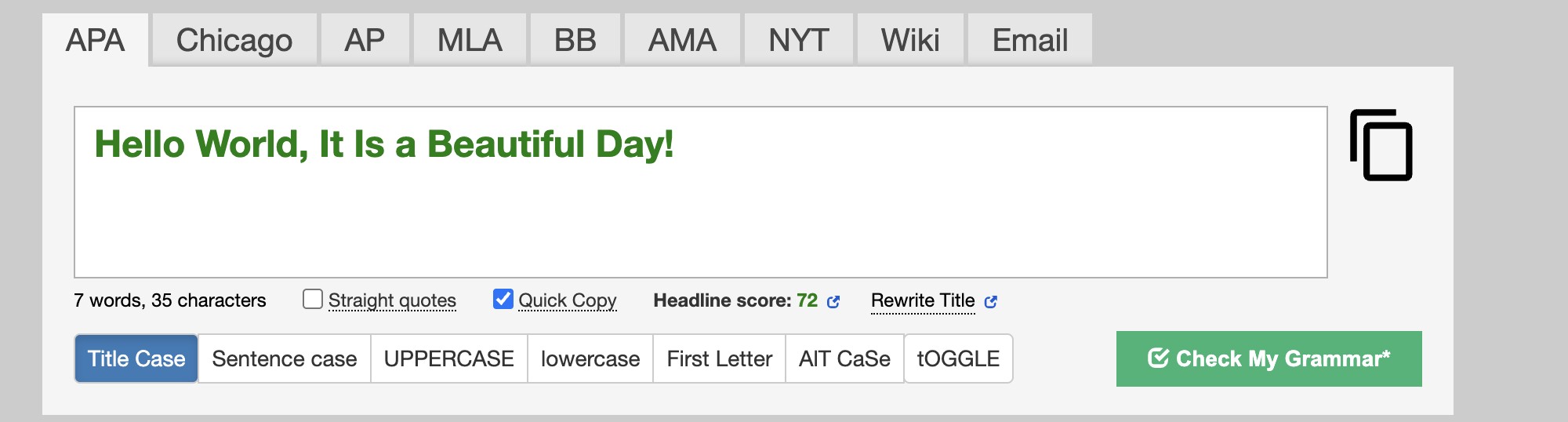
Capitalize My Title is primarily known as a headline formatting tool but it also includes a solid bold text generator. It converts your input into Unicode bold characters you can paste into Facebook posts, bios, or comments. The interface is clean and free of clutter. It pairs the bold generator with title-case and other text tools on the same page, so you can handle multiple formatting tasks without jumping between tabs.
Pros:
-
Clean and straightforward interface
-
One-click copy function
-
Other text formatting tools available on the same page
Con:
-
Fewer bold style options than dedicated Unicode text generators.
-
FancyTextGuru
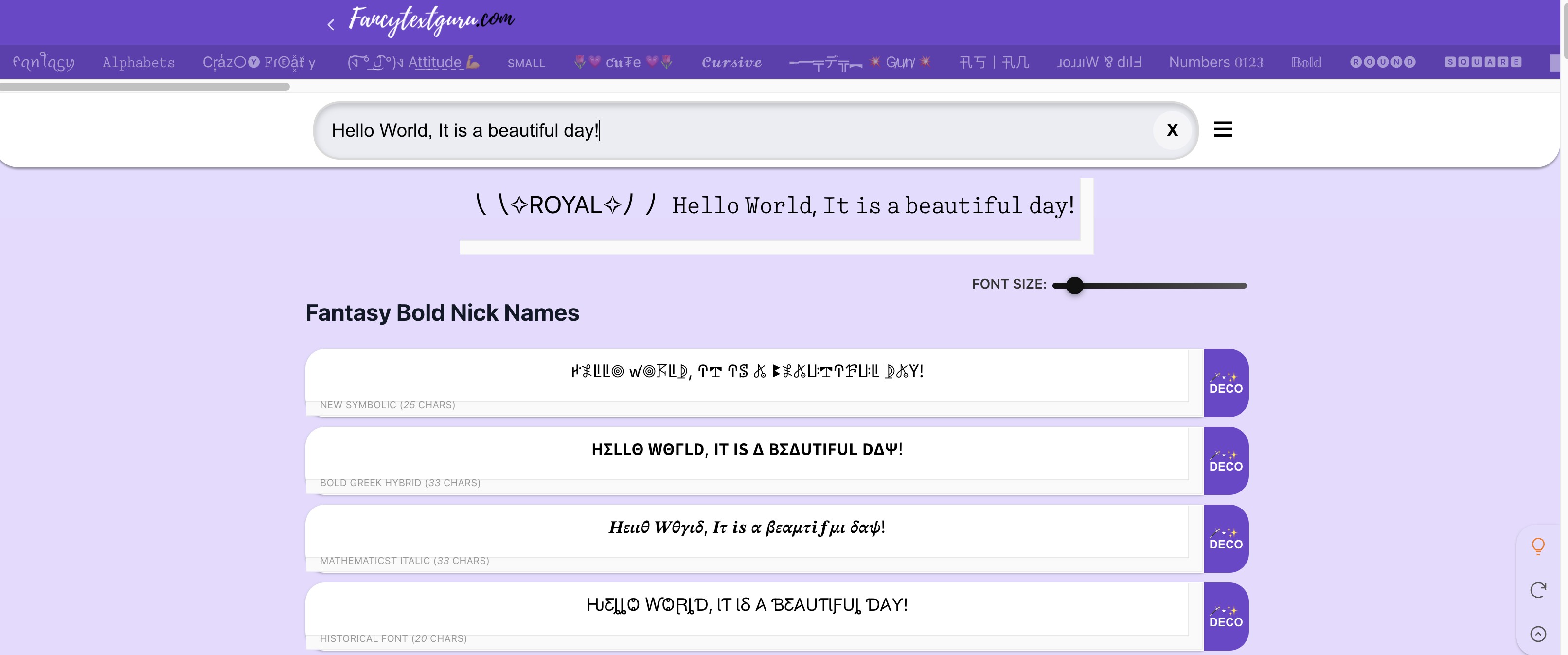
FancyTextGuru is one of the more comprehensive text styling tools available. It generates output in dozens of formats at once, including serif bold, sans-serif bold, bold italic, and more. When you type, all the style options appear simultaneously, so you can compare and pick the one that fits. Each style has its own copy button. The output updates instantly without requiring a page reload, which keeps the process fast.
Pros:
-
Large selection of bold styles in one view
-
Individual copy button for each style
-
Output updates live without page refresh
Con:
-
The page feels cluttered when all styles load at once.
-
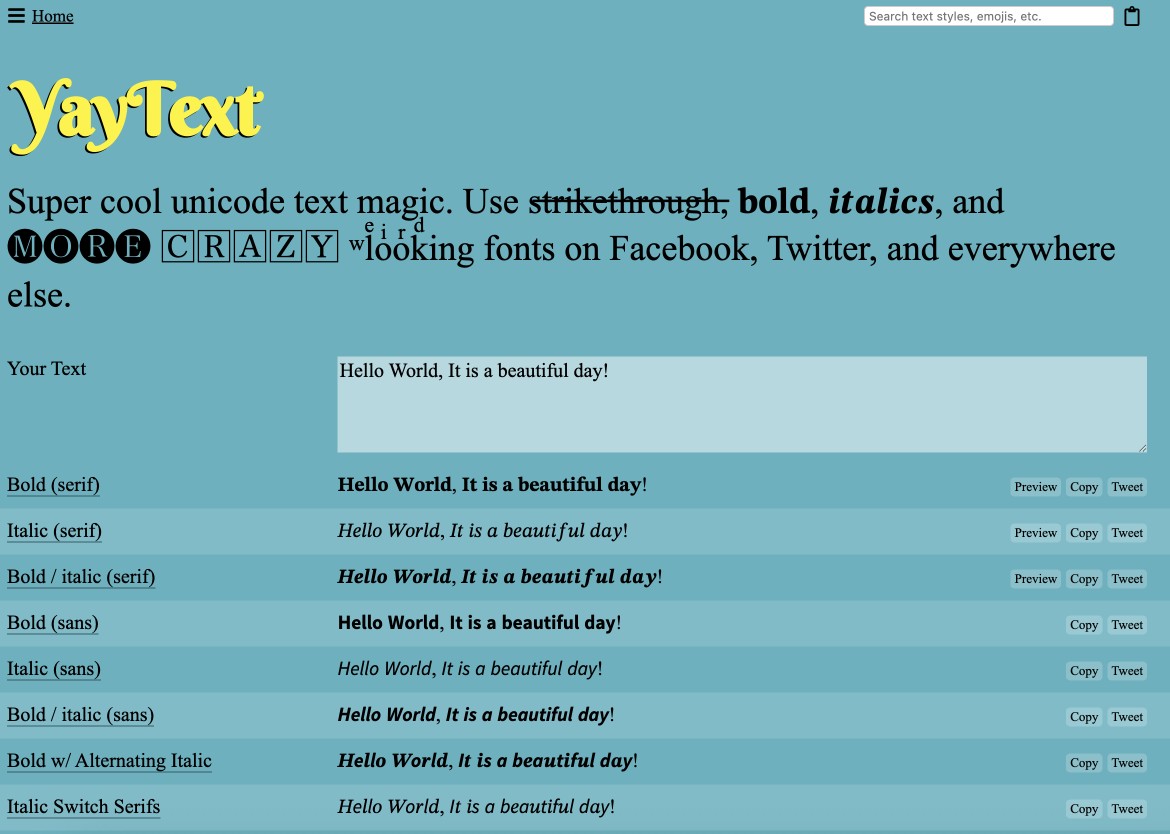
Yay Text!
Yay Text takes a minimal approach to Unicode text conversion. It supports bold, italic, and bold-italic outputs with a layout that is uncluttered and fast to use. The output copies directly to clipboard with a single click and pastes into any Facebook text field without extra steps. The interface is mobile-friendly, which makes it a good option for users who manage their Facebook presence from a phone rather than a desktop.
Pros:
-
Simple, distraction-free interface
-
Supports mixed bold and regular text in one output
-
Mobile-friendly layout
Con:
-
Fewer style options compared to other tools.
-
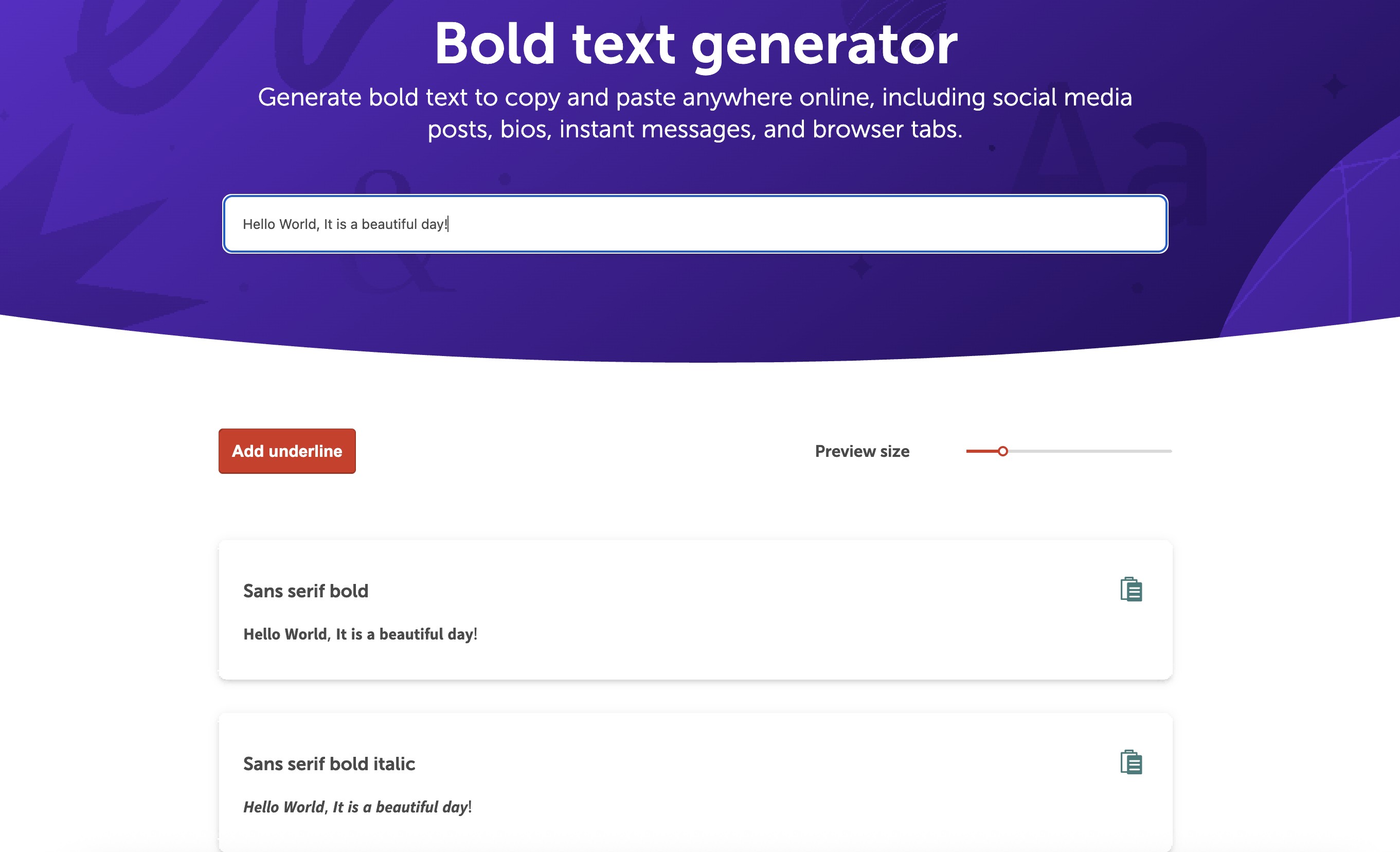
Namecheap
Namecheap built this bold text tool as part of a broader suite of free utilities. It handles Unicode bold conversion cleanly and consistently, with no encoding errors or rendering issues in testing. The interface is ad-free, which is a practical advantage over tools that interrupt the workflow with promotions. It is well-maintained and backed by a well-known brand, making it a dependable option for everyday use without surprises.
Pros:
-
Ad-free interface
-
Reliable output with no encoding errors
-
Well-maintained by a trusted company
Con:
-
Limited to basic bold conversion with no extended style options.
-
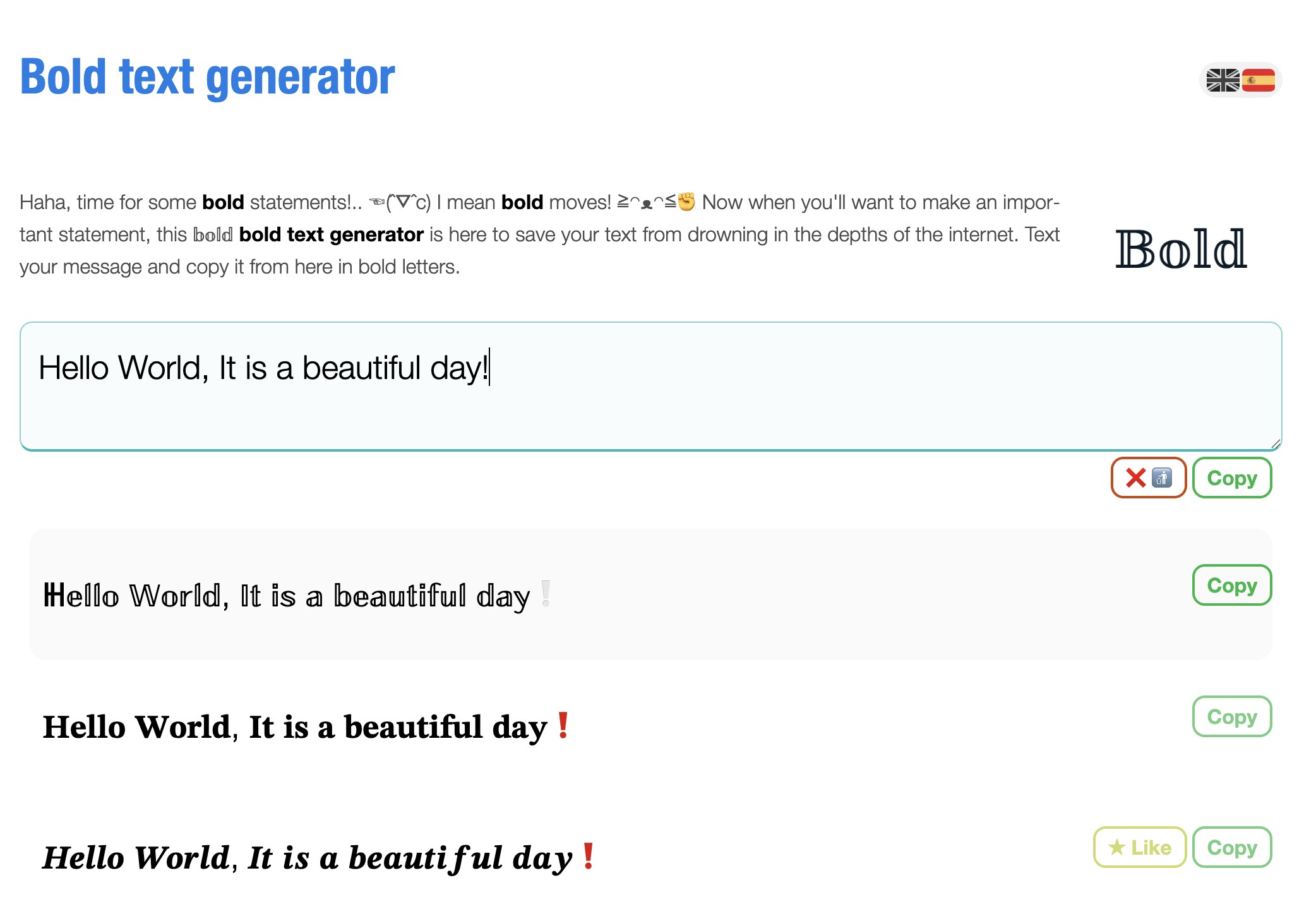
FSymbols
FSymbols has one of the widest style libraries among free Unicode text tools. It covers bold, cursive, double-struck, small caps, and many others. The range goes well beyond what most bold text generators offer. This makes it particularly useful for creative Facebook pages and personal branding accounts where variety matters. You can compare styles side by side and copy whichever version suits the tone of the specific post you are writing.
Pros:
-
Widest style library of the six tools listed
-
Includes both text-based and symbol-based outputs
-
Good for creative and personal branding accounts
Con:
-
Some styles are too decorative for business or professional use.
All six tools above work for bold text in post copy. They will not help if you need bold text placed directly onto a Facebook image. For that, you need a different kind of tool. That is where Zawa comes in.
Zawa - The best tool for adding bold text directly to Facebook images
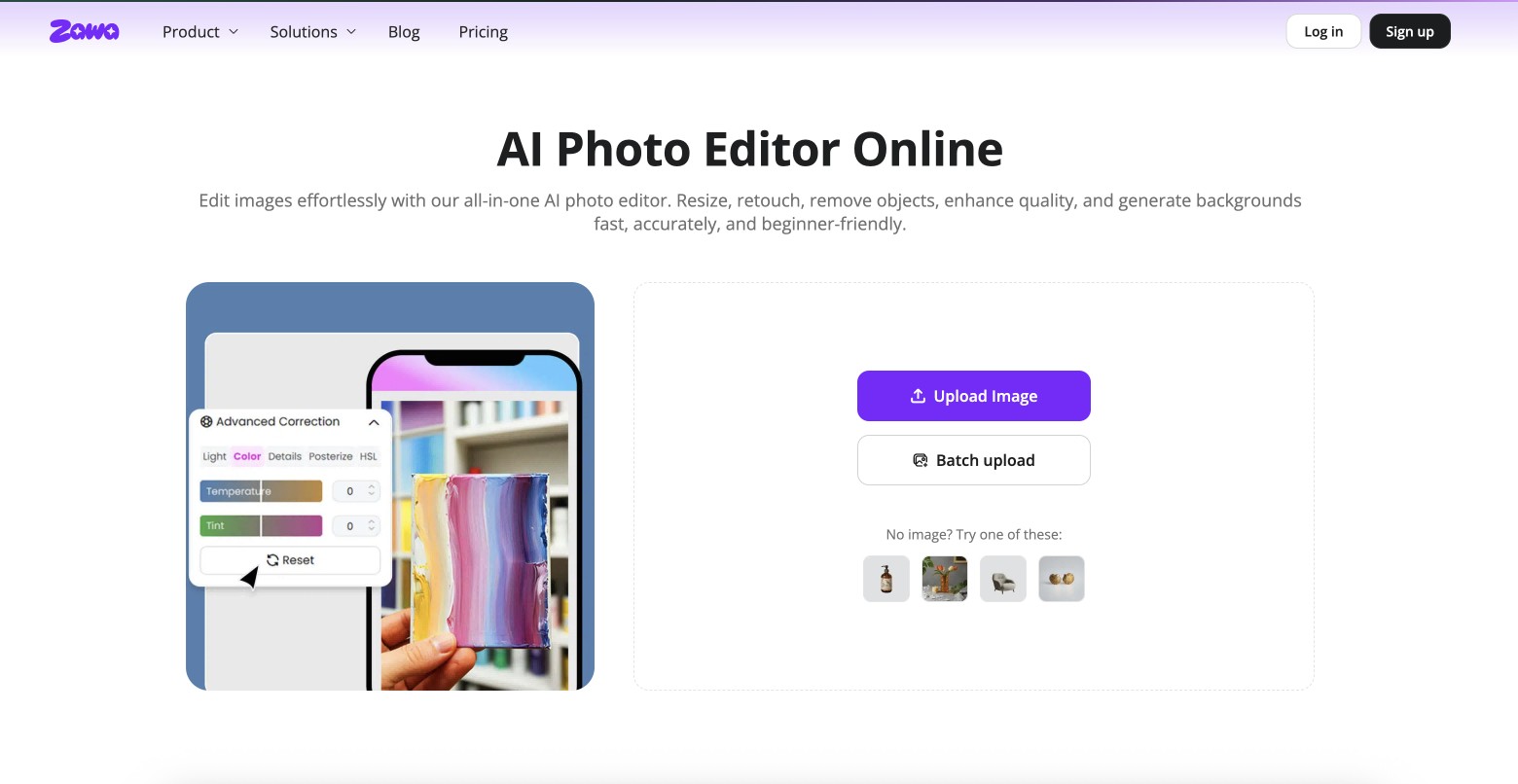
Zawa is an AI-powered photo editor built for social media content. It lets you add styled bold text directly onto images. The text and the visual are part of the same file. No switching between a text generator and a design tool. No pasting output into something else. You build the whole thing in one place and download it ready to post.
No design software required. No prior experience needed. The editor runs in the browser.
Key features for Facebook image creation:
-
Text overlay with bold styling, font control, and color options
-
AI background removal, enhancement, and retouching
-
Background generator and image extender for custom compositions
CTA Button: Transform Images In Seconds
3 steps on how to bold text for Facebook posts using Zawa AI
Step 1: Upload your image
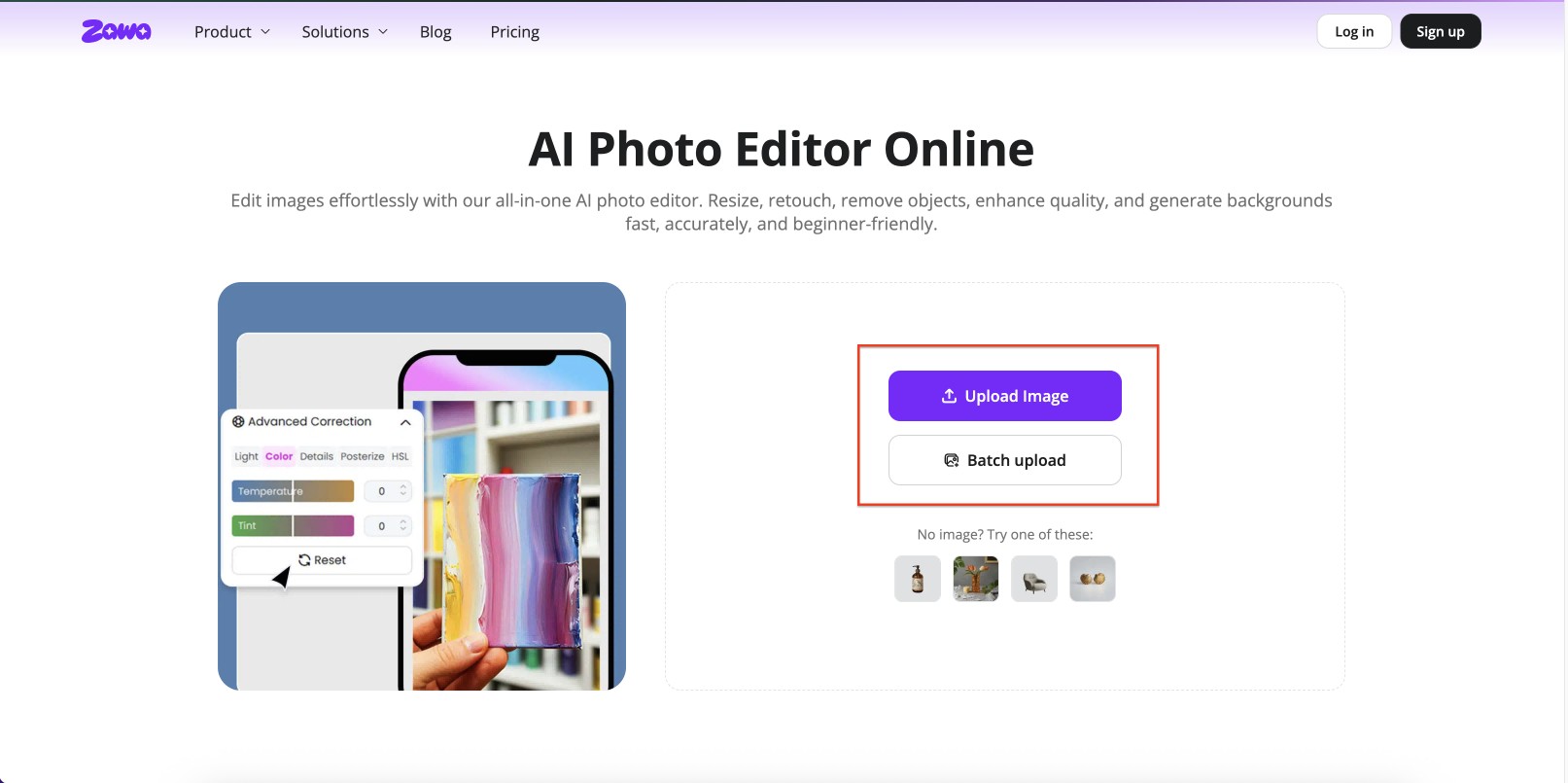
Go to zawa.ai/ai-photo-editor. Upload your Facebook image. Supported formats include JPG, PNG, and WEBP. The image opens in the editor. No account required to start working.
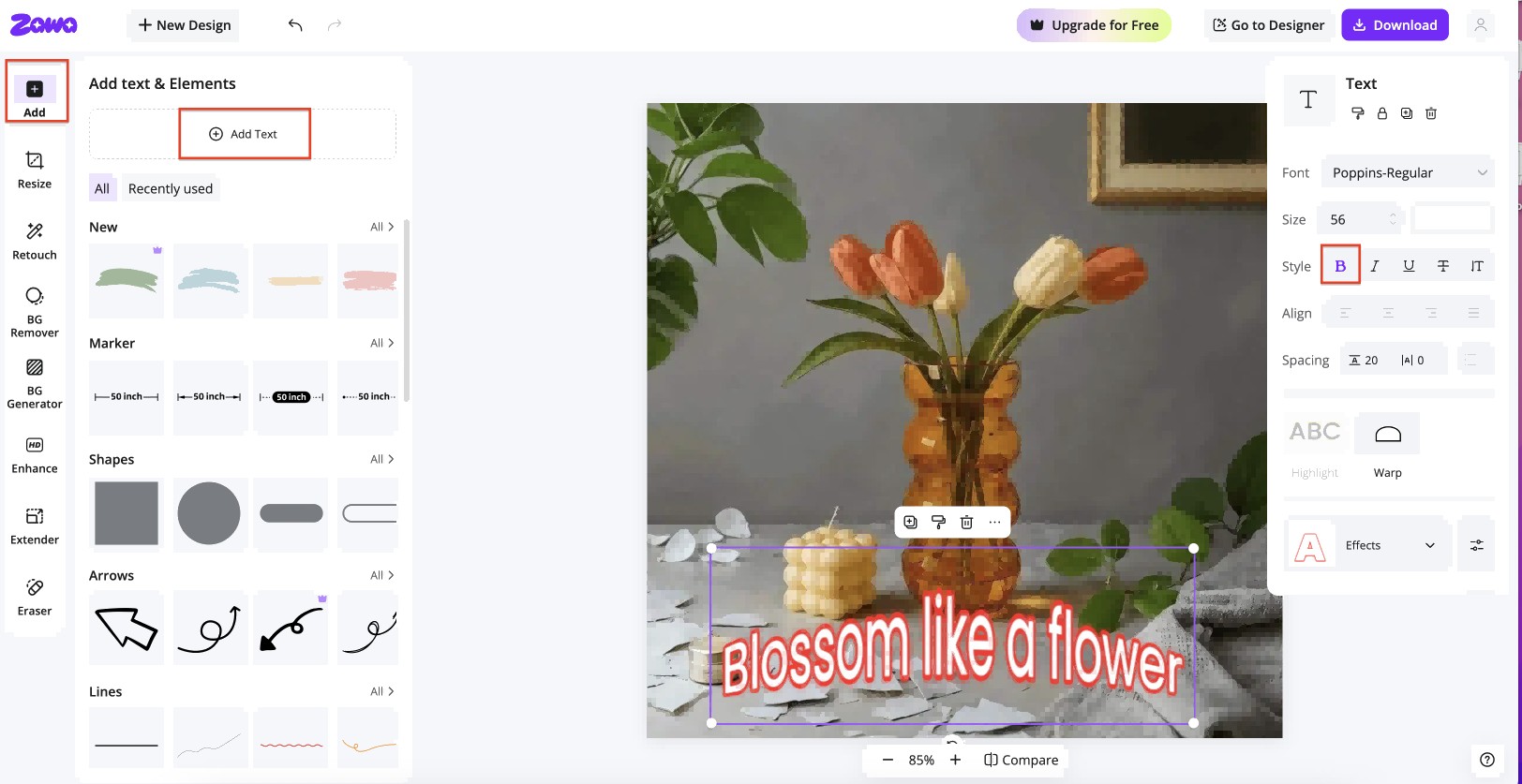
Step 2: Add bold text in the image
-
Click the option "+ Add Text."
-
Enter your desired text.
-
Select the "Bold" option under the "Style" option.
-
Apply other text effects.
Step 3: Edit and enhance
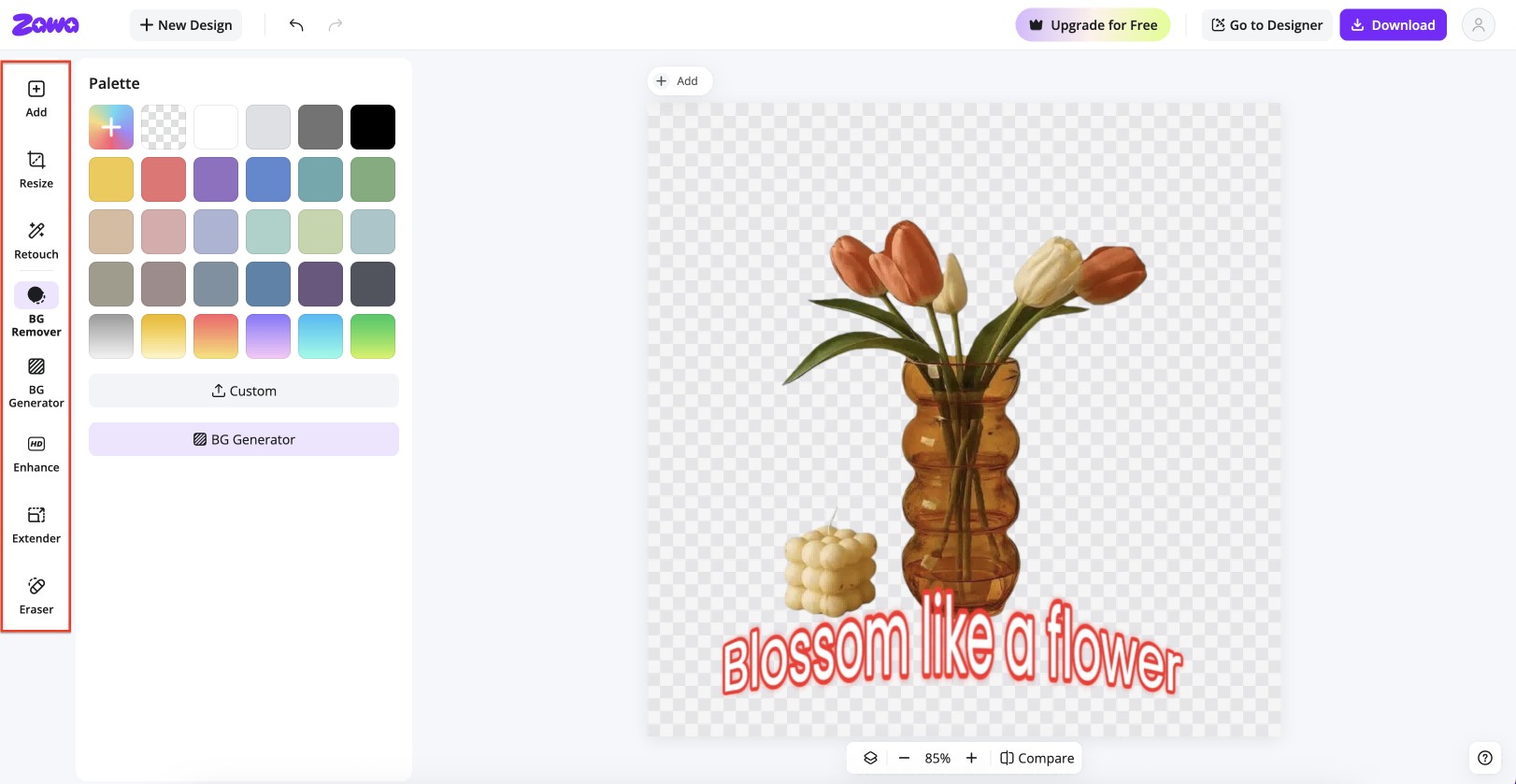
Refine the image using Zawa's built-in tools: background remover, Image enhancer, background generator, image extender, retouch, and eraser. You can build a complete, post-ready Facebook visual without ever leaving the editor.
Step 4: Download the Facebook image
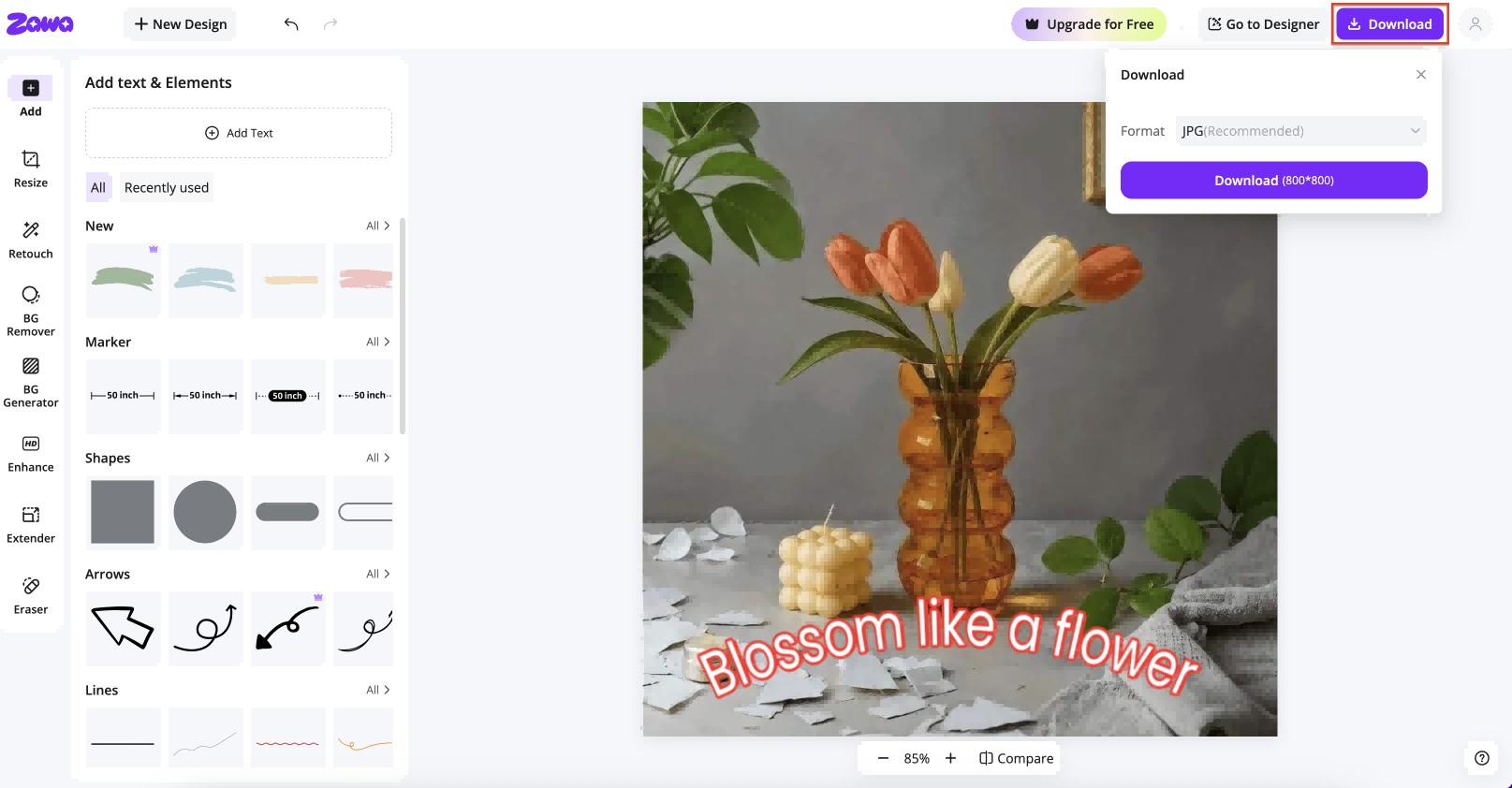
Click download. PNG gives the sharpest result for graphics with text. The file is ready to upload to your Facebook post, story, or ad with no further editing required.
Bold text generators for Facebook - Addressing common user problems
-
Unicode characters do not display correctly on all devices: Some older Android browsers or desktop environments render Unicode bold as boxes or garbled text. If consistent display matters, embed bold text directly into the image via Zawa. Images render the same on every device, regardless of browser or operating system.
-
Facebook removes formatting from pasted text: HTML bold tags do not work in Facebook posts. Unicode bold is the workaround. Facebook treats those characters as regular text, not markup. This is why Unicode generators exist and why they are the only option for styled post copy on the platform.
-
Symbols turn into boxes: Some browsers and operating systems cannot properly display certain bold Unicode characters, especially on older devices. Instead of normal text, users may see empty squares or garbled symbols. In this case, Zawa can solve the issue by embedding bold text directly into images, ensuring the text displays consistently across all devices.
-
Bold text is not supported on some mobile devices: Some older Android and iOS versions, as well as certain apps with incomplete built-in font libraries, may not recognize special Unicode characters. This situation is very common. You can try using more compatible Unicode bold styles such as Mathematical Bold and Sans Serif Bold.
-
Unicode bold text may cause accessibility issues: Some screen readers and assistive technologies cannot properly recognize decorative Unicode characters, which can make posts more difficult to understand for users who rely on accessibility tools. If your content is intended for audiences using assistive technologies, it is recommended to avoid converting entire paragraphs into Unicode bold text and instead use it only to emphasize key words or phrases. Performing accessibility testing before publishing can also help improve readability and compatibility.
Conclusion
Bold text improves how Facebook posts perform. It makes content easier to read, helps key information stand out, and increases engagement. The six bold text generators covered here each handle the job well for post copy. LingoJam, Capitalize My Title, FancyTextGuru, Yay Text!, Namecheap, and FSymbols all convert text to bold for Facebook quickly and at no cost.
For bold text directly on images, Zawa is the right tool. It handles what Unicode generators cannot: rendering consistency across devices, non-Latin language support, and the need to work across multiple tools at once. Everything happens in one place.
Try Zawa's AI Photo Editor and start creating bold, polished Facebook visuals today.
FAQs
How does bold text improve engagement on Facebook?
Bold text creates contrast in the feed and gives the eye somewhere to land. Posts that open with bold formatting see higher tap-through on "See More" because the first line looks different from plain text. On image posts, bold text makes the key message readable at a glance, which drives saves and shares.
How can I copy and paste the Bangla bold text generator for Facebook output?
Most Unicode generators have limited Bangla character coverage. The bold output may display incorrectly or not render at all on certain devices. The most reliable approach is to use Zawa to add Bangla bold text as a layer on an image. The full character set is preserved, and the result displays correctly across all platforms.
Are there any limitations to using bold text on Facebook?
Yes. HTML bold tags do not work in Facebook post text. Bold relies on Unicode characters, which may not render on all devices or in all system fonts. Screen readers may also interpret them differently, which affects accessibility. For the most reliable result, adding bold text directly onto an image using Zawa avoids all of these issues.
You May Be Interested
140+ Facebook Bio Ideas: Short, Professional, Unique, and More

20 Best AI Marketing Tools You Should Know in 2026

18 Best AI Tools for Small Businesses That Save Time and Cut Costs

60 Instagram Business Bio Examples

How to Use an AI Ad Copy Generator to Create High-Converting Ads

Facebook Ad Size: Complete Guide to Dimensions, Formats & Specs