Facebook Ad Size: Complete Guide to Dimensions, Formats & Specs in 2026
Discover the perfect Facebook ad size for every format. Explore dimensions, specs, and best practices for feed, stories, carousel, and video ads to create high-performing campaigns that drive clicks and conversions.

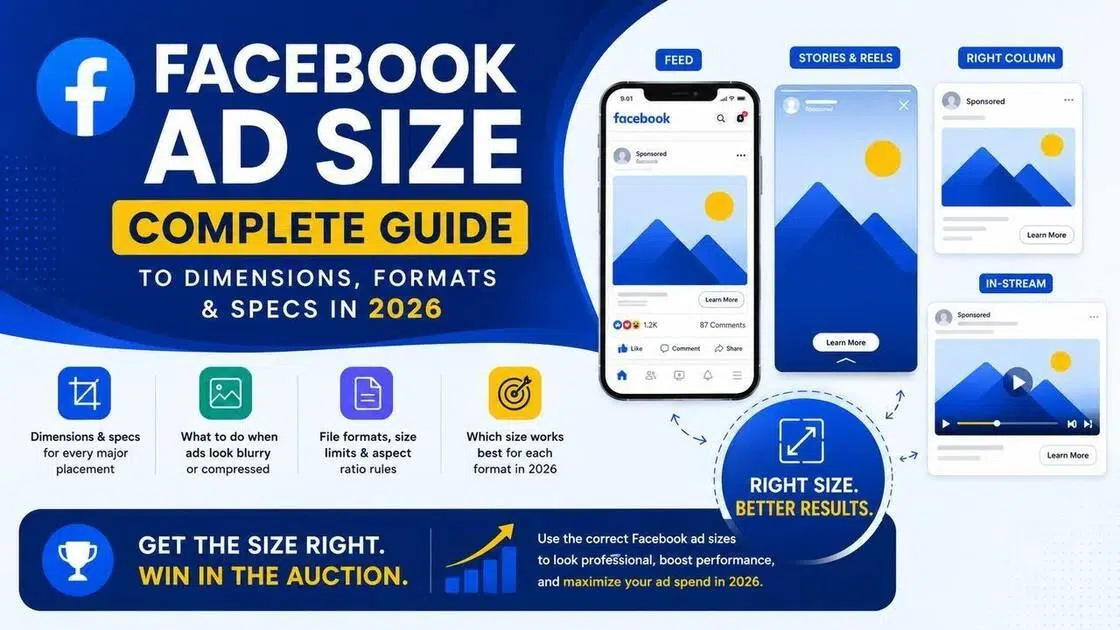
Upload the wrong dimensions and Meta either crops your image, compresses it into a blurry mess, or penalizes your ad in the auction. Facebook ad size is not a detail you can figure out by feel. Every placement has specific pixel requirements, aspect ratio rules, and file size limits. Get them right and your creativity looks exactly how you designed it. Get them wrong and you lose money on ads that never had a chance. In this guide, you will find Facebook ad size specs for every major placement, what to do when ads look blurry or compressed, and which size works best for each format in 2026.
What is Facebook ad size and why does it matter
Facebook ad size refers to three things together: pixel dimensions, aspect ratio, and file weight. Pixel dimensions are the width and height of your image or video measured in pixels. Aspect ratio is the relationship between those two numbers, such as 1:1 for square or 9:16 for vertical. File weight is the size of the file itself, measured in megabytes.
Meta uses these specs to decide where your ad fits and how it gets delivered. If your image does not match the placement's expected ratio, Meta crops it automatically. That crop often cuts off faces, text, or the product itself. Beyond that, incorrectly sized creatives can hurt your quality ranking inside Meta's ad auction, which directly affects your cost per result.
Aspect ratio also controls how your ad appears on different screen orientations. A 1:1 square works across most placements. A 9:16 vertical takes up the full screen in Stories and Reels. A 16:9 horizontal fits in-stream video. Matching the ratio to the placement prevents auto-cropping and keeps your message visible from the first frame to the last.
The ultimate Facebook ads size cheat sheet (save this!)
Every major Facebook ad format in one place. Use this as your reference before building any campaign.
|
Ad format |
Recommended size |
Aspect ratio |
Max file size |
File types |
|---|---|---|---|---|
|
Feed (Image) |
1080 x 1080 px |
1:1 or 4:5 |
30 MB |
JPG, PNG |
|
Feed (Video) |
1080 x 1080 px |
1:1, 4:5, 16:9 |
4 GB |
MP4, MOV |
|
Stories |
1080 x 1920 px |
9:16 |
30 MB / 4 GB |
JPG, PNG, MP4 |
|
Reels |
1080 x 1920 px |
9:16 |
4 GB |
MP4, MOV |
|
Carousel |
1080 x 1080 px |
1:1 |
30 MB per card |
JPG, PNG, MP4 |
|
Marketplace |
1200 x 628 px |
1.91:1 |
30 MB |
JPG, PNG |
|
In-stream Video |
1080 x 1920 px |
9:16 or 16:9 |
4 GB |
MP4, MOV |
|
Messenger |
1080 x 1080 px |
1:1 |
30 MB |
JPG, PNG |
|
Search Results |
1080 x 1080 px |
1:1 |
30 MB |
JPG, PNG |
|
Collection |
1080 x 1080 px |
1:1 |
30 MB |
JPG, PNG |
-
For images, JPG works for photos and PNG is better for anything with text or sharp edges.
-
For video, MP4 with H.264 encoding is the safest choice.
-
Meta recommends a bitrate of at least 2 Mbps for standard video and 8 Mbps for high-quality placements like Reels.
-
Always upload the highest quality file you have. Meta compresses on its end regardless, so starting sharp gives you a better result after that compression runs.
Troubleshooting: Why do my Facebook ads look blurry or compressed?
-
The compression issue: Meta compresses every image and video you upload. That is not a bug, it is how the platform manages bandwidth at scale. The problem is that a file already compressed before upload gets compressed again, and the second pass is where visible quality loss happens. Upload the original export, not a file that has already been through a JPEG save or a screen recording. Starting with the highest quality source file gives Meta more to work with and produces a sharper result on the other end.
-
DPI vs. pixel density: DPI stands for dots per inch and it matters for print. For screen ads it does not. Meta and every other screen-based platform reads pixel dimensions, not DPI. A file saved at 72 DPI and a file saved at 300 DPI look identical on Facebook if they have the same pixel dimensions. Changing the DPI setting in Photoshop without resampling does not add new detail. The only thing that adds detail is more pixels in the file to begin with.
-
The text blurs issue: Small text at 10 to 12 points looks fine on a desktop monitor at full size. On a mobile screen after Meta compression it can become unreadable. Keep text large enough to read at a glance on a 5-inch screen. The safe minimum is around 24 points for body text and 36 points for headlines in a 1080 x 1080 canvas. Thick, bold fonts survive compression better than thin or light weights. If your ad relies on small print to communicate, the message is not landing.
-
Color profiles: Export your ad creatives in sRGB color profile, not Adobe RGB or CMYK. Facebook and most browsers display sRGB natively. If you export in a different color space, colors shift when Meta converts the file, which means the blue on your monitor looks different on a phone. sRGB is the safe default for anything going to a screen.
Pick the perfect Facebook ad size for all placements
Feed and Carousel ads
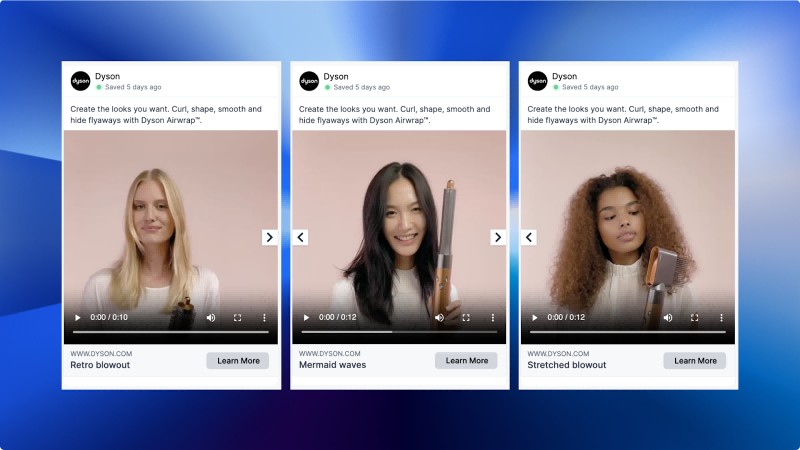
The Facebook feed supports 1:1 (1080 x 1080 px) and 4:5 (1080 x 1350 px). The 4:5 ratio takes up more vertical screen space, which means it pushes other content down and keeps the viewer's attention on your ad longer before they scroll past. For carousel ads, every card needs to be 1080 x 1080 at a 1:1 ratio. Mixing ratios between cards is possible but usually creates visual inconsistency that hurts the browsing experience. Keep every card the same size and ratio for a clean, professional look.
Stories and Reels
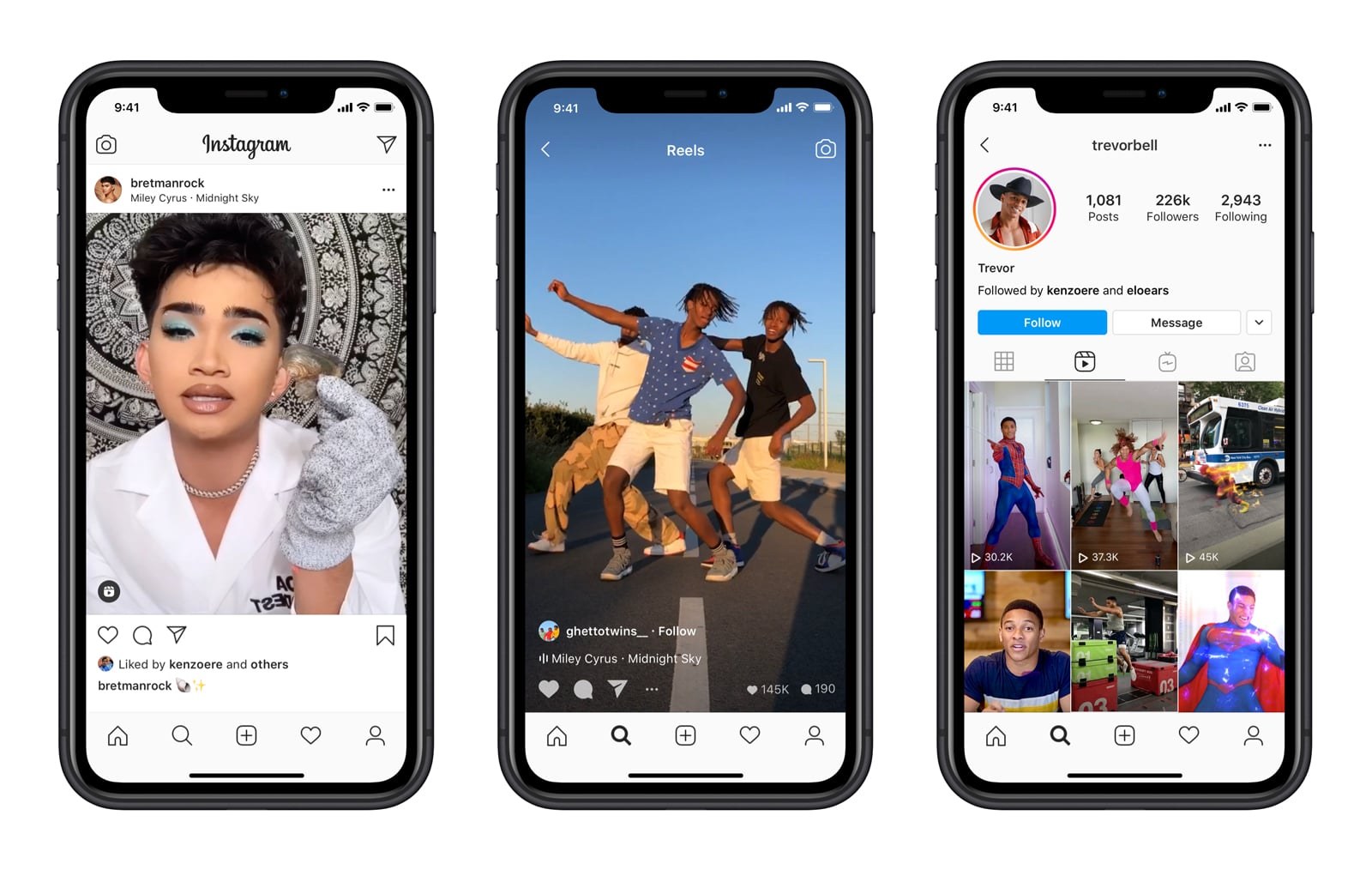
Both Stories and Reels use a9:16 ratio (1080 x 1920 px). That fills the full mobile screen. However, the video length limits for these two formats are different. Stories can be up to 2 minutes long and are commonly used for quick updates and sequential content. Reels support videos up to 90 seconds and focus more on short-form videos, discovery-driven entertainment, and audience engagement. Safe zone rules apply here: keep all text and key visuals between 250 pixels from the top and 340 pixels from the bottom. Outside those boundaries, the UI elements like profile icons, call-to-action buttons, and swipe-up prompts overlap your content. A message that gets covered by a button is a message that does not get read.
Marketplace ads
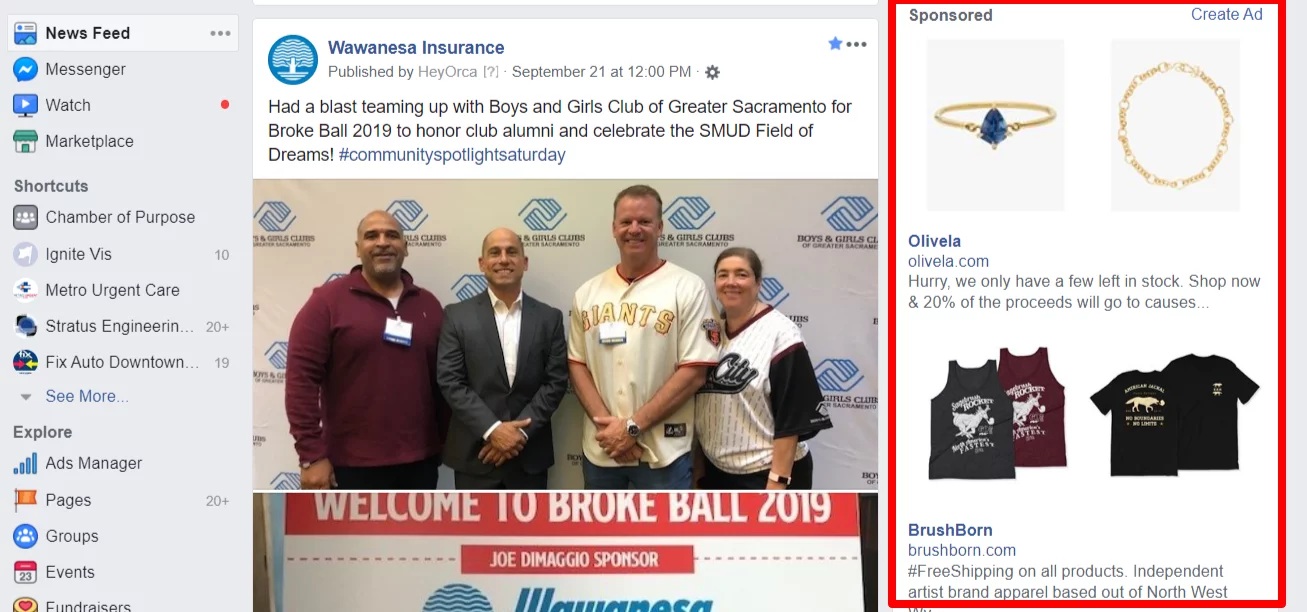
Marketplace ads are smaller. Marketplace works best at 1200 x 628 pixels with a 1.91:1 ratio. This format is designed for discovery, not brand building. Keep the creative simple, lead with the product or offer, and make sure the key information is legible at thumbnail size.
In-stream Video and Collection ads
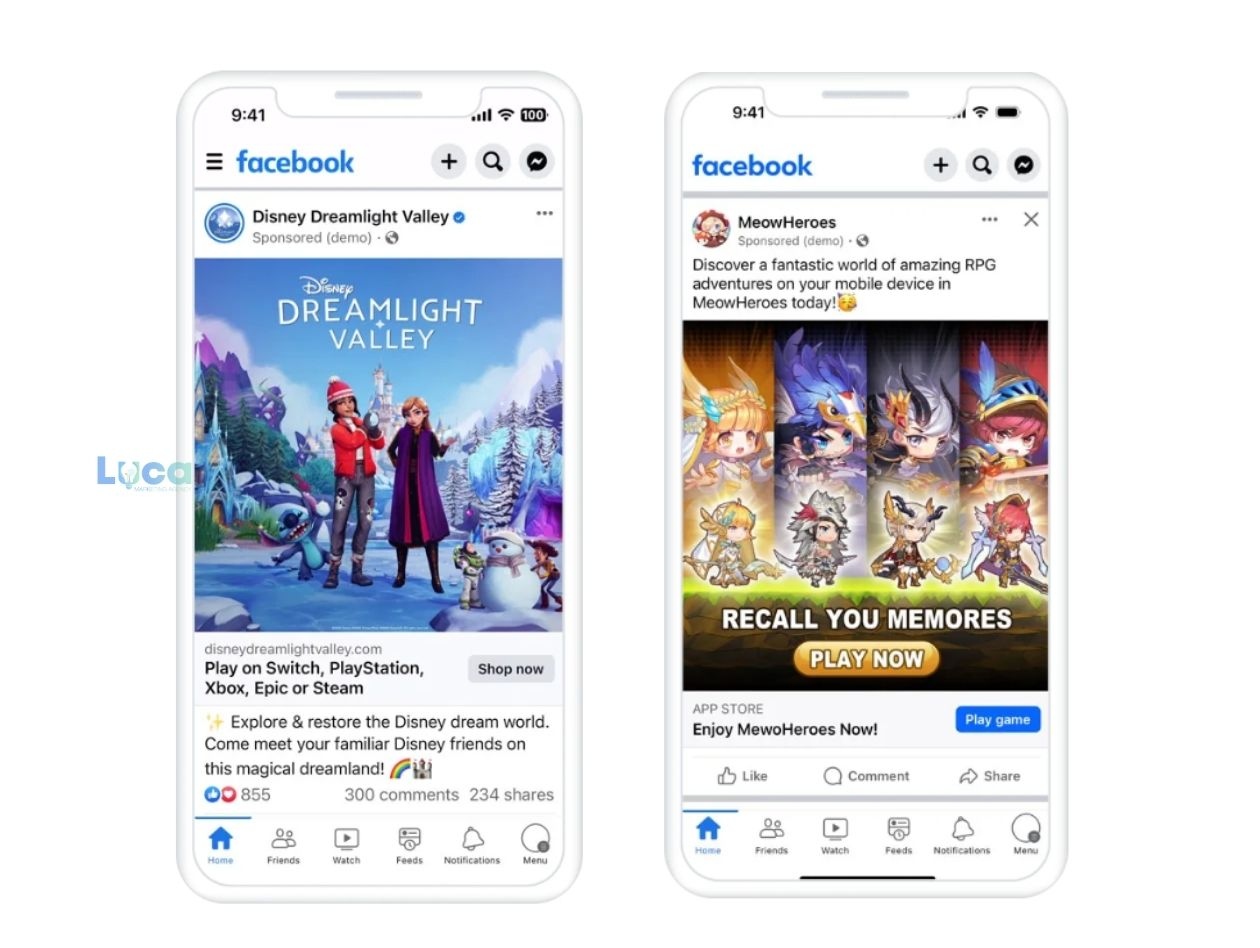
In-stream Video ads run inside other people's videos at 9:16 or 16:9, depending on whether the content is vertical or horizontal. The first five seconds cannot be skipped, so lead with the hook immediately. Collection ads use a cover image or video at 1:1 or 16:9 that opens into a full-screen instant experience. The cover creative is the entry point, so it needs to create enough curiosity to get the tap.
Pro tips for Facebook Ad success in 2026
-
Mobile-first sizing: About 98.5% of Facebook users access the platform on mobile. Vertical and square formats take up more screen real estate than landscape, which means less competing content is visible at the same time. The 4:5 ratio (1080 x 1350) is worth testing in the feed because it occupies significantly more of the screen than a standard 1:1 square. More screen space means more time in view before the next scroll.
-
Safe zones: Every placement has UI elements that overlap your creative: profile photos, follow buttons, captions, and CTA buttons. For Stories and Reels, keep all text and focal points between 14% from the top and 20% from the bottom of the frame. For feed placements, avoid putting critical information in the bottom 15% of the image where the like and share bar appears. Design with these zones in mind from the start, not as an afterthought after the creativity is finished.
-
Use PNG for sharp typography: PNG-24 uses lossless compression. That means text edges stay crisp after export, even after Meta applies its own compression on top. JPEG compression blurs text edges because it averages nearby pixels together. Any ad that includes a headline, price, offer, or call-to-action in the image should be exported as PNG. Reserve JPEG for photographic content without text overlays.
-
The 1.5-second rule: Test your ad by looking at the first frame alone for 1.5 seconds. If the hook, the offer, or the visual reason to stop scrolling is not clear in that window, it probably will not land in the feed either. Most viewers decide in under two seconds whether to keep watching or scroll past. The visual hierarchy needs to communicate the most important thing first, not build toward it.
Essential Tools for the 2026 Facebook Ad Workflow
Design and Size Optimization
Meta Creative Hub: The official preview tool from Meta. Upload your creative and see exactly how it looks across every placement before the campaign goes live, such as Facebook Feed, Instagram Stories, Reels, and more. Catching a cropping issue here costs nothing. Catching it after spend is live costs money.
Campaign Management and Automation
Meta Ads Manager: The native platform for building and managing campaigns. In 2026, Advantage+ campaigns use Meta's AI-driven bidding to automatically allocate budget across placements based on performance signals. Setting up campaigns here also gives you access to dynamic creative testing, where Meta assembles combinations of your images, headlines, and descriptions to find what works.
Community and Message Management
Meta Business Suite: Manages comments, DMs, and posts across Facebook and Instagram from one interface. For ad campaigns that generate engagement, having all responses in one place avoids missing messages that arrive across different placements or pages.
Tracking and Attribution
Meta Events Manager: Where you set up the Conversions API (CAPI). CAPI sends conversion data server-side rather than relying only on browser pixels, which addresses signal loss from iOS privacy changes and ad blockers. Without CAPI, Meta's optimization data is incomplete, which makes automated bidding less accurate.
Triple Whale: A third-party attribution platform popular with eCommerce brands. It pulls data from Meta, Google, Shopify, and other sources into a single dashboard, making it easier to see actual profit per campaign rather than platform-reported ROAS, which often overstates performance.
Zawa: Create Facebook Ad Images and Videos
Most teams running ads across multiple placements spend significant time resizing and reformatting the same creative for each format. AI-powered design tools have shortened that process by handling resizing, background adjustments, and layout adaptation automatically. Zawa is one example: it generates social media visuals from a text prompt, maintains brand consistency through a built-in brand kit, and resizes assets across ad dimensions without rebuilding each version manually. For teams with high creative volume, this reduces the production time between concept and ready-to-upload file.
Key Features
-
AI Facebook Ad Creation: Generate high-converting Facebook ad visuals from simple text prompts in seconds.
-
Multi-Model AI Support: Use Nano Banana Pro, GPT Image 2 High, and Kling 3.0 for image and video.
-
Marketing & Product Visualization: Design realistic product showcases, lifestyle scenes, and branded advertising visuals for campaigns.
-
Multiple Ad Design Styles: Create Facebook ads in modern, minimalist, cartoon, cinematic, 3D, or branded visual styles.
-
Built-In Ad Editing Tools: Edit layouts, text, colors, visuals, and add detail to images directly before exporting high-resolution Facebook ad creatives.
How to Create Facebook Ads with Zawa
To create Facebook ad visuals with Zawa, follow the simple steps below:
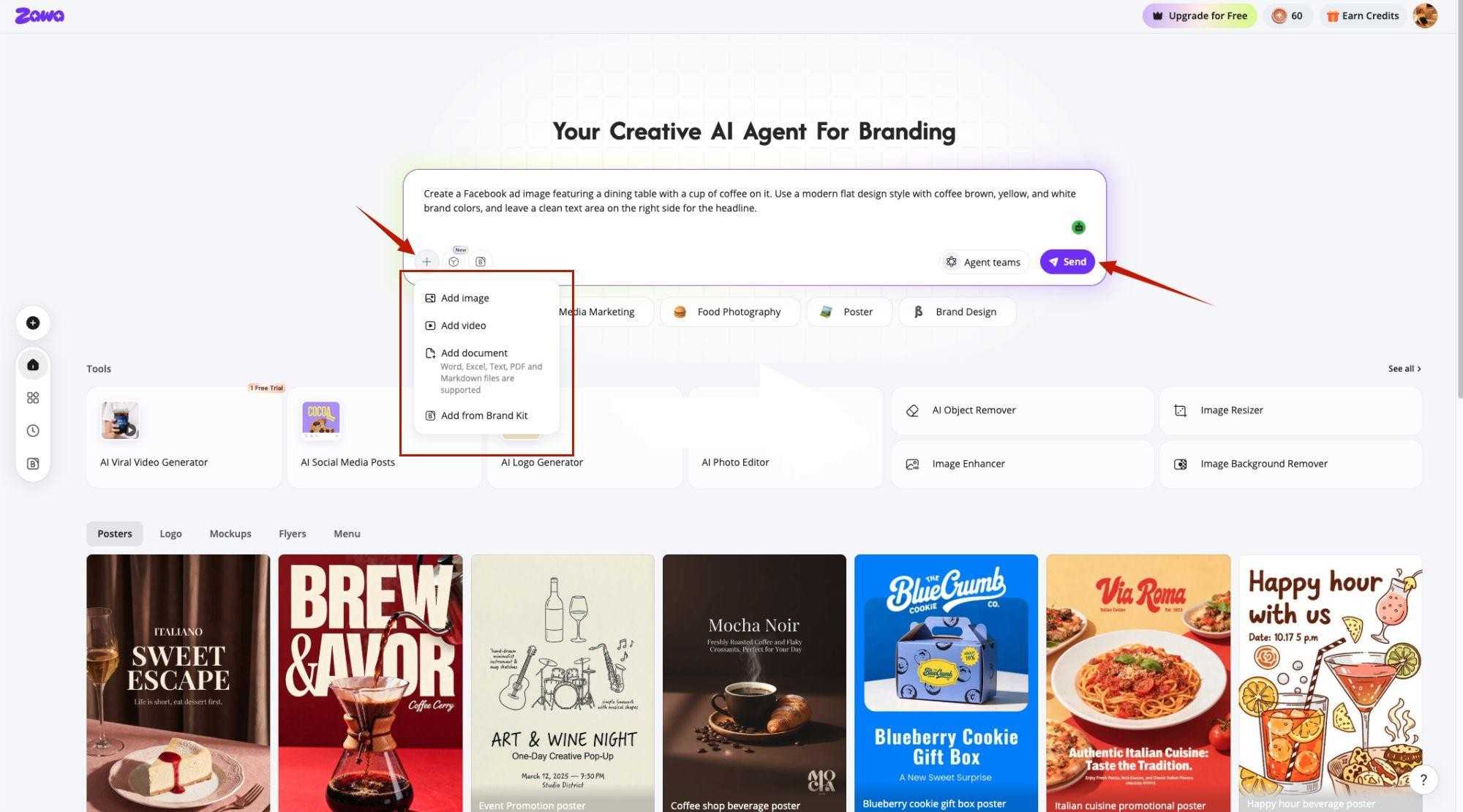
Step 1. Write an Image or Video Prompt
On the Zawa’s workspace, enter the prompt to create a Facebook image or video with the proper details. Click the “+” option if you want to add a reference output. Choose the AI model and press the “Send” button.
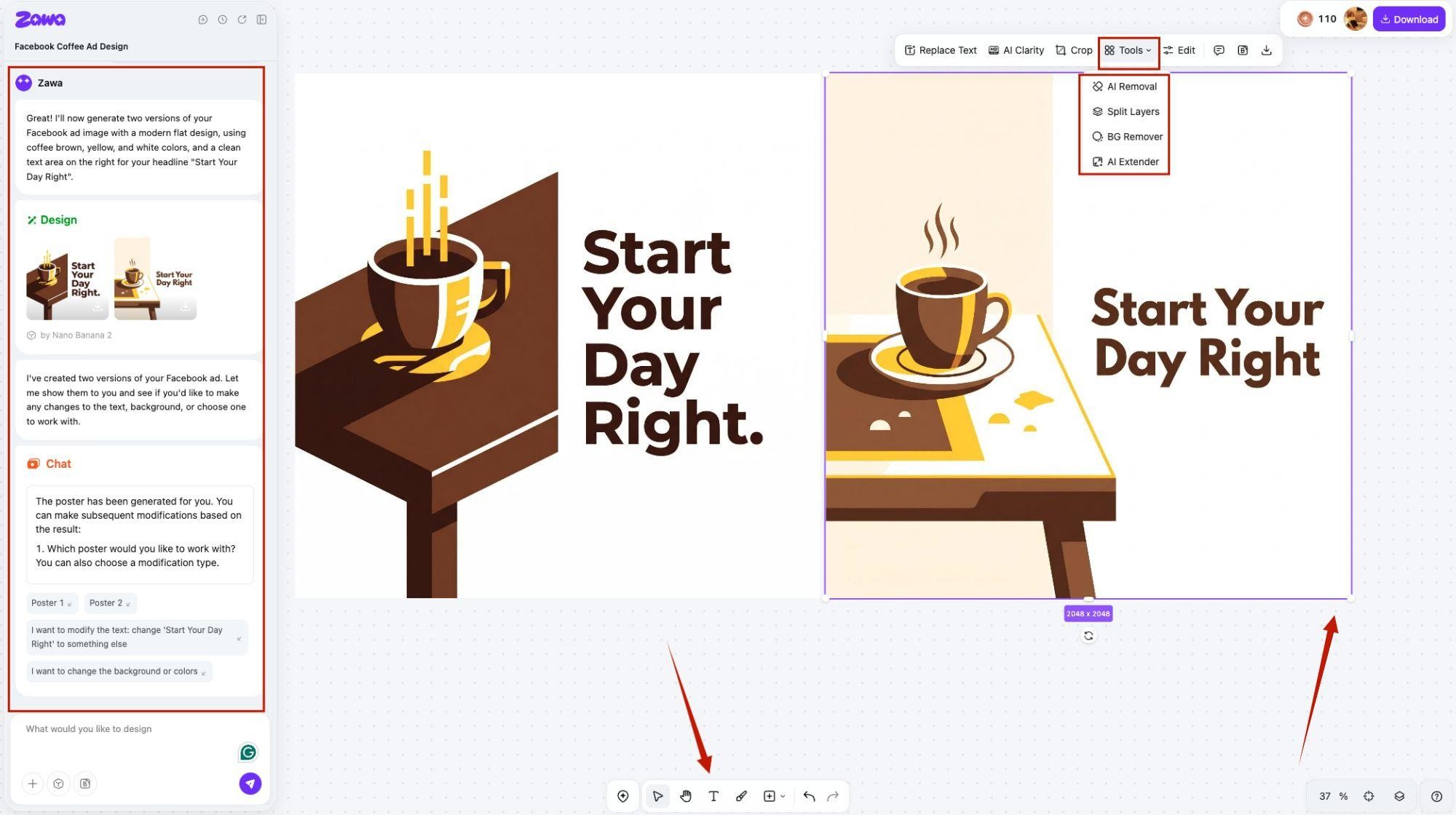
Step 2. Edit The Generated Output
One or multiple Facebook ads can be created. Once created, you can modify the design by chatting directly with the AI. The Facebook ad size can be adjusted by dragging the edges. You can also use the “Add Text” option to place text anywhere on the image. In addition, click the “Tools” option to access features like “AI Removal” and “AI Extender” for further image editing and adjustments.
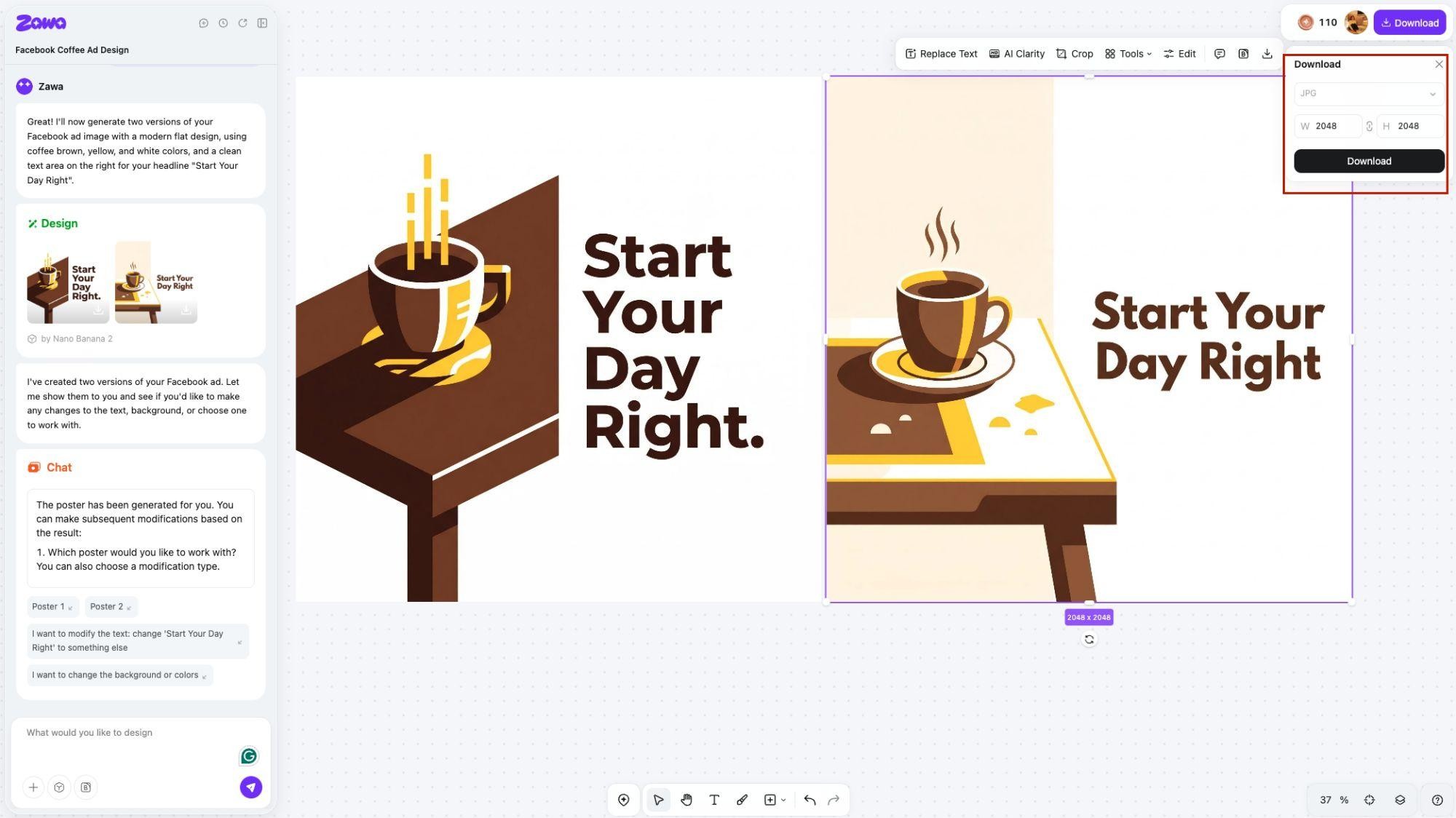
Step 3. Download The Final Product
After the image is finalized, click the “Download” button and choose the format to download the final output.
Conclusion
Facebook ad size is a mechanical requirement, not an aesthetic one. The wrong dimensions do not just look bad, they affect delivery, quality rankings, and how much your ads cost to run. Getting specs right before launch removes a variable that has nothing to do with your offer or your audience.
Start with 1080 x 1080 for feed placements and 1080 x 1920 for Stories and Reels. Export images as PNG when text is involved. Use Meta Creative Hub to check every format before going live. From there, test the 4:5 ratio in the feed against your standard square to see which takes up more screen and holds attention longer. Small technical changes in how you size and export creatives can move performance metrics without touching the campaign structure at all.
FAQs
What are the latest Facebook ad specs I should follow in 2026?
The core specs have not changed significantly from 2025. Use 1080 x 1080 px for most image placements, 1080 x 1920 px for Stories and Reels, and 1200 x 628 px for Marketplace. Export images as JPG or PNG and video as MP4. File size limits are 30 MB for images and 4 GB for video. Always check Meta's official help center before a major campaign launch since minor spec updates can happen without broad announcement. With Zawa, ad sizes can be easily adjusted to fit different Facebook ad specifications.
What is the ideal Facebook ads image size for better engagement?
1080 x 1080 pixels at a 1:1 ratio works across the most placements and rarely gets cropped. If you are optimizing specifically for the feed, test 1080 x 1350 at a 4:5 ratio. It takes up about 20% more vertical space on a mobile screen, which means it stays in view longer during a scroll. The difference in exposure time is small per impression but adds up across a campaign.
What are the correct Facebook carousel ad specs for multiple images?
Each carousel card should be 1080 x 1080 pixels at a 1:1 ratio. You can use up to 10 cards per carousel. Keep the visual style consistent across cards so the swipe experience feels intentional. Each card supports its own headline and URL, which makes carousel format useful for showing multiple products, features, or steps in a process. File size per image card is 30 MB maximum.
What is the recommended Facebook video ad size for high performance?
For feed video, 1080 x 1080 at 1:1 or 1080 x 1350 at 4:5 works best on mobile. For Stories and Reels, use 1080 x 1920 at 9:16. Video length for feed should be 15 seconds or under for best completion rates. In-stream ads have a five-second non-skippable window, so the hook needs to land in the first frame. Export at H.264, minimum 2 Mbps bitrate, in MP4 or MOV format.
What is the best size for a Facebook ad to use across all formats?
1080 x 1080 pixels at 1:1 is the most portable size across placements. It works in the feed, Messenger, Marketplace, and carousel without cropping. If you can only create one size for a campaign, this is the one. For campaigns with budget for multiple creatives, add a 1080 x 1920 vertical version for Stories and Reels to capture full-screen inventory.
You May Be Interested
140+ Facebook Bio Ideas: Short, Professional, Unique, and More

Product Photography-How to Take Product Photos

20 Best AI Marketing Tools You Should Know in 2026

18 Best AI Tools for Small Businesses That Save Time and Cut Costs

60 Instagram Business Bio Examples
How to Use an AI Ad Copy Generator to Create High-Converting Ads

Facebook Cover Photo Size Guide - Specs, Upload, and Design Process