
What Is a Carousel Post and How to Use It for Stunning Social Media Feeds
A practical guide to turning simple posts into swipeable stories that drive engagement, clarity, and action.


Social media captivates you with its endless scrolling cycle. You spend hours watching different types of content on social media. But wait a minute! This scrolling can become more interesting. One thing that can draw attention for viewers is a carousel post. It does not follow the scrolling game. It uses the swipe and conveys the message in a storytelling way. There is so much more to learn about a carousel post. The best part is how one can create it to make a high impact on the viewers.
This post has all the information that will give you a clear picture of the carousel posts. Take a look right away and create your next carousel post on your favorite social media channel.
What Is a Carousel Post?
It is a type of social media post that includes different images or videos. Users can swipe it from left to right or right to left.
You may have noticed this type of post often on different platforms. For example, Instagram or LinkedIn. You swipe this post and see content in a storytelling way. The best use of a carousel post is to tell a story or share information step by step.
Key Features of a Carousel Post
There are some features of a carousel post that make it unique. You can check some excellent features below to understand it better:
A carousel post can have multiple slides in one post.
The format of the carousel post is swipeable (left or right navigation).
It can be a mix of different media. For example, images, videos, or text graphics.
Carousel post is ideal for tutorials or storytelling.
It has a consistent theme across the slides.
These posts have more engagement compared to single-image posts.
Types of Carousel Posts
You can create different types of carousel posts to attract visitors to your social media channel. The following are some ideas that can help you understand the types of carousel posts you can create.
Educational posts: You can use carousel posts to create educational posts. For example, share tips or how-to posts using a carousel form.
Storytelling posts: Users can share their stories using a carousel post. For example, you can share your personal journey or experiences.
Product showcases: A carousel post can also be used for showcasing your products. You can include the features or variations of a product in the post.
Before-and-after comparisons: One of the common uses of a carousel post is for showing before-and-after transitions.
Step-by-step breakdowns: You can use a carousel post to share steps for a process in a simple and impactful way.
Why Are Carousel Posts Effective?
A carousel post is more effective than a simple post that you post on social media. The main reason is that it is more interesting than looking at a simple one-image post. So, it offers a higher engagement rate for users. Besides, a well-thought-out carousel post motivates people to interact. For example, they can swipe, save, or share the post.
Moreover, businesses have a brilliant opportunity to use them for brand building. It is common to see that storytelling is the core of a good brand impression. So, businesses can use a carousel post to convey their story with an impact.
How to Create a Carousel Post (Step-by-Step)

The most important part for you is to create a carousel post that tells the whole message correctly. You will need the help of the following posts to make an effective carousel post for your social media channel.
Step 1: Define Your Goal
The first step is to define the objective of your carousel. You need to decide if your goal is to educate, sell, or entertain the viewers. It must be for a particular audience that you want to target. There has to be a clear message per post that you need to decide at the beginning. One thing to remember is to avoid mixing multiple ideas in the carousel post.
Step 2: Plan Your Content Structure
The next step is to plan the content structure of your carousel post. The best flow to follow in the structure is HOOK - VALUE - CONCLUSION - CTA. This is a strategic flow to get the desired action. Also, decide the ideal number of slides to convey the message. Then, ideate how you are going to keep things in each slide of the post.
Step 3: Write Engaging Slide Content
Now, write compelling content for each slide to make them engaging. Use the art of copywriting to craft the targeted words and phrases. Try to keep the text short, punchy, and in simple language. A great way is to maintain curiosity between the slides. Keep one idea per slide without clutter. It will help the audience understand the post better.
Step 4: Design the Carousel
This is the main step in creating a carousel post. Start designing the post. You need to ensure that your colors and fonts stay consistent in the whole carousel. Try to include high-quality visuals or icons for a clear impression. Besides, maintain proper spacing and readability for the audience. The overall correct alignment will make the storytelling more impactful.
Step 5: Create a Strong Hook (First Slide)
Many people don’t give enough focus to this part. But it is highly crucial to grab the attention of your target audience. Use the highly curiosity-driven headlines on the first slide of the carousel post. It must act to hook the eyes at first glance. An idea for this is to address a problem or promise some value to the readers. It will work to guide them further.
Step 6: Add a Clear Call-to-Action (Final Slide)
You must set a clear CTA in the beginning for the final slide. And your whole content will revolve around it to lead the viewers. It can be “Save the Post,” or “Comment,” or “Follow for more.” So, you need to ensure how you want to guide the audience and what action you want them to perform at the end.
Step 7: Write a Caption That Supports the Carousel
The next step is to write a targeted caption for the carousel post. Usually, the caption expands on the topic to describe it better. Try to use storytelling and context for writing an engaging caption. You must include the relevant hashtags for your carousel posts for better reach.
Step 8: Optimize and Post
This step includes the final publishing of the carousel post. But you need to first check everything. It includes you reviewing every spelling and alignment for the carousel. You need to analyze if the slide flow seems smooth. One crucial factor that should not be missed is the use of the right dimensions. After you are satisfied with all the quality checks, post the carousel during the peak time.
Step 9: Track Performance
Finally, track the performance of the carousel post. Many users think that posting is the end step. But the real analysis starts after that. You need to look at the engagement metrics. For example, you should analyze how many people are saving or sharing the post. Besides, you can have a look at the reach of the carousel post. Study the patterns and use insights for creating a better carousel post.
Carousel Post Ideas You Can Try
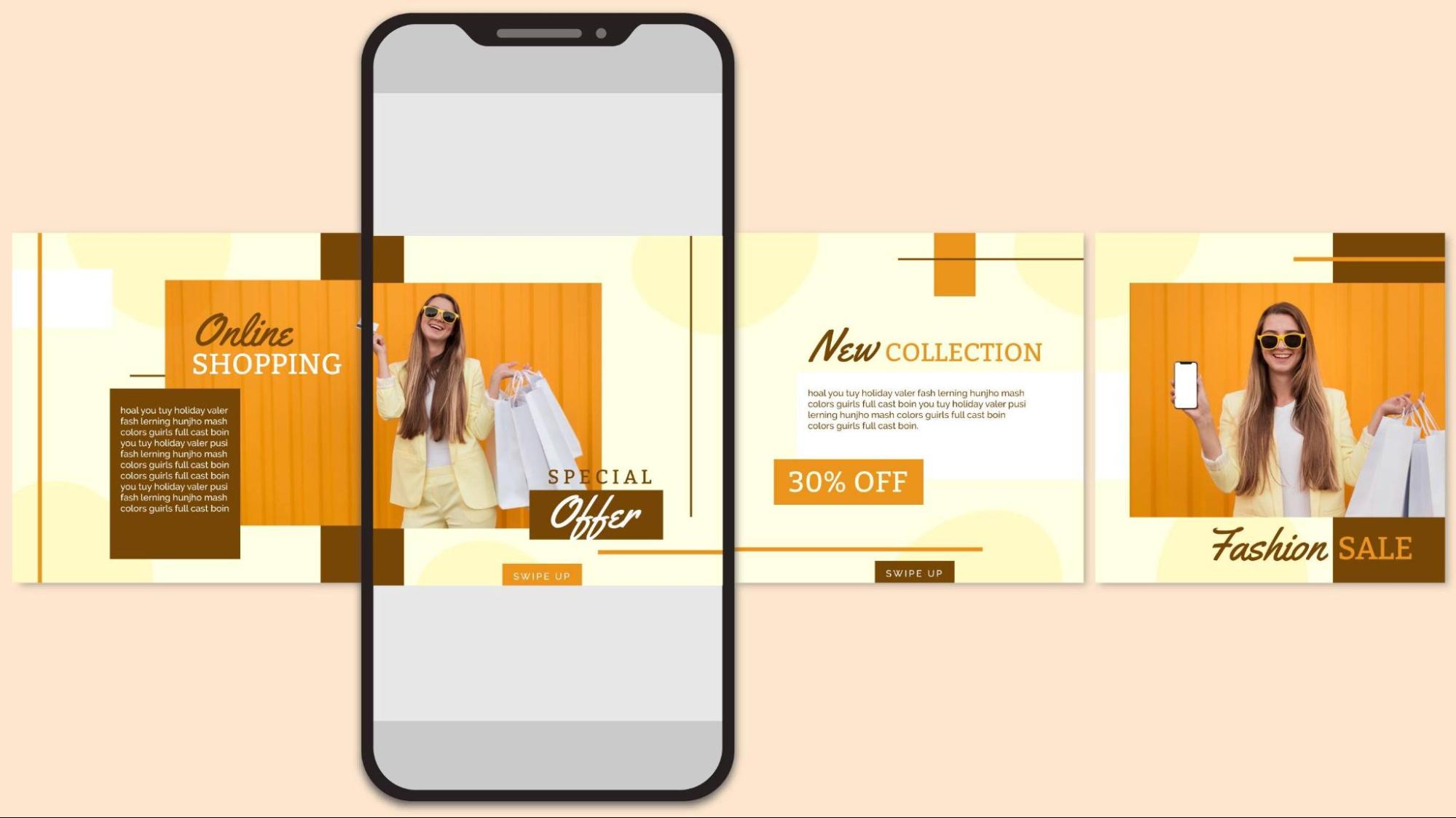
There are different types of carousel post ideas that anyone can try. The main thing here is to see what your needs are for the post and then get started on designing it. Below, you can check some ideas to have a look at.
Educational Carousel Posts
The first idea is to create educational carousel posts. In these posts, you explain the educational content for the target audience. It will build authority and trust. Try to keep these posts simple for readers to understand everything.
Examples:
Industry tips
How-to guides
Step-by-step tutorials
Common mistakes to avoid
Product Showcase Carousel
The next carousel post idea is for a product showcase. You can describe your product in this carousel post. It is like displaying your product. You can post multiple products and show their top features to attract the target audience.
Examples:
New arrivals
Best-selling products
Product features
Product variations
Tips and Tricks Carousel
This is the idea for a carousel post where you can explain the short tips for the viewers. Try to create short tips in the post that are easy to understand and share. These posts can add value for the audience.
Examples:
Marketing tips
Beauty tips
Car maintenance tips
Home decor tips
Customer Testimonials Carousel
Posting your social proofs and customer testimonials in front of your target audience improves your credibility. So, you can use the idea of creating a customer testimonial carousel. The following are some examples that can help.
Examples:
Client reviews
Customer feedback
Success stories
Case studies
Behind the Scenes Carousel
People love to know about the back story of businesses. It makes them more connected with your brand. So, you can try to create a behind-the-scenes carousel post for your social media channel. It will build your brand personality.
Examples:
Work process
Team introduction
Production process
Office culture
FAQ Carousel
There are times when your audience has various questions about your product, service, or brand. You can use the FAQ carousels to answer their questions in a simple, understandable way. It will remove the hesitation in your audience to connect with you.
Examples:
Pricing questions
Service details
Delivery questions
Product information
Industry Facts Carousel
Another idea for you is to use industry fact carousel posts. These are the posts that will give your audience some valuable insights about your field. You can take advantage of explaining the latest facts to make the content more informative for the viewers.
Examples:
Market trends
Statistics
Interesting facts
Industry insights
Myth vs. Reality Carousel
When people see the information, they want to ensure that it is accurate. There are many viewers who stay curious about learning the real information. So, you can create the myth vs. reality carousel for them to spark their curiosity.
Examples:
Social media myths
Beauty myths
Marketing myths
Product misconceptions
List Style Carousel
The last idea is to create the list-style carousel posts for your target audience. It includes a complete list of a particular topic for readers. Usually, you can create a list carousel for tips, ideas, or other information. Some examples below will help you.
Examples:
5 Tips
7 Ideas
10 Mistakes
8 Benefits
Tools for Making Carousel Posts

Pictures that move stand out best when built with tools made for them. A solid app handles spacing, fonts, and images quietly. It leaves room for your message to breathe instead of fighting the software. Some design tools to try are.
Zawa
A fresh start each time you open it! Zawa shapes carousels fast without clutter. You can use the AI agent to design the templates to fit your carousel posts. Sliding things around feels natural because the tool guides like a quiet helper. Smart features will tweak spacing or balance tones. Brands stay consistent since changes stick across every frame. The whole flow moves quickly, so thoughts land faster as pictures with Zawa.
Canva
A favorite tool among social media designers! Canva stands out with ready-made layouts for carousels. Thousands of images, typefaces, and symbols wait inside, pulled together without hassle. Resizing of the templates to fit any platform. The moving elements can be added by dragging and keeping changes clear.
Adobe Express
From the start, Adobe Express gives beginners strong tools without complexity. Its mix of pro-level design power shows up in easy edits anyone can handle. You can use the creative touches for the carousel that pops through Adobe's library. At the end, you get the standout carousel slides that come together. They will appear clean and web-ready by default.
Tips to Make Your Carousel More Engaging
Now, you get the idea about carousel posts and how you can create them. But one thing that matters is to make them engaging. The following are some tips that will help you make the most engaging carousel posts. Have a quick look at the tips right away!
Start with a strong hook to grab attention instantly.
Keep text short and easy to read on each slide.
Use consistent colors, fonts, and branding.
Focus on one idea per slide for better clarity.
Add visuals, icons, or images to improve appeal.
Maintain a logical flow from the first to the last slide.
Create curiosity to encourage users to swipe.
Include a clear call to action on the final slide.
Use numbers, tips, or lists for better readability.
Keep slides clean and avoid overcrowding content.
Conclusion
Finally, you get the idea that a carousel post is not like your simple social media post. It has an interesting way to portray your content idea. The swipeable feature of the carousel posts makes them engaging for the viewers. So, you can also use these carousel posts to tell your story in the most impactful way. Remember to add a CTA in the last slide to encourage people to take the desired actions after checking the complete posts.
Moreover, you may be wondering how to design the stunning slides for a carousel post. One answer for you is Zawa's poster generator. It is an AI-advanced design tool that turns your ideas into beautiful designs in a few minutes. Check it out right away and give it a try!
Related articles
Canva Menu Maker vs ZaWa: Key Differences Explained
30 Best Wedding Menu Ideas to Wow Your Guests

How to Start a Food Truck Business

How to Create a Meal Prep Plan

What Is a Tasting Menu and How to Design One
How to Make a Menu

How to become a food blogger

Food Ad Design Guide: How to Create Clickable Food Ads

How to Get a Perfect Coffee Photo

AI in the Food Industry: Practical Use Cases for Modern Food Businesses
How to Take Good Food Photography

10 Best Instagram Follower Trackers to Grow Faster in 2026
How to Create an Instagram Post that Gets More Likes: Proven Methods

New Instagram Grid Size Guide - Optimization, Benefits, Design, Tips

How to See Who Shared Your Instagram Post to Maximize Engagement

How to Post Multiple Photos on Instagram - A Step-By-Step Guide

13 Best Fonts for YouTube Thumbnails
10 Best YouTube Thumbnail Ideas to Skyrocket Your Views
Best YouTube Thumbnail Size - Create Perfect Thumbnails
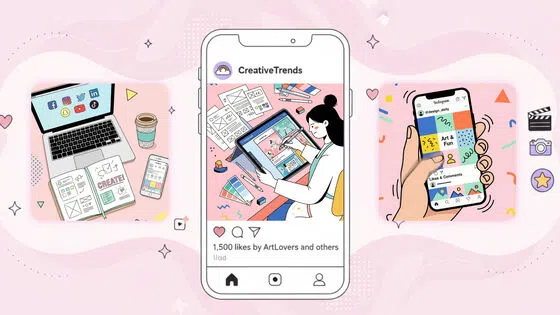
What Is a Carousel Post and How to Use It for Stunning Social Media Feeds

Fantasy Plot Generator: How to Write Unique Fantasy Story Plots Using AI

How to Craft the Perfect Instagram Bio in 2026: Tips, Mistakes & Tools

How to Use an AI Text Generator: A Beginner-Friendly Guide

AI Script Writing: How to Generate Professional Scripts with AI (Step-by-Step Guide)

2D Animation vs. 3D Animation: A Detailed Guide for 2026

2D logo vs 3D logo: Which One is More Impactful for Branding

Poster vs. Flyer: Key Differences Every Marketer Should Know

Pamphlet vs Brochure: A Complete Guide for Modern Businesses

The Difference Between Motion Graphics and Animation: A Detailed Analysis

Latest Logo Design Trends for 2026 Every Brand Should Follow

Logo Color Meanings and How to Choose the Best Color For Your Brand

Human vs. AI in Design: Who Really Creates Better Art?

How Wordmark vs. Lettermark vs. Brandmark Shapes Visual Identity

How to Make a Movie Poster That Grabs Attention in Seconds

How to Draw a Logo Easily: From Start to Finish

How To Design an Abstract Logo For Your Brand

How to Design a Personal Logo? A Complete Guide!

How to Design a Logo? Learn the Quick & Easy Steps

How to Choose the Perfect Poster for Your Bedroom

An In-Depth Guide on How to Make a Photography Logo

How to Design a Good Advertising Poster
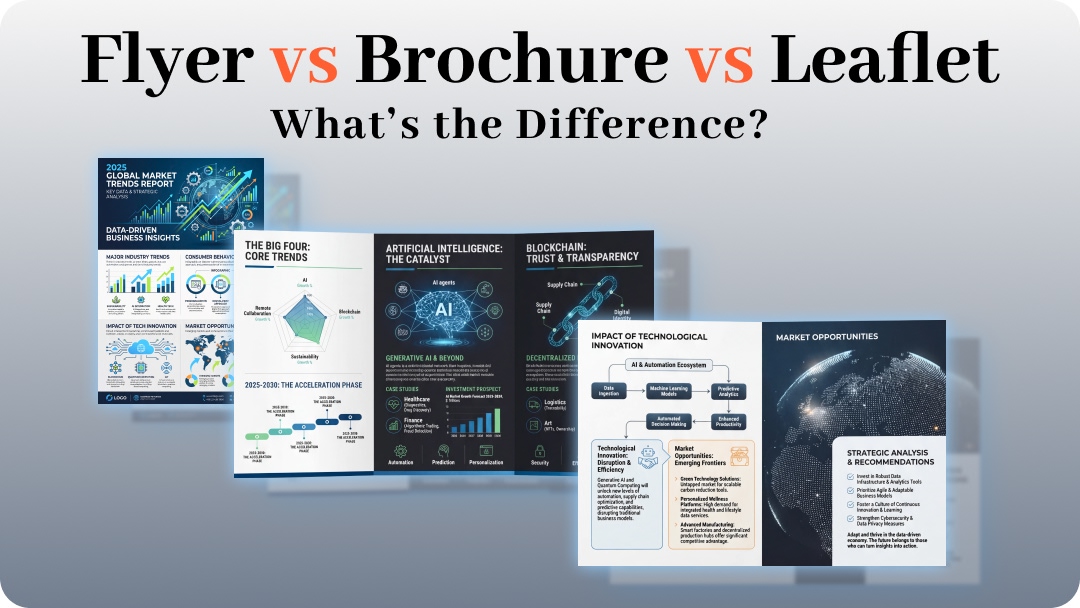
Flyer vs. Brochure vs. Leaflet: What’s the Difference?

Emblem Logo That Tells Your Brand Story

Combination Logo: Everything A Brand Must Learn About This Powerful Logo Type

Choosing the Right Logo Font Generator for Your Business Style

14 Best Café Interior Design Ideas to Maximize Your Space and Brand

7 Best Bar Interior Design Ideas for a Modern Look

7 Best AI Packaging Design Tools to Transform Your Brand

8 Best AI Interior Design Tools to Redefine Your Living Space

9 Best AI Tools for Graphic Design

How to Create a Logo for Bakery Business

9 Types of Logos You Must Know Before Designing

50 Famous Logos in the World and What Makes Them Timeless

45 Brand Color Palette Examples To Consider For Businesses

The Ultimate Guide to Remove Shutterstock Watermarks from Images

What is the Difference Between Graphic Design and Animation: A Detailed Guide for Beginners

What Are the Top Sources for Logo Design Inspiration

The Ultimate Guide For Restaurant Interior Design

What Is a Pictorial Mark Logo and 30 Famous Examples

What Makes a Good YouTube Thumbnail That Stops the Scroll

60+ AI Art Styles to Transform Your Prompts into Masterpieces

5 Free AI Random Image Generators—Generate Unique Images Instantly Online

8 Best Image-to-Image AI Generators: Transform Existing Photos with AI

100+ Free Stable Diffusion Prompts to Generate Amazing AI Art

How to Turn Any Sketch into a Digital Image Using AI

Image to Drawing with AI for Sketches, Line Art, and Illustrations
6 Free Art Prompt Generators

5 Tools to Extract & Convert Images to Text

15 Top AI Art Generators to Create the Best Masterpieces

How to Write AI Art Prompts to Get Desired Results?

How to Design a Logo for Your Coffee Shop: Tips, Tools, and Ideas

How to Create Iconic Wedding Logos with AI

How to Create Restaurant Logos That Attract Customers

How to Create Logos for Websites

How to Create Logos for a Barber Shop

How to Create Logos For a Hair Salon?

Best YouTube Logo Makers

Best Restaurant Logo Design Ideas to Make Your Brand Stand Out

25 Best Fashion Logos We've Ever Seen and the AI That Creates Logos
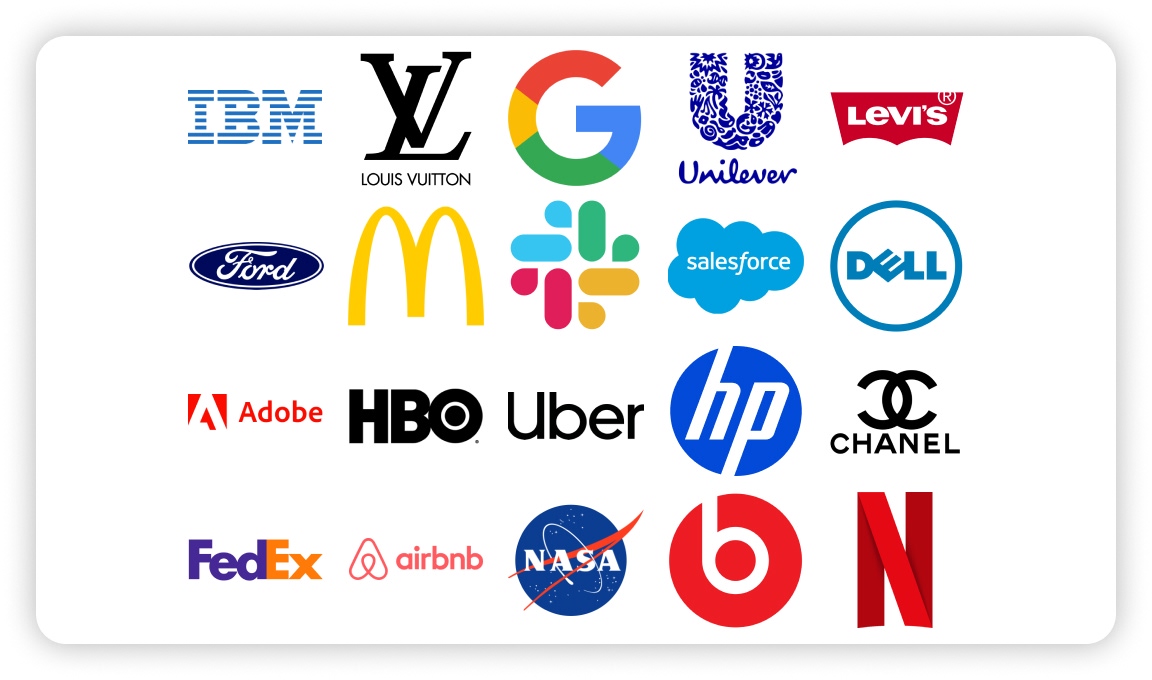
20 Best Lettermark (Monogram) Logos in the World

12 Trusted Green Logo Examples Used by Successful Brands

The Complete Wordmark Logo Design Guide

Mascot Logo: An In-Depth Guide a Brand Must Check

How to Instantly Create Free Store Logo Mockups

30 Best Restaurant Logos We've Ever Seen and How to Create Yours
Why a PNG Logo Maker Is a Must for Modern Branding

What Makes a Good Logo? Tips, Rules, and More

Replicate Any Poster You Love Instantly

9 Best AI Poster Design Tools to Try in 2025

Best Poster Design Ideas: Creative Concepts and AI Tools for 2026

35 AI Image Prompt Examples: How to Get Outstanding AI Images
