
How to Create an Instagram Post that Gets More Likes: Proven Methods
Want more likes on Instagram? Discover practical design tips, composition techniques, and content strategies that help your posts stand out, attract attention, and boost engagement naturally.

How to Create an Instagram Post that Gets More Likes: Proven Methods
Posting content on Instagram for ages but your posts always get only a few likes? The problem may not be with the type of your content. The quality of the content that is being posted has great significance in this regard.
Some simple tips can really make a difference while improving the overall quality of the content. In this article, we will discuss the ways of how to get more likes on an Instagram post.
The Dos of Instagram Posts to Get More Likes
1. Post High Quality Pictures
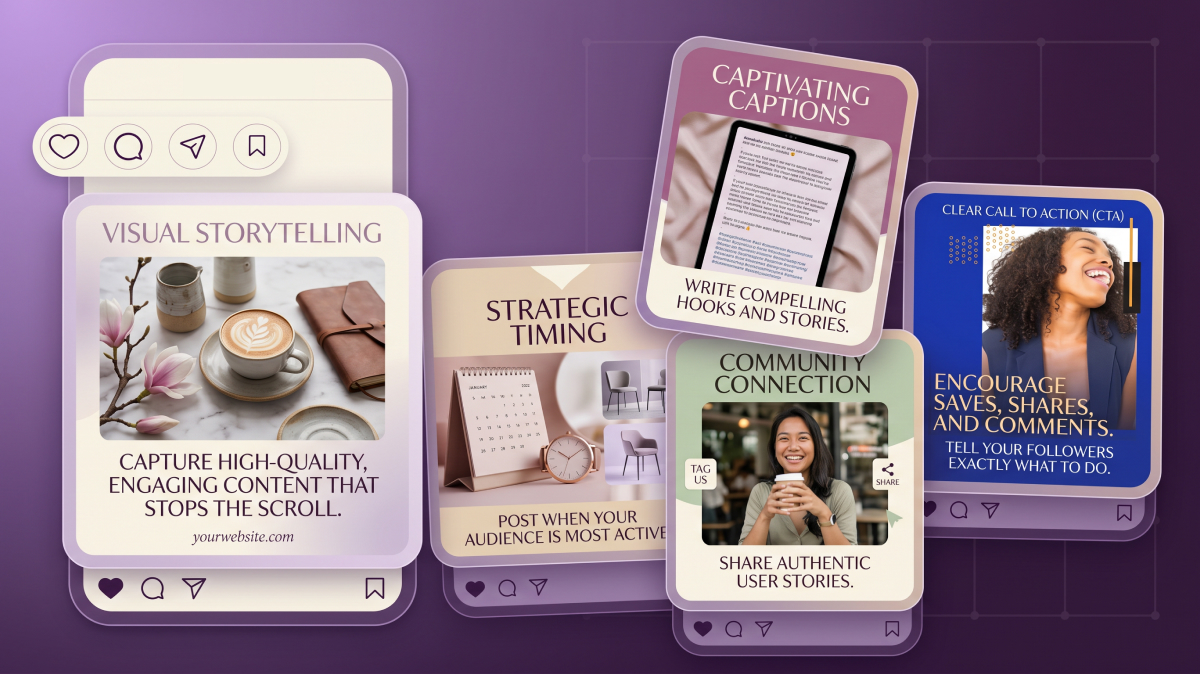
Human beings are inherently inclined towards attractive things. Visuals play a crucial role when it comes to creating an attractive picture for the viewer in the Instagram world. It is necessary to post images with great visual quality.
In addition to this, the content should not only have quality visuals but it should have value for your audience as well. How to know if the picture you are posting is the right one? Ask yourself these questions:
Is the picture you are posting high-quality visually?
Is there any element that can attract immediate attention?
How would you feel if you saw a similar photo on someone’s feed?
2. Know the Basic Composition Rules
To gain popularity in the crowd of numerous content creators on Instagram, you must put some effort into posting content. The main idea here is to thoroughly learn about the basic principles of composition.
For example, here are some tips to ensure perfect composition in your pictures:
The main subject must be in the centre with some space around the focal point. This attracts attention within seconds.
Your post must look balanced in terms of position, colors, and size. For instance, if there are some bright elements in your photos, there must be some muted colors as well. It balances the visual weight.
The images must have depth. Usually, pictures are 2D. You can add texture to them by using elements in the foreground. These can be trees, arches, doorways, or stairs.
3. Use Consistent Color Palette
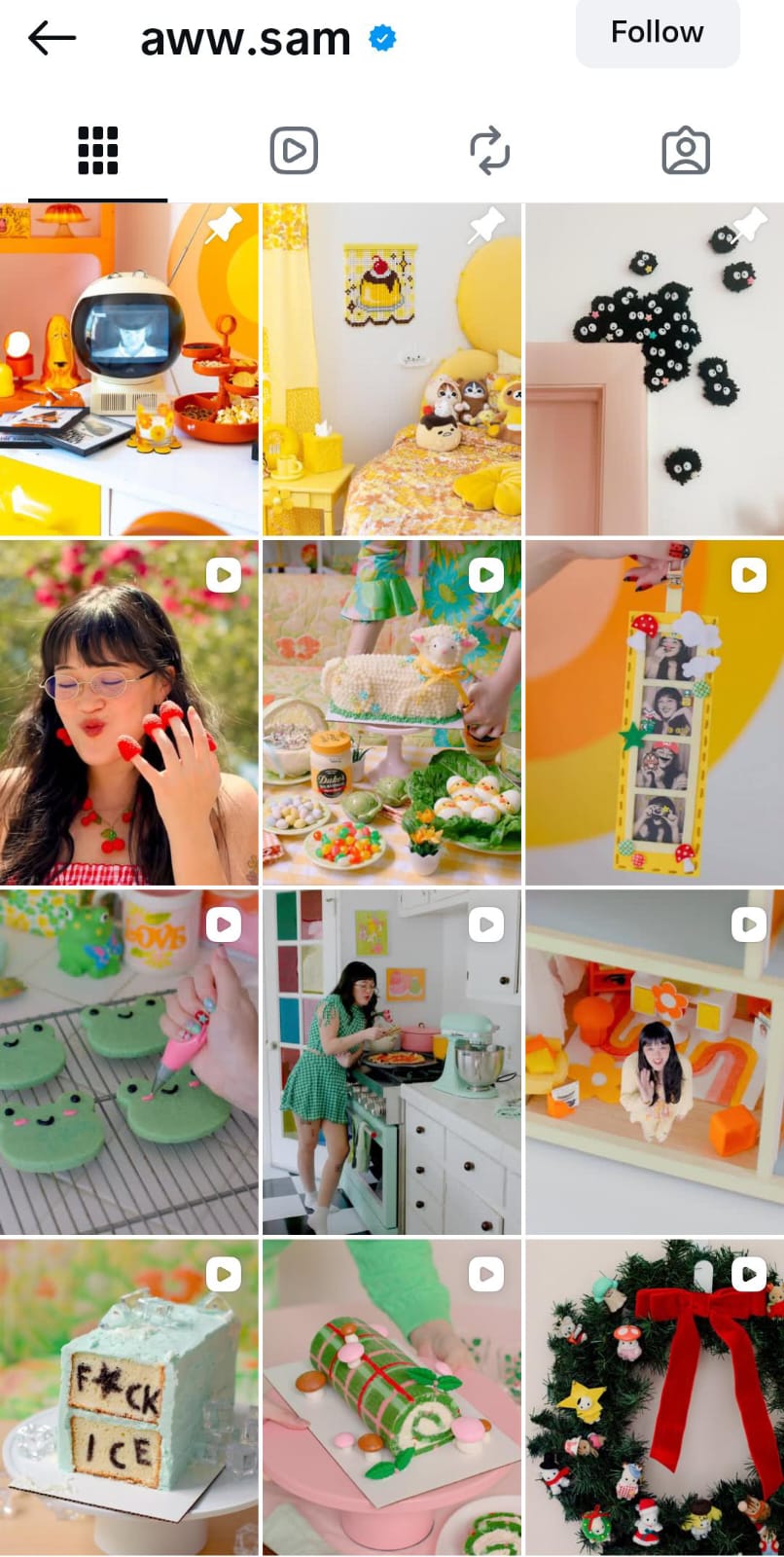
Having a uniform color scheme on your Instagram posts can increase recognition. It makes the audience aware it is your post without the need to check the name of the account. They build an emotional attachment with you through improved recognition.
Moreover, it will also capture the interest of people who resonate with your color palette. Therefore, select a specific color scheme and follow it. For example:
Use warm colors such as red, yellow, or orange when your content surrounds positive energy, motivation, and excitement.
Use cool colors like blue or green to express serenity and tranquility through your photographs.
4. Less is More (Minimal Editing)
Less is always more. When you overly edit your images, they lose their value. The edited images look unnatural and make the audience immediately scroll past them. Viewers can only relate to the content that looks real.
You can use Instagram's built-in editing filters to enhance your photos. If you are a beginner in editing or do not want to hire a professional editor, try the Zawa image enhancer. It helps upscale your images automatically.
5. Ensure Color Harmony
The next thing to focus on is the color harmony in the picture you are posting. It is defined as the method of using colors that work well in combination and visually appeal to the viewer. Color harmony can be achieved by choosing colors adjacent to one another on the color wheel.
For creating harmony in the image:
In case of high contrast elements in the photo, soft lighting should be used to even out the bright colors.
Adhere to the rule of thirds. A grid consists of two horizontal and vertical lines dividing it into nine equal squares. Place the important elements at the intersection of the lines or along them to create a cohesive look.
6. Pay Attention to Typography
If you intend to include any kind of textual overlay, hook, or headline for the image, then here are a few things you have to look out for regarding your typography:
The font should not be very complicated. A simple font is recommended to make reading easier.
The size of the font cannot be too large nor too small when placed with the rest of the elements of the photo.
The color of the text must contrast with that of the image. This assists the audience to pay closer attention to the hooks.
The text and the central object of the picture should appear balanced regarding their size, color, and position.
7. Create Visual Contrast
Visual contrast in a picture is highly associated with how people engage with your content. High-contrast images immediately grab attention. However, you must carefully use the contrasting colors to create the perfect post.
Here is how you can create visually contrasting images:
Use the color wheels to find out the color contrasts. The colors that are opposite to each other will contrast strongly with each other. It is helpful for fashion, beauty, or personal posts.
For landscape images, shoot in direct sunlight. This creates high-contrast scenes with a mix of bold shadows and bright sunlight.
8. Select the Right Filters
Selecting the right filters for your posts is not only about aesthetics. It is about choosing a style that captures the attention of your audience immediately.
How to select the right filters? Here is how:
Set a family of filters to choose from every time you post. It not only makes selecting the filters easy but also ensures visual consistency.
Go for filters that look natural. Avoid the filters that reduce the contrast of the image.
If the picture is already taken in a well-lit environment, choose minimal filters.
9. Plan the Instagram Layout
Enhancing engagement on your posts is not limited to a single image. A visually organized feed enhances the likes, saves, and follows. It attracts the right audience who stays.
What does planning an Instagram layout mean?
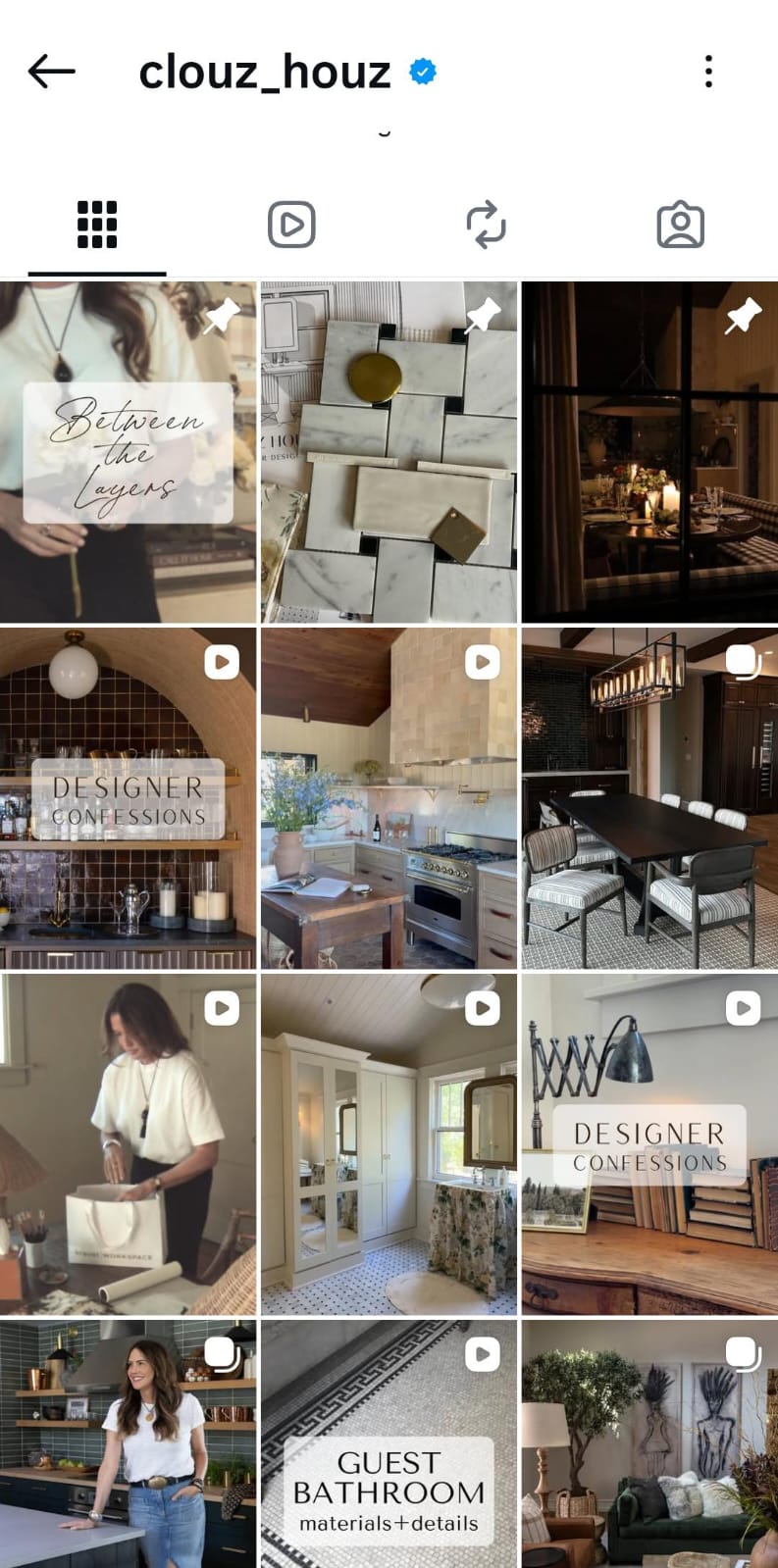
Your feed must have a consistent color palette to make your account look cohesive.
Create a checkerboard effect by alternatively using different styles of images you post. You can use alternative colors or image patterns for every next post.
You can also post pictures in such a way that each row or each column of the grid has similar images.
10. Break the Visual Patterns
When everything looks the same, it becomes necessary to break visual patterns to capture attention. When our brain comes across something different, it automatically makes us stop scrolling.
Hence, you can attract an audience within seconds. Trying different things can also help you understand your audience better. This, in return, leads to more engagement and ultimately more followers.
The Don’ts of Instagram Posts
The following are a few things you must avoid when posting on Instagram. Otherwise, it may appear as low-quality content and limit your reach.
Avoid Overstuffing: Keep your pictures simple and clean. Do not add long text overlays and stuff the image with too many elements.
Do not Repeat Photos: Your audience would never want to see something you already posted previously. They will simply scroll past the repeated content.
Do not Post Fake Images: Using images from Google, Pinterest, or other social media accounts challenges your authenticity.
Conclusion
In order to enhance engagement on your feed, make sure to post high-quality photos. You can make your posts look professional by following a consistent color scheme. It enhances your recognition and builds identity.
Thoughtfully curated Instagram posts do not get you likes on a single image only. You can gain permanent followers, which means permanent likes, shares, and views.
Related articles
Canva Menu Maker vs ZaWa: Key Differences Explained
30 Best Wedding Menu Ideas to Wow Your Guests

How to Start a Food Truck Business
How to Create a Meal Prep Plan
What Is a Tasting Menu and How to Design One
How to Make a Menu
How to become a food blogger
Food Ad Design Guide: How to Create Clickable Food Ads
How to Get a Perfect Coffee Photo

AI in the Food Industry: Practical Use Cases for Modern Food Businesses
How to Take Good Food Photography

10 Best Instagram Follower Trackers to Grow Faster in 2026
How to Create an Instagram Post that Gets More Likes: Proven Methods
New Instagram Grid Size Guide - Optimization, Benefits, Design, Tips
How to See Who Shared Your Instagram Post to Maximize Engagement
How to Post Multiple Photos on Instagram - A Step-By-Step Guide

13 Best Fonts for YouTube Thumbnails
10 Best YouTube Thumbnail Ideas to Skyrocket Your Views
Best YouTube Thumbnail Size - Create Perfect Thumbnails
What Is a Carousel Post and How to Use It for Stunning Social Media Feeds

Fantasy Plot Generator: How to Write Unique Fantasy Story Plots Using AI

How to Craft the Perfect Instagram Bio in 2026: Tips, Mistakes & Tools

How to Use an AI Text Generator: A Beginner-Friendly Guide

AI Script Writing: How to Generate Professional Scripts with AI (Step-by-Step Guide)
2D Animation vs. 3D Animation: A Detailed Guide for 2026

2D logo vs 3D logo: Which One is More Impactful for Branding

Poster vs. Flyer: Key Differences Every Marketer Should Know

Pamphlet vs Brochure: A Complete Guide for Modern Businesses

The Difference Between Motion Graphics and Animation: A Detailed Analysis

Latest Logo Design Trends for 2026 Every Brand Should Follow

Logo Color Meanings and How to Choose the Best Color For Your Brand

Human vs. AI in Design: Who Really Creates Better Art?

How Wordmark vs. Lettermark vs. Brandmark Shapes Visual Identity

How to Make a Movie Poster That Grabs Attention in Seconds
How to Draw a Logo Easily: From Start to Finish

How To Design an Abstract Logo For Your Brand

How to Design a Personal Logo? A Complete Guide!

How to Design a Logo? Learn the Quick & Easy Steps

How to Choose the Perfect Poster for Your Bedroom

An In-Depth Guide on How to Make a Photography Logo

How to Design a Good Advertising Poster
Flyer vs. Brochure vs. Leaflet: What’s the Difference?

Emblem Logo That Tells Your Brand Story

Combination Logo: Everything A Brand Must Learn About This Powerful Logo Type

Choosing the Right Logo Font Generator for Your Business Style

14 Best Café Interior Design Ideas to Maximize Your Space and Brand

7 Best Bar Interior Design Ideas for a Modern Look

7 Best AI Packaging Design Tools to Transform Your Brand
8 Best AI Interior Design Tools to Redefine Your Living Space

9 Best AI Tools for Graphic Design

How to Create a Logo for Bakery Business

9 Types of Logos You Must Know Before Designing

50 Famous Logos in the World and What Makes Them Timeless

45 Brand Color Palette Examples To Consider For Businesses

The Ultimate Guide to Remove Shutterstock Watermarks from Images

What is the Difference Between Graphic Design and Animation: A Detailed Guide for Beginners
What Are the Top Sources for Logo Design Inspiration

The Ultimate Guide For Restaurant Interior Design

What Is a Pictorial Mark Logo and 30 Famous Examples

What Makes a Good YouTube Thumbnail That Stops the Scroll
60+ AI Art Styles to Transform Your Prompts into Masterpieces

5 Free AI Random Image Generators—Generate Unique Images Instantly Online

8 Best Image-to-Image AI Generators: Transform Existing Photos with AI

100+ Free Stable Diffusion Prompts to Generate Amazing AI Art

How to Turn Any Sketch into a Digital Image Using AI

Image to Drawing with AI for Sketches, Line Art, and Illustrations
6 Free Art Prompt Generators

5 Tools to Extract & Convert Images to Text

15 Top AI Art Generators to Create the Best Masterpieces

How to Write AI Art Prompts to Get Desired Results?

How to Design a Logo for Your Coffee Shop: Tips, Tools, and Ideas

How to Create Iconic Wedding Logos with AI

How to Create Restaurant Logos That Attract Customers

How to Create Logos for Websites

How to Create Logos for a Barber Shop

How to Create Logos For a Hair Salon?

Best YouTube Logo Makers

Best Restaurant Logo Design Ideas to Make Your Brand Stand Out
25 Best Fashion Logos We've Ever Seen and the AI That Creates Logos
20 Best Lettermark (Monogram) Logos in the World

12 Trusted Green Logo Examples Used by Successful Brands

The Complete Wordmark Logo Design Guide

Mascot Logo: An In-Depth Guide a Brand Must Check

How to Instantly Create Free Store Logo Mockups

30 Best Restaurant Logos We've Ever Seen and How to Create Yours
Why a PNG Logo Maker Is a Must for Modern Branding

What Makes a Good Logo? Tips, Rules, and More

Replicate Any Poster You Love Instantly

9 Best AI Poster Design Tools to Try in 2025

Best Poster Design Ideas: Creative Concepts and AI Tools for 2026

35 AI Image Prompt Examples: How to Get Outstanding AI Images
