How AI Helps Food Businesses Work Smarter
Explore how AI helps food businesses forecast demand, reduce waste, improve quality control, manage inventory, analyze customer feedback, and create better menu and social media visuals while keeping human oversight in food safety and brand trust.

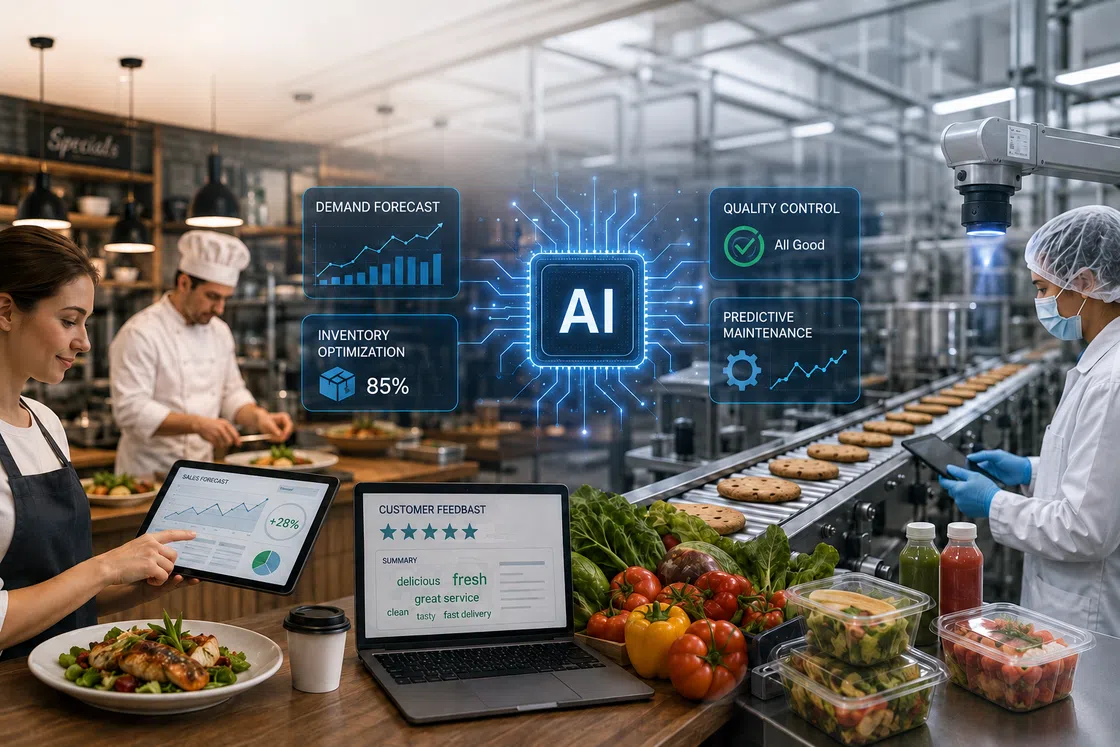
AI is becoming more useful in the food industry because it helps solve everyday business challenges. Restaurants, cafés, food brands, grocery teams, and manufacturers are starting to use AI to forecast demand, reduce waste, monitor quality, understand customer feedback, and improve food marketing images. It’s not about letting AI take over the business. Instead, it helps teams make quicker, more informed decisions while people still stay in control of food safety, brand standards, and the final result.
What AI Means for Food Businesses Today
Before looking at specific use cases, it helps to understand that AI is not one tool, but a group of technologies that support decisions across production, operations, marketing, and customer experience.
From Automation to Daily Decision Support
For many food companies, AI does not mean replacing people with robots. It usually means using software to read data, find patterns, flag problems, and suggest next steps.
A restaurant might use AI to estimate which dishes will sell more next week. A food manufacturer might use computer vision to spot damaged packaging. A grocery team might use forecasting tools to avoid overordering perishable products. In each case, AI supports a decision that people still need to review.
Common AI Technologies Used in Food
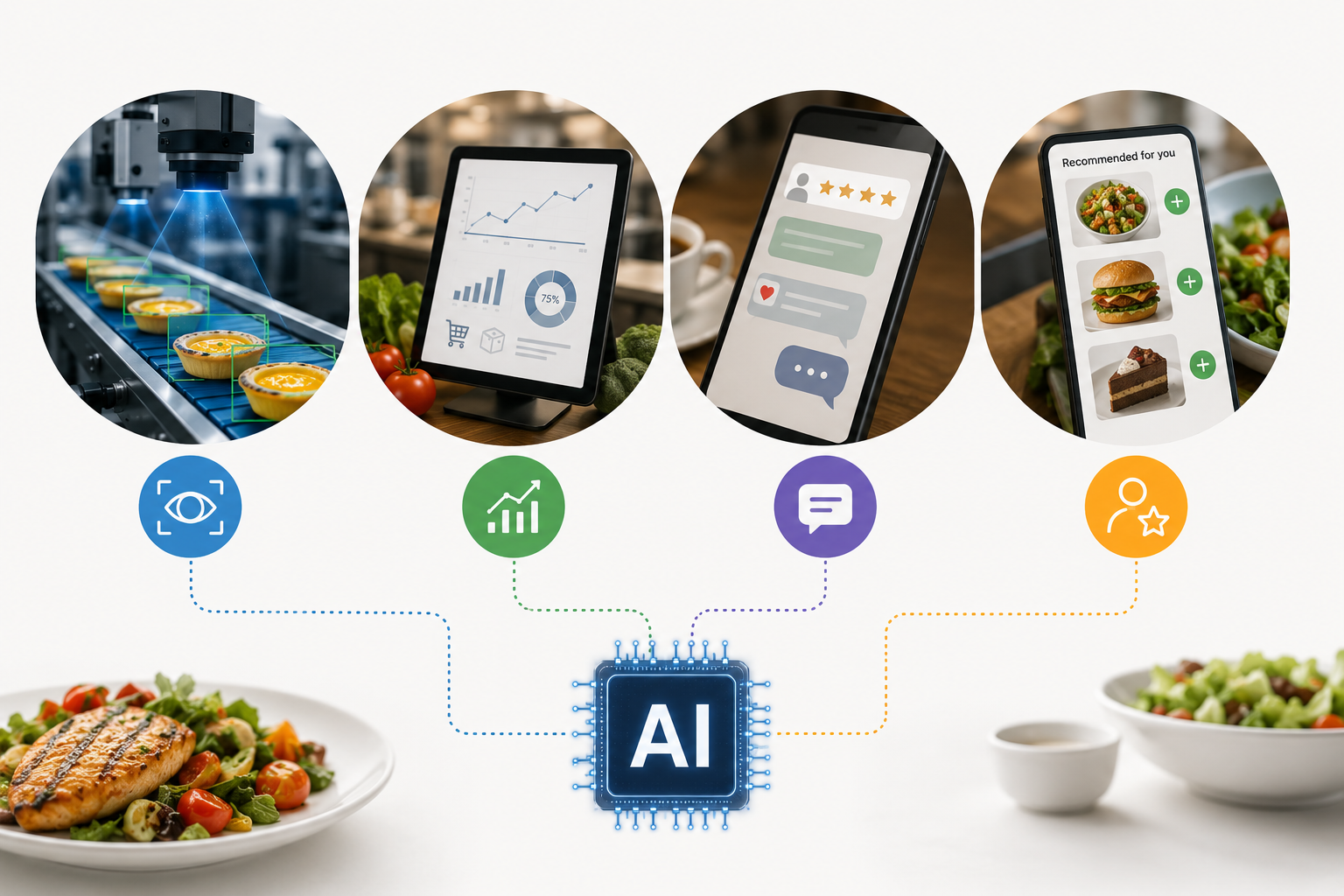
AI appears in food businesses in several forms, and each technology solves a different type of problem:
Computer vision inspects product size, color, shape, labels, and packaging.
Predictive analytics forecasts demand, inventory needs, equipment issues, and delivery patterns.
Natural language processing summarizes customer reviews, chatbot conversations, surveys, and menu feedback.
Recommendation systems suggest meals, extra items, products, or nutrition related options based on customer behavior.
These tools become more useful when they connect with real business data instead of working in isolation.
Why Food Businesses Are Adopting AI
Restaurants, food brands, and manufacturers are adopting AI because they face thin margins, short shelf life, labor pressure, safety requirements, and fast changing customer preferences. USDA estimates that food waste in the United States is between 30 and 40 percent of the food supply, which makes better forecasting and inventory planning a serious business need. (USDA)
AI also helps teams react faster when demand shifts. FAO has noted that digital technologies can support agrifood systems by improving pricing data, reducing food loss and waste, and strengthening food safety practices. (FAO) For smaller operators, the best starting point is usually simple: choose one workflow, such as demand forecasting, review analysis, menu planning, or food image improvement.
AI Use Cases in Food Production and Safety
In production and safety workflows, AI is most useful when it helps teams detect problems earlier, check quality more consistently, and respond to risk before it becomes more expensive.
AI Quality Control
AI quality control systems use cameras, sensors, and trained models to inspect food products at scale. They can detect irregular size, uneven color, visible defects, damaged packaging, missing labels, or incorrect fill levels.
This is especially useful in high volume production, where manual checks can become slow or inconsistent. AI can flag items that need review, but quality teams still need to set standards, confirm issues, and decide whether a product should be rejected.
Food Safety and Contamination Detection
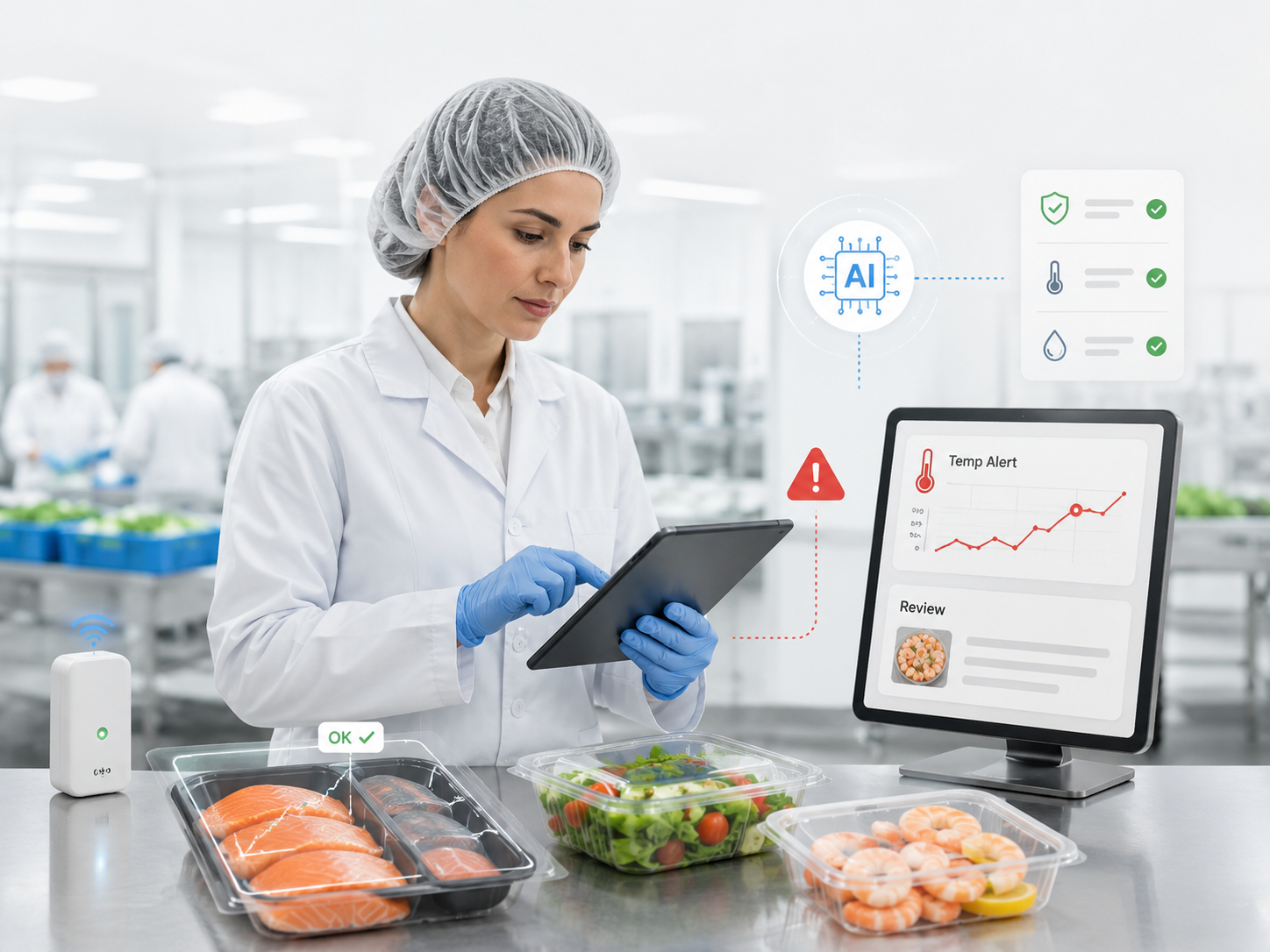
AI supports food safety by analyzing sensor data, inspection records, supplier patterns, lab results, and visual inspection data. It can help teams notice unusual patterns, such as cold storage temperature changes or repeated risk signals from a supplier.
The FDA has explored AI and machine learning through its Imported Seafood Pilot Program to improve import screening and food safety review. (FDA) Still, AI does not replace trained food safety professionals. It can point to a possible issue, but people must confirm the problem, document the result, and take action.
Predictive Maintenance for Equipment
Food production depends on reliable equipment. A broken refrigerator, oven, mixer, conveyor, or packaging machine can lead to waste, delays, and safety risks.
AI maintenance tools can read machine data such as vibration, temperature, motor load, and operating time. When the data shows early signs of failure, teams can schedule maintenance before a breakdown stops production. This works best when equipment data is accurate and the maintenance team has a clear response process.
Smart Packaging and Traceability
AI can also support packaging, tracking, and traceability. Food companies can connect batch records, supplier data, storage conditions, shipping information, and scan events to understand where a product came from and where it went.
FDA’s New Era of Smarter Food Safety focuses on a more digital and traceable food system, with stronger use of data and predictive analytics across the supply chain. (FDA) For food brands, this can improve recall response, supplier accountability, and customer confidence. AI can find missing records or unusual patterns, but compliance decisions still need human review.
AI Use Cases in Supply Chain and Operations
Beyond production, AI can help food teams manage demand changes, short shelf life, delivery costs, inventory pressure, and daily labor planning.
Demand Forecasting to Reduce Waste
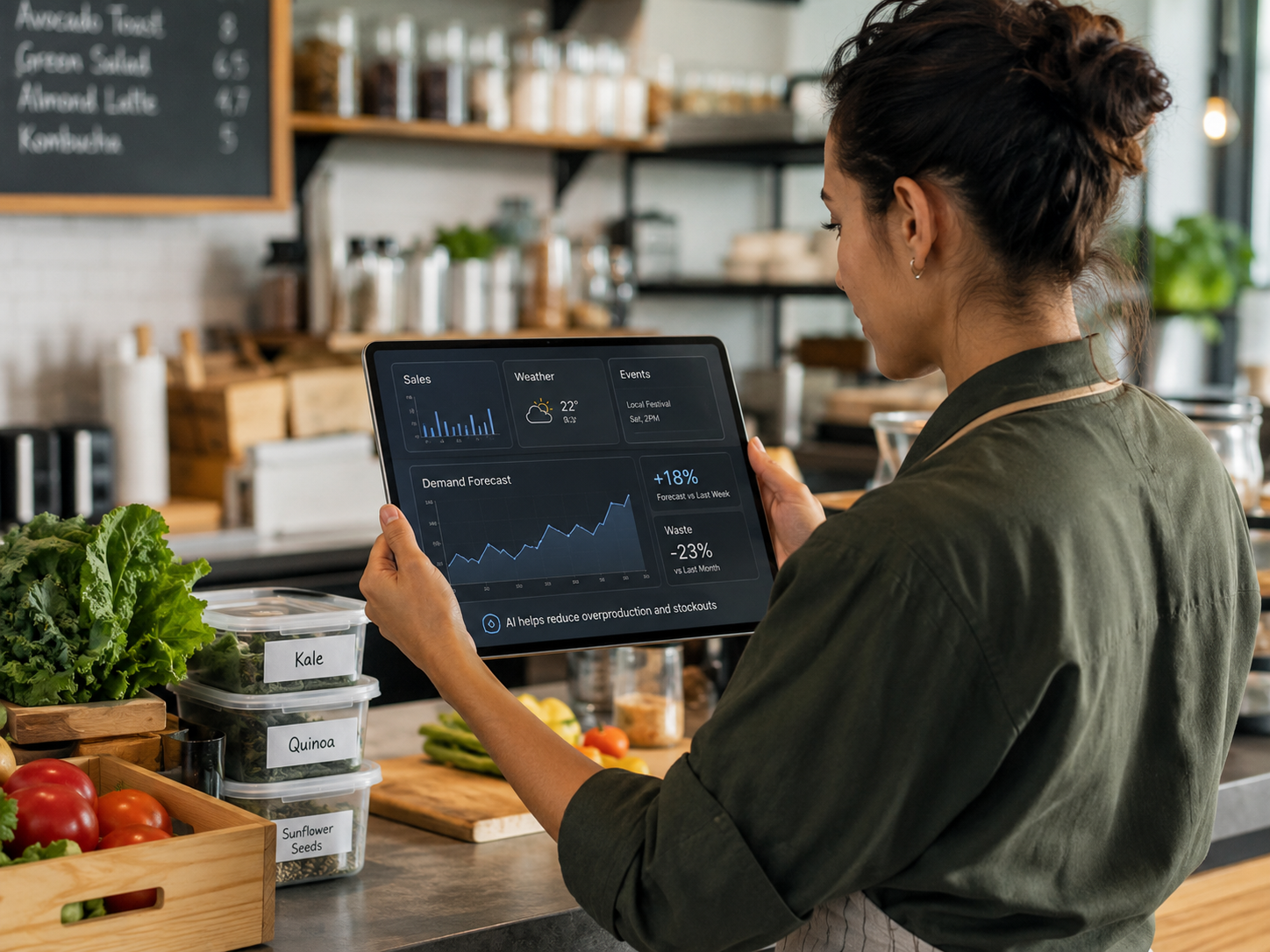
Demand forecasting is one of the most practical AI use cases for food businesses. AI can study past sales, weekday patterns, holidays, local events, weather, promotions, and seasonal demand to estimate what customers may buy next.
Better forecasting helps teams avoid both overproduction and stockouts. Overproduction leads to waste. Underproduction leads to missed sales and disappointed customers. AI will not remove waste completely, but it can help businesses order smarter, prep more accurately, and adjust menus based on real demand.
Inventory Management for Perishable Food
Perishable food is harder to manage than shelf stable products because freshness changes quickly. Produce, meat, seafood, dairy, baked goods, and ready to eat meals all need close inventory control.
AI inventory tools can help teams decide what to use first, what to reorder, what to discount, and what to promote before it expires. A restaurant can connect sales data with ingredient usage. A grocery store can flag slow moving items. A bakery can adjust production by weekday and weekend demand. The goal is simple: serve customers without letting too much food go to waste.
Route and Logistics Optimization
Food logistics depends on timing, distance, delivery windows, temperature control, and product quality. AI route planning tools can estimate arrival times, reduce empty miles, and adjust routes based on traffic or weather.
For cold chain products, better routing also protects freshness. Shorter or more reliable routes can reduce unnecessary time in transit. AI can combine vehicle data, route history, order windows, driver availability, and temperature records to support better delivery planning.
Cost Control in Daily Operations
AI can reduce labor costs by cutting repetitive manual work. It can support ordering suggestions, prep planning, staff scheduling, invoice checks, menu reports, and customer message sorting.
For example, a café manager may spend less time reviewing spreadsheets if AI summarizes sales trends and stock needs. A restaurant team may save time when an AI menu maker helps prepare cleaner image variations for menus, delivery platforms, and daily promotions. The best use of AI is not to remove people from the workflow. It is to give employees more time for food quality, service, and customer experience.
AI Use Cases in Customer Experience and Food Marketing
AI is not only useful behind the scenes. It can also help food businesses understand customers, improve menus, analyze feedback, and create stronger images for menus, websites, delivery apps, and social media.
Personalized Recommendations and Nutrition Support
AI can personalize recommendations based on order history, dietary preferences, time of day, and customer behavior. A restaurant app might suggest extra items based on past purchases. A meal service might recommend recipes based on ingredients, goals, or preferred flavors.
Nutrition support needs extra care. AI generated suggestions should be reviewed when they involve allergens, medical conditions, children, pregnancy, or strict diets. AI can organize information and suggest options, but businesses should avoid presenting unverified health claims as expert advice.
Menu Planning and Product Ideas
AI can support menu planning by analyzing sales data, customer reviews, seasonal trends, and flavor preferences. It can show which dishes sell well, which items receive repeated complaints, and which ingredients customers mention more often.
This helps teams create menu ideas with more context. A bakery may notice stronger interest in seasonal fruit flavors. A café may find more demand for oat milk, lower sugar drinks, or protein rich breakfast items. A restaurant may use review patterns to decide whether to keep, revise, or remove a menu item.
After the menu direction is clear, visual presentation matters. Zawa’s AI Food Photography can help restaurants, cafés, and creators improve food images by adjusting lighting, changing backgrounds, and creating cleaner visuals for menus and marketing use. (Zawa) For small teams, this can make menu updates easier without requiring a full photo shoot every time.
Customer Review and Feedback Analysis
Customer reviews often contain useful business signals, but they are hard to analyze manually at scale. AI can read reviews, comments, surveys, and support messages to find repeated themes.
It can group feedback by taste, delivery speed, portion size, packaging, service, price, and menu clarity. This helps teams see what customers mention most often. One bad review may not mean much. Repeated comments about cold food, confusing menu photos, or slow service deserve closer attention. These signals can also help teams decide when to update restaurant marketing visuals so the online experience better matches the real food.
Food Visuals for Menus and Social Media
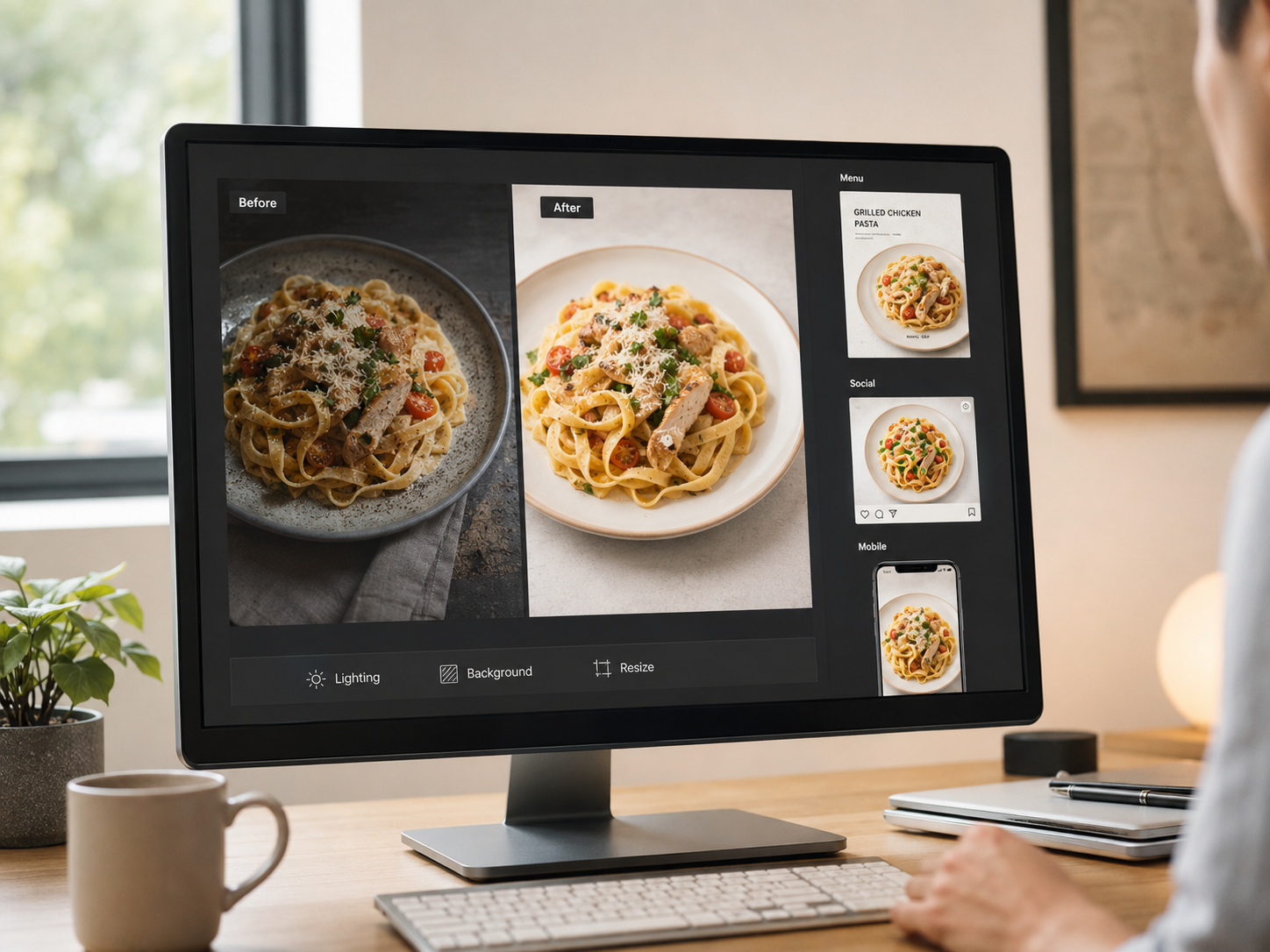
Food marketing depends heavily on image quality. A dish can taste great, but dark lighting, messy backgrounds, blurry details, or dull colors can make it look less appealing online.
AI image tools can improve product photos, clean up backgrounds, resize images, and prepare assets for menus or social media. They can also help teams edit food photos, adjust lighting, change backgrounds, and create food visuals for menus and social media from simple prompts.
For a restaurant, this might mean turning a simple phone photo into a cleaner menu image. For a café, it might mean using an AI social media post generator to create seasonal posters, promo graphics, or social posts from the same product photo. For a food blogger, it can help improve clarity and color before publishing a recipe.
The key is to keep the food believable. AI should make the image clearer and more polished, not make the dish look different from what customers will receive.
Challenges of Using AI in the Food Industry
AI can improve efficiency, but food businesses need to use it carefully because poor data, weak workflows, and unchecked outputs can lead to wrong decisions.
Poor Data Can Lead to Wrong Decisions
AI depends on data quality. If sales records are incomplete, inventory counts are wrong, supplier data is inconsistent, or review data is biased, AI can give poor recommendations.
A forecasting tool may overestimate demand if past sales were affected by a limited time promotion. A review analysis tool may overemphasize complaints if it only reads negative comments from one platform. Before trusting AI output, teams need to understand what data the system is using.
Food Safety Still Needs Human Oversight
AI can support food safety, but it cannot take responsibility away from trained staff. Food safety decisions still need procedures, sanitation controls, supplier checks, documentation, and compliance review.
This is especially important because foodborne illness remains a serious public health issue. CDC estimates that each year, 48 million people in the United States get sick from foodborne illness, with 128,000 hospitalizations and 3,000 deaths. (CDC) AI can help detect possible risk signals, but human experts must confirm and act on them.
Setup Costs and Workflow Fit Matter
AI tools can save time, but only when they fit the real workflow. Before adopting a tool, food businesses should ask what problem it solves, who will use it, what data it needs, and how results will be checked.
A small restaurant may get more value from review analysis and food image editing than from a complex enterprise forecasting system. A manufacturer may need stronger tools for quality inspection, equipment monitoring, and traceability. The right AI use case depends on the bottleneck, not the size of the trend.
AI Outputs Must Stay Trustworthy
AI outputs need to be accurate, explainable, and safe enough for the task. NIST describes trustworthy AI through characteristics such as validity, reliability, safety, security, accountability, transparency, explainability, privacy, and fairness. (NIST)
For food businesses, this means AI should not create misleading menu images, incorrect ingredient claims, false nutrition information, or unsafe operational advice. Marketing teams should review visuals before publishing. Food safety teams should review risk alerts before making decisions. Managers should treat AI as a support system, not the final authority.
Conclusion
For most food businesses, the best way to use AI is to start with one clear problem, choose the right tool, and keep human review where safety, quality, and trust matter.
AI can help forecast demand, reduce waste, monitor quality, manage inventory, analyze reviews, plan menus, and improve food images. It works best when it supports real workflows instead of adding complexity.
Restaurants, cafés, food brands, and creators can start with tasks like review analysis, menu planning, or visual content creation. Tools like Zawa can help improve food photos and prepare images for menus or social media.
AI can make teams faster and more data informed, but people still need to protect safety, quality, and customer expectations.
FAQ
What are the benefits of AI in the food industry?
The main benefits of AI in the food industry include better demand forecasting, less food waste, stronger quality control, faster customer feedback analysis, improved inventory planning, and more efficient marketing content creation. AI helps food businesses make decisions from data instead of relying only on manual checks or guesswork.
Will AI replace the food industry?
No, AI will not replace the food industry. Food businesses still need chefs, food safety experts, production teams, operators, managers, suppliers, and customer service staff. AI is better understood as a support tool that helps people work faster, spot patterns earlier, and reduce repetitive tasks.
How can I use AI for my food business?
Start with one clear problem. If you waste too much food, use AI for demand forecasting or inventory planning. If you receive many reviews, use AI to summarize feedback. If your menu photos look dark or inconsistent, use an AI food photography tool like Zawa to improve clarity, color, background, and image formats for menus or social media.
What are examples of AI in food marketing?
Examples of AI in food marketing include review analysis, personalized product recommendations, menu idea generation, social media caption support, image background cleanup, food photo enhancement, poster creation, and resizing images for delivery apps, websites, and social platforms.
AI in the Food Industry: Practical Use Cases for Modern Food Businesses

How to Make Instagram Reels Viral: Step-by-Step Guide

How to Remove White Background in Illustrator (Simple Methods)

How to Remove an Object from a Photo on an iPhone (2026)

How to Remove Watermark in Photoshop (7 Methods)

How to Remove Objects in Photoshop in 2026 (Easy Guide)

[2026 Updated] Best Apps to Remove Person From Picture

Hidden Tricks to Remove Getty Watermarks Using AI & Photoshop (2026 Guide)

Facebook Cover Photo Size Guide - Specs, Upload, and Design Process

How to Change Thumbnails on YouTube Shorts

LinkedIn Ad Specs 2026: Complete Guide for All Ad Formats
Instagram Profile Picture Size - Complete Specs & Design Guide

Top 30 Instagram Post Ideas: Grow Your Page Fast
How to Make a Grid on Instagram Story - Best Methods in 2026

New Instagram Grid Size Guide - Optimization, Benefits, Design, Tips

How to See Who Shared Your Instagram Post to Maximize Engagement

How to Post Multiple Photos on Instagram - A Step-By-Step Guide

10 Best AI Photo Enhancers to Try in 2026

How to Fix Pixelated Photos and Enhance Quality Instantly

How to Increase Resolution of Image Without Losing Quality

Canva Image Upscaler 2026: Full Review & Alternative

Pixelcut Image Upscaler: 2026 Review & Better Alternative

PicWish Unblur Review: Full Guide & Best AI Alternative 2026

How to Upscale an Image in Photoshop (Step-by-Step)

How to Add Link to Instagram Post

13 Best Fonts for YouTube Thumbnails

Most Liked Instagram Post Guide - Insights, Top Posts, and Process

10 Best YouTube Thumbnail Ideas to Skyrocket Your Views

How to Fix Grainy Photos: Causes, Fixes, and Prevention Guide

How to Fix Unfocused Pictures and Restore Image Clarity

Noise Reduction Software: 10 Top Tools for Cleaner Photos

Remove Fold of Scanned Image: Best AI Restoration Guide

Fotor Photo Enhancer: Full Review & Best Alternative 2026

How to Sharpen an Image in Photoshop: 2026 Guide & Top AI Alternative
Best YouTube Thumbnail Size - Create Perfect Thumbnails

How to Make a Picture Less Blurry and Restore Sharpness

How to Remove Glare From Photos

How to Remove the Kling AI Watermark

12 Nano Banana Prompt Guide for Stunning Visual Creation with Zawa

How to Upscale Images Without Losing Quality

How to Take Professional Headshot Images

How to Restore Old Photos-The Complete Guide

How to Resize an Image Without Losing Quality: A Beginner’s Guide
The Complete Guide: How to Make a Picture Bigger Without Losing Quality

How to Fix Overexposed Photos Without Losing Quality

How to Create 3D Figurines From Photos For Free With Nano Banana AI

How to Brighten an Image: A Step-by-Step Guide

How Big Is An 8x8 Photo

How Big is an 8x10 Photo? Everything You Need to Know

How Big Is a Wallet-Size Photo? Complete Size Guide

How Big Is a 4x4 Photo-Sizes, Format & Use Cases

How Big Is a 4x6 Photo- Size, Dimensions & Uses Explained

How Big Is a 5x7 Photo? Exact Dimensions Explained
How to Remove Gemini Watermark?
Try the 10 Best Image Upscalers for Your Photos in 2025
13 Best Free Photo Editors for Mac in 2025 to Enhance Your Photos

Standard Photo Print Size: A Guide to Choosing the Right Size

What is a PNG and How to Convert It?

12 Best Free Photoshop Alternatives – AI Photo Editor Tools

How to Remove Background in Figma: 4 Effective Methods You Should Know

How to Remove People From Pictures