Canva Menu Maker vs. Zawa
Canva Menu Maker vs. Zawa compares two ways to create restaurant menus. Canva offers hands-on design control and broad marketing tools while Zawa uses AI to speed up menu creation, branding, updates, and exports for print and digital menus with ease.

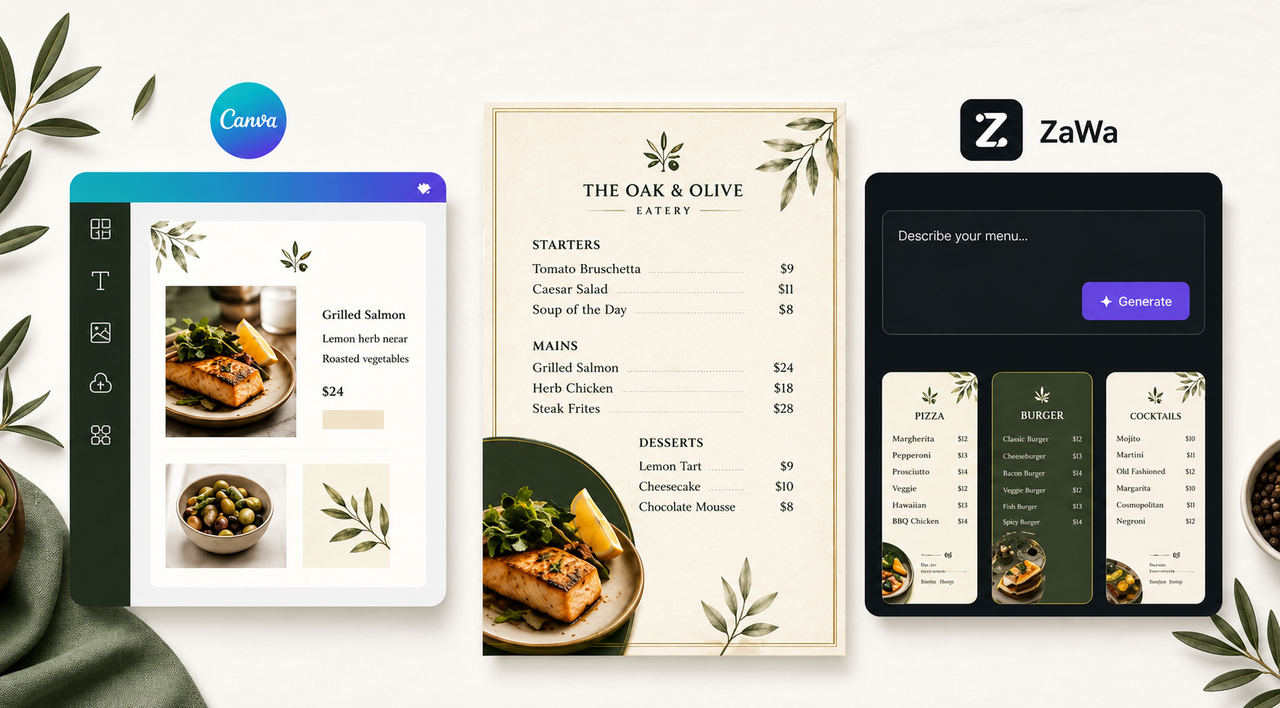
Most menu makers make it easy to start a design, but keeping that menu accurate, on-brand, and ready for different channels can take more work than expected.
Restaurant owners may need to resize layouts when item names change, update prices one by one, replace seasonal photos, and prepare separate versions for print, mobile, or online use. The right menu design tool should simplify this process rather than create more ongoing design work.
Canva Menu Maker and Zawa solve these challenges in different ways. Canva and ZaWa both help restaurants create menus, but they fit different workflows. Canva is stronger for manual design control, while ZaWa is better suited to faster menu creation and easier ongoing updates.
This comparison explains the main differences and helps you decide which option better fits your restaurant.
Canva Menu Maker vs. Zawa: Quick Comparison
Canva is a popular visual design platform for users who want to start with templates and manually control layouts, fonts, colors, and images. ZaWa focuses more on AI-assisted menu creation and menu-related visual updates for restaurant businesses. It is especially useful for restaurants, food brands, and content creators. Key comparison tables are as follows.
Comparison Area | Canva Restaurant Menu Maker | Zawa AI Menu Maker |
Core Focus | A general-purpose design platform with restaurant menu templates | An AI-powered tool built specifically for menu creation |
How It Works | Choose a template and manually edit the text, images, colors, and layout | Enter your menu details and design preferences, then let AI generate the layout |
AI Capabilities | AI assists with writing, images, translation, and photo editing | AI handles menu generation, layout, branding, and content updates |
Templates and Assets | Offers a large library of templates, stock images, icons, and fonts | Relies more on AI-generated designs than prebuilt templates |
Design Flexibility | Provides more control over spacing, placement, sizing, and visual details | Offers easier editing, but less detailed control than Canva |
Food Photo Tools | Includes photo enhancement, background removal, and AI image tools | Includes food photo enhancement, background removal, and menu-focused image editing |
Brand Consistency | Allows users to apply brand colors, fonts, and logos manually or through brand tools | Can automatically apply uploaded logos, colors, fonts, and brand styles |
Updating Existing Menus | Menu items and prices can be updated manually within the design | Existing menus can be uploaded and updated with AI assistance |
Export Options | Supports print-ready PDF files, images, links, and social sharing | Supports PNG, JPEG, PDF, and HTML for print and digital menus |
Team Collaboration | Strong collaboration features for teams and agencies | Focuses more on fast AI creation than advanced team collaboration |
Best For | Users who want creative control and need designs for multiple marketing channels | Restaurant owners who want to create or update menus quickly without design experience |
Key Differences Between Canva Menu Maker and Zawa
Although both platforms can produce professional restaurant menus, the main difference is how much design work the user needs to handle manually.
Template-First Editing vs. Prompt-First Menu Creation
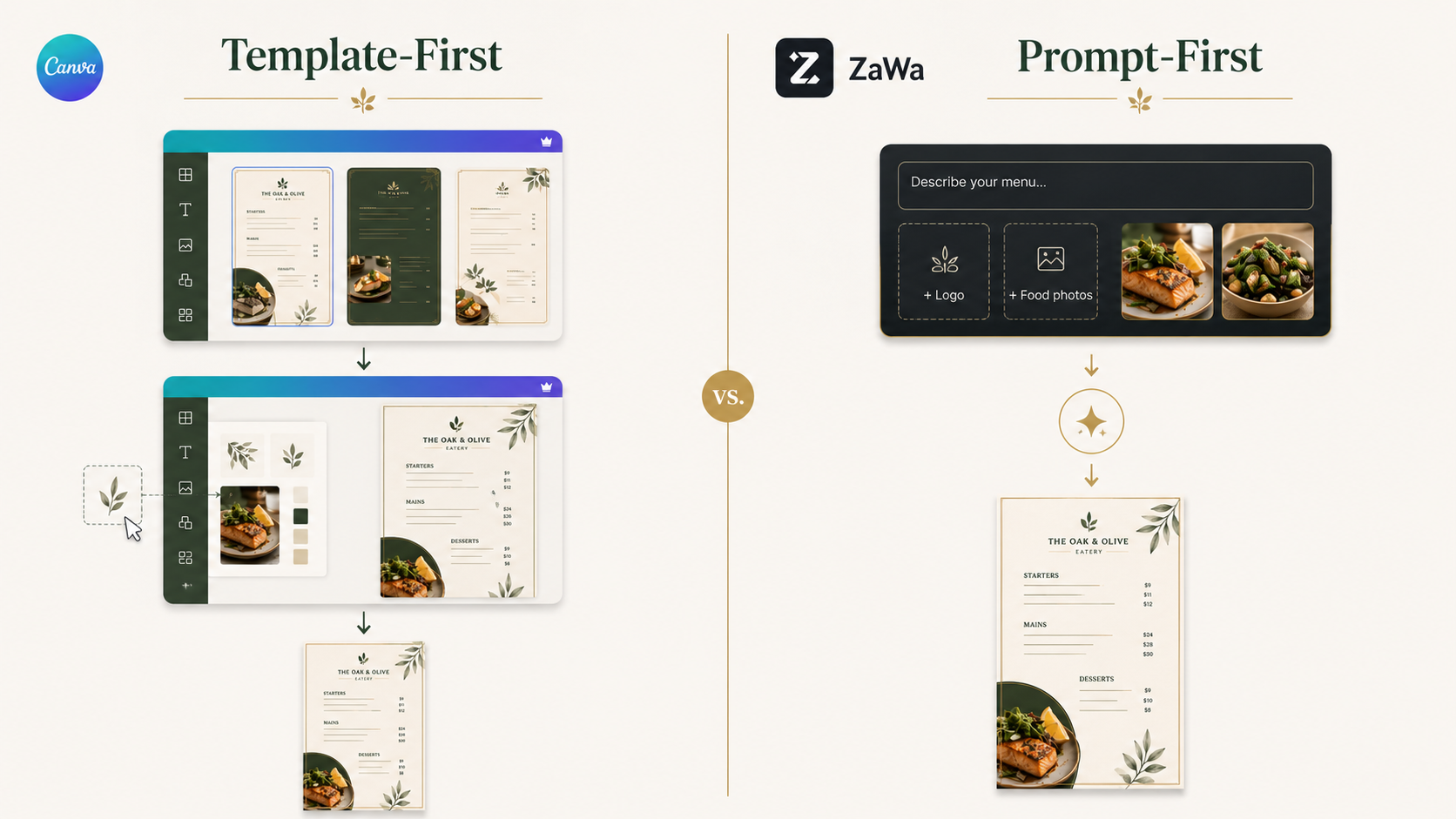
Canva usually starts with a template. Users browse different menu designs, select one that fits their restaurant, and replace the sample content with their own items, prices, descriptions, and food photos.
This gives users control over nearly every visual detail. However, they must also decide how to organize the menu, adjust the spacing, and reshape the layout when their content does not fit the original template.
Zawa uses a prompt-first approach where you can describe your restaurant type, menu content, visual style, and featured items. You can also upload your own logos, descriptions, and food images. Restaurants can also clean up food photos before adding them to a menu, especially when the original images have distracting backgrounds.
The AI then uses those details to create an initial menu direction. Users can continue editing the result, but they do not have to make every layout decision from scratch.
Canva may be a better fit for users who enjoy building and refining the design themselves. Zawa may be more practical for restaurant owners who want to reach a usable first draft with fewer manual steps.
Manual Brand Control vs. AI-Assisted Brand Consistency
Canva allows users to add their own logo, select brand colors, choose fonts, and control how those elements appear throughout the menu.
While this approach gives you a lot of flexibility, you have to ensure all your pages and menus look consistent. If you are still building your brand identity, you can browse restaurant logo design ideasbefore deciding on colors, fonts, image styles, and logo placement.
Zawa can use uploaded brand materials as inputs when generating a menu. These may include a logo, brand colors, preferred fonts, food photos, and written descriptions.
For example, restaurants can keep similar branding across seasonal menus and multiple locations without rebuilding the design each time.AI-generated branding should still be reviewed to confirm that the text is readable, the colors work well together, and the menu accurately reflects the restaurant.
The difference is therefore not that Canva lacks branding tools. Canva gives users more direct control, while Zawa uses AI to reduce the amount of repeated brand setup.
Hands-On Menu Updates vs. Streaemlind Revisions
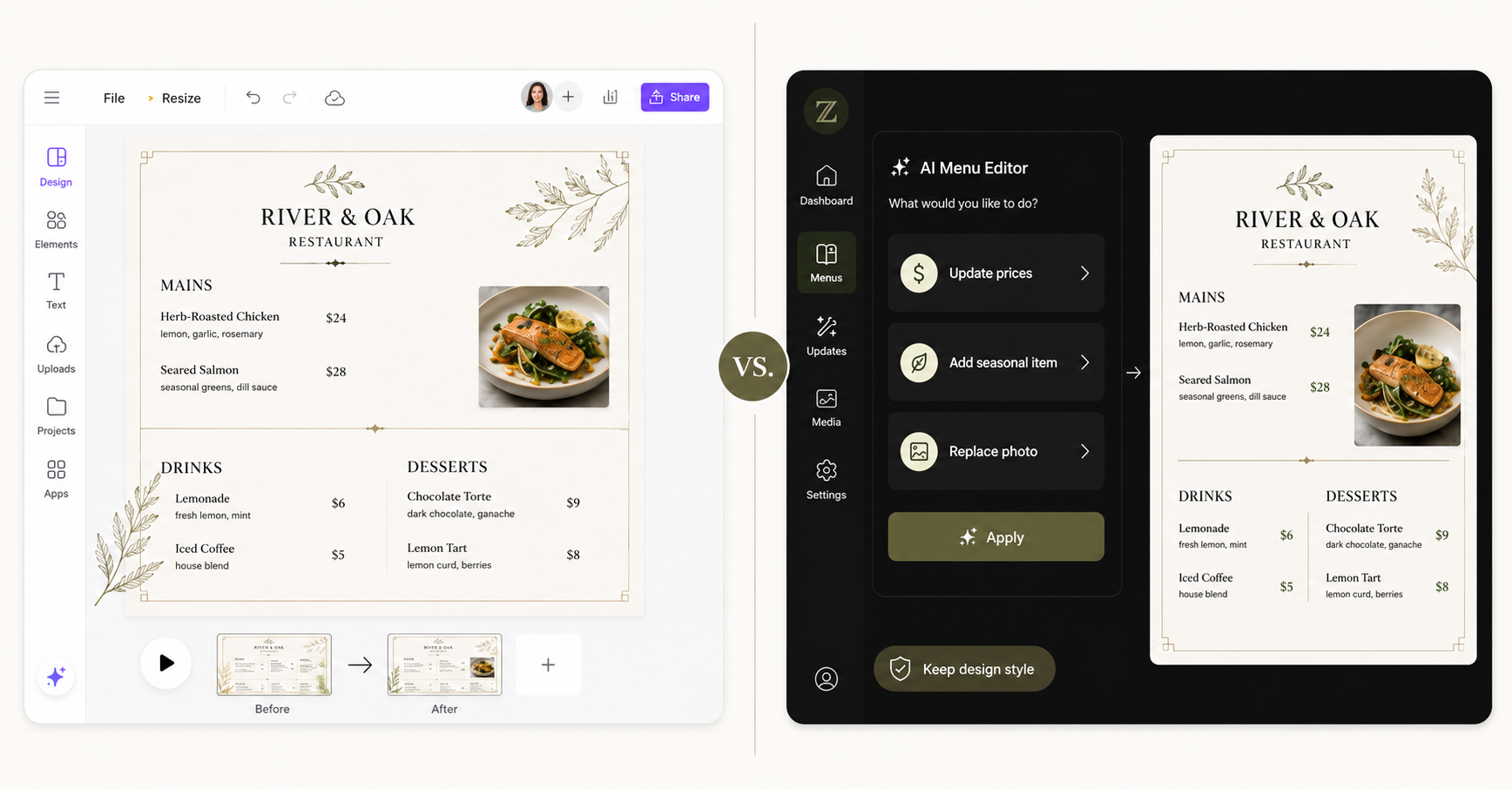
Updating a menu in Canva is manageable, especially for users who are already familiar with the editor. Prices, images, descriptions, and item names can all be changed within the design.
However, those changes are usually handled element by element. A longer dish name, a new menu section, or a different price format may affect spacing and require additional layout adjustments.
Zawa is built around a more streamlined editing process. Restaurants can update menu items, replace photos, change prices, or revise promotional content while keeping the existing design direction in place.
This can be useful for businesses that regularly introduce seasonal drinks, limited-time dishes, daily specials, or location-specific pricing.
Canva works well when menu changes are occasional and the user wants to control each adjustment. Zawa is more suitable when menu maintenance is a frequent operational task rather than an occasional design project.
General Design Exports vs. Menu-Focused Output
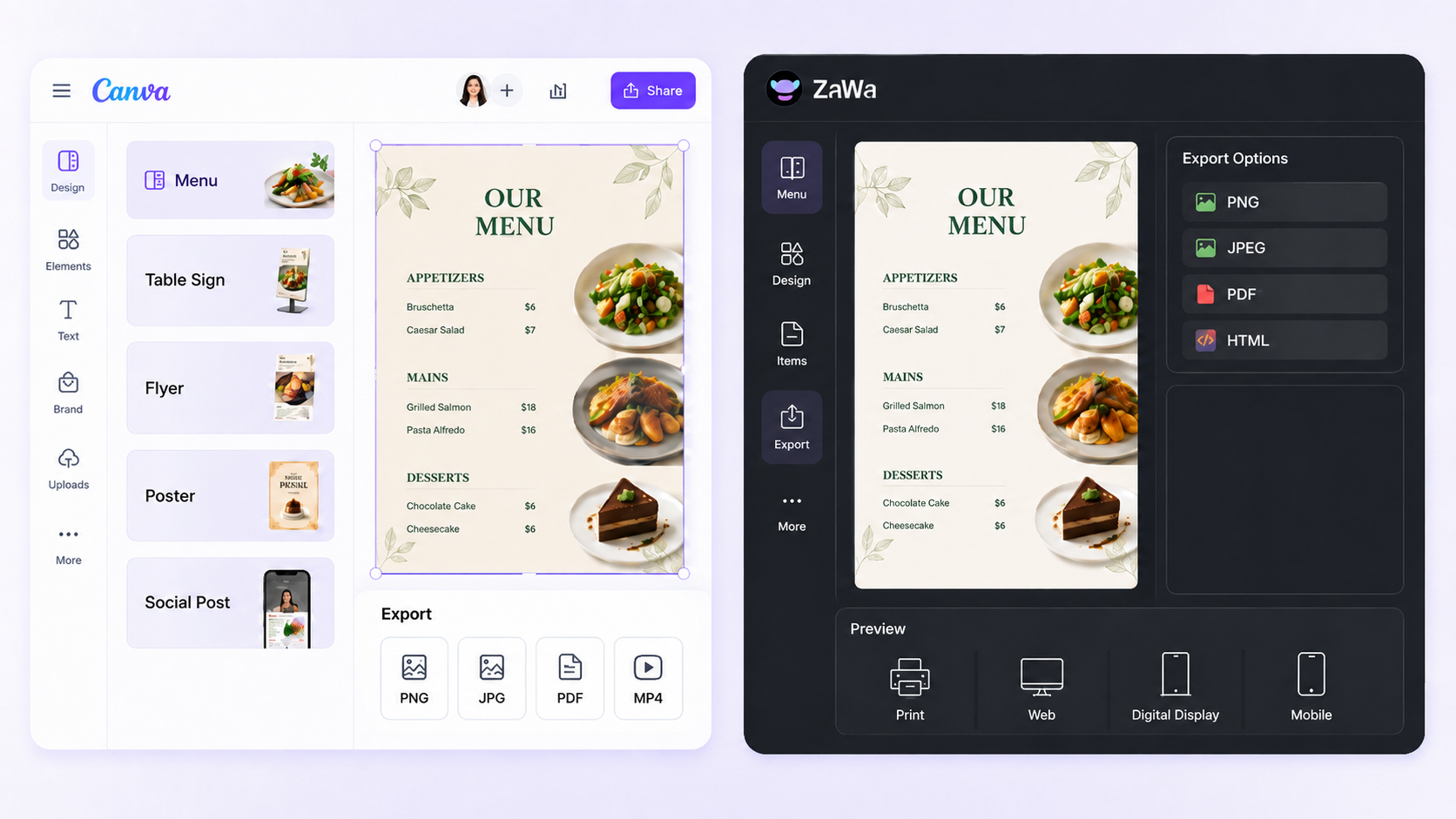
Canva can export menus for print and digital use, and the same platform can also create table signs, flyers, posters, promotional graphics, and social media content.
This makes Canva useful for restaurants that want one tool for a wide range of visual marketing tasks. However, a menu designed for print may still need to be resized or reorganized before it works well on a mobile screen, digital display, or web page.
Zawa places more emphasis on menu-specific output. Menus can be exported in formats such as PNG, JPEG, PDF, and HTML, making it easier to prepare files for print, websites, digital screens, and mobile-friendly viewing.
An online menu can also be connected to a QR code so customers can open it on their phones. QR code generation, hosting, online ordering, and live inventory management may still require separate tools, depending on the restaurant’s setup.
The main difference is that Canva supports a broader range of general design projects, while Zawa focuses more directly on adapting menu content for different restaurant channels.
Which Tool Should You Choose?
The better tool depends on how often your menu changes, how much design control you want, and whether you also need to create other marketing materials.
Choose Canva If You Want More Hands-On Design Control
Canva is a strong choice when your menu does not change frequently and you prefer to start with a ready-made template. Restaurants creating posters for seasonal offers or in-store promotions may also find it helpful to explore different AI poster design tools and compare their editing options, templates, and branding features.
It is especially useful when you want to adjust each font, image, color, section, and spacing detail yourself. Users who already understand Canva can also create a menu without learning an entirely new design platform.
Canva may be the better option when you also need to create:
Social media graphics
Promotional flyers
Restaurant posters
Table signs
Event materials
Digital display graphics
For campaigns that may use either format, understanding the differences between posters and flyers can make it easier to choose the right layout for in-store displays or local distribution.
It is well suited to small business owners, social media managers, part-time designers, and marketing teams that need one flexible tool for multiple types of content.
Choose Zawa If You Want Faster Menu Creation and Updates
Zawa is a better fit when the menu changes regularly or when the restaurant does not have a dedicated designer.
Users can describe what they need in a prompt, upload a logo and food photos, add menu information, and generate an editable design without building the layout one element at a time.
It is particularly useful for restaurants that need to:
Update prices frequently
Add seasonal items
Replace unavailable dishes
Create limited-time promotions
Reuse an existing menu
Maintain a consistent brand style
Prepare menus for print and online use
Zawa may be a practical choice for restaurant owners, café operators, bakery owners, food truck businesses, takeout restaurants, fine-dining managers, and small teams with limited design experience.
Frequently Asked Questions
Q: What makes Zawa different from a Canva menu template?
A: A Canva menu template provides a predesigned layout that users customize manually. Zawa can use a prompt, restaurant details, brand assets, and food photos to generate an editable menu that better reflects the business.
Q: Which tool is better for updating seasonal menus?
A: Zawa is generally more convenient for frequent seasonal updates because users can replace dishes, prices, promotions, and photos without rebuilding the menu. Canva is a good option when updates are occasional and the user prefers to adjust each element manually.
Q: Can Zawa use an existing restaurant menu?
A: Yes. Users can upload an existing menu and make targeted changes to items, prices, images, and other content while retaining the overall design direction.
Q: Can I change the Zawa menu after it is generated?
A: Yes. Users can continue editing the text, prices, images, colors, fonts, and layout after the initial menu has been generated.
Q: Which tool gives users more control over the layout?
A: Canva generally gives users more detailed control over element placement, spacing, sizing, typography, colors, and visual hierarchy. Zawa prioritizes a faster AI-assisted starting point while still allowing users to edit the generated result.
Q: Which tool is better for restaurant marketing materials beyond menus?
A: Canva is the stronger option for broader marketing needs because users can also create social media graphics, posters, signs, flyers, and other promotional designs within the same platform.
Q: Can Canva and Zawa both use restaurant logos and food photos?
A: Yes. Both platforms allow users to work with their own visual assets. Canva users place and edit those assets manually, while Zawa can use them as inputs when generating a menu design.
Q: Which software is easier for restaurant owners without design experience?
A: Both are accessible to beginners, but the experience is different. Canva provides editable templates and a drag-and-drop interface. Zawa reduces most of the initial design work by generating a starting menu from a prompt and uploaded restaurant information.
You May Be Interested
140+ Facebook Bio Ideas: Short, Professional, Unique, and More
100+ Father’s Day Jokes That Dad Will Actually Laugh At
100+ Good Quotes for Instagram Bio (Copy & Paste Ideas)
80+ X(Twitter) Bio Templates and Examples
1080p vs 4K: Key Differences, Real-World Results (2026)