
Complete Guide on How to Create the Earth Day Poster
Discover how to make stunning Earth Day posters using AI tools, smart design tips, and ready-to-use prompts for school, business, and social media.

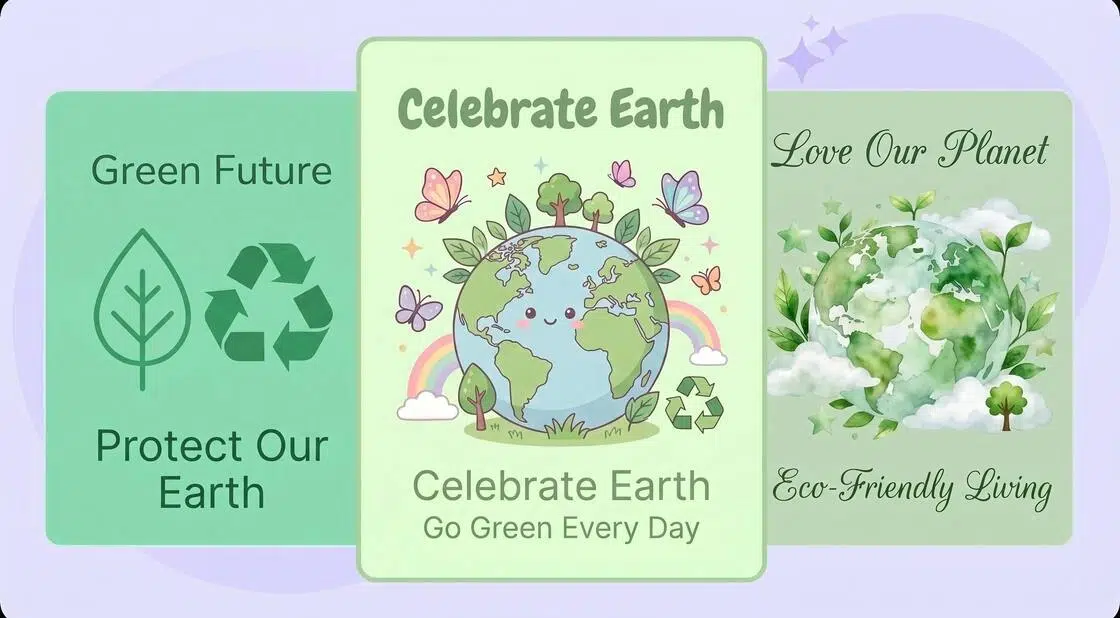
Earth Day is one of the special days! It is the time of celebration where people gather and spread awareness to keep the planet safe. The steps they take on this day, like planting trees and motivating people to choose nature over plastic. This is essential for everyone, not an individual or a community. We all live on this beautiful planet called Earth. It keeps us alive. So, celebrating Earth Day is a must for everyone.
The most used thing on Earth Day is a poster. It is a design that contains the message to show to the world. You can make it in your own way to express your love for the planet and motivate people to make environmentally friendly decisions in their daily lives. An Earth Day poster can be designed using the AI tool. You can read on and see how you can make your own Earth Day poster. Let’s check it out!
Key Elements of a Good Earth Day Poster
A good Earth Day poster includes various elements. For example, color, message, visuals, and more. The following are the main elements that will show you which elements are the main parts that each Earth Day poster must have.
Clear Strong Message
An Earth Day poster stands out best when it's clean and quick to grasp. A powerful Earth Day design needs words that create an impact faster. Instead of piling thoughts, let the space around the thought look louder. So, keep a clear and solid message in the poster.
Eye-Catching Visuals
Visuals matter when you are trying to catch someone's eye. Try bright shades, lively drawings, or striking pictures. For example, Earth, forests, and animals. Also, space things out wisely. Try to add contrast by using the right color or size to let people see clearly, even from far away.
Clear Next Step/Action
Keep the action you want people to take clear in your Earth Day poster. It will light a spark among them. Try adding actions like "grow a tree" or maybe "use less plastic every day." That sort of thing shows people one move they can make right now. Doing so shifts thinking into doing.
Eco-friendly colors and themes
Green, blue, or warm browns fit right into the themes of nature. They quietly back up ideas about caring for the planet. When used together with care, they bring a quiet strength to images used in the Earth Day poster.
Emotional connection through storytelling
A strong poster doesn’t just show; it pulls you in. Try storytelling to create that pull. You can use different ways to do that. One example of fear of losing Earth’s resources can work out. Remember that emotion hooks deep, where facts alone might slide off.
Minimalism and Focus
Do not redo your Earth Day poster design. You can use the power of minimalism. The right use of space can lead people to focus on the given message. Try using simple shapes and clarity. It will win and speak your message the loudest.
Creativity and Originality
The main element to add is creativity and originality to the Earth Day poster designs. Do not fall for blending everything. Add a unique angle to the poster design. It will pull the focus of people without shouting. Let the details show your creativity.
How to Make an Earth Day Poster
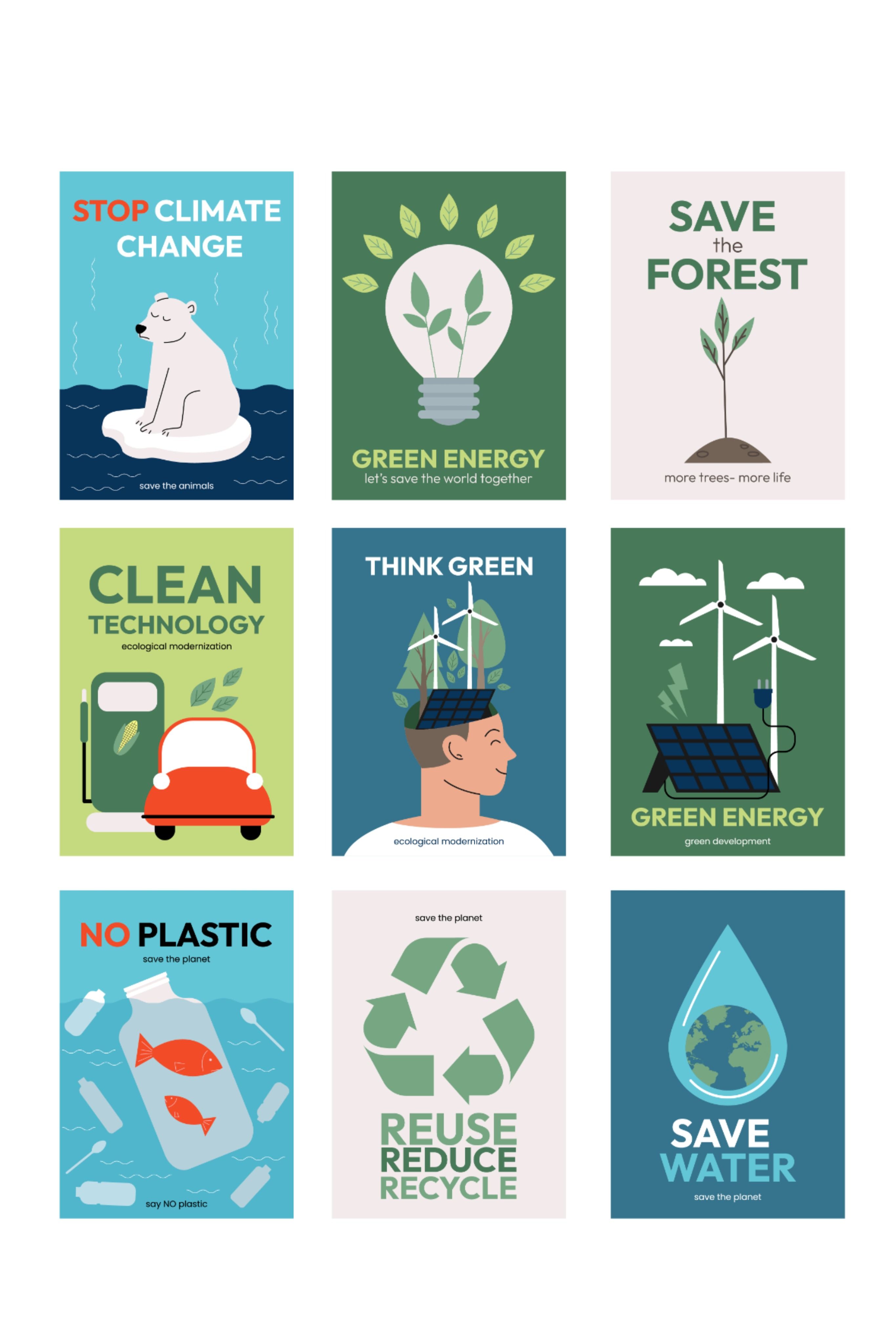
Here comes the main part. You can be a student or an office worker. Earth Day is a celebration that brings enthusiasm to everyone. And a poster helps you to show that energy with more power.
So, the following are the four clear steps that will guide you to create an Earth Day poster. Check them right away!
1. Choose a Clear Message
What if your poster began with just one clear idea? Choose a message that sticks right away. It may be about using less water or growing more trees instead of cluttering minds. Try something brief. It must be quick, like “Care for Earth Now” or “Green Steps Every Day.” Let the words lift spirits without pushing too hard. And choosing the right message will help you do that.
2. Design Layout Planning
The next step is to design the layout for your Earth Day poster. The one thing that matters here is the sources you are using to create your design. For example, handmade or using an online tool. Both are unique ways to share your message with the world on Earth Day. Where things sit in the design matters—place the headline up top, pictures near the middle, and words around them. Use big letters to catch eyes fast, especially when they will be seen far off. Don’t clutter!
3. Add visuals and colors that catch the eye
The next step is to add life to the Earth Day poster. Earth comes alive with greens, blues, and browns pulled straight from nature. Some examples for your design can give you an idea. You can make trees appear beside creatures or floating above a round planet sketch. A recycle sign could be placed in one corner. Remember that perfection isn’t the goal. The main thing is clarity with the visuals and colors together.
4. End With Care and Precision
Finally, the time to wrap up. The last step is all about completing the design with care and precision. Start by tracing the edges of your layout with bold tones so each part stands out. It would be when you made a hand-drawn Earth Day poster. Various features can do it for you if you are using an online design tool. Also, check that the words are spelled correctly.
Use AI to Create Earth Day Posters
Artificial intelligence lets people make thoughtful Earth Day posters fast. Not only that, but simple tools now allow creativity without needing years of training. Imagine typing a few words and seeing vivid forests appear on screen right away. You can make color choices based on the inspiration you want to create with the poster. Just one instruction, sunrise palettes, and another will create the stormy blues.
Even schools with tight budgets find fresh ways to inspire students on every Earth Day. So, you can see that AI design tools can help you achieve the ultimate designs you want to create. Let’s get into some depth to learn more!
Steps to Design Earth Day Posters with AI
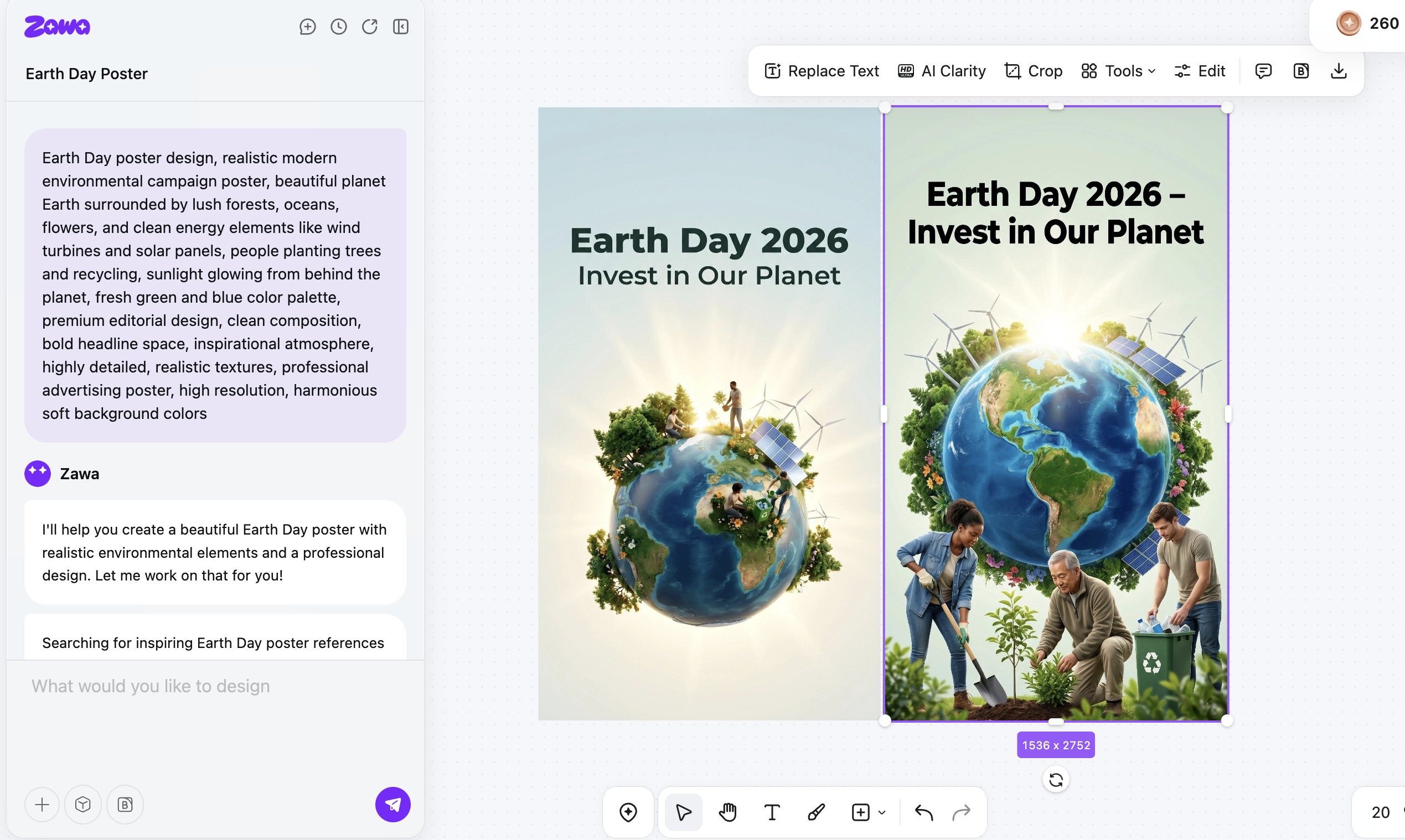
The following are quick, basic steps to guide you in designing Earth Day posters using an AI tool.
STEP 1: Define Your Earth Day Poster Goal
First, define your goal for the Earth Day poster. Maybe it shares facts, points to a gathering, or simply boosts awareness. Knowing that aim will shape what images appear, what words show up, and how everything fits across the page.
STEP 2: Choose an AI design tool
The following step is to pick the right AI tool to design the Earth Day poster. You can see options like Zawa AI agent, Canva AI, or DALL-E. Each tool has its unique features to help you design the Earth Day poster in a few minutes.
STEP 3: Write a Clear AI Prompt
Now, you need to write a clear prompt for the AI tool. For example, picture bright greens mixed with sky blues, maybe a touch of warm yellow. This works well for students in middle school who respond to bold visuals. Go for hand-drawn textures instead of flat digital looks. More instructions can be added as per the result you want from AI.
STEP 4: Select Earth-Friendly Visual Elements
The next thing is to choose the earth-friendly visual elements. Start with mentioning pictures of forests, waves, animals, reuse icons, or wide stretches of nature. Sometimes an artificial brain picks fitting scenes that reflect your topic.
STEP 5: Add Earth Day Words That Matter
Also, do not forget to include your slogan or quote that you want on the Earth Day poster. You can use phrases like "Save the Earth" or "Go Green." The AI tool will use its smart algorithm and provide you with ideally written words. Try to add a suggestion for the font style that you prefer.
STEP 6: Customize Layout
One thing that matters the most is customizing the overall layout. This part includes elements like size, spacing, color, styles, finishing, and more that you want in your Earth Day poster. So, add the instructions correctly for customization.
STEP 7: Check and Save
The last step is to finalize the Earth Day poster. Do it by checking the overall design and elements in the poster. Check for the correct spelling of the text. See if the colors are fine. Try to analyze if everything in the design complements each other. After you are satisfied with the design, download it to print. Or, you can save it for online sharing.
Prompt Examples for Designing Earth Day Posters
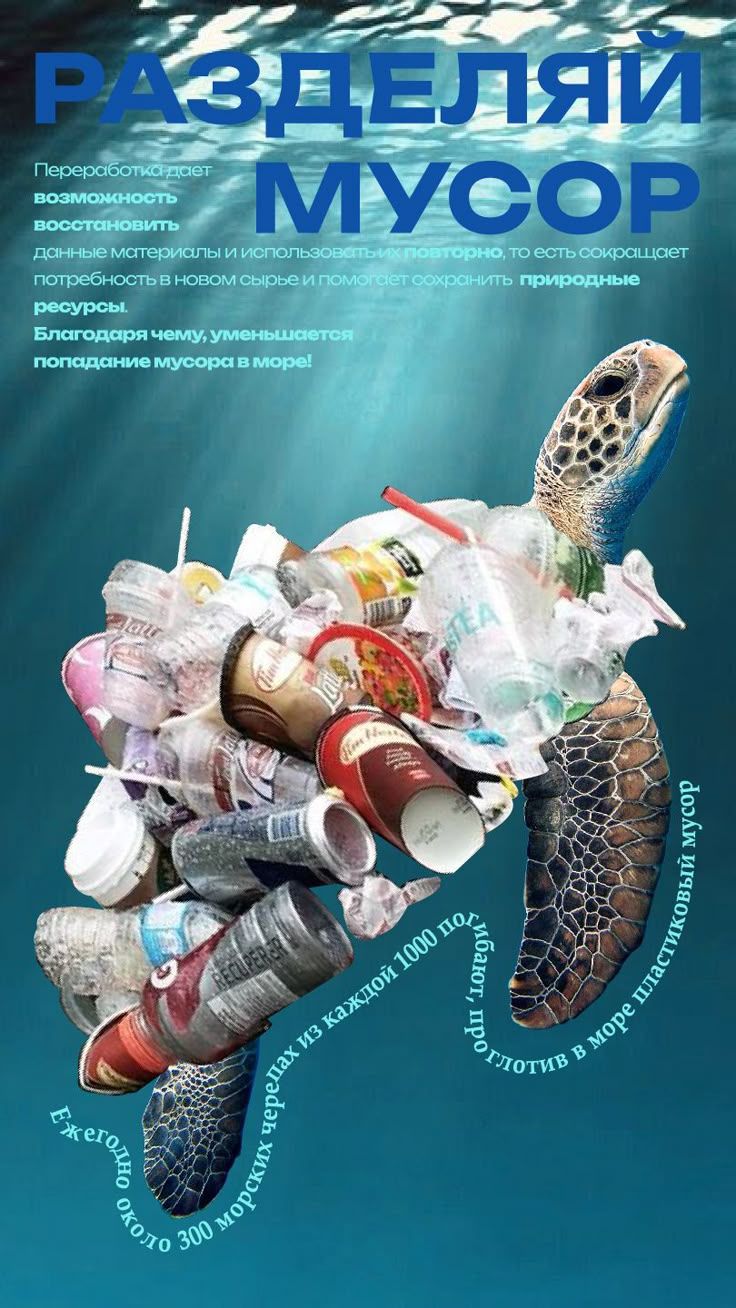
Now, look at some examples of prompts to give an AI design tool and create the most captivating Earth Day posters.
1. Minimalist Earth Day Poster Prompt
Prompt:
Generate an Earth Day poster for me that contains a small Earth illustration on a white background. Make the Earth appear in the center. Use the text “Earth Day 2026 – Protect Our Planet” and use simple typography for it. The colors you can use are soft green and blue. Also, add some eco-friendly aesthetic.
2. Kids' Friendly Earth Day Poster Prompt
Prompt:
Create a poster that is ideal for kids. It must be colorful and fun. The design must contain the visual of a smiling Earth. Also, include the images of kids planting trees. For a more attractive touch, include flowers and butterflies under the sunshine. Use the illustrations that follow a cartoon style. Write "Earth Day – Love Your Planet" on the poster. Ensure to add playfulness in the poster.
3. Corporate Professional Earth Day Poster
Prompt:
Generate an Earth Day poster that is suitable for corporate offices. The poster must have a modern-looking Earth graphic. Use the green gradient background for a professional look. Use the clean typography that appears clean on the poster. Use the text "Sustainability Starts With Us – Happy Earth Day!" in the middle of the poster. Also, include the minimal icons for recycling and renewable energy.
4. Climate Change Awareness Poster
Prompt:
Make a powerful Earth Day poster that reflects awareness of climate change. The design must have Earth appearing in two halves. One-half must look healthy and green. The other half must appear polluted and damaged. Use the slogan "One Planet, One Chance—Act Now." " The text must be written in bold text, and the overall design must have dramatic lighting.
5. Social Media Earth Day Poster
Prompt:
Create an Earth Day poster for Instagram. The design must appear in a square dimension. The poster must include bold colors with modern icons. Use the text "Go, Green This Earth Day" on the poster. Use the catchy icons like recycling and water conservation to add impact. The overall design must look trendy and eye-catching.
6. School Awareness Earth Day Poster
Prompt:
Generate an Earth Day poster for schools that looks educational. The design must have the illustrations of students planting trees. Also, include more valuable visuals of clean parks and saving water. The text on the poster to use is "Earth Day Activities for Students." The final design must have bright colors and an informative style.
7. Hand-Drawn Earth Day Poster
Prompt:
Make an Earth Day poster that looks hand-drawn. Use the sketch-style illustrations in the poster design. The visual elements must include the Earth, plants, and trees. Use the words "Small Actions Make Big Differences – Earth Day" to share a message to motivate people. The text must be highlighted in bold style to create an impact.
Conclusion
Lastly, you can see that designing an Earth Day poster is an easy job. All you need to do is follow the steps correctly. Pick your slogans and colors for creating an Earth Day poster. And go straight to using the design tools like the Zawa AI agent to make your poster right away. AI-advanced technologies are increasing everywhere. And people are using the AI solutions to speed up their work. This technology is doing a great job in the design part.
So, open the tools and keep going on designing your first Earth Day poster this year. The features available on the dashboard will help you design freely and creatively.
Related articles
How to Eat Sushi Properly: Etiquette for Every Sushi Style
What Is 1080p? Full HD Resolution Explained
What Is an 8K Resolution? 8K UHD Explained

What Is Commercial Photography
Headshot Retouching: How to Get Natural Results
Retouching Wedding Photos: A Step-by-Step Editing Guide
Skin Retouching in Photoshop: A Natural-Looking Guide
Jewelry Photo Retouching: Make Product Images Stand Out
Fashion Photography Retouching Without Losing Skin Texture
E-commerce Photo Retouching: From Raw Shot to Product Page
Best Qr Code Generator for Restaurant Menus 2026
Video Resolution Guide: 720p, 1080p, 2K, 4K & 8K
How to Design a Menu Online
720p Video Resolution: What It Means and How to Improve It
Best Ai Photo Editor for Beginners Hobbyists 2026
Vegetarian Meal Prep Ideas for a Healthy Week
How to Retouch Photos on iPhone Without Overediting
What Is a Retouch? Photo Retouching Explained
Photo Editing vs Retouching Explained: Key Differences
Beverage Photography: Lighting and Styling Tips for Drinks
Canva Menu Maker vs ZaWa: Key Differences Explained
30 Best Wedding Menu Ideas to Wow Your Guests

How to Start a Food Truck Business
How to Create a Meal Prep Plan

What Is a Tasting Menu and How to Design One
How to Make a Menu

How to become a food blogger

Food Ad Design Guide: How to Create Clickable Food Ads

How to Get a Perfect Coffee Photo

AI in the Food Industry: Practical Use Cases for Modern Food Businesses

How to Take Good Food Photography

10 Best Instagram Follower Trackers to Grow Faster in 2026
How to Create an Instagram Post that Gets More Likes: Proven Methods
New Instagram Grid Size Guide - Optimization, Benefits, Design, Tips

How to See Who Shared Your Instagram Post to Maximize Engagement
How to Post Multiple Photos on Instagram - A Step-By-Step Guide
13 Best Fonts for YouTube Thumbnails
10 Best YouTube Thumbnail Ideas to Skyrocket Your Views
Best YouTube Thumbnail Size - Create Perfect Thumbnails
What Is a Carousel Post and How to Use It for Stunning Social Media Feeds

Fantasy Plot Generator: How to Write Unique Fantasy Story Plots Using AI

How to Craft the Perfect Instagram Bio in 2026: Tips, Mistakes & Tools

How to Use an AI Text Generator: A Beginner-Friendly Guide

AI Script Writing: How to Generate Professional Scripts with AI (Step-by-Step Guide)
2D Animation vs. 3D Animation: A Detailed Guide for 2026

2D logo vs 3D logo: Which One is More Impactful for Branding

Poster vs. Flyer: Key Differences Every Marketer Should Know

Pamphlet vs Brochure: A Complete Guide for Modern Businesses
The Difference Between Motion Graphics and Animation: A Detailed Analysis

Latest Logo Design Trends for 2026 Every Brand Should Follow

Logo Color Meanings and How to Choose the Best Color For Your Brand

Human vs. AI in Design: Who Really Creates Better Art?

How Wordmark vs. Lettermark vs. Brandmark Shapes Visual Identity

How to Make a Movie Poster That Grabs Attention in Seconds
How to Draw a Logo Easily: From Start to Finish

How To Design an Abstract Logo For Your Brand

How to Design a Personal Logo? A Complete Guide!

How to Design a Logo? Learn the Quick & Easy Steps

How to Choose the Perfect Poster for Your Bedroom

An In-Depth Guide on How to Make a Photography Logo
How to Design a Good Advertising Poster
Flyer vs. Brochure vs. Leaflet: What’s the Difference?

Emblem Logo That Tells Your Brand Story

Combination Logo: Everything A Brand Must Learn About This Powerful Logo Type

Choosing the Right Logo Font Generator for Your Business Style

14 Best Café Interior Design Ideas to Maximize Your Space and Brand

7 Best Bar Interior Design Ideas for a Modern Look

7 Best AI Packaging Design Tools to Transform Your Brand

8 Best AI Interior Design Tools to Redefine Your Living Space

9 Best AI Tools for Graphic Design

How to Create a Logo for Bakery Business

9 Types of Logos You Must Know Before Designing

50 Famous Logos in the World and What Makes Them Timeless

45 Brand Color Palette Examples To Consider For Businesses

The Ultimate Guide to Remove Shutterstock Watermarks from Images

What is the Difference Between Graphic Design and Animation: A Detailed Guide for Beginners
What Are the Top Sources for Logo Design Inspiration

The Ultimate Guide For Restaurant Interior Design

What Is a Pictorial Mark Logo and 30 Famous Examples

What Makes a Good YouTube Thumbnail That Stops the Scroll
60+ AI Art Styles to Transform Your Prompts into Masterpieces

5 Free AI Random Image Generators—Generate Unique Images Instantly Online

8 Best Image-to-Image AI Generators: Transform Existing Photos with AI

100+ Free Stable Diffusion Prompts to Generate Amazing AI Art

How to Turn Any Sketch into a Digital Image Using AI

Image to Drawing with AI for Sketches, Line Art, and Illustrations
6 Free Art Prompt Generators

5 Tools to Extract & Convert Images to Text

15 Top AI Art Generators to Create the Best Masterpieces

How to Write AI Art Prompts to Get Desired Results?

How to Design a Logo for Your Coffee Shop: Tips, Tools, and Ideas

How to Create Iconic Wedding Logos with AI

How to Create Restaurant Logos That Attract Customers

How to Create Logos for Websites

How to Create Logos for a Barber Shop

How to Create Logos For a Hair Salon?

Best YouTube Logo Makers

Best Restaurant Logo Design Ideas to Make Your Brand Stand Out
25 Best Fashion Logos We've Ever Seen and the AI That Creates Logos
20 Best Lettermark (Monogram) Logos in the World

12 Trusted Green Logo Examples Used by Successful Brands

The Complete Wordmark Logo Design Guide

Mascot Logo: An In-Depth Guide a Brand Must Check

How to Instantly Create Free Store Logo Mockups

30 Best Restaurant Logos We've Ever Seen and How to Create Yours
Why a PNG Logo Maker Is a Must for Modern Branding

What Makes a Good Logo? Tips, Rules, and More

Replicate Any Poster You Love Instantly

9 Best AI Poster Design Tools to Try in 2025

Best Poster Design Ideas: Creative Concepts and AI Tools for 2026

35 AI Image Prompt Examples: How to Get Outstanding AI Images
