A Step-by-Step Guide to Creating Your First Animated Video
Discover how to make an animation with easy planning, creative techniques, and AI-powered tools for faster, high-quality animated videos.

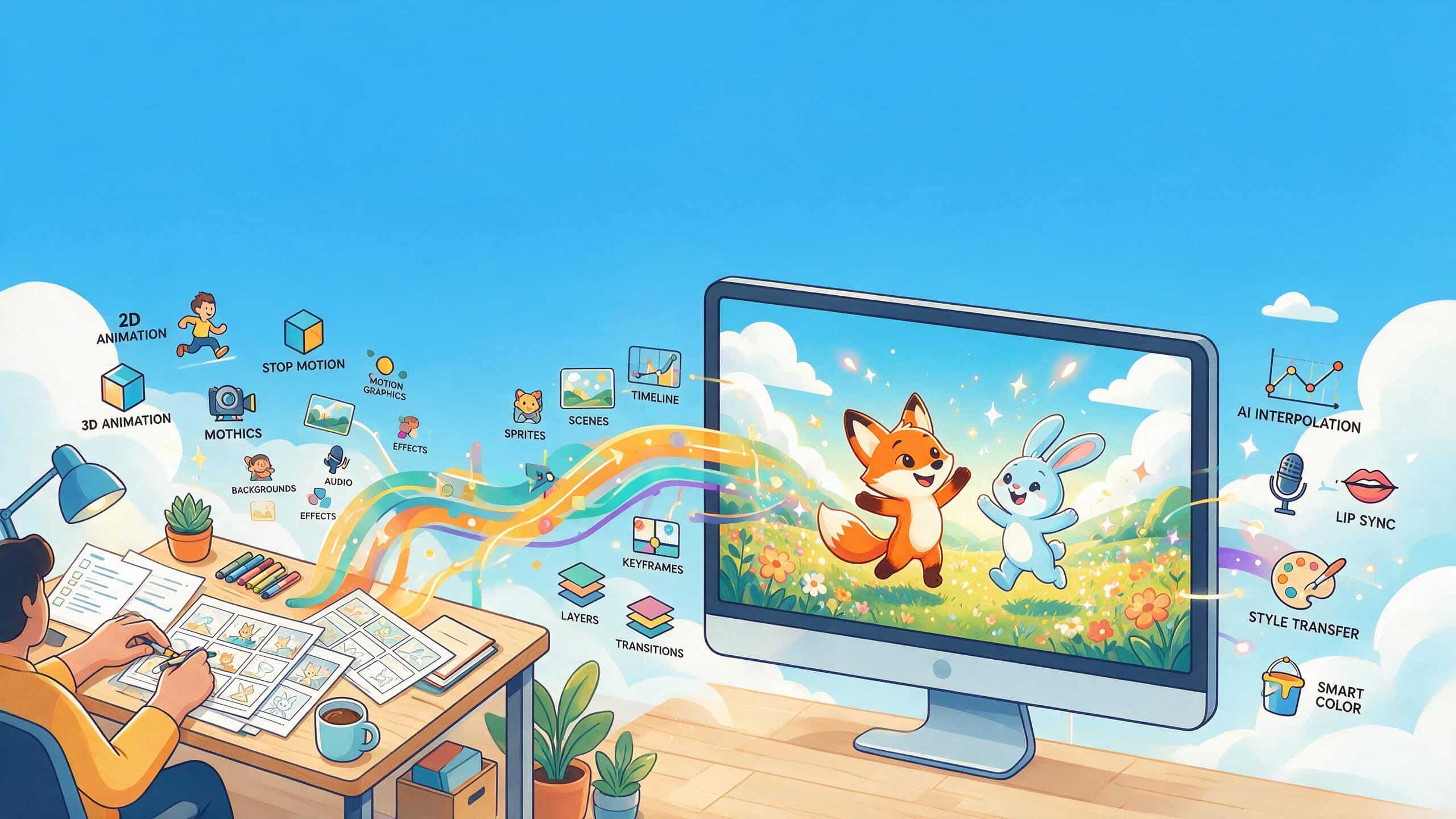
Animation is no longer limited to professional studios. Modern AI tools let creators and educators produce animated videos without advanced drawing and editing skills. If the goal is to explain an idea, animation makes content more memorable. This guide covers how to make an animation, from picking a style to avoiding the mistakes that make a first attempt look unfinished.
Decide What Type of Animation You Want to Create
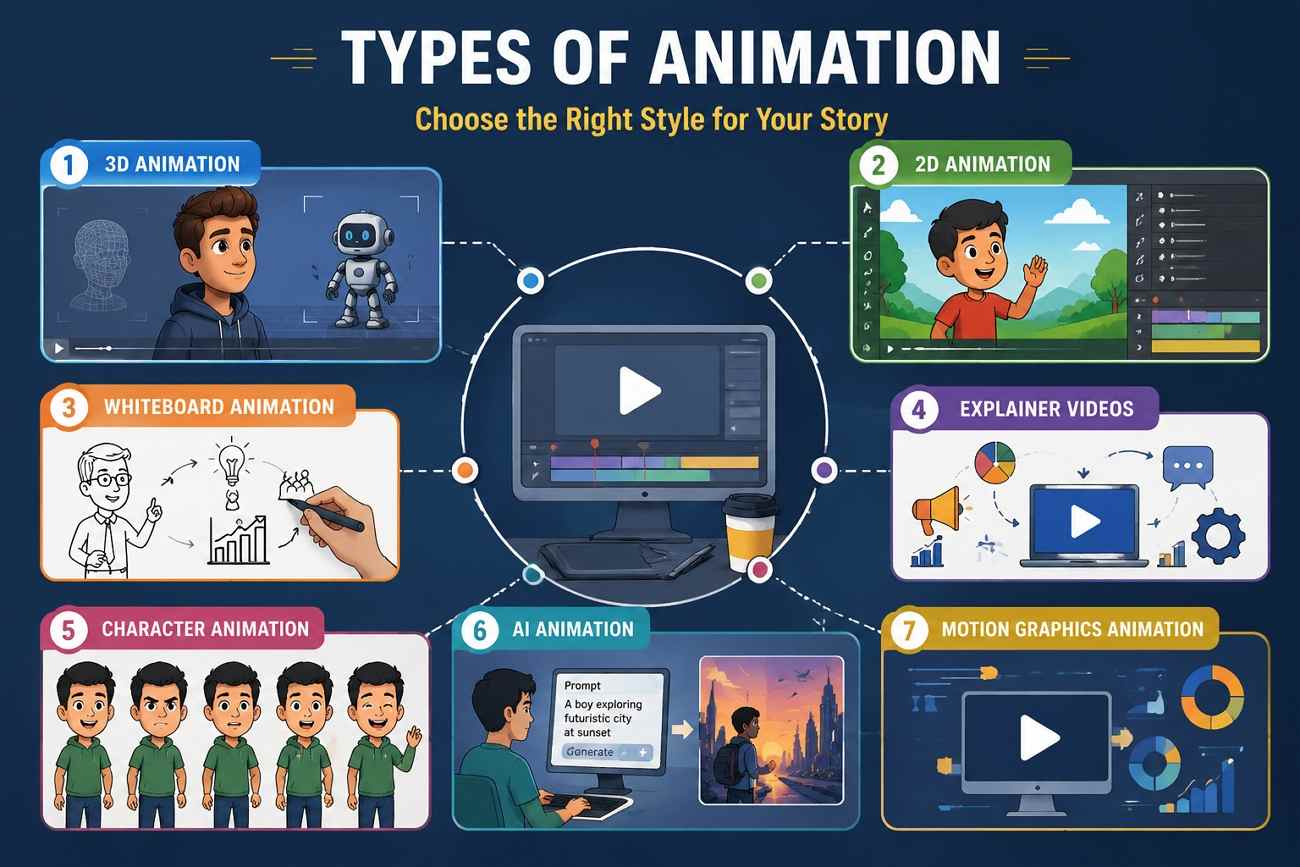
The style you choose shapes the complete workflow, so select one of these before planning how to make a video animation:
-
3D Animation: Includes the creation of lifelike digital models with realistic depth and smooth camera transitions. This animation technique is ideal for commercial branding campaigns and films.
-
2D Animation: Involves drawing the characters and designing the backgrounds straight into the digital timeline. This method is still sought after as it allows for faster production of animated videos.
-
Whiteboard Animation: The use of simple graphics and a dubbed narration can clarify an extensive topic. It allows you to explain the process step by step.
-
Explainer Videos: Use animated pictures or motion graphics to illustrate ideas in the simplest way possible.
-
Character Animation: This type consists of being able to show the character's personality by reusing him/her.
-
AI Animation: It is based on the provided prompts and images used in the animation, thus speeding up the process by eliminating manual work.
Most beginner projects mix two of these rather than committing to just one. A common pairing is motion graphics for on-screen data with a character animation segment for the opening hook.
Plan Your Animation Before You Start
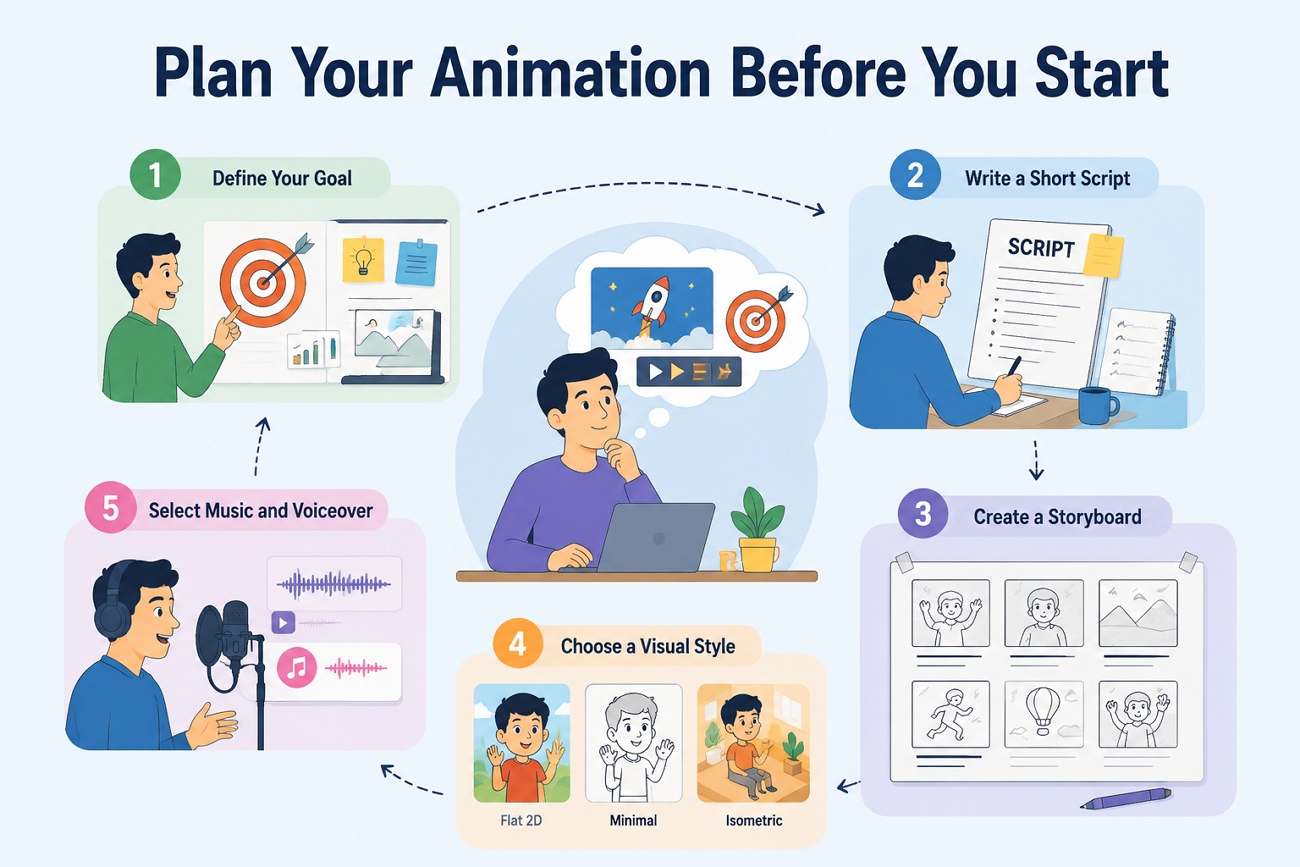
Planning how to make an animation before you start saves editing time. These easy steps will help you create smoother animation videos:
Define Your Goal
An animation meant to explain a product feature needs different pacing than one meant to build brand emotion. Decide what the viewer should understand or feel by the end before writing a script.
Write a Short Script
Even a 30-second animation benefits from a script, since it forces the message into a clear beginning, middle, and end. Keep sentences short enough to match the pacing of the visuals.
Create a Storyboard
A storyboard, even a rough sketch of each scene, catches pacing and continuity problems before any animation work starts. Fixing a sequencing issue on paper costs far less time than fixing it after scenes are already animated.
Choose a Visual Style
The style should match the goal and audience decided earlier, not personal preference. A children's brand and a financial services company need visibly different visual languages for the same message.
Select Music and Voiceover
Audio carries as much of the mood as the visuals do, and mismatched music can undercut a strong animation. Pick the tone first, upbeat, calm, or serious, then choose voiceover and music that support it, not just to fill the silence.
Essential Elements of a Good Animation
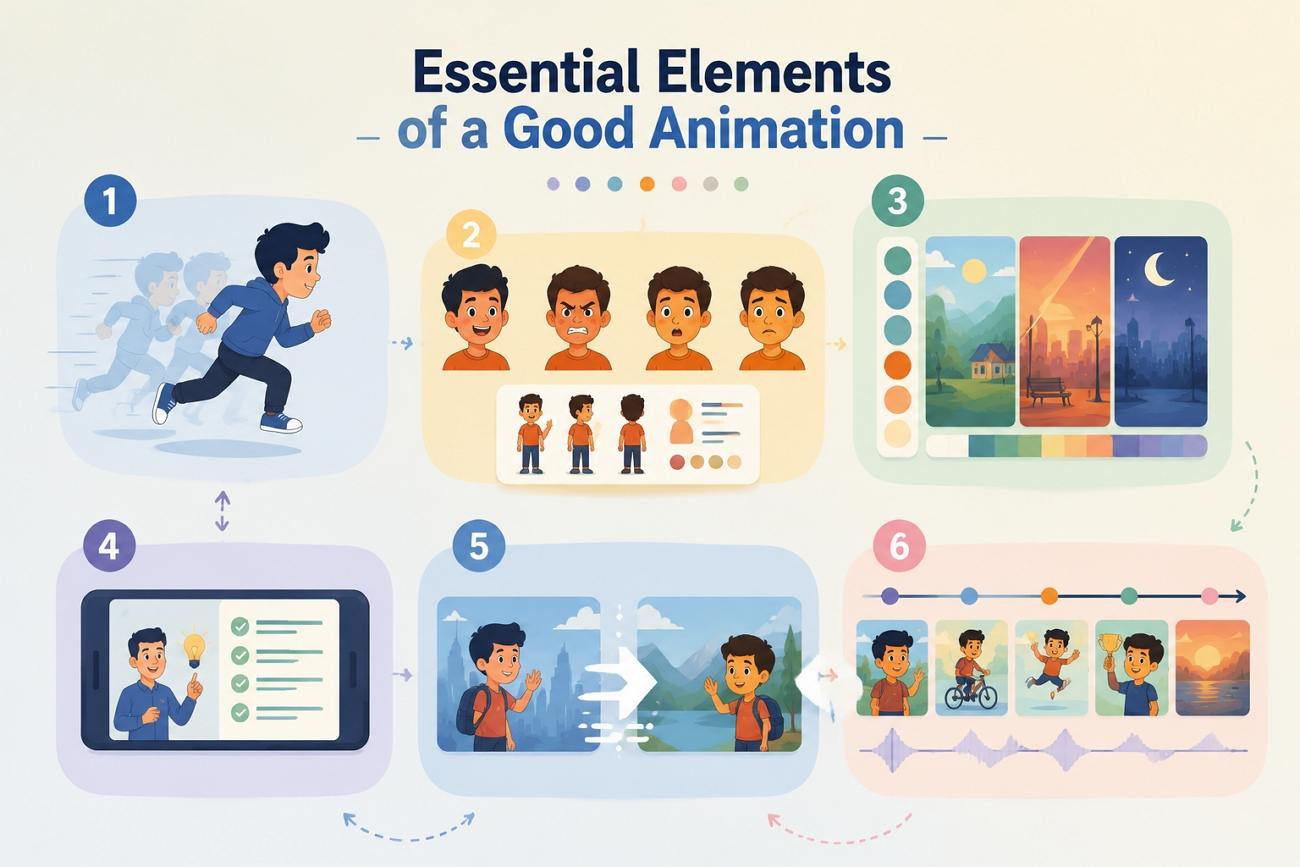
No matter which style you choose, these six elements make the difference between how to make an animation that feels polished and one that still needs work:
-
Smooth Animation: Choppy frame rates can ruin the quality of any visual story immediately.
-
Characters Need Personality: Subtle facial expressions and unique design features make it possible for viewers to bond with characters.
-
Consistent Colors: Using specific color combinations throughout the movie results in noticeable artistic unity.
-
Readable Texts: The viewers can understand the content clearly on small screens because of the colors.
-
Advanced Transitions: Transitions used in the film's plot do not involve abrupt transitions.
-
Engaging Pacing: Incredible special effects can’t reach their audience without delays.
Most of these trace back to the planning stage. A clear script and storyboard make smooth motion and good pacing far easier to hit on the first pass.
Create Animated Videos Faster with Zawa
Planning still matters, but Zawa removes most of the technical work between a plan and a finished clip:
-
Generate Animated Videos from a Simple Text Prompt: Zawa's AI Agent reads a written description and builds the animated scene directly, without manual keyframing or rigging.
-
Convert Scripts into Fully Animated Scenes: A full script can be broken into scenes and rendered in sequence, rather than animating one clip at a time by hand.
-
Create AI Avatars and Animated Characters: Tools like Zawa's 3D Character Generator and AI Anime Generator build reusable characters with a consistent look across an entire series.
-
Produce Natural AI Voiceovers: Finished scenes can include AI-generated narration, so a separate recording session isn't needed to make the animation publish-ready.
-
Access Ready-to-Use Animation Templates: Pre-built formats for common video types speed up projects that don't need a fully custom sequence built from scratch.
How to Make an Animation with Zawa
Zawa's AI Animation Generator turns the planning covered above into a finished clip without design software. Here's the actual workflow on how to make an animation:
Step 1. Upload an Image and Describe the Animation
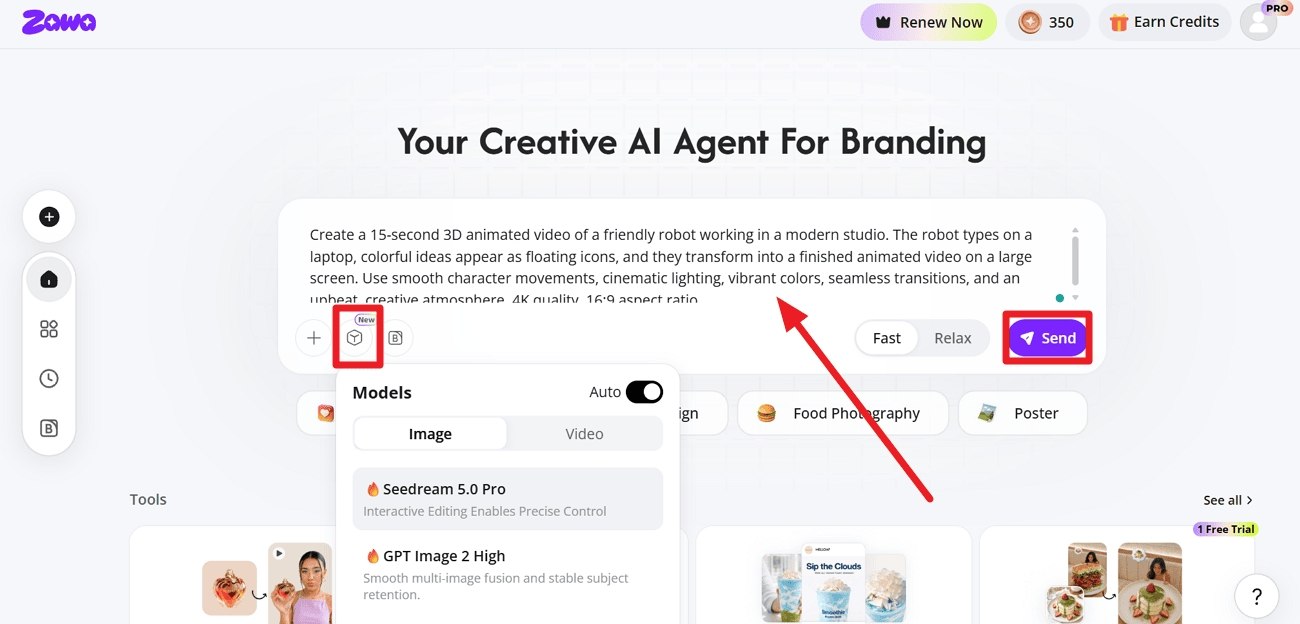
Open the Zawa workspace and type a “Prompt” describing the motion and style. Choose an AI model according to your video. Then, click on the “Send” button to proceed with this task.
Step 2. Refine with Built-in Editing Tools
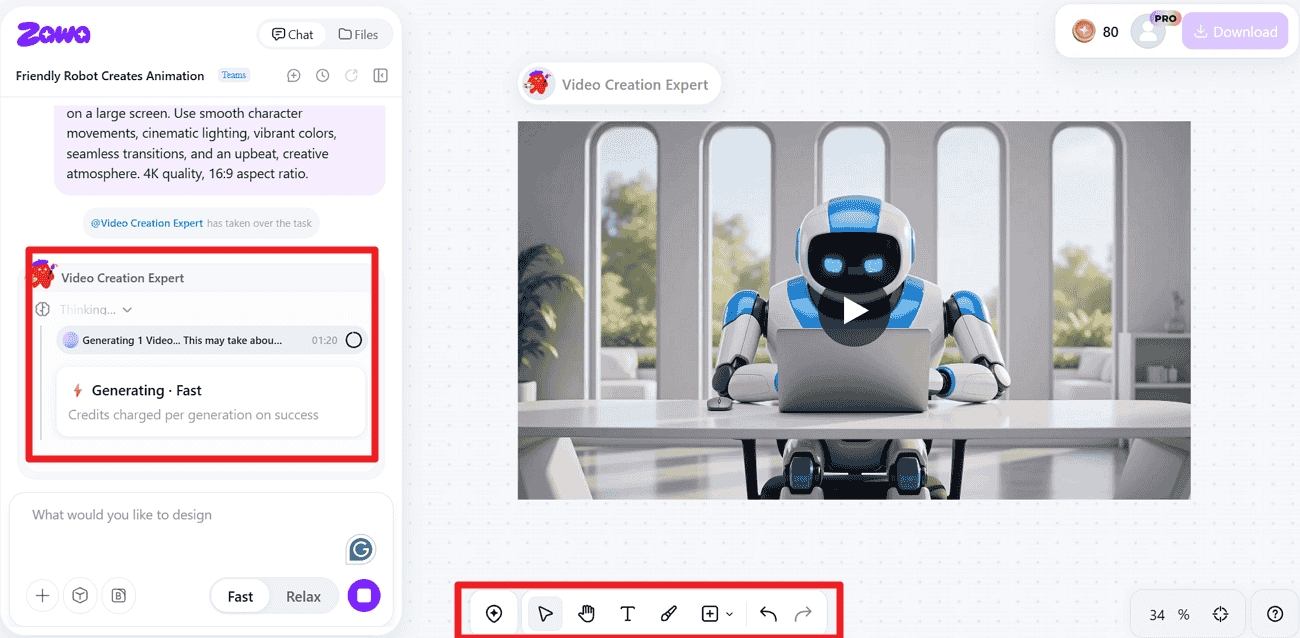
Use Zawa's AI editing tools to adjust the look without switching to separate design software. A style, anime, realistic, or cartoon, can be specified directly in the prompt.
Step 3. Preview, Edit, and Export Your Animation
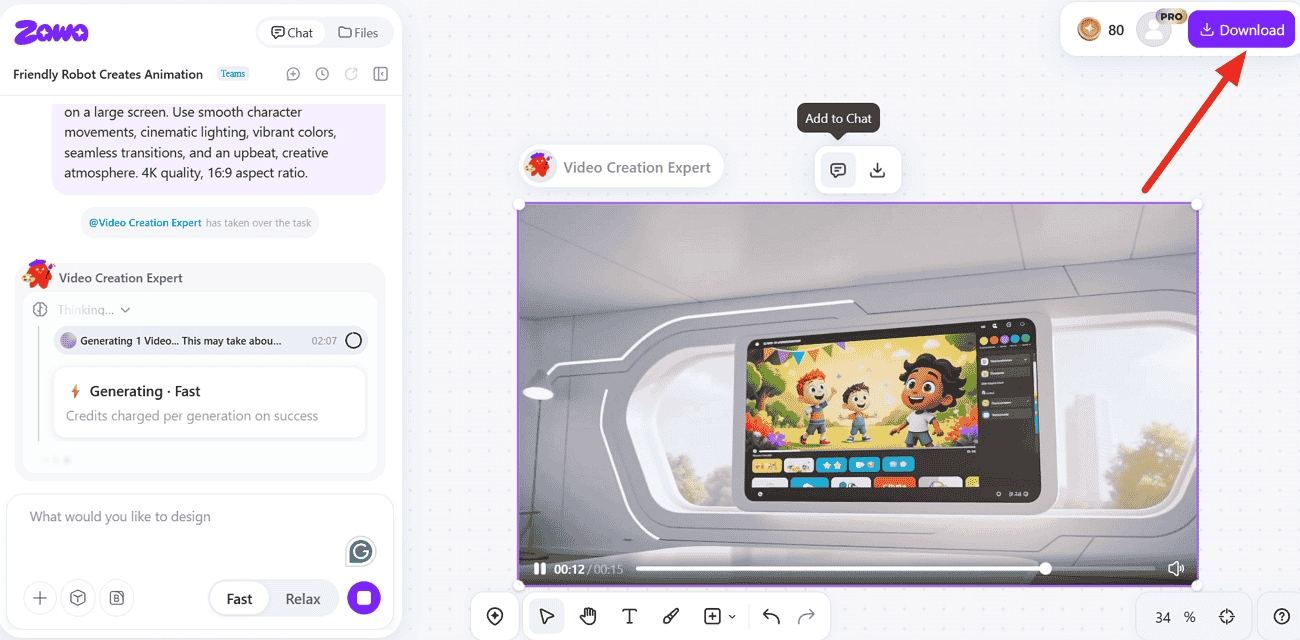
Review the animated result, make final adjustments, and press “Download” to save the finished file in a format ready to post. If the motion or style misses the mark, revising the prompt usually works better than fixing the output frame by frame.
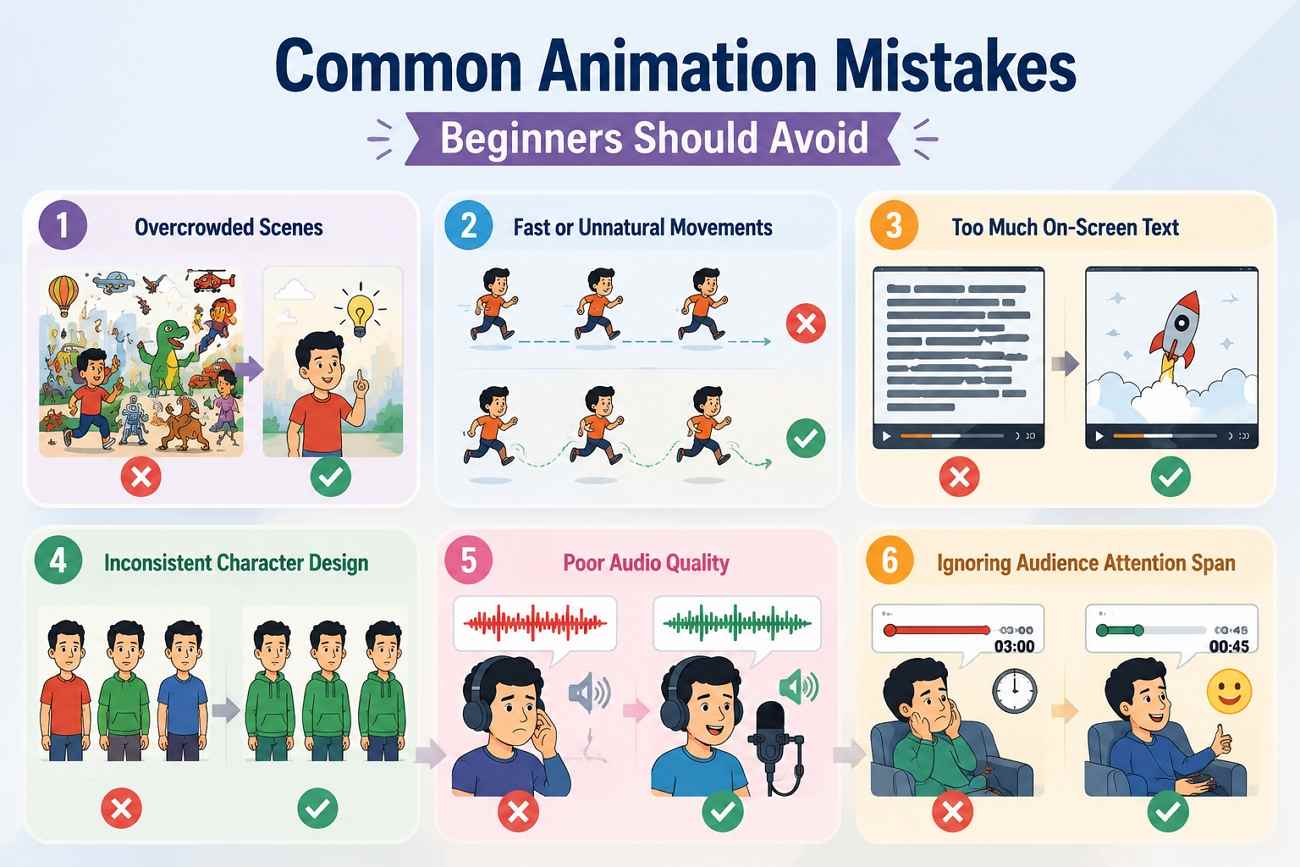
Common Animation Mistakes Beginners Should Avoid
However, even a great idea can go sour if a couple of things go wrong in the final video. Watch for these issues before you download your animation:
Overcrowded Scenes
Too many moving elements at once split the viewer's attention and bury the actual message. Every scene should have one clear focal point.
Fast or Unnatural Movements
Motion that's too quick or skips natural easing looks robotic rather than animated. Slight acceleration and deceleration at the start and end of a movement, rather than a constant speed, read as far more polished.
Too Much On-Screen Text
Text that requires pausing the video to read defeats the purpose of animating the message. Keep on-screen text to short phrases the eye can catch in a couple of seconds and let the voiceover carry the rest.
Inconsistent Character Design
A character whose proportions or colors shift between scenes breaks immersion, even if each scene looks fine alone. Lock the design early and reuse the same reference image or prompt description throughout.
Poor Audio Quality
A polished visual paired with muffled voiceover or distorted music still reads as unfinished. Viewers notice audio problems faster than visual ones, so a clean, well-leveled voiceover matters as much as the animation itself.
Ignoring Audience Attention Span
A three-minute animation aimed at a social media audience will lose most viewers before the message lands. Match the length to the platform, not to how much content there is to cover.
Where You Can Use Animated Videos
The same animation skills can be used across many projects, which makes it useful to creators, businesses, educators, and marketers:
-
Social Media Marketing: Short, style-forward animations stand out in feeds where static images and standard footage blend together.
-
Product Promotions: Animation can demonstrate a feature or process that would be hard to film clearly with a camera, like something happening inside a device.
-
Educational Content: Some subjects cannot be taught simply with the use of words. Whiteboard animation can help illustrate those ideas in a better manner by means of images and visuals.
-
Business Slides: Add short animations to make data and steps easier to follow.
-
YouTube Videos: Animated intros and videos help creators create a style people remember.
-
Advertisements: Animation makes it possible to show ideas, product changes, or characters that may be difficult to create with live-action videos.
-
Internal Training: Animated walkthroughs simplify onboarding and process documentation more than a text-heavy slide deck ever does.
Conclusion
Making an animation used to require a studio budget or years of drawing practice. Planning still matters; a clear goal, script, and storyboard shape a better result regardless of the tool. Zawa has removed most of the technical barriers that used to sit between an idea and a finished animated video.
Frequently Asked Questions
-
How can beginners make an animation?
The beginner should have a definite goal, write a short script, and then choose a style that would fit his message. The use of AI tools like Zawa eliminates the need to learn animation, so planning really matters.
-
Do I need drawing skills to create animations?
No, if you are using AI-assisted tools. Traditional hand-drawn animation is the one style that still calls for real drawing ability. With 2D, motion graphics, and AI-generated animation, you can work from a script or a written prompt instead of a pencil.
-
Can AI generate animated videos automatically?
With Zawa, users can start with a simple description or image and create animations based on their creative direction.
-
What types of animation does Zawa support?
Zawa gives users different ways to create animations. The tool covers realistic styles along with anime looks, including Shonen and Shojo. You can start with a written idea or use an image as the base for creating an animation.
-
How long does it take to make an animated video?
A short AI-generated clip can render in seconds to a few minutes. A fully planned animation, with script, storyboard, and revisions, typically takes longer, though still far less than manual frame-by-frame work.
-
Can I use animated videos for social media marketing?
Yes. Short, style-forward animations tend to perform well in social feeds. Motion graphics and character animation read especially clearly at small sizes and short watch times.
-
What is the easiest way to make an animation?
An AI tool like Zawa that generates video from a text prompt or image is the most direct route. It does not require keyframing, rigging, or drawing, which is the most important point for your first animation.
CTA: With Zawa, you can turn an idea into an animated video in minutes, with avatars, voiceovers, and built-in editing included.
You May Be Interested

Media.io AI Video Upscaler Review: Is It Worth It in 2026?

10 Best AI Video Upscalers Tested and Ranked (2026)

15 Best AI Video Generators in 2025

10 Best AI Video Enhancers to Upscale Your Videos