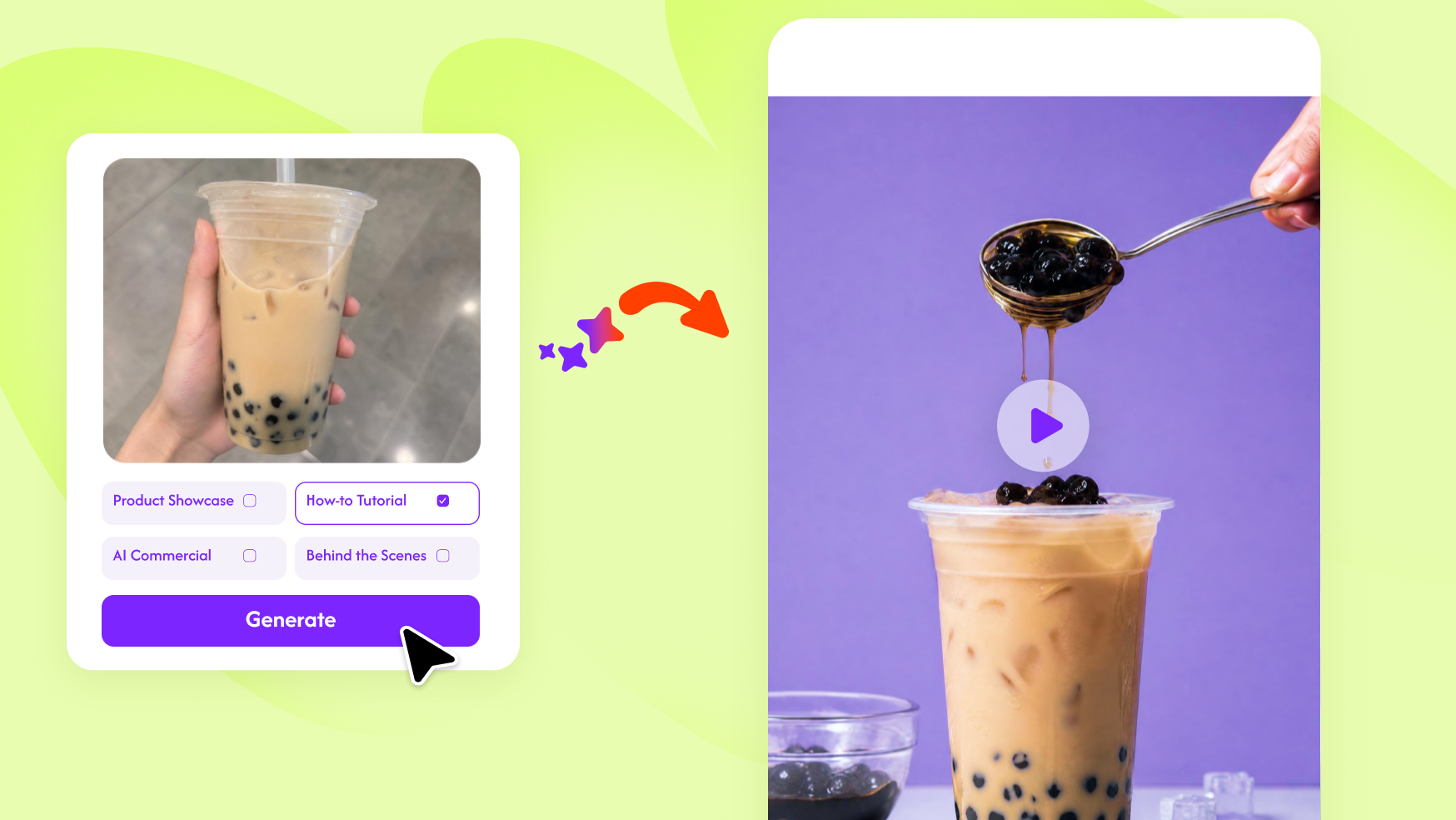
How to Create Viral Product Videos with Remix Video
Learn how to turn product images into structured videos using Remix Video, with a simple step-by-step workflow.

Introduction
Creating viral product videos from scratch is time-consuming.
You need ideas, editing skills, and constant testing — and even then, results aren’t guaranteed.
But here’s something many creators overlook: most viral videos follow repeatable structures.
Instead of starting from zero, you can reuse what already works.
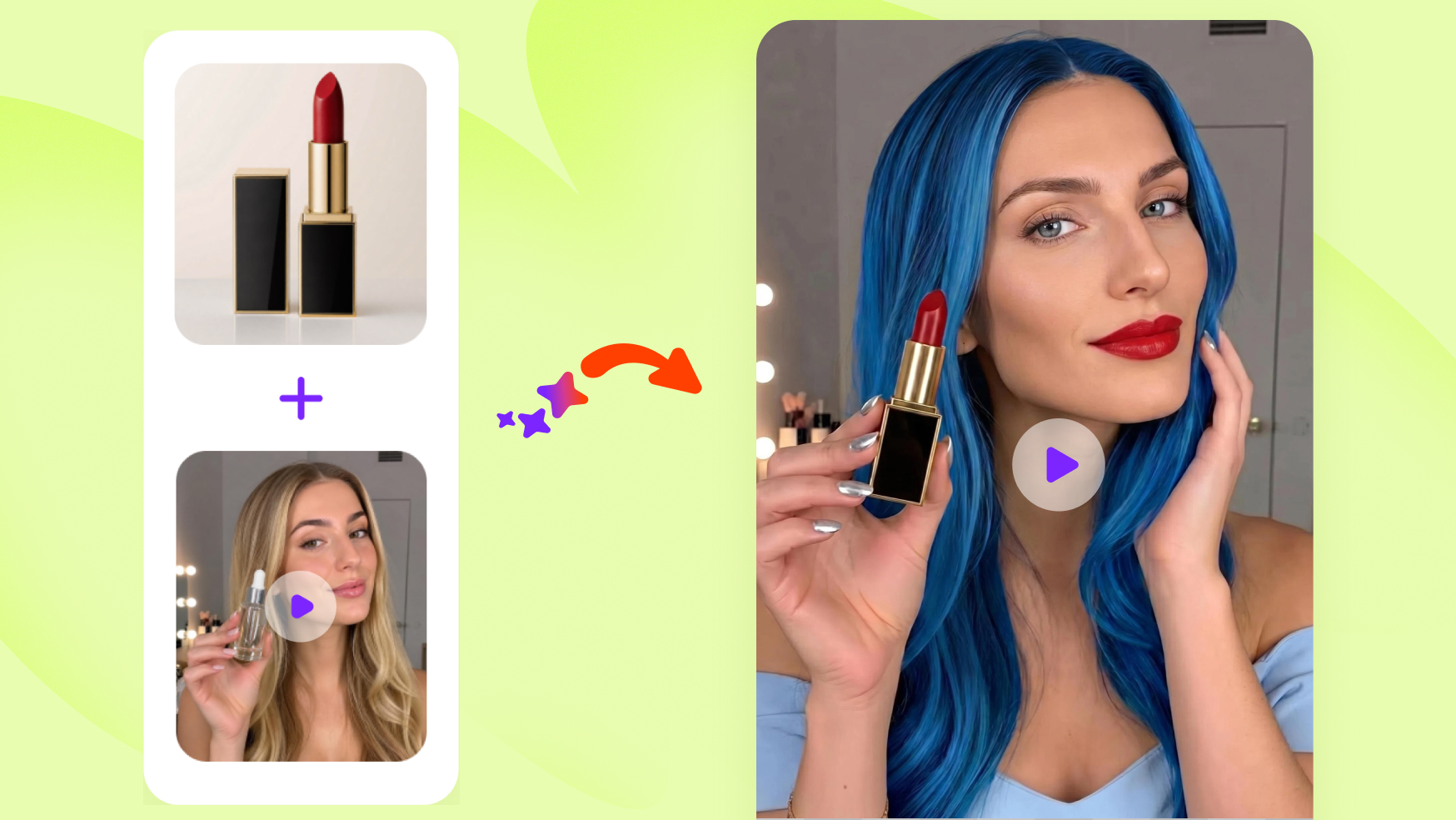
With AI Remix Video, you can take a viral video and recreate it for your own product — quickly and efficiently.
In this guide, you’ll learn exactly how to do it step by step.
What Is AI Remix Video?
AI Remix Video is a feature that allows you to recreate viral-style videos using a reference video.
Instead of generating random content, the AI analyzes the original video’s:
- Structure
- Scene flow
- Transitions
- Timing
- Visual style
Then it applies the same pattern to your product content.
👉 In simple terms:
You’re not guessing what works — you’re reusing proven formats.
When Should You Use Remix Video?
This approach works best when:
- You’ve found a viral TikTok or Instagram Reel you want to adapt
- You’re launching a new product and need reliable content formats
-
You want to produce multiple short-form videos quickly
- You don’t have time for manual editing or filming
If your goal is efficient content production with higher success probability, Remix Video is a practical solution.
Step-by-Step: How to Recreate a Viral Video
Step 1: Upload Your Product Images
To get started, open the Remix Video tool and upload your product images to begin recreating viral video structures.
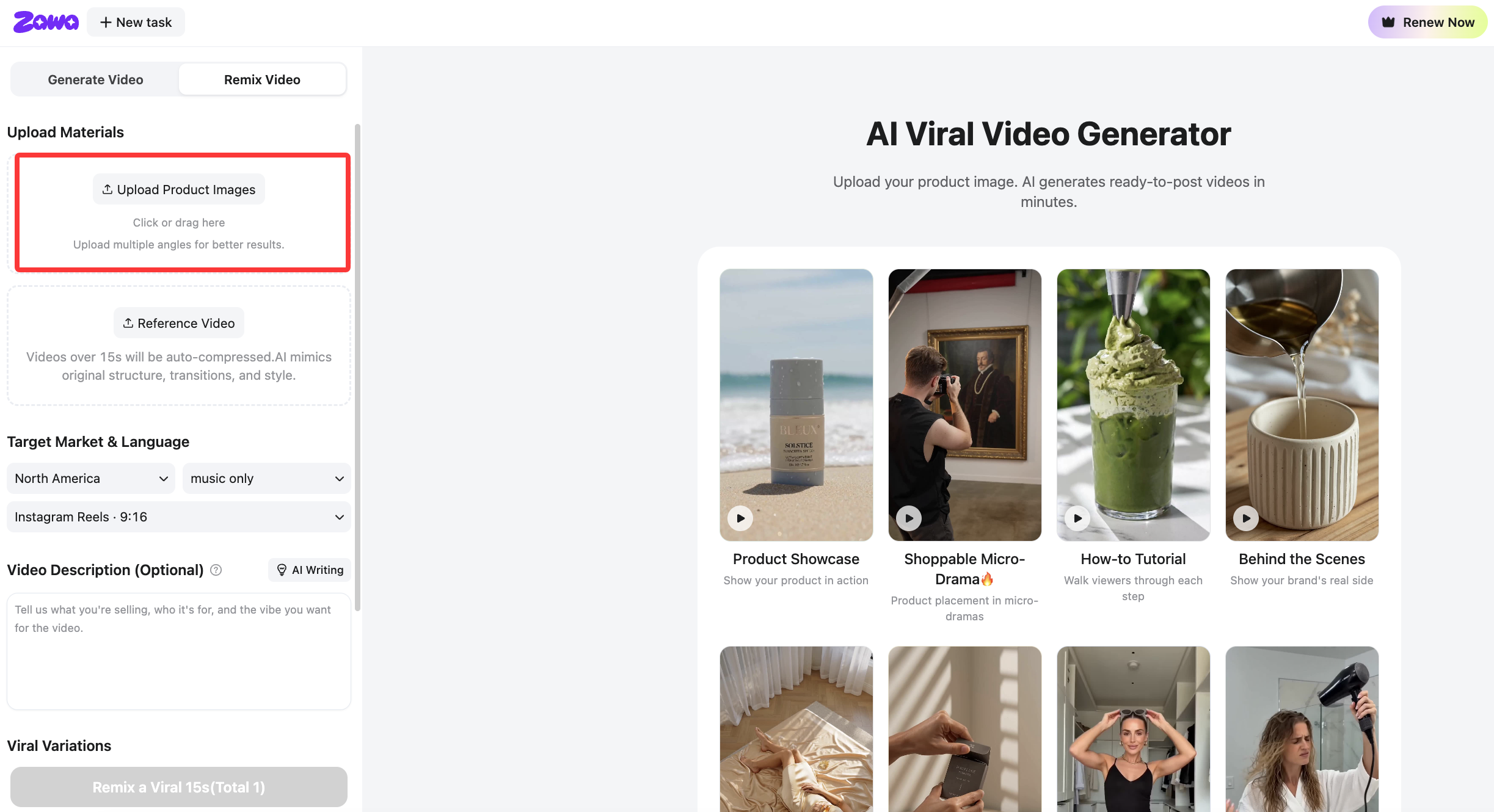 For best results:
- Upload 3–5 product imag
- Use clear, high-quality visuals
- Provide multiple angles to fully present the product
- Include scale references (e.g. hand-held shots) when possible
Step 2: Add a Reference Video ⭐
Upload a viral video you want to replicate.
This is the most important step.
Choose videos that:
● Capture attention in the first few seconds
● Have a clear structure or storyline
● Match your product category or visual style
Currently, you can upload a video file directly.
In upcoming updates, you’ll also be able to import videos via links.
💡 Tip: Focus on the structure, not the content.
Step 3: Choose Target Market, Language and Format
Select your target market, language, and video format to ensure your video is optimized for both audience preferences and platform performance.
- Market: North America
- Language: English
- Format: Instagram Reels (9:16)
Selecting Target Market helps adapt the visual style, including actors, avatars, and overall presentation to better match regional audience preferences.
This ensures your video is fully aligned with both communication style and visual localization requirements.
Step 4: Add Video Description & AI Writing (Optional)
Enter key information about your product to generate accurate and high-performing video content.
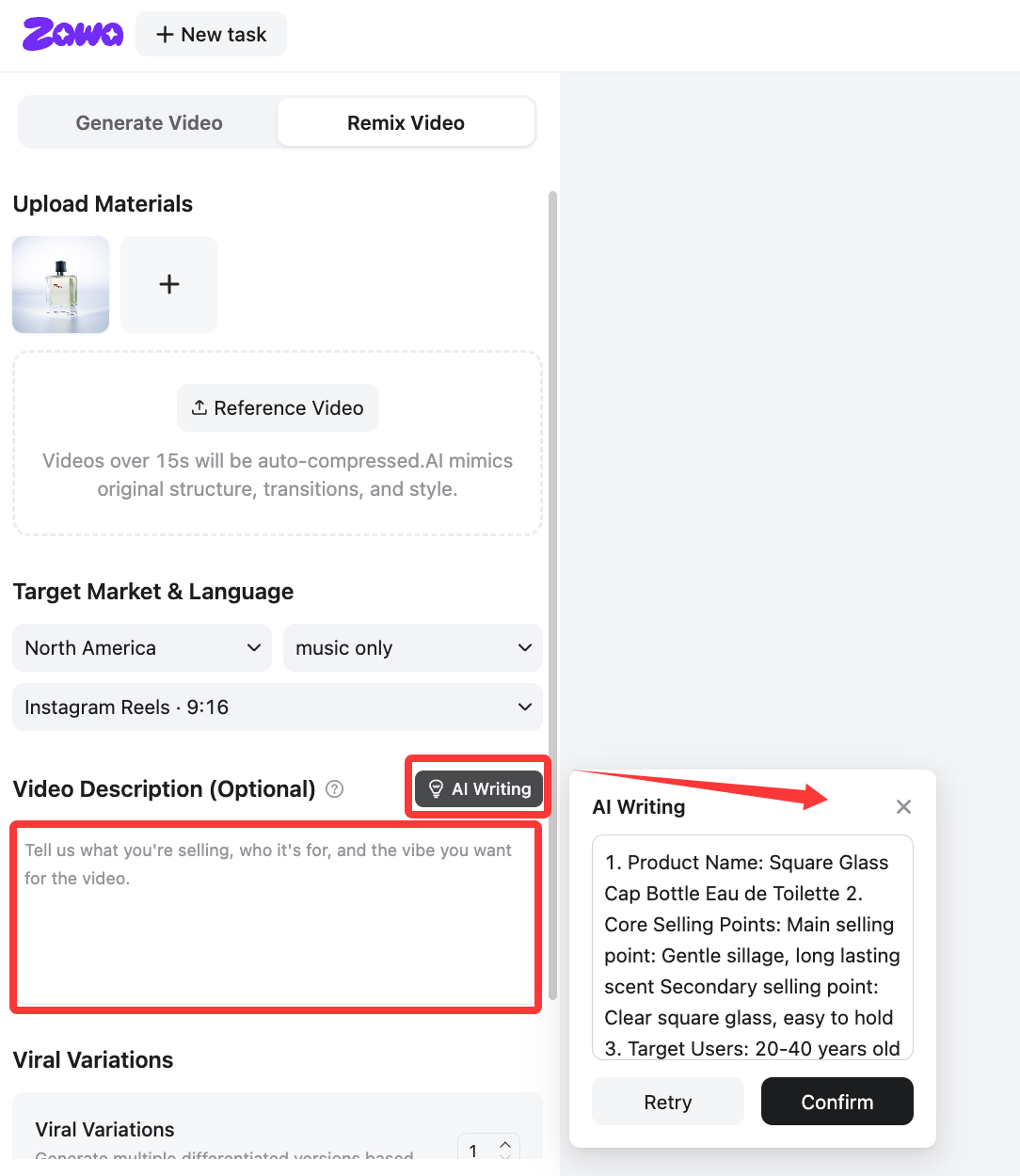
- Product’s key selling points
- Target audience
- Usage scenarios
- Other relevant information
If you are not sure how to write it, you can use AI Writing to automatically generate optimized selling points and marketing copy.
If you have special generation requirements (e.g. British accent, tone of voice, or creative style), you can include them directly in the input box.
The system will use this information to generate more relevant scripts, visuals, and messaging for your video output.
Step 5: Set Viral Variations
Choose how many variations you want.
Each variation:
- Follows the same reference structure
- But differs slightly in visuals, pacing, or emphasis
This helps you explore different outputs efficiently.
Step 6: (Optional) Create an AI Avatar
Enable AI Avatar to add a virtual presenter to your video, making your content more engaging and realistic.
The avatar will be generated based on your selected preferences and used consistently throughout your video.
It helps deliver a more human-like presentation for product demonstrations, UGC-style videos, and social media ads.
Step 7: Generate Your Video
Click “Recreate a 15s viral video” to start processing your inputs.
The system will analyze your reference video and organize your product visuals into a structured video.
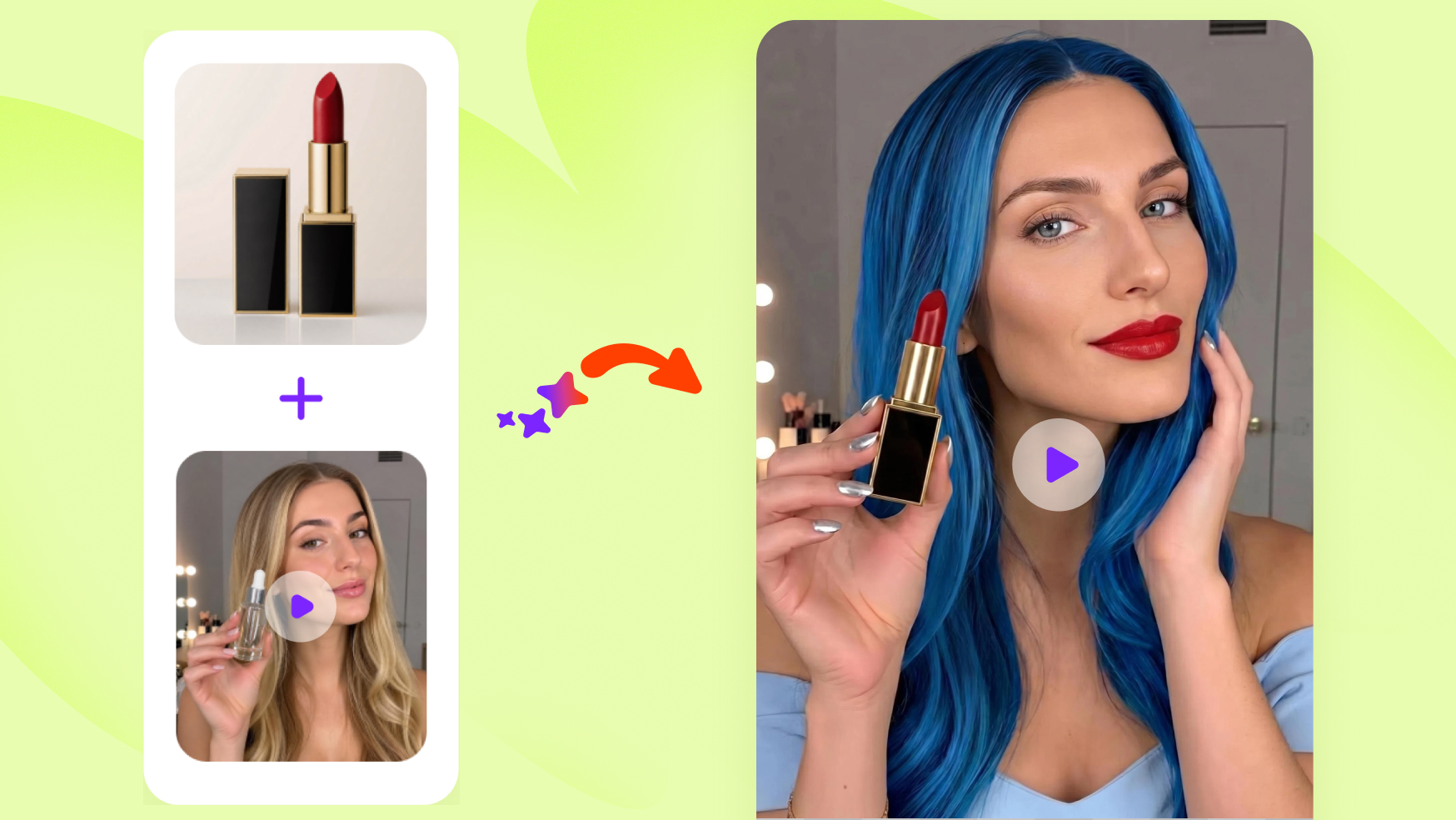
Example
| Input |
Product Image |
|
| Input |
Reference Video |
|
| Output |
Remix Video |
Why This Approach Works
Instead of building a video from scratch, you’re starting with a structure that already performs well.
This reduces guesswork and speeds up content creation — especially for short-form platforms.
Pro Tips for Better Results
1. Choose Strong Reference Videos
The output quality depends heavily on your input.
Select videos with:
- Clear storytelling
- Strong hooks
- Consistent pacing
2. Focus on the First Few Seconds
A strong opening leads to stronger results.
3. Stay Within Your Category
Match your product type to the reference video.
4. Generate Multiple Variations
Test different versions instead of relying on one.
How to Find Good Reference Videos
You can discover suitable videos from:
- TikTok Creative Center
- Instagram Reels Explore
- Competitor accounts
- Influencers in your niche
Look for:
- High engagement
- Clear structure
- Repeatable formats
Conclusion
Creating short-form videos doesn’t have to start from zero.
By using AI Remix Video, you can build on proven content structures and adapt them to your own product.
This makes video creation faster, more consistent, and easier to scale.
If you’re producing content for platforms like TikTok or Instagram, this approach can significantly simplify your workflow.
More Articles You May Like

10 Best AI Image to Video Generators Ranked (2026)
100+ YouTube Video Ideas That Actually Get Views in 2026
How to Make an Animation: A Guide to Creating Animated Videos

Top AI Prompts for Music Videos: 20+ Ideas for Stunning Visuals
How to Create Engaging Video Content That Captures Attention in 2026
How to Make an AI Video from a Photo Without Looking Strange: Guide
Instagram Watermark Remover: Fix Your Reels Reach
TopYappers Watermark Remover: How It Works (2026)
BeeCut Watermark Remover Review: Does It Work? (2026)
Media.io Watermark Remover Review
VEED Watermark Remover: How It Works and Its Limits
Pixbim Video Watermark Remover AI Review: Tested for Clean Exports
Supawork AI Video Watermark Remover Review: Tested for Real Results
Top AI Avatar Tools for Real Estate Video Walkthroughs in 2026

Create TikTok Video Ads with AI: Generate High-Converting Ads in Minutes

How to Remove CapCut Watermark: Manual & AI Methods Guide

How to Download TikTok Videos Without Watermark: Easy AI Methods

How to Remove Moving Watermark in Filmora: Official & AI Solutions

Video Clarity Guide: Make Any Video Look Clearer and Sharper

10 Best AI Video Upscalers Tested and Ranked (2026)

How to Fix Pixelated Video: A Comprehensive Guide (2026)
What Is 4K Resolution? Pixels, Formats & Device Guide

Video Compression Artifacts Explained: Causes, Fixes & AI Solutions

What Is Deinterlacing? Complete Guide to Converting Interlaced Video

What Is Video Bitrate and How Does it Affect Video Quality?

Media.io AI Video Upscaler Review: Is It Worth It in 2026?

How to Stabilize Video in Premiere Pro: Complete Step-by-Step Guide

How to Improve Video Quality: Step-by-Step Creator Guide

How Many Frames per Second (FPS) Can the Human Eye See? The Real Answer

SD vs HD Video: Differences, Use Cases & How to Upgrade

HD vs 4K: Differences, Visual Impact & Which to Choose

720p vs 1080p: Key Differences, Use Cases & Which to Choose

What Is Frame Rate? FPS Explained for Video & Gaming

1440p vs 4K: Key Differences, Real Scenarios & Blur Fix

What Is 2K Resolution? Dimensions, Quality & Use Cases
1080p vs 4K: Key Differences, Real-World Results (2026)
What Is 1440p Resolution? QHD Explained (2026)
How to Create Viral Product Videos with Remix Video