
TopYappers Watermark Remover: What It Does and When to Use It
TopYappers offers a free AI tool built specifically to remove Sora watermarks from AI-generated videos. It uses inpainting rather than cropping or blurring. This guide covers how it works, what the free tier gives you, where results fall short, and when a different tool makes more sense.

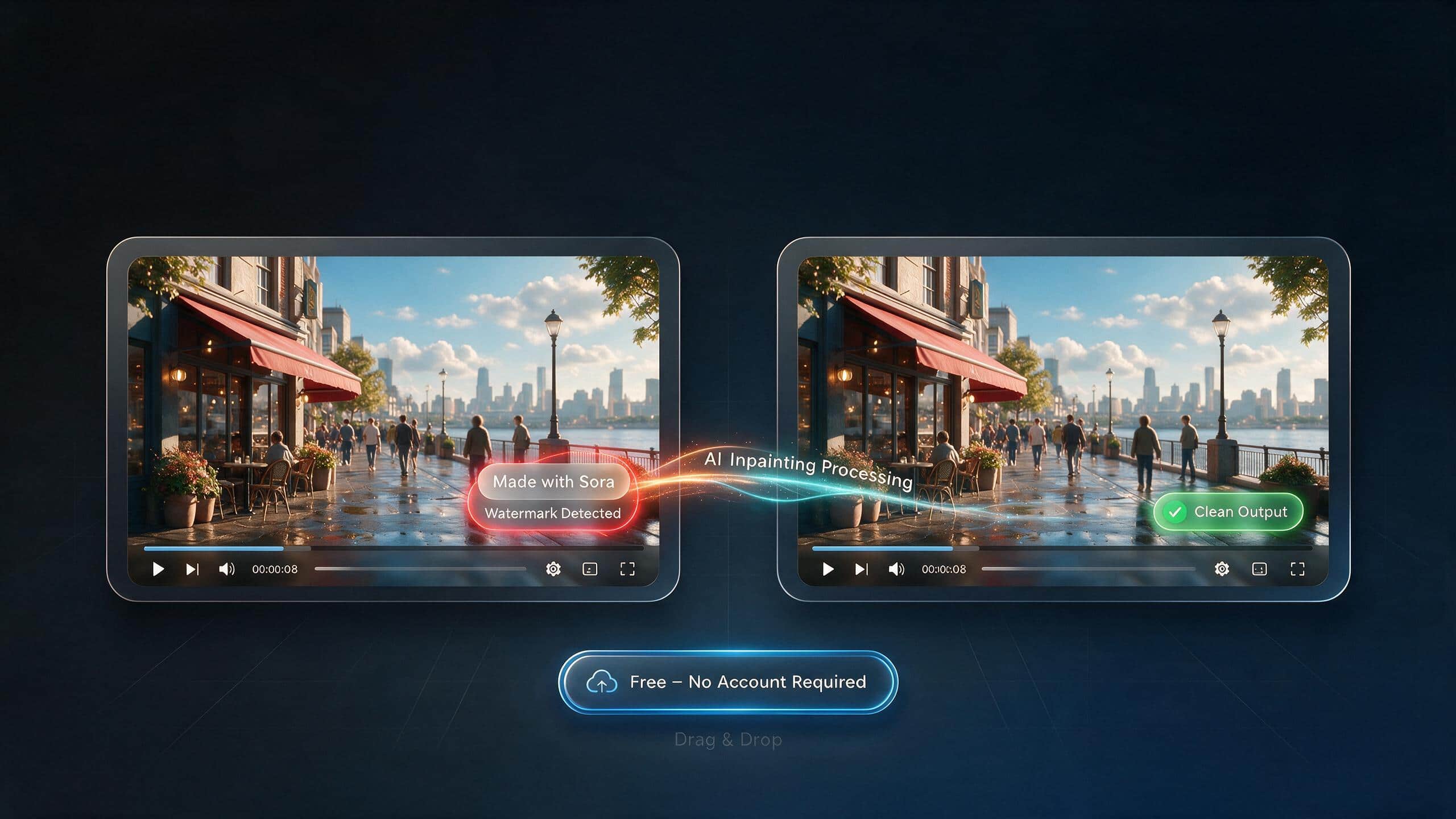
You spent time generating a video with Sora. The result looks great. Then you notice the 'Made with Sora' badge sitting in the corner. Now you need it gone before you send the clip to a client or post it on your feed.
That is exactly what the topYappers watermark remover was built for. topYappers is an influencer marketing platform, and this tool is one free utility it offers on the side. It does one job: removing the Sora watermark from AI-generated videos. This guide walks you through how it works, what the free tier actually gives you, where the results fall apart, and when a different tool is the better call.
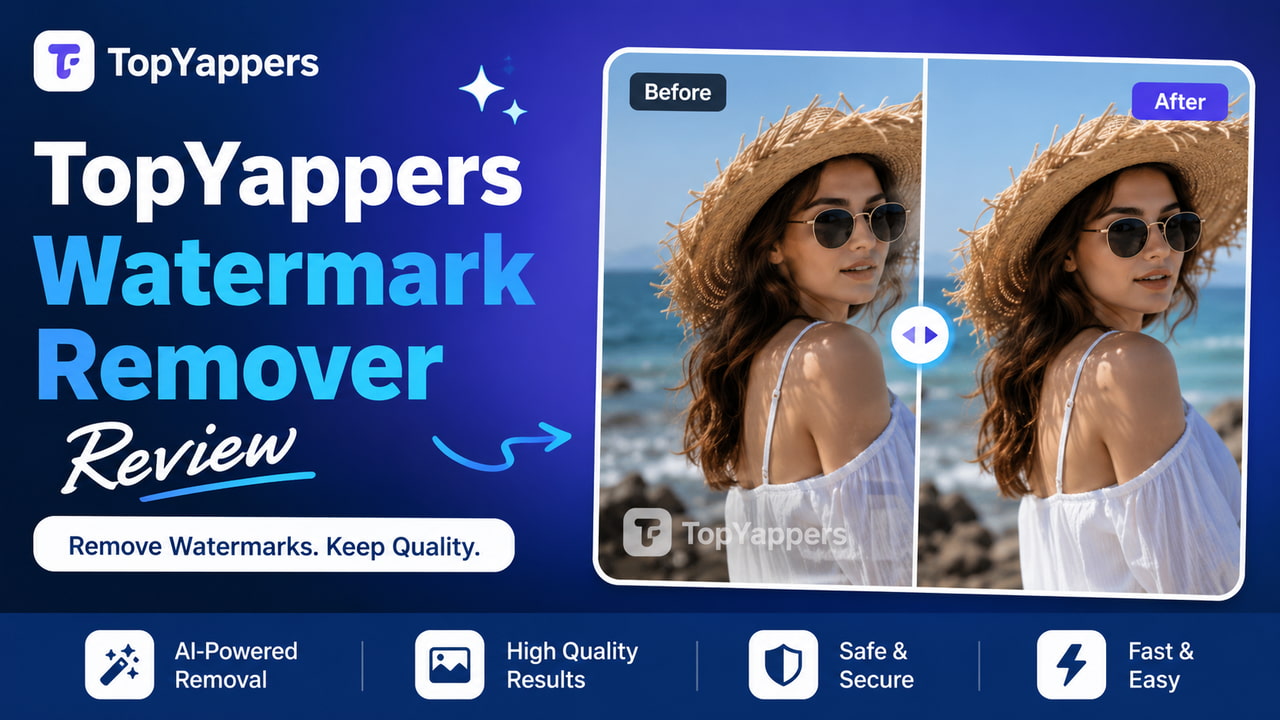
What Is a Video Watermark and Why Do Creators Need to Remove Them?
Before getting into the tool itself, it helps to understand what a watermark actually is and why removing it matters for real creative work.
What a Video Watermark Is
A video watermark is a visible overlay sitting on top of your footage. It can be a logo, a text badge like 'Made with Sora', a platform name, or a tool label. You see these everywhere: TikTok's bouncing logo on downloaded clips, the VEED badge on free exports, and OpenAI's Sora label on AI-generated video.
There are actually two types of watermarks. Visible ones are what you can see on screen. Invisible ones are embedded in the file metadata. Sora uses both. It adds the visible 'Made with Sora' badge to videos generated on its free and standard tiers as part of OpenAI's AI content disclosure rules. It also embeds something called C2PA metadata in the file, which is a provenance marker that identifies the content as AI-generated. The topYappers tool removes the visible badge. The C2PA metadata stays put because it is a separate embedded standard that visual removal tools do not touch.
The watermark is not a glitch. It is intentional. OpenAI puts it there on purpose.
Why Creators Need to Remove Watermarks
-
Portfolio and client work: A 'Made with Sora' badge in the corner of a video you are delivering to a brand or agency looks unprofessional. The client hired you to produce clean content, not branded AI output.
-
Platform consistency: If you post watermarked AI video on Instagram or YouTube alongside your other content, the tool badge sticks out. It breaks the visual consistency of your feed.
-
Brand identity: If you are building your own creative brand, you cannot have someone else's logo on your work.
-
One important note: This guide is about removing watermarks from videos you generated yourself using Sora. Removing watermarks from content you do not own or have rights to is a different matter entirely.
What is topYappers and what is its watermark remover tool?
topYappers is an influencer marketing and UGC discovery platform. Its main product is a creator search database with tools for finding influencers, analyzing TikTok sounds, and managing UGC campaigns. The watermark remover is not the main product. It is one free standalone tool available at topYappers.com/tools/sora-watermark-remover, accessible without a paid subscription and built for one specific task.
What is the tool built for?
The topYappers watermark remover is designed specifically to detect and remove the Sora watermark from OpenAI Sora-generated videos. It is not a general-purpose watermark remover. It is trained on the specific visual signature of the Sora and Sora 2 badge, which is why it handles that particular watermark better than a tool designed for all watermark types.
It uses AI inpainting. That means it scans each frame, finds where the watermark is, reconstructs the background pixels that should be in that spot, and outputs a clean video file. You do not need to draw a box around the watermark or do any manual selection. The AI detects and removes it automatically. Videos are deleted from topYappers' servers after 24 hours.
Free Tier vs. Premium
The topYappers watermark remover is a free standalone tool. The topYappers platform itself offers three plans:

-
Free tools: The watermark remover at topyappers.com/tools/sora-watermark-remover is accessible at no cost with no subscription required
-
Monthly plan: $59 per month. Includes full platform access covering creator search, outreach, API, and 30k creators with emails per month, 3 connected emails, API and MCP at 30 requests per minute, and 3 team seats
-
Yearly plan: $25 per month billed as $299 annually.
-
Enterprise: Custom pricing for agencies and platforms needing unlimited creator API, unlimited videos API, viral content API, custom integrations, dedicated account manager, SLA guarantees, priority processing, and custom data sources
The watermark remover itself sits within the free tools section of the platform. Accessing the broader topYappers platform for influencer marketing and creator search requires one of the paid plans above.
How to use the topYappers watermark remover
Brief intro: No account required for the free tier. Straightforward four-step process.
Step-by-Step: Removing a Sora Watermark
Step 1: Open the tool and upload your Sora video
Go to topYappers.com/tools/sora-watermark-remover. Drag your video into the upload area or click to browse. MP4 and MOV files work. No sign-up required. The file starts uploading immediately.
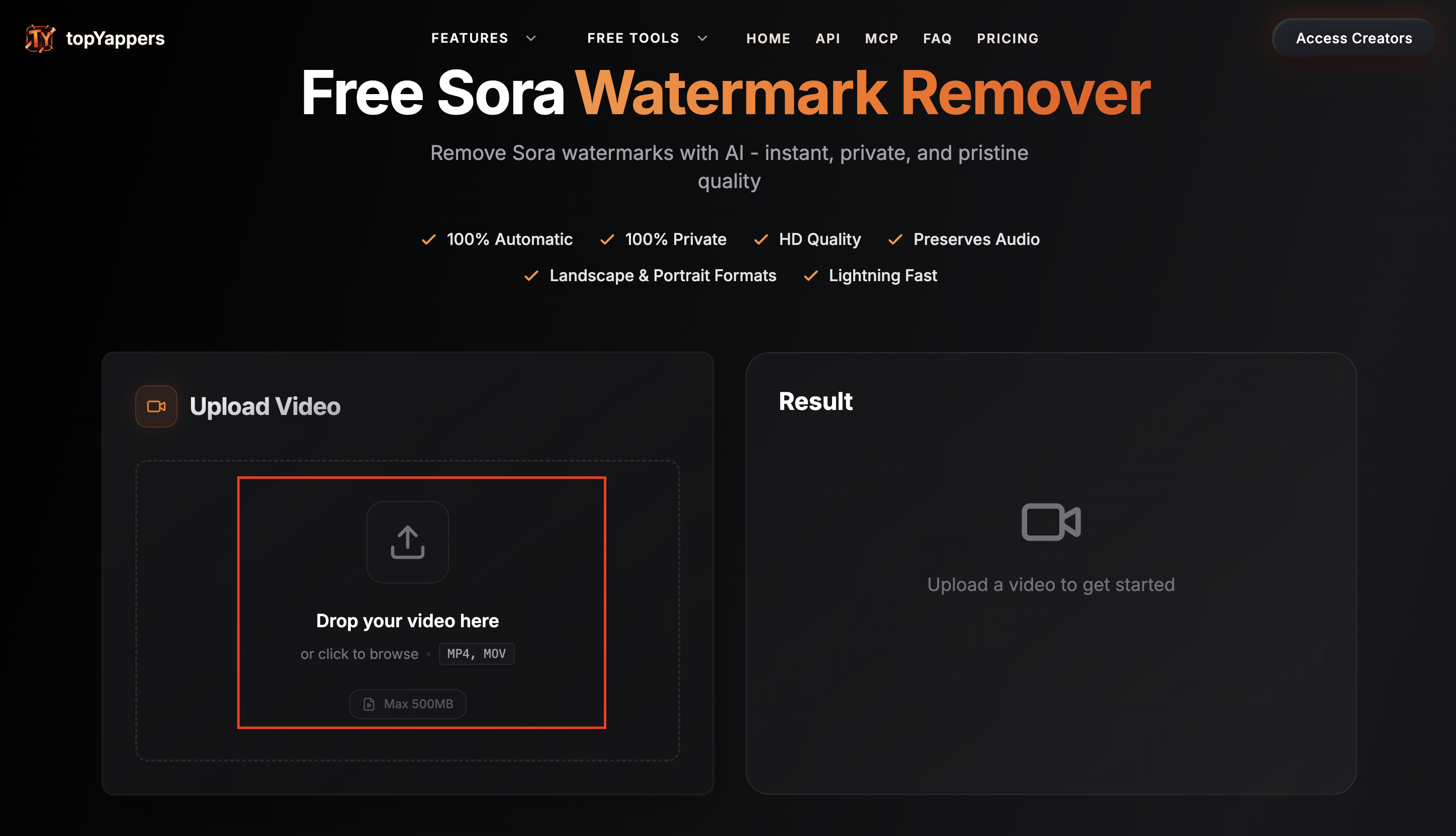
Step 2: Let the AI detect and process the watermark automatically
Once the upload is done, the AI scans every frame for the Sora badge. You do not need to select anything. It finds the watermark and runs the inpainting pass across the whole video. A progress bar shows you how far along it is.
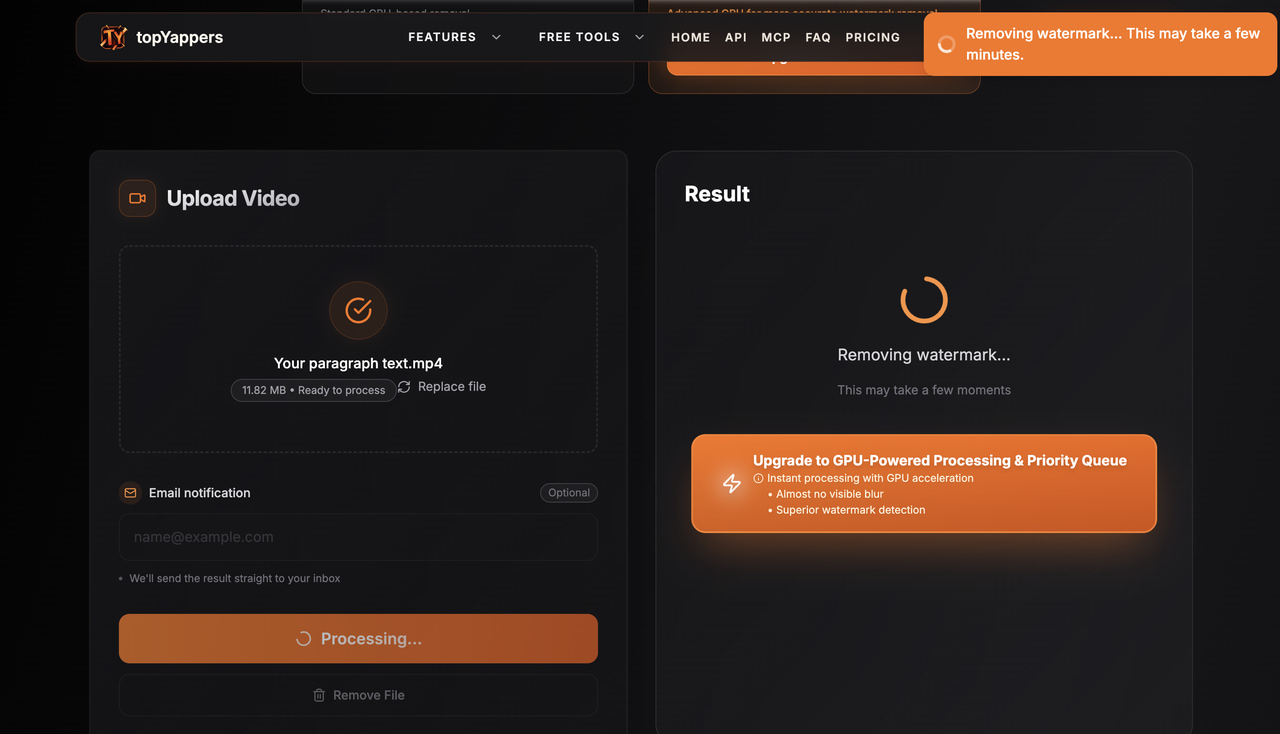
Step 3: Review the output for reconstruction artifacts
When processing finishes, a preview loads. Watch through the clip carefully, especially any sections where the background behind the watermark is complex or moving. Look for blurring, ghosting, or texture mismatches in the area where the badge was.
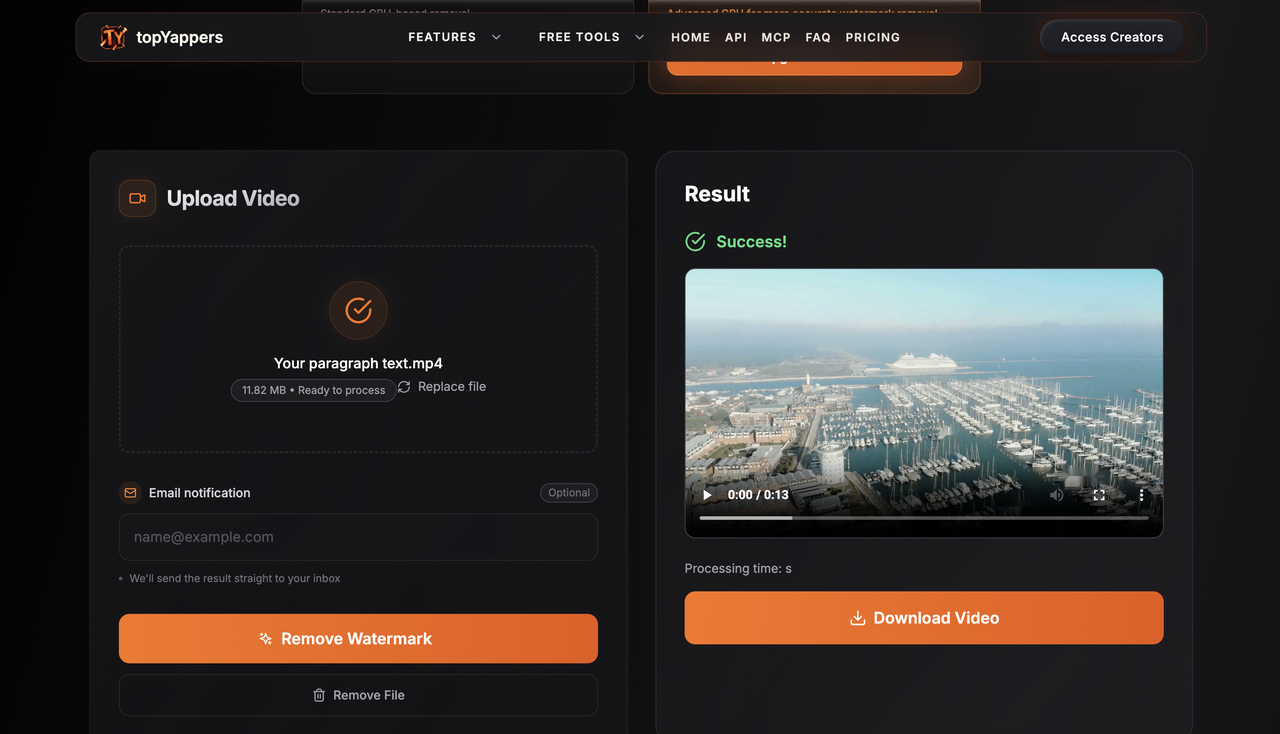
Step 4: Download the clean file
If the result looks right, hit download. The output has no added watermark from topYappers. If you spot artifacts, the free tier does not offer manual adjustments, so this is where upgrading to GPU processing makes a difference on tricky footage.
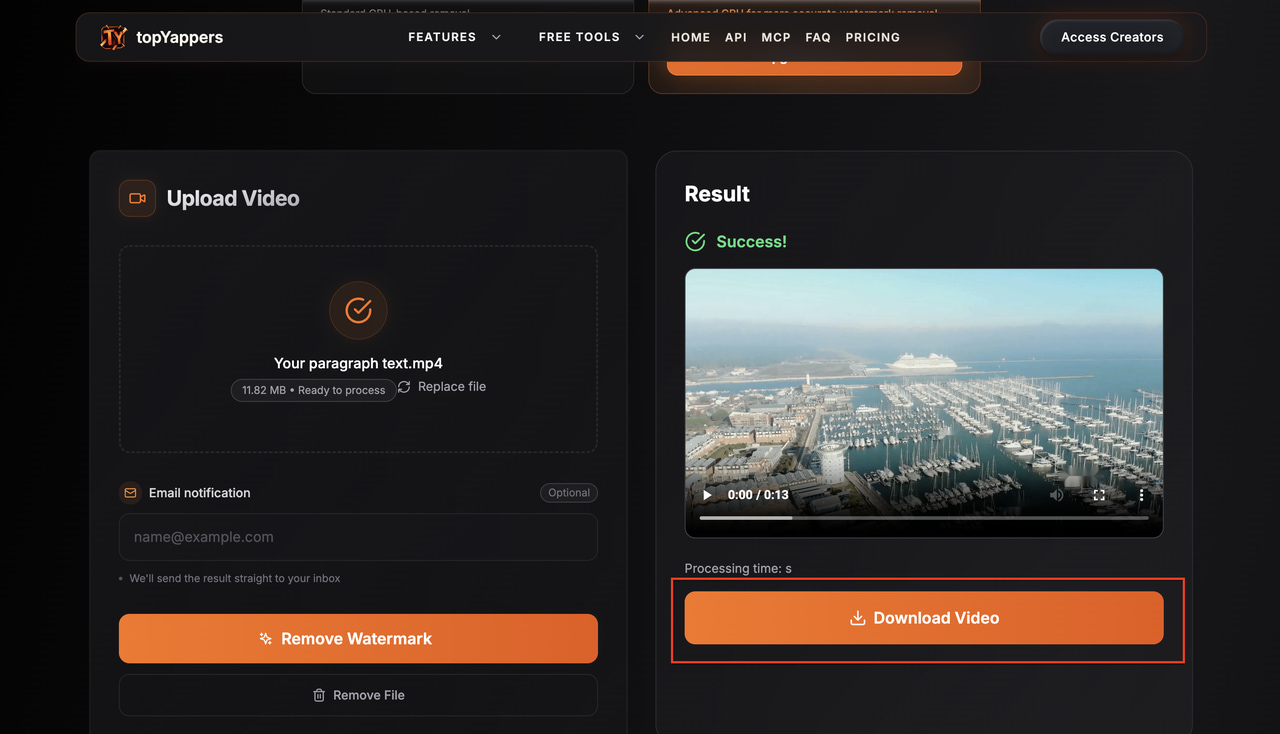
Does it actually work? Use cases and performance limits
The honest answer is: it depends on what your footage looks like. The tool is genuinely good at certain scenarios and noticeably weaker on others.
Where it works well
-
Static Sora watermarks over simple or consistent backgrounds: sky, plain walls, solid colors; inpainting blends cleanly and the removed area is invisible at standard viewing sizes.
-
Short clips with minimal background motion in the watermark zone: the AI has consistent surrounding context to reconstruct from.
-
Quick one-off removals where speed and zero manual work matter more than perfect reconstruction.
Where it struggles
-
Complex or detailed backgrounds behind the watermark: reconstruction leaves visible smearing, mismatched texture, or ghosting when the scene changes beneath the watermark position.
-
Fast-motion footage: frames change too quickly for consistent reconstruction; the inpainted area flickers or shows artifacts between frames.
-
Free tier CPU vs. premium GPU: free-tier results on complex content are noticeably weaker; GPU processing produces cleaner reconstruction on demanding footage.
-
Non-Sora watermarks: the tool is trained on Sora's specific watermark format; using it on TikTok logos, CapCut badges, or other platform branding produces worse results than a general-purpose tool.
TopYappers vs. General-purpose watermark removal tools
Because the topYappers watermark remover is Sora-specific, knowing how it compares to other tools is useful before you decide which one to use.
|
Feature |
topYappers |
Media.io (AniEraser) |
BeeCut |
Zawa Video Watermark Remover |
|---|---|---|---|---|
|
Primary use case |
Sora watermarks only |
General AI inpainting |
Crop, blur, overlay |
General + Sora watermarks |
|
Removal method |
AI inpainting (auto) |
AI inpainting (brush) |
Crop / blur / overlay |
AI inpainting (auto or manual) |
|
Sora watermark detection |
Optimized |
General only |
Not supported |
Supported |
|
Own watermark on free export |
None added |
Yes (Media.io badge) |
Yes (BeeCut badge) |
None added |
|
Free tier limit |
5 videos per 24 hrs |
1 video trial only |
Free but own badge added |
5-second preview per clip |
|
Preview before download |
No |
No |
No |
Yes |
|
Browser-based |
Yes |
Yes |
Yes + desktop |
Yes |
When topYappers is the right pick
You generated the video in Sora or Sora 2 and only the Sora watermark needs removing. You want fully automated detection with no manual masking. Your clip count is within the free tier limit of 5 per day. The background behind the watermark is simple enough for CPU-based reconstruction to handle cleanly.
When to use something else
-
The watermark is not from Sora. For TikTok logos, CapCut badges, or custom branding, a general-purpose tool like Media.io (AniEraser) produces more reliable results because it is trained on a wider range of watermark types.
-
The background is complex and you need clean reconstruction. In that case, the GPU premium tier or a dedicated AI inpainting tool designed for demanding footage will serve you better.
-
You need more than 5 removals per day without paying. Media.io, Vmake, or desktop tools cover higher volumes.
-
You need a general-purpose watermark remover that handles Sora watermarks along with other badge types. That is where Zawa Video Watermark Remover fits.
When Zawa is the better choice for watermark removal
topYappers works only on Sora watermarks. For any other watermark type, or for Sora clips where the inpainting left visible artifacts and you need a cleaner pass, Zawa Video Watermark Remover is the practical alternative.
Zawa's watermark remover handles a broader range of watermark types than the Sora-specific topYappers tool. That means TikTok badges, editing tool branding, platform logos, and Sora watermarks all in one place. It runs in the browser with no install and no GPU required on your end. No watermark is added to any output, including on the free tier.
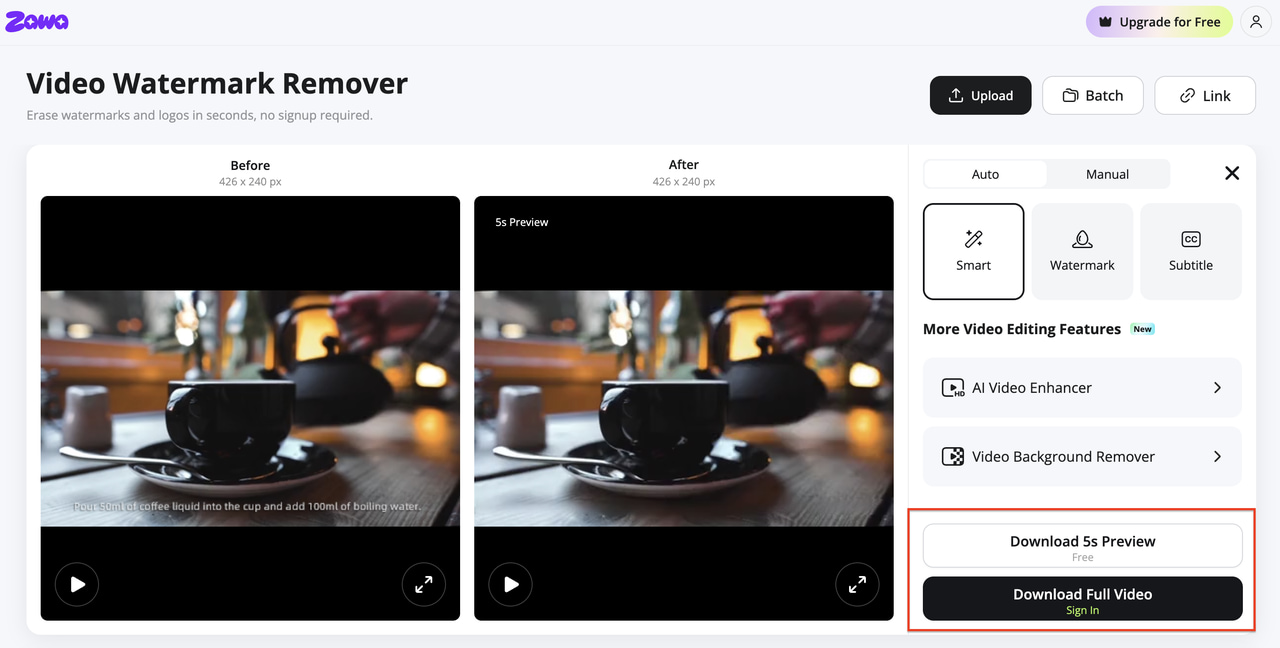
The free tier gives you a 5-second preview of the processed output before you decide to download. That is something topYappers, BeeCut, and Media.io do not offer free access. You can check whether the reconstruction looks clean before committing. Supports MP4 and MOV.
Step-by-step: Removing a watermark with Zawa
Step 1: Open Zawa's watermark remover and upload your video
Go to zawa.ai/video-watermark-remover and upload your file. MP4 and MOV are accepted. No account is needed to upload or run the free preview. The file goes straight into processing.
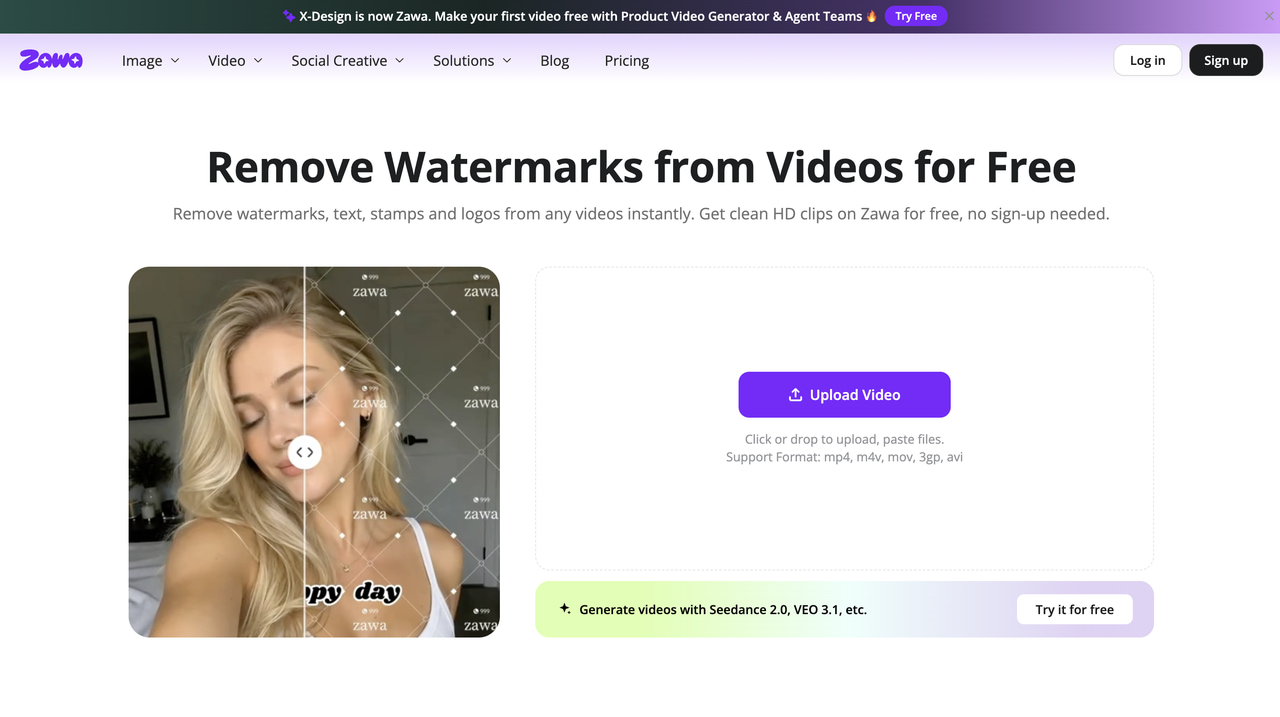
Step 2: Mark the watermark area or let the AI detect it automatically
The AI scans the video and detects the watermark position automatically across all frames. If it misses something, you can manually select the area with a brush. The tool tracks the watermark frame by frame, including moving badges, without needing you to set separate masks for each position.
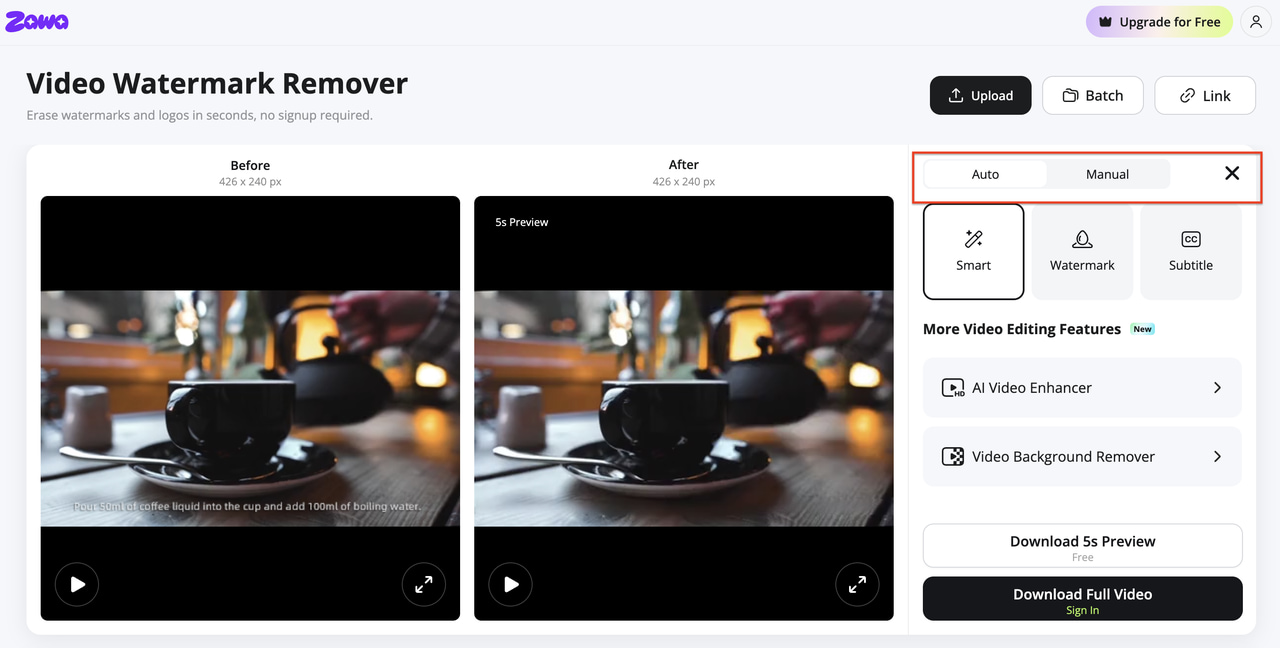
Step 3: Preview the result and download the clean file
A 5-second preview loads when processing finishes. Check the reconstruction zone for any artifacts. If it looks clean, download the full video using a paid plan. Full-length watermark removal requires a paid plan from $5.83 per month (billed annually), which includes Full HD output at 10 uses per day.
FAQs
What is the topYappers watermark remover?
It is a free browser-based tool from topYappers built to detect and remove the Sora watermark from OpenAI Sora-generated videos. It uses AI inpainting to reconstruct the area where the badge appeared without any manual selection needed. Find it at topYappers.com/tools/sora-watermark-remover.
Is topYappers watermark remover free?
Yes. The free tier allows 5 video removals per 24-hour period at no cost. Standard CPU-based processing runs the removal. Premium subscribers get GPU-accelerated processing and up to 100 videos per day. topYappers does not add its own watermark to free exports.
Does topYappers work on watermarks other than Sora?
The tool is trained on the Sora watermark format specifically. It may produce some result on other watermark types, but it was not designed or tested for general-purpose removal. For TikTok watermarks, platform logos, or editing tool badges, a general-purpose tool produces more reliable results.
Will removing the Sora watermark affect video quality?
The inpainting process rebuilds the watermark area without touching surrounding pixels. On simple backgrounds, the result is clean and the reconstruction is invisible. On complex or fast-moving backgrounds, some artifacts may appear in the rebuilt zone. The rest of the video stays exactly as it was.
Can I use topYappers-processed Sora videos commercially?
Removing the watermark does not change the underlying rights to the video. OpenAI's usage policies for Sora-generated content govern what you can do commercially. Check OpenAI's current terms of service for Sora before using processed videos in paid campaigns or client work.
Does Sora add an invisible watermark as well as the visible one?
Yes. Sora videos include C2PA metadata: an invisible provenance marker embedded in the file that identifies the content as AI-generated. The topYappers tool removes the visible badge only. The C2PA metadata is a separate embedded standard and is not affected by visual watermark removal.
You May Be Interested

Media.io AI Video Upscaler Review: Is It Worth It in 2026?
Apowersoft Watermark Remover: Review, Pricing & Alternatives

How to Remove Gemini Watermark?

How to Remove CapCut Watermark: Manual & AI Methods Guide

How to Remove Moving Watermark in Filmora: Official & AI Solutions

How to Remove the Kling AI Watermark
