
Find the Right AI Avatar Tool for Real Estate Video Marketing
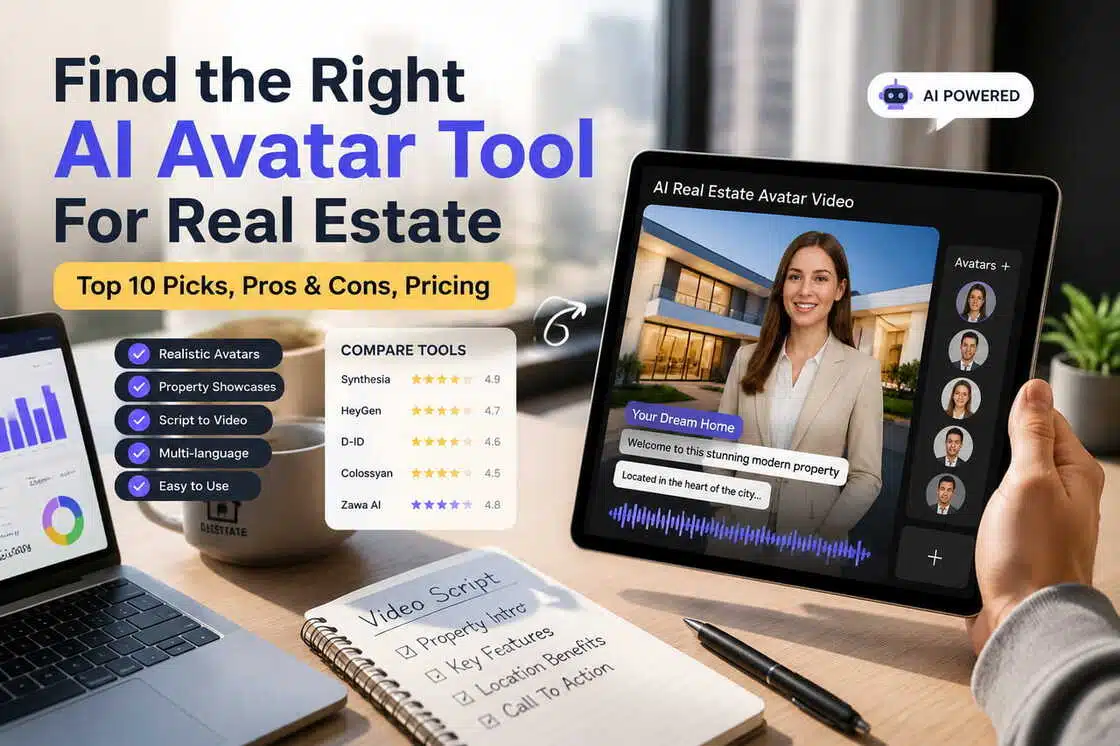
A real estate professional is using an AI platform to generate a video featuring a digital avatar—complete with property showcases, narration, and virtual tours. The scene incorporates elements such as a laptop, a tablet, images of a house, and AI video creation tools, highlighting a smarter approach to real estate content creation.

AI avatar tools help real estate agents make clean property walkthrough videos without filming themselves. These tools add a digital presenter who talks about the home using your property photos. You get clear listing videos in minutes using simple steps inside the tool.
This saves time, cuts video costs, and keeps your marketing steady for every listing. In this guide, you will see the top AI avatar tools for real estate video walkthroughs.
Why AI Avatars Are Becoming Popular in Real Estate Marketing
These tools are becoming standard for agents who want faster property videos. Now, we will see how AI avatar tools for real estate video walkthroughs help with daily work in real estate.
No Need To Be On Camera
Agents can share property details without standing in front of a camera. Shy agents feel comfortable yet still appear professional in every listing video. Teams keep a steady video presence when agents are busy with visits.
Quick Property Video Creation
An AI avatar can present a home within minutes using listing media. This makes listings go online faster to reach buyers as soon as possible. Real Estate Agents launch property videos without waiting for full shoots.
Less Video And Marketing Costs
Real estate teams skip repeated filming days and extra presenter fees. A single avatar setup serves many listings without new production costs. Smaller agencies gain modern video marketing without hiring large media crews.
Same Look For Every Listing
Avatar videos keep brand colors and style the same. Buyers start to recognize the agent and brokerage across many properties. Consistent presentation makes the whole portfolio feel more trusted.
Easy Property Videos In Many Languages
AI talking avatars speak different languages for local and international clients. Agents use one workflow to make the same video in many languages. These listings bring in buyers from other countries who need their language.

What Makes a Great AI Avatar Tool for Real Estate?
Here are the basic criteria for the top AI avatar tools for real estate video walkthroughs.
-
Realistic Avatars: Avatars must have natural facial movements. Buyers trust when the presenter looks real.
-
AI Voiceovers: The voices should sound clear when explaining proper details. The agents tell the full listing stories with these voices, no studio recordings.
-
Property Image and Video Support: Tools should be able to use listing photos and clips within the walkthrough. Scenes should represent real rooms so that buyers can imagine the real estate.
-
Branding Customization: All videos should have the same logo and agent contact style. That keeps all listings on-brand for a single agent or an entire brokerage.
-
Vertical and Landscape Exports: Tools should be able to export videos in portrait and wide formats for different platforms. Agents upload the same walkthrough to Reels and listing portals.
-
Easy Editing: The price and scenes inside a project need to be easy to change. Agents refresh the video after updates without starting from scratch.
-
Fast Rendering: Get your finished videos in minutes. Fast output keeps new listings live when a market is moving fast.
Top AI Avatar Tools for Real Estate Video Walkthroughs
Let’s explore the top AI avatar tools for real estate video walkthroughs and see their strengths.
Zawa
Best for: Real estate teams who need quick walkthrough videos with custom AI presenters.
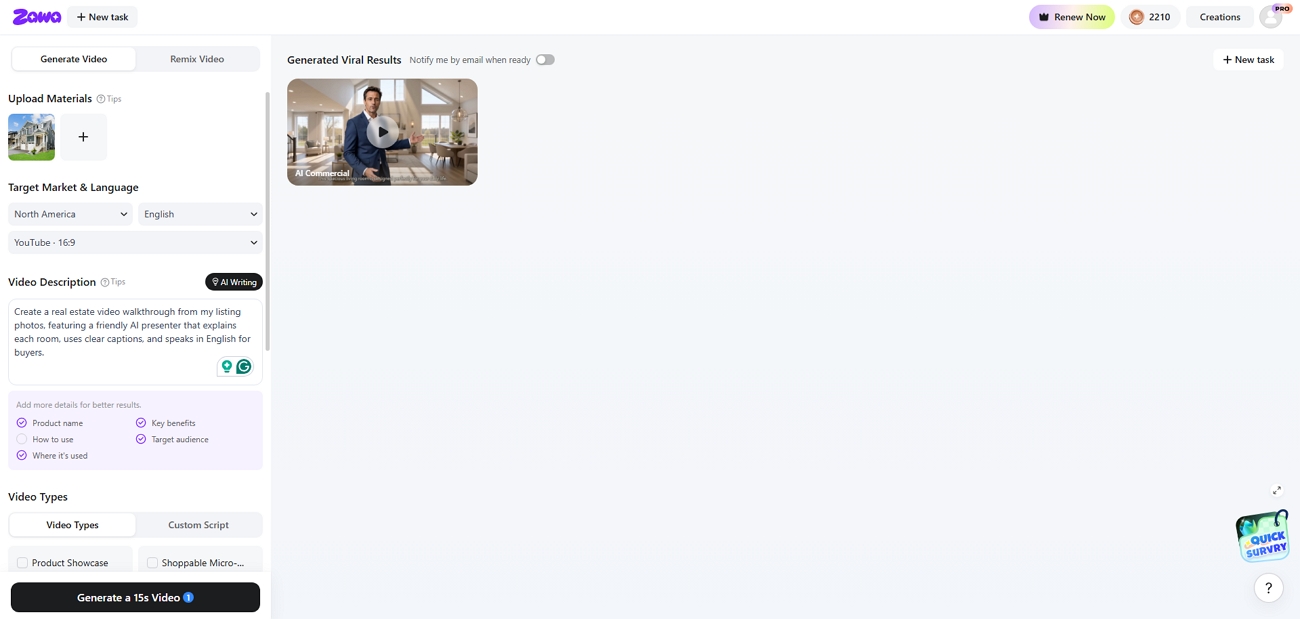
An AI video platform that turns a single property photo into a short marketing video. Zawa offers ready templates, avatar scenes, and 8 clean video layout formats. Users can generate new AI avatars from simple text prompts inside the editor.
Pros
-
Choose a clear target market for each property video.
-
Write prompts after looking closely at the property photo.
-
Create AI avatars by age range and basic body type.
Cons
-
Generates just one video on the free plan.
Pricing
| Plan | Price |
|---|---|
| Plus Plan | $9.99/month |
| Pro Plan | $29.99/month |
| Max Plan | $59.99/month |
HeyGen
Best for: Agents who need one workspace for avatar videos and photo tours.
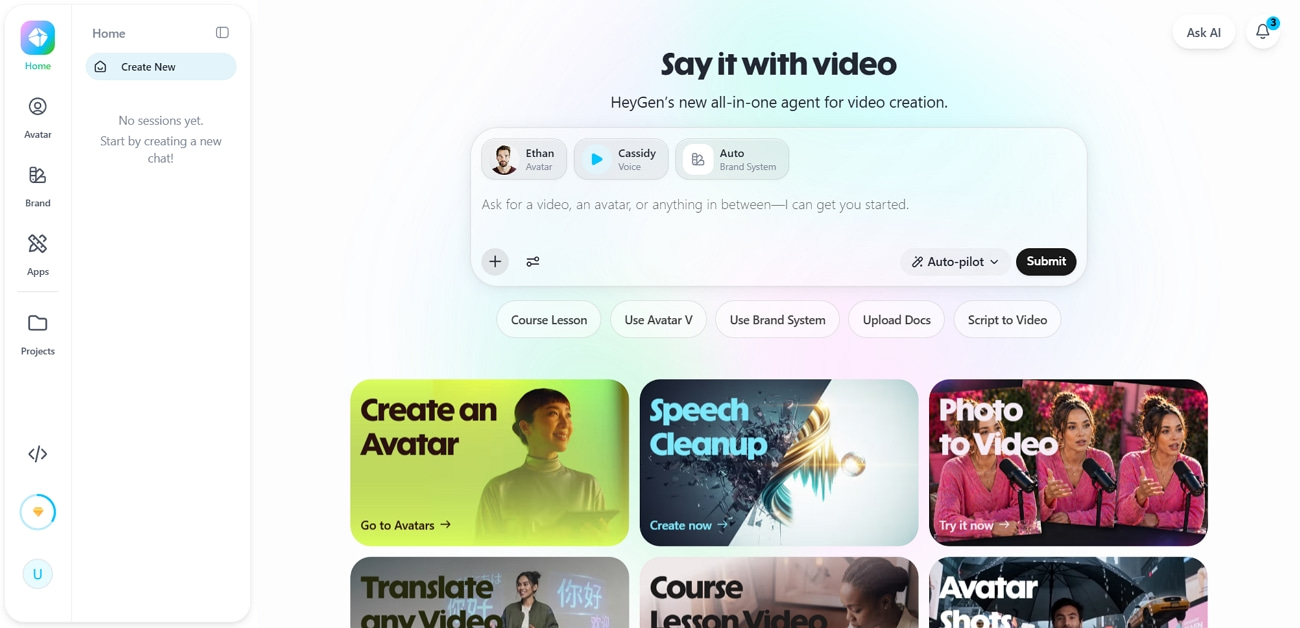
HeyGen lets you record once and reuse that digital twin presenter. Listing photos drop into the same project and become narrated motion tours. The translator turns each walkthrough into many language versions with lip sync.
Pros
-
Supports 175+ languages with accurate lip-synced real estate translations.
-
Photo-to-video engine adds clean pans and zooms.
Cons
-
Premium avatar videos spend monthly credits quickly.
-
The free plan limits length and adds a watermark.
Pricing
| Plan | Price |
|---|---|
| Creator | $29/month |
| Pro | $49/month |
Synthesia
Best for: Brokerages that train many agents with consistent avatar-based video lessons.
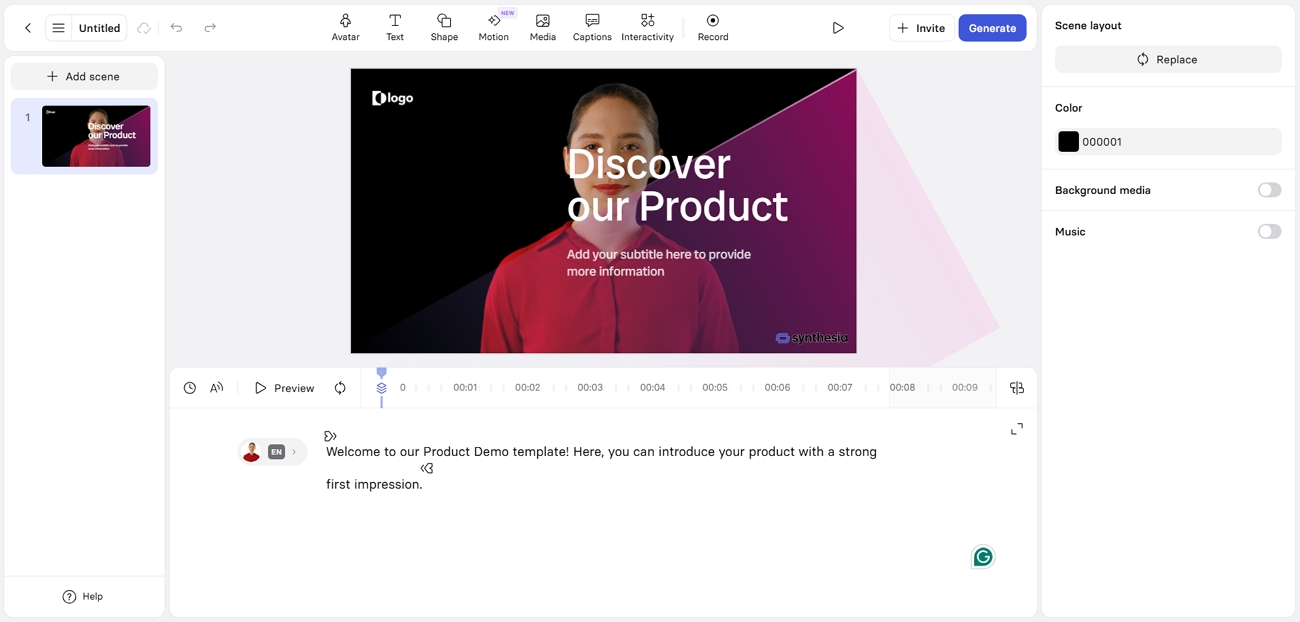
An AI avatar tool for real estate videos that keeps the presenter's style formal and steady. Teams reuse one avatar across onboarding and listing standards videos. Scripts stay consistent to make every training video match brokerage brand rules.
Pros
-
Create structured real estate training videos in 160+ languages.
-
The editor stays clean for non-technical brokerage staff.
Cons
-
Starter gives only 10 minutes of video each month.
-
No built-in photo-to-tour engine for listings.
Pricing
| Plan | Price |
|---|---|
| Starter | $18/month |
| Creator | $64/month |
| Enterprise | On call |
AutoReel
Best for: Agents and media pros turning listing photos into property videos.
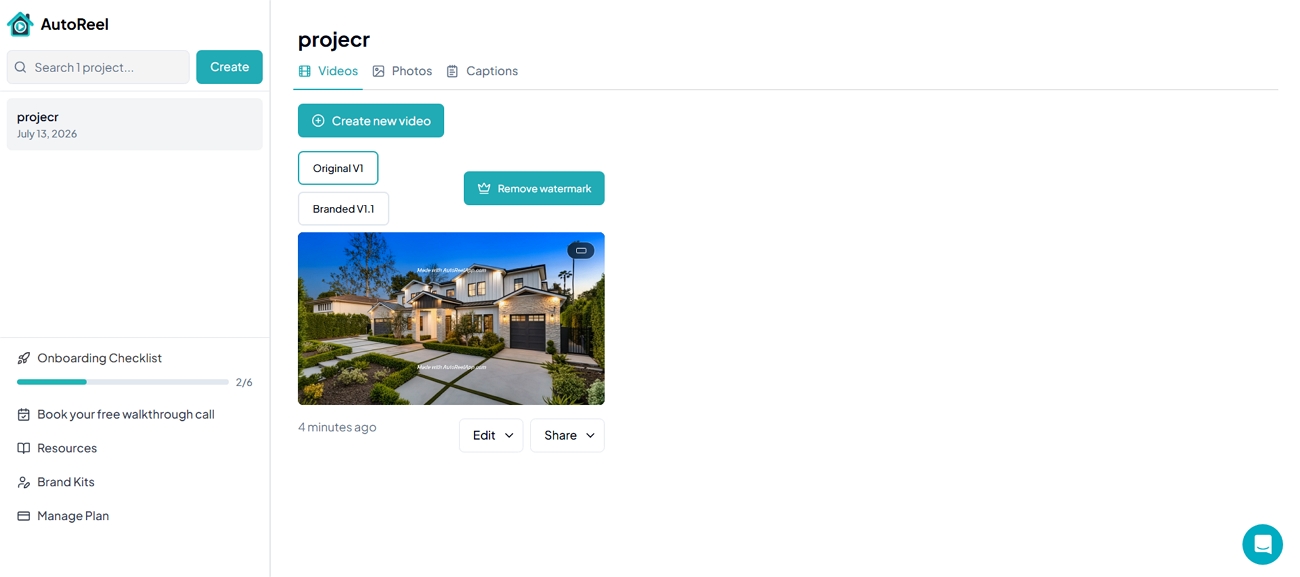
AutoReel imports listing photos from Zillow and Realtor URLs too. AI photo tools apply twilight, lawn repair, and virtual staging before video. It adds motion and branding to create cinematic real estate clips.
Pros
-
Photo-to-video engine built specifically for real estate listings.
-
Vertical exports tuned for Reels and Shorts.
Cons
-
Higher tiers cap monthly videos by strict counts.
-
The free plan adds watermarks to listing video output.
Pricing
| Plan | Limit | Price |
|---|---|---|
| Essential | 3 videos/month | $59/month |
| Growth | 10 videos/month | $139/month |
| Pro | 20 videos/month | $249/month |
PhotoAIVideo
Best for: Agents turning strong listing photos into cinematic property walkthrough videos fast.
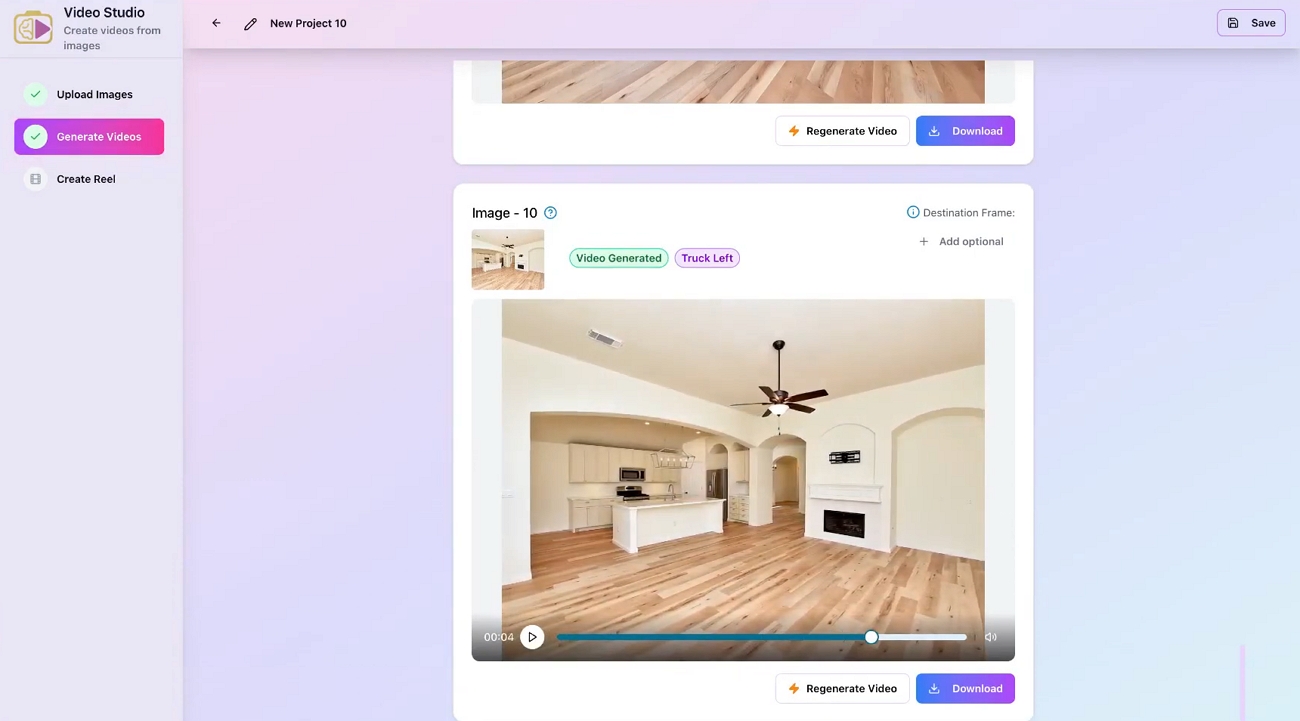
PhotoAIVideo takes your listing photos and turns them into videos. It can move across each photo smoothly to show the whole room. You can add an AI voice to explain property details during the tour.
Pros
-
Automation mode turns listing photos into full videos.
-
Export settings match vertical and landscape real estate platforms.
Cons
-
Needs high-quality listing photos for best motion.
-
Voiceovers and automation features locked to higher tiers.
Pricing
| Plan | Price |
|---|---|
| Creator | $37.5/month |
| Pro | $66.58/month |
vProp.ai
Best for: Users who buy per-video listing reels rather than monthly subscriptions.
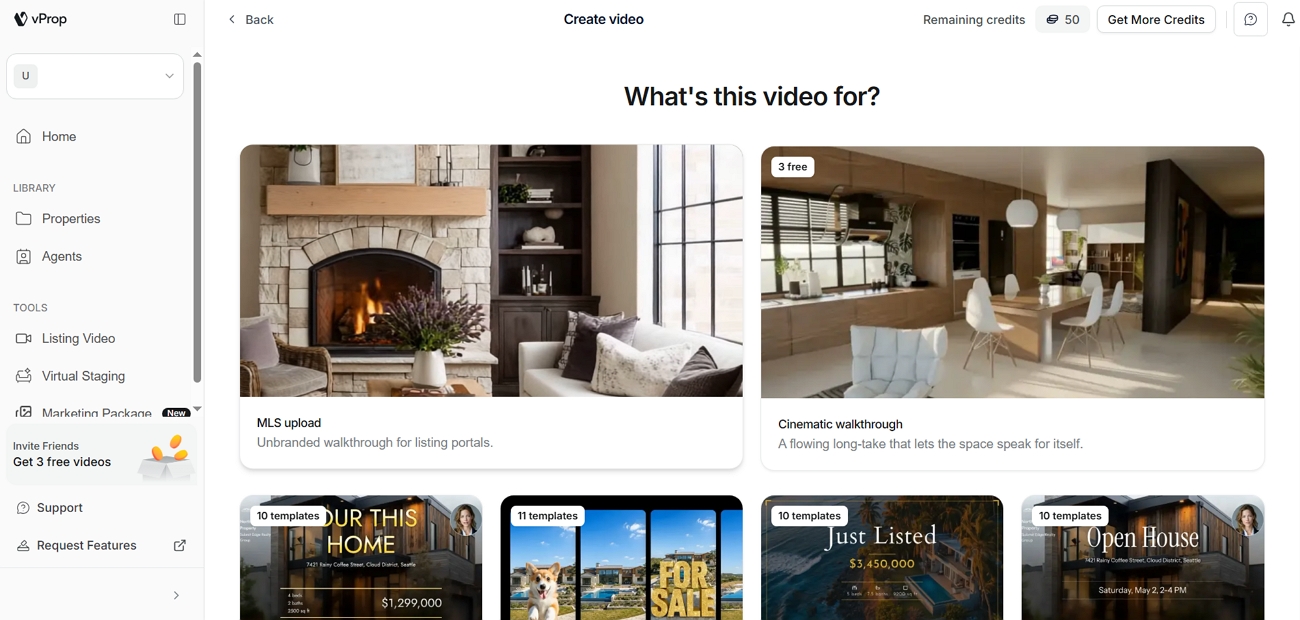
An AI avatar tool for real estate video walkthroughs that present each listing in your own style. You can upload MLS listing photos, and vProp builds a full property video. Exports support social reels and branded closing scenes with contact details.
Pros
-
AI avatar presents every listing video with your face.
-
Agent branding scenes add name, logo, and contact info.
Cons
-
AI narration and avatar features require paid packs.
-
Bilingual EN/ES workflows only support select real estate markets.
Pricing
| Pack | Price/Video |
|---|---|
| 1 video | $19/video |
| 5 videos | $17/video |
| 10 videos | $15/video |
BIGVU
Best for: Agents recording presenter-style listing videos with built-in teleprompter and captions.
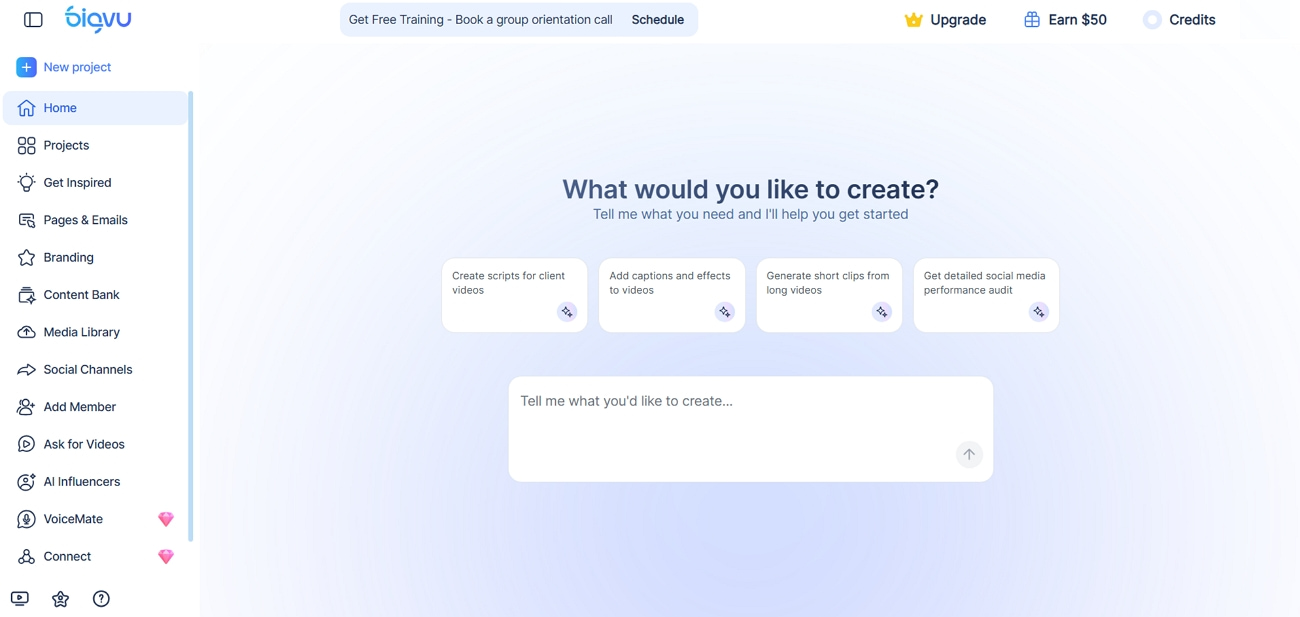
Its AI script writer drafts listing intros and property talking points. You can record yourself on a teleprompter and add AI captions automatically. Talking-photo mode turns agent portraits into short avatar-style listing clips.
Pros
-
Each avatar can speak your message in 30+ languages.
-
Boost watch time on silent social feeds with automatic captions.
Cons
-
Twin avatar creation costs many credits per avatar.
-
Portrait-to-video avatar clips consume credits quickly on Max.
Pricing
| Plan | Price |
|---|---|
| Starter | $24/month |
| AI Pro | $39/month |
| AI Max | $80/month |
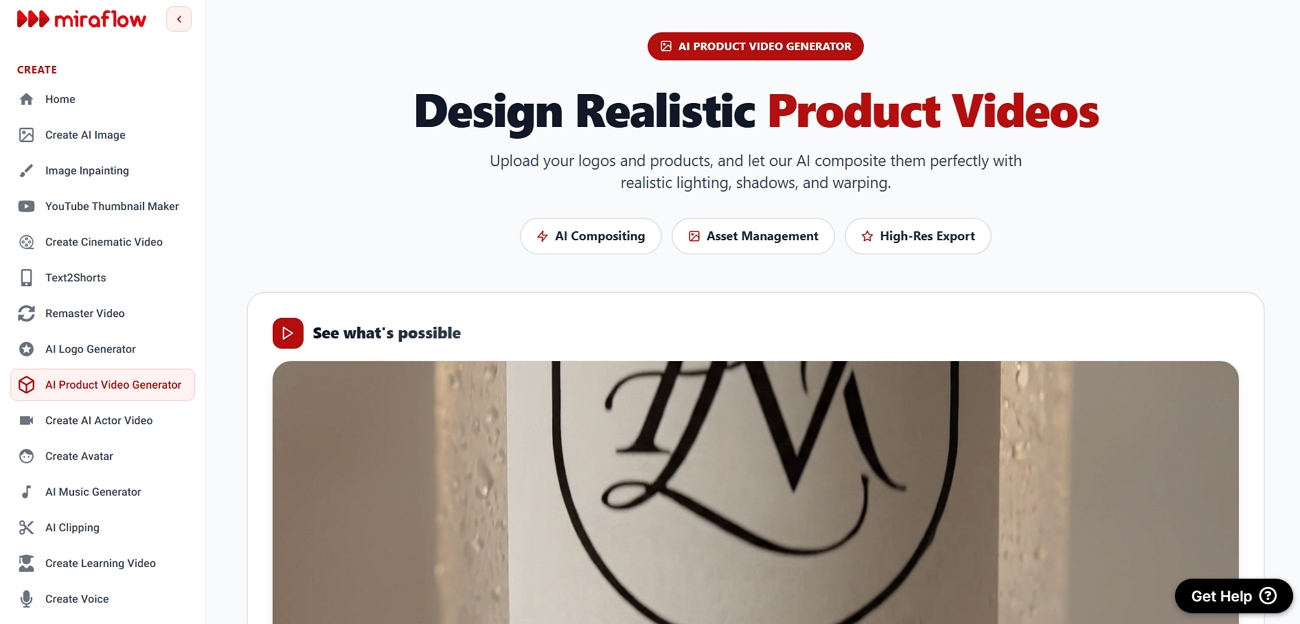
Miraflow
Best for: Users wanting avatar spokespeople reading property scripts in many languages.
Miraflow creates AI avatar videos that describe property features. One of the top AI avatar tools for real estate video walkthroughs that lets you generate scripts and scenes. You can export support for multiple aspect ratios for social feeds.
Pros
-
Caters to different real estate audiences' needs with 100+ avatar styles.
-
Up to 60+ languages for international buyer walkthrough videos.
Cons
-
Cinematic text-to-video sequences consume credits in each plan.
-
Full HD 1080p export available only on Team Upward.
Pricing
| Plan | Price |
|---|---|
| Essential | $10/month |
| Pro | $20/month |
| Team | $40/month |
| Enterprise | $150/month |
VibePeak
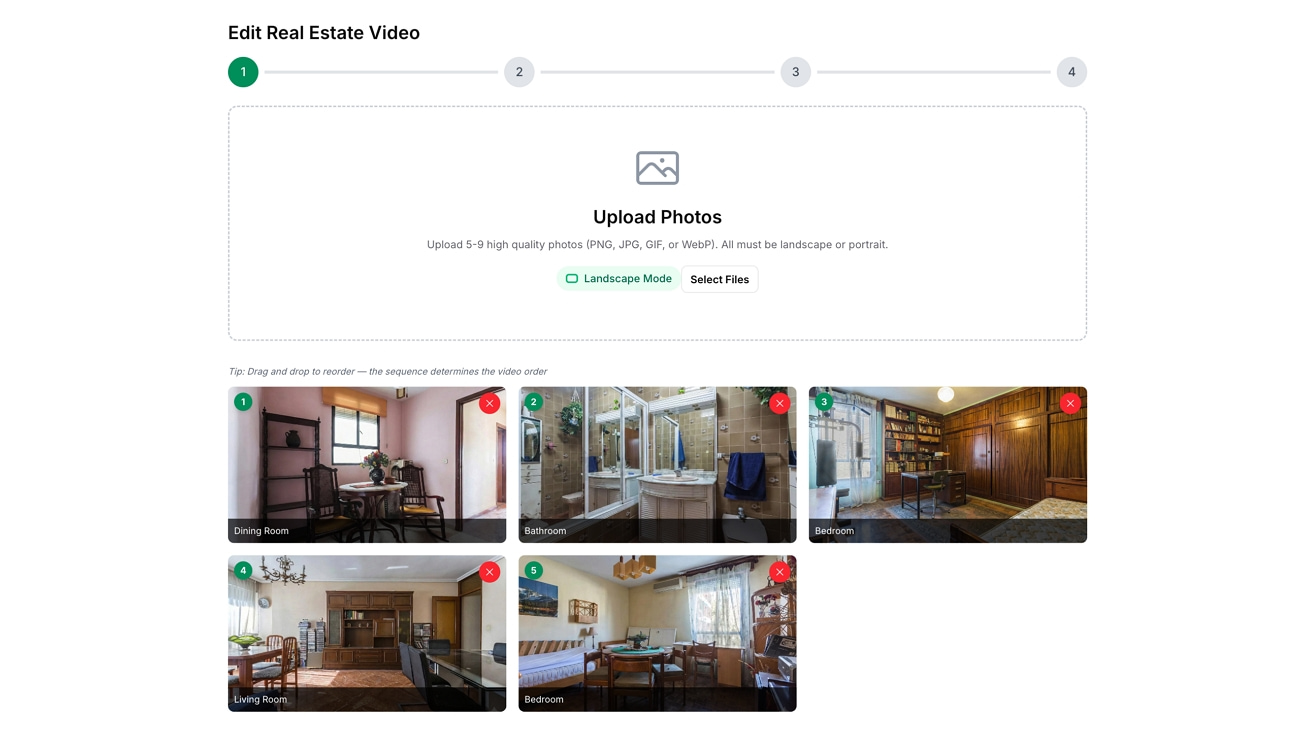
Best for: Agents turning property photos into ad-style listing walkthrough videos.
This tool analyzes each room photo and builds a paced, timed video. AI writes the property script, adds narration and transitions in 100+ languages. You can export vertical and horizontal formats for portals and social platforms.
Pros
-
Virtual staging adds furniture and lifestyle elements to rooms.
-
AI pacing keeps each room on screen for ideal seconds.
Cons
-
Advanced staging prompts need careful input for best results.
-
Avatar narration currently supports only a small language set.
Pricing
| Plan | Pricing |
|---|---|
| Starter | $20/month |
| Bulk | Varies by package |
VideoTour.ai
Best for: Users who convert listing photos into quick real estate videos.
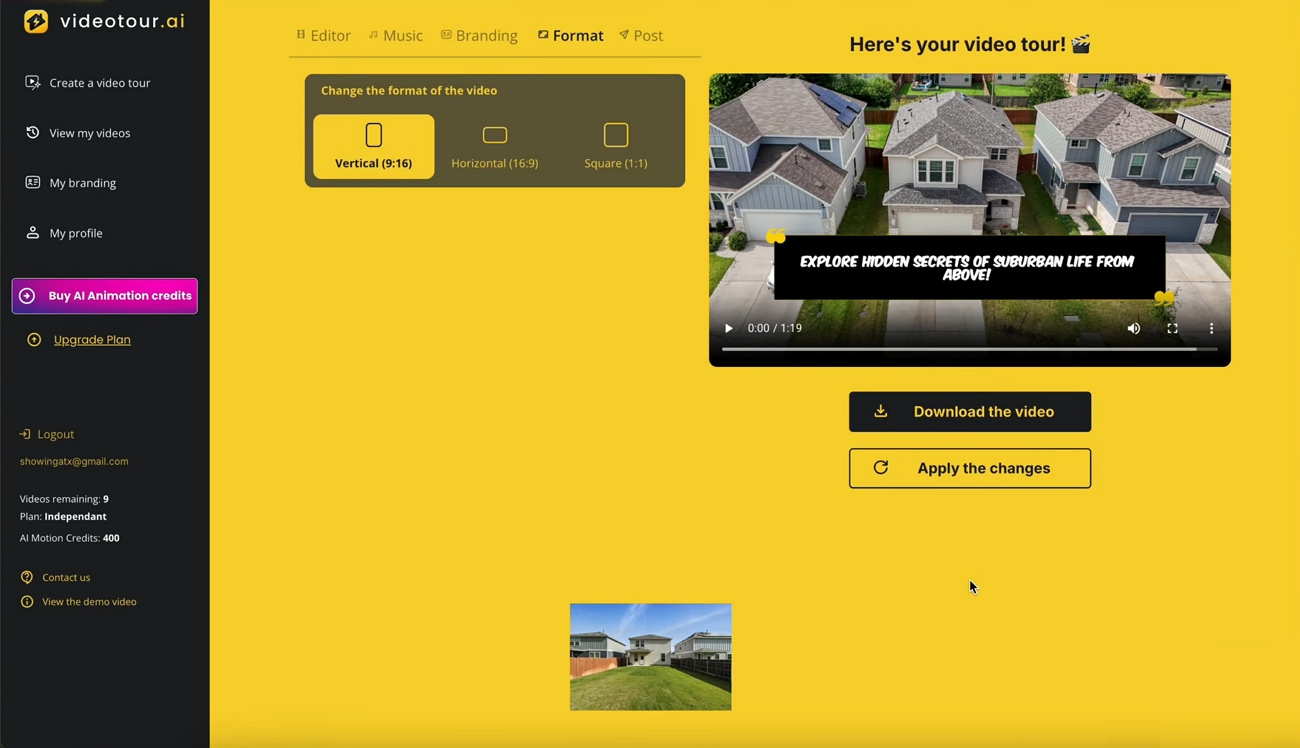
VideoTour.ai turns photo sets into short property tour videos in minutes. AI adds movement, captions, and music so rooms feel guided, not static. You can export in common aspect ratios for MLS pages and social apps.
Pros
-
The first listing video is free and useful for quick workflow testing.
-
Automatic captions make tours clearer on mute-friendly platforms.
Cons
-
No full avatar presenter, only text and caption overlays.
-
Brand customization options are simpler than those on avatar-first platforms.
Pricing
| Plan | Price |
|---|---|
| Independent | $29/month |
| Agency | $59/month |
| Enterprise | $99/month |
Why Zawa AI Is the Best Choice for Real Estate Video Walkthroughs
Zawa turns property photos and scripts into complete real estate walkthroughs. Let’s see why it stands out among top AI avatar tools for real estate video walkthroughs.
No Filming Needed
Agents just upload property photos and basic details. The AI builds a smooth walkthrough, so no camera gear is required.
Fast AI Presenters
You can generate a digital presenter for listings in minutes. That presenter appears in every video to keep your brand face consistent.
Photo To Video Tours
Listing photos become short property tour videos with motion. Rooms are shown in sequence, so buyers understand layout and flow.
Automatic Listing Scripts
Zawa writes simple property scripts from your listing details. Agents then review and adjust lines before generating the final walkthrough.
Natural Voice For Tours
The AI voice reads the script in a clear tone. Buyers hear key features at the right moments during the video.
Multi-Language Options
Tours can be generated in 20+ language options. Agents reach international buyers using one core video in many tongues.
Auto Captions
Automatic captions appear on videos without extra editing steps. This keeps tours readable on mute feeds and improves viewer engagement.
How to Create a Real Estate Video Walkthrough with Zawa AI
Follow the steps below to build a full Zawa walkthrough:
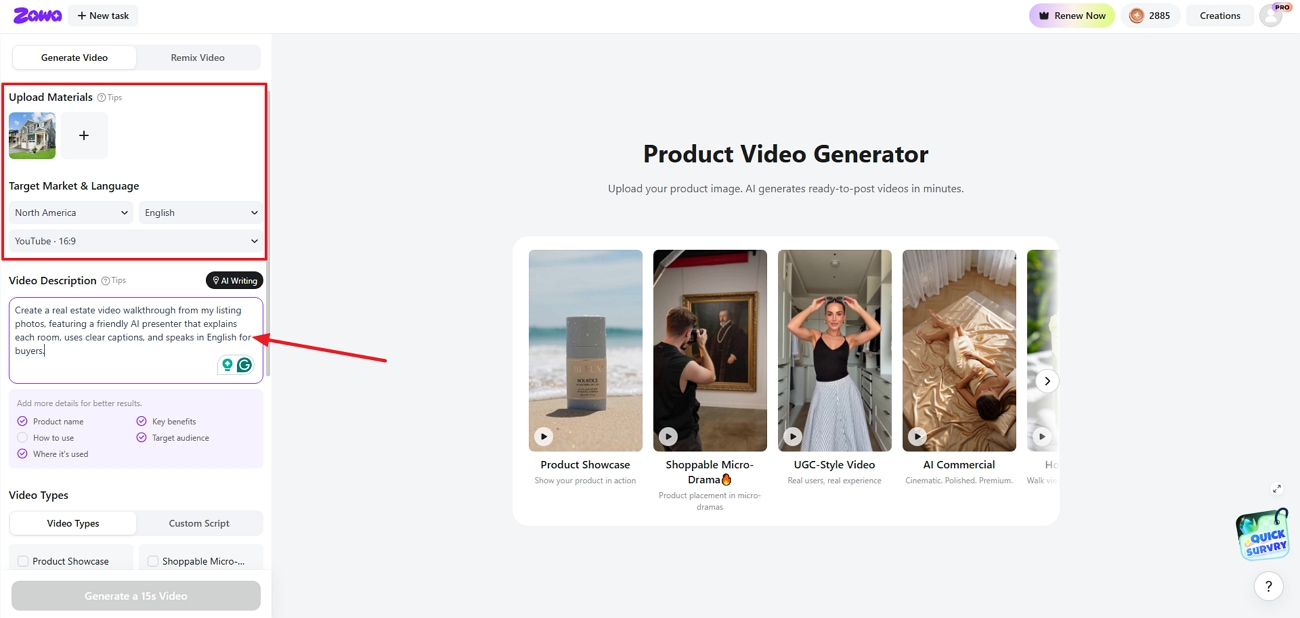
Step 1. Upload Property Images
Once you enter the product video generator, upload your real estate photos. Choose the target market and language. Enter the video description.
Step 2. Choose Video Type
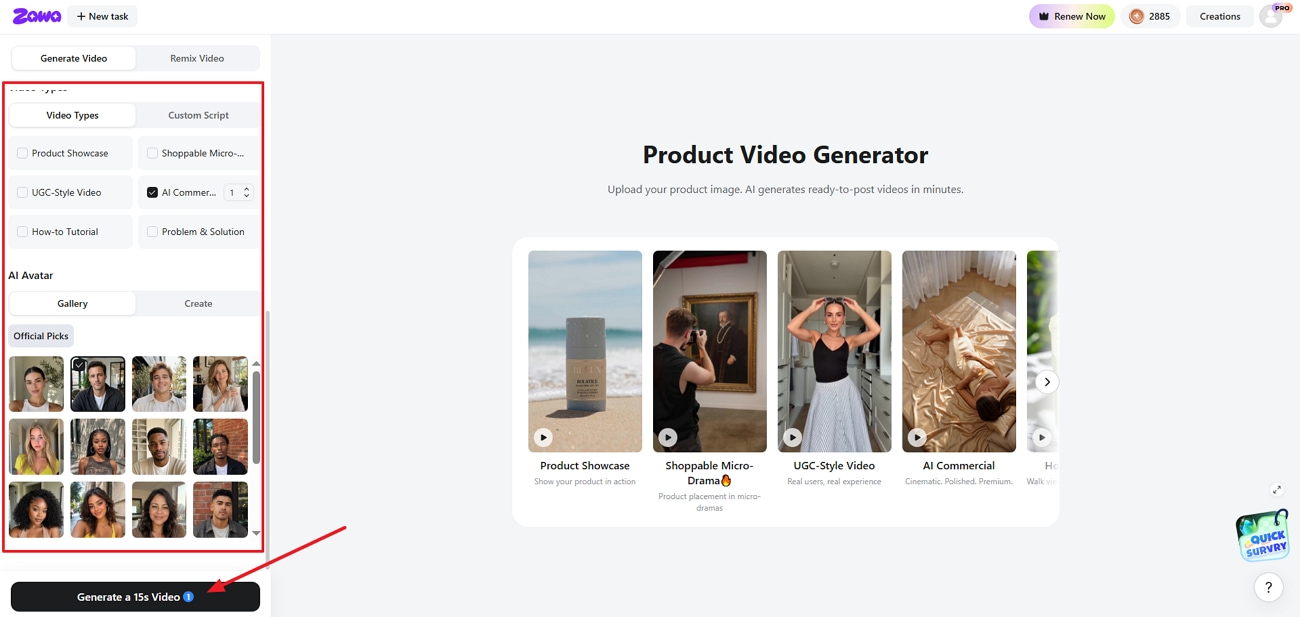
Next, select “AI Commercial” video type. Choose an AI avatar for the video and click the “Generate a Xs Video” button.
Step 3. Download The Real Estate Video
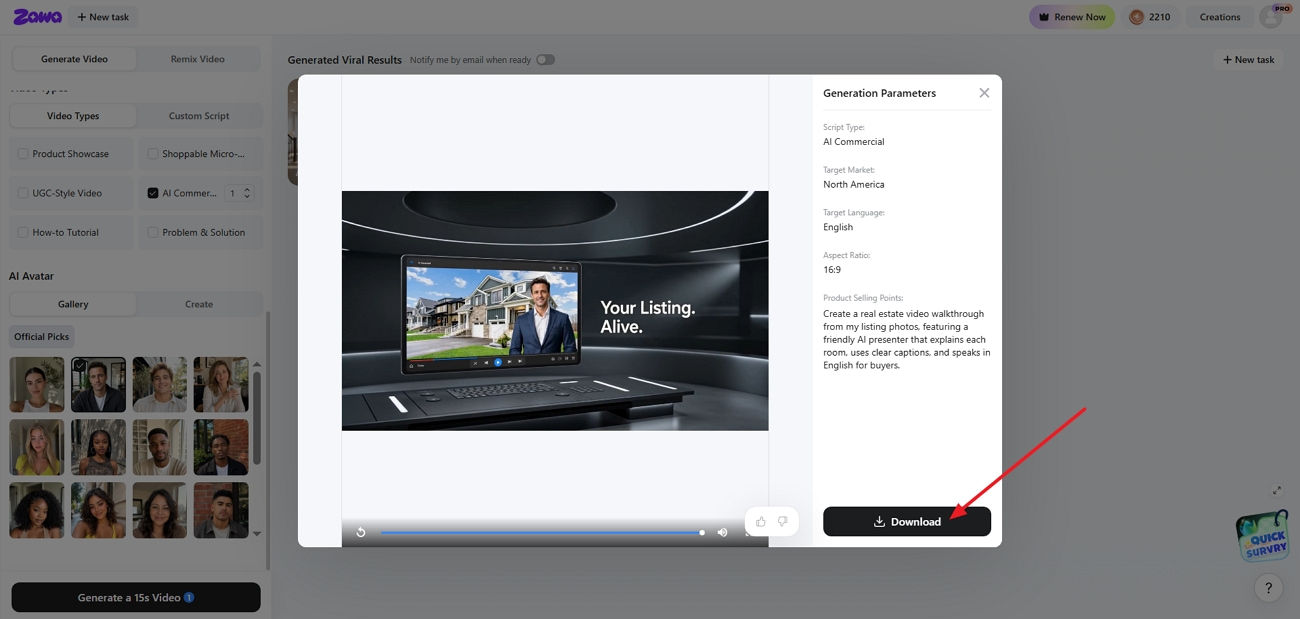
Once the video is generated, preview the video. If the generated video is finalized, press the “Download” button to download the final result.
Conclusion
In conclusion, top AI avatar tools for real estate video walkthroughs make property marketing faster and more consistent. Agents can pick the right tool based on photos and languages. For a balanced workflow, Zawa is the reliable choice to use.
Frequently Asked Questions
-
What are AI avatar tools for real estate?
AI avatar tools create digital presenters who explain properties using the listing photos. They turn real estate scripts into guided video tours.
-
Can AI create property walkthrough videos?
Yes, AI can turn property photos into narrated videos. Tools like Zawa build full tours in minutes using simple inputs.
-
Does Zawa support real estate marketing?
Zawa can turn property images into marketing videos. It adds avatars and captions tailored for listing promotion.
-
Can I use my own property photos with AI avatars?
Yes, most tools let you upload your own listing photos. The AI avatar presents each room using those exact property images.
-
Are AI-generated real estate videos suitable for social media?
Yes, AI property videos export in formats made for Reels and Shorts. Agents post these clips on Instagram and listing sites.
-
Can AI avatars speak multiple languages?
Many real estate AI tools support many language scripts and narrations. Zawa helps reach buyers in different language markets.
-
Which AI avatar tool is best for real estate video walkthroughs?
The best tool depends on budget and branding needs. Zawa is the best choice for simple listing clips.
You May Be Interested

10 Best AI Video Enhancers to Upscale Your Videos
How to Get into Real Estate Photography

20 Best AI Marketing Tools You Should Know in 2026

Facebook Marketing Strategy: A Guide to Turn Clicks Into Customers
