
Media.io Watermark Remover Review: How It Works, Where It Falls Short, and Better Alternatives
Media.io uses AI inpainting to remove watermarks from videos and images rather than just cropping or covering them. But the free tier adds its own watermark to every export, and results vary on complex backgrounds and moving watermarks. This guide covers what the tool actually does, where it fails, and how to get clean video output without watermarks at all.


Media.io is a browser-based AI tool from Wondershare that removes watermarks from videos and images using AI inpainting rather than cropping or covering. That distinction matters: instead of hiding the watermark, it attempts to reconstruct the background content underneath it. The results are often cleaner than cover-and-crop tools. But the free trial gives you one video and one image, not ongoing daily access, and every export on a free account carries a Media.io badge. This guide covers exactly how the tool works, where it struggles, what it costs, and how Zawa Video Watermark Remover handles the same job differently.
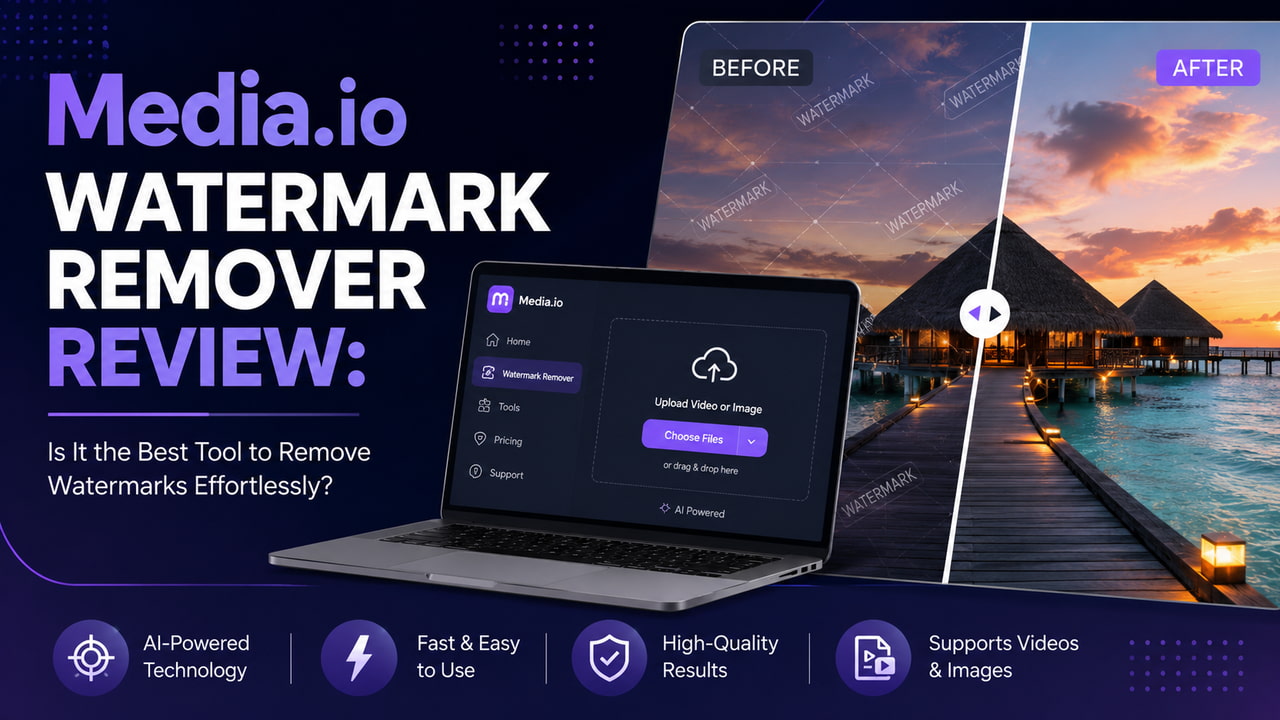
What Is Media.io Watermark Remover?
Media.io is part of Wondershare's suite of online creative tools. Its watermark remover sits under two product names depending on the platform.
What Makes It Different from Crop-and-Cover Tools
Crop tools like VEED and Canva remove the frame area where the watermark sits. The badge disappears, but so does that portion of the video. Overlay tools place a sticker or shape on top of it, which hides the watermark but leaves a visible replacement element in its place.
The Media.io approach is different. Its AI inpainting analyzes surrounding pixels, textures, lighting, and motion across frames, then generates background content that fills the space where the watermark was. When it works well, the removed zone blends into the surrounding footage and nothing looks edited. When it struggles, you get smearing, mismatched texture, or flickering between frames.
Supported Formats and Platforms
-
Video input formats: MP4, MOV, M4V, MKV, AVI, WMV, 3GP, FLV, MPG, MPEG.
-
Image input formats: JPG, JPEG, PNG, WebP (under 500 MB, max resolution 2840 x 2160).
-
Works in any browser on desktop or mobile with no install required for the web version.
-
Desktop app (AniEraser) supports batch processing of up to 5 files simultaneously; browser version handles one file at a time.
How to Use Media.io Watermark Remover
The browser tool uses a three-step workflow. It is straightforward for static watermarks. Moving or bouncing watermarks require additional masking steps.
Step-by-Step: Removing a Watermark in Media.io
Step 1: Open the tool and upload your video
Go to anieraser.media.io and upload your file. The browser version handles one file at a time. No account is required to reach the upload screen, but you need one to export the result.
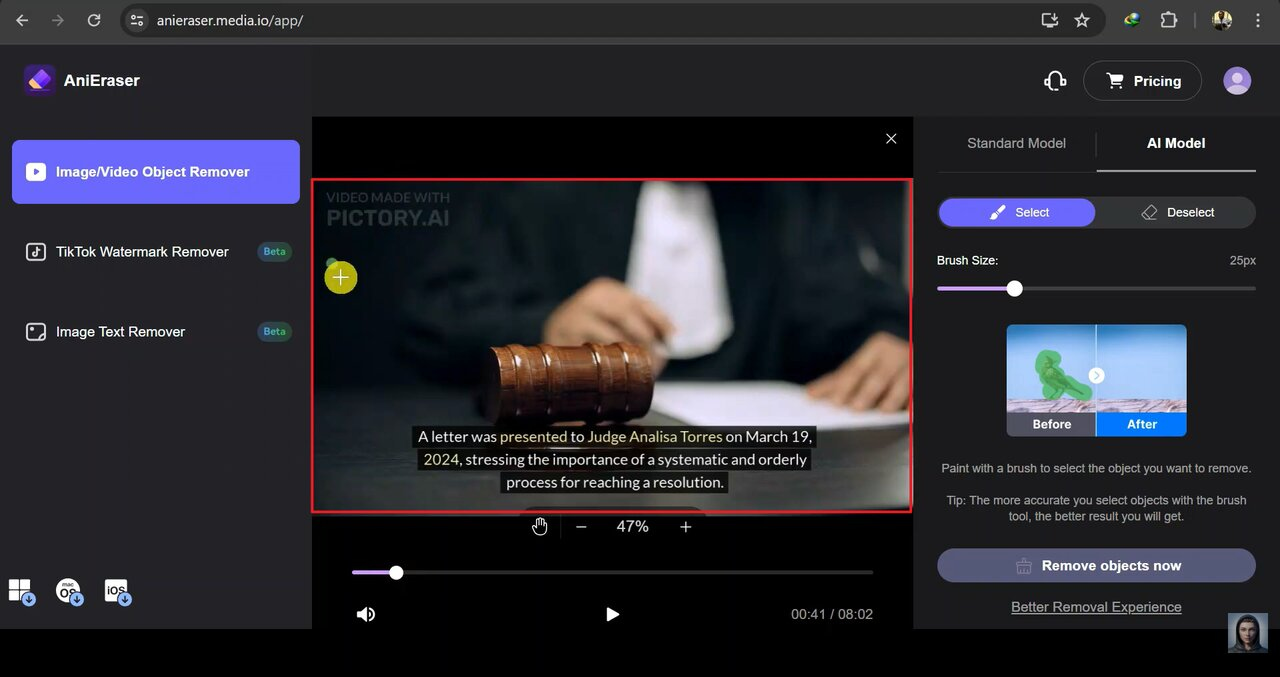
Step 2: Select the watermark area with the brush tool
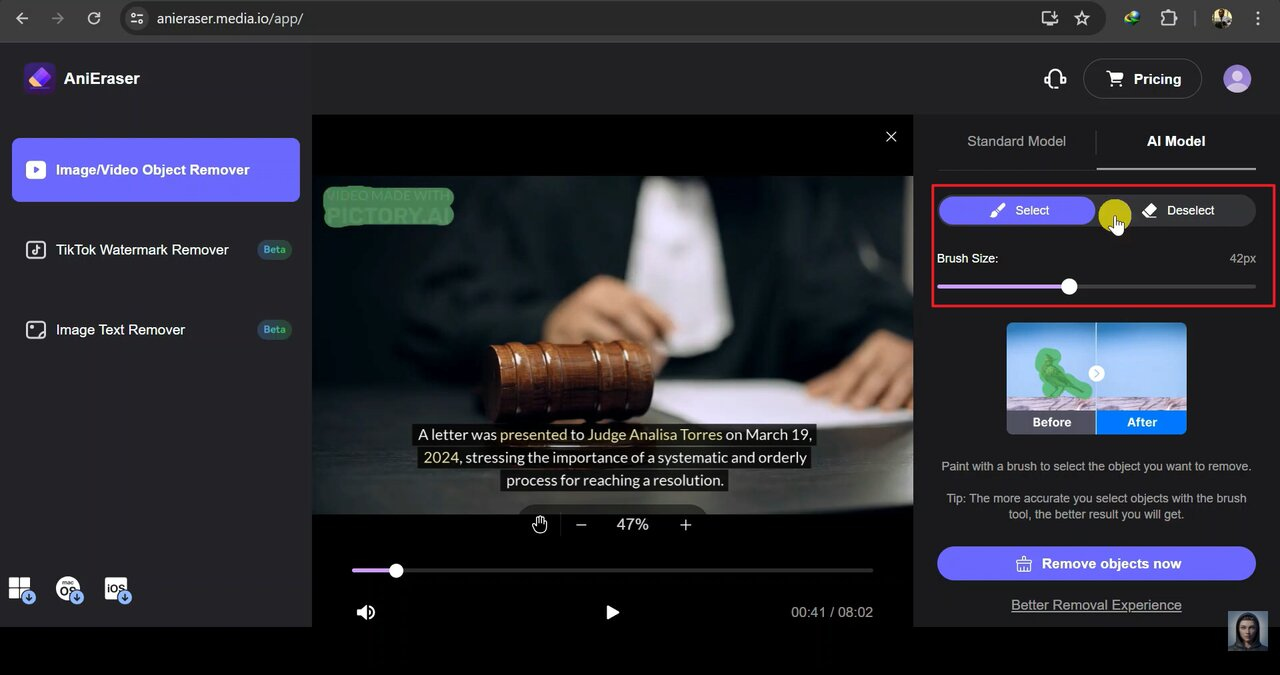
Paint over the watermark using the brush. Set the brush size slightly larger than the badge so the AI has more surrounding pixel context to reconstruct from. For watermarks that move across the clip, add separate mask areas at each position along the timeline.
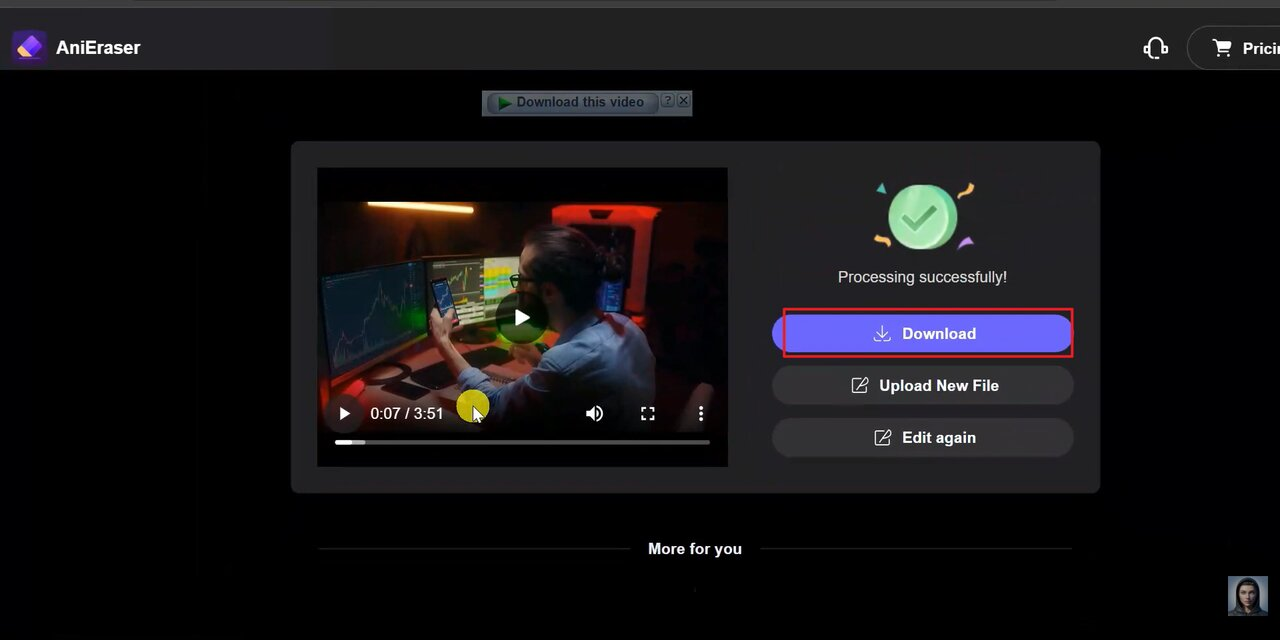
Step 3: Download the cleaned file
On the free trial you export once for one video. That export carries a Media.io watermark. Clean output at 1080p or above requires a paid subscription or credit purchase.
Tips for Better Results
-
Adjust brush size to be slightly larger than the watermark: gives the AI more surrounding pixel context to work with when reconstructing the background
-
For moving watermarks: add multiple mask areas along the timeline to track where the watermark appears across different frames; this adds time but reduces artifacts
-
Works best on: static corner watermarks over simple or consistent backgrounds (sky, plain wall, solid color)
-
Struggles with: watermarks centered over faces, fast motion, complex textures, or watermarks that shift position and size across the clip
-
If the first pass leaves visible artifacts: undo, resize the brush slightly, and retry; a second pass often improves results on semi-transparent overlays
Media.io Watermark Remover Free Tier: What You Actually Get
Media.io presents itself as free, but the free access is a trial with hard limits that make it impractical for most real use cases.
Free Tier Limitations
-
Every export on the free tier includes a Media.io/Wondershare watermark baked into the output: clean watermark-free export requires a paid plan or credit purchase
-
Output resolution capped at 720p on the free tier: 1080p and 4K outputs require a paid subscription
-
Video length capped on the free tier: short clips only; longer videos require upgrading
-
No batch processing in the browser: the online tool handles one file at a time; batch processing is desktop-only via AniEraser (up to 5 files)
-
Slower processing queue for free accounts: longer waits on larger or more complex files
-
The free tier effectively replaces one watermark with another: the original watermark is removed but the Media.io watermark takes its place in the output
Paid Plans and Credit-Based Pricing
-
Subscription plans: unlock 1080p and 4K output, watermark-free exports, longer video length, and faster processing queue
-
Credit-based option available for occasional users who do not want a recurring subscription: credits do not expire
-
Desktop AniEraser subscription covers web, Windows, Mac, iOS, and Android under one plan
-
Note to writer: verify exact pricing at time of writing as Wondershare updates pricing across products frequently
Where Media.io Watermark Remover Struggles
AI inpainting produces better results than crop and cover on clean source material. On more demanding content it has consistent weak points worth knowing before you commit to a workflow.
Complex and Moving Backgrounds
-
AI reconstruction works by sampling surrounding pixels: on simple backgrounds (solid colors, sky, plain walls) results are clean.
-
On complex or textured backgrounds (crowds, foliage, busy patterns, faces), the reconstruction can produce visible smearing, mismatched texture, or color bleed at the edges of the removed area.
-
Fast motion compounds the problem: the background content changes significantly frame to frame, giving the AI less consistent reference data to reconstruct from.
Moving and Dynamic Watermarks
-
Some platforms (TikTok, certain stock libraries) use watermarks that move, bounce, or change position across the clip.
-
Media.io requires manual masking for each position the watermark occupies: no automatic motion tracking in the browser tool.
-
Each mask area must be set individually on the timeline, which is time-consuming on longer clips with frequently moving watermarks.
-
The desktop AniEraser app handles this better than the browser tool but still requires manual tracking in most cases.
The Free Export Watermark Problem
-
For users who need a clean output on the free tier: the tool removes one watermark and adds another.
-
This makes the browser tool unsuitable as a completely free end-to-end solution for professional delivery.
-
Workaround: credit-based pay-per-use is available for occasional use without a full subscription.
Media.io Watermark Remover vs. Zawa Video Enhancer: Different Tools, Different Problems
Media.io removes unwanted watermarks from existing footage. Zawa Video Enhancer improves the quality of that footage after the watermark is gone. They solve different problems, but for creators dealing with old, compressed, or degraded footage alongside watermark issues, both steps matter.
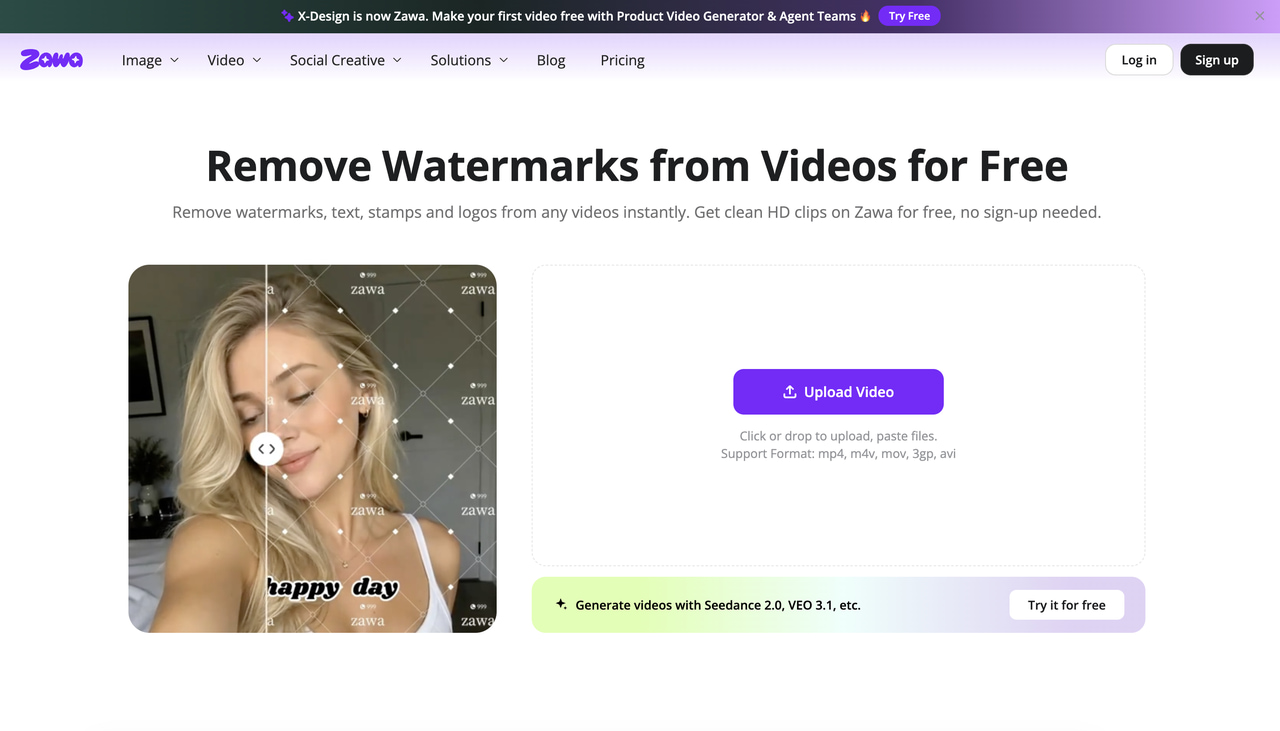
What Media.io Does That Zawa Does Not
-
AI inpainting to reconstruct background content where a watermark existed: Zawa does not do this.
-
Removal of text overlays, logos, timestamps, and other objects from video frames.
-
The right tool for: footage where a third-party watermark needs to be erased and the background reconstructed.
What Zawa Does That Media.io Does Not
-
AI upscaling from low resolution to 1K, 2K, or 4K: reconstructs edge sharpness and texture detail that compression or low-quality capture removed.
-
Compression artifact reduction alongside resolution upscaling in the same processing pass.
-
No watermark added to any output, including on the free tier.
-
Runs entirely in the browser at zawa.ai/video-enhancer/edit: no install, no GPU required.
-
Supports MP4, MOV, and M4V input.
The Combined Workflow
-
For footage that has both a third-party watermark and quality issues (low resolution, compression artifacts from multiple re-uploads): remove the watermark first with Media.io, then run the cleaned file through Zawa to restore quality at higher resolution.
-
This avoids compounding the quality loss by processing in the correct order: clean first, then enhance.
Step-by-Step: Enhancing Video Quality with Zawa After Watermark Removal
Step 1: Open Zawa and upload your video
Go to zawa.ai/video-watermark-remover and upload your file. MP4, MOV, and M4V are supported. No account is needed to access the upload interface or run the free 5-second preview.
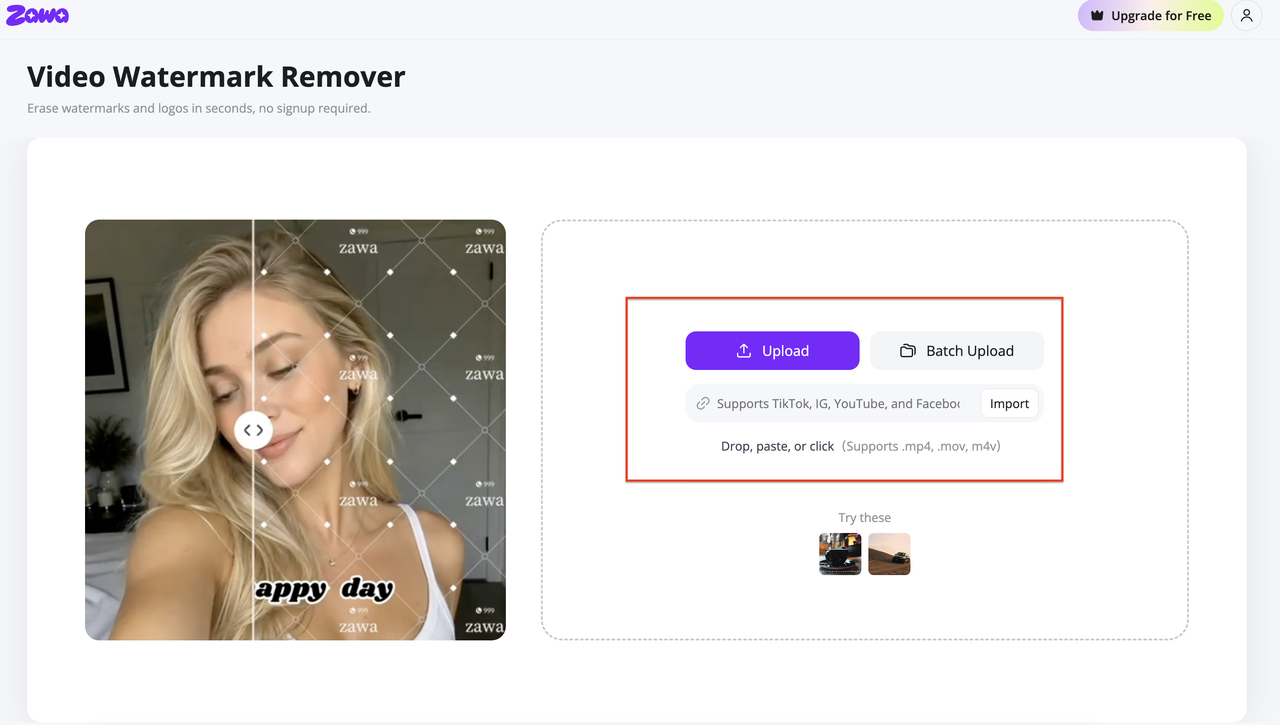
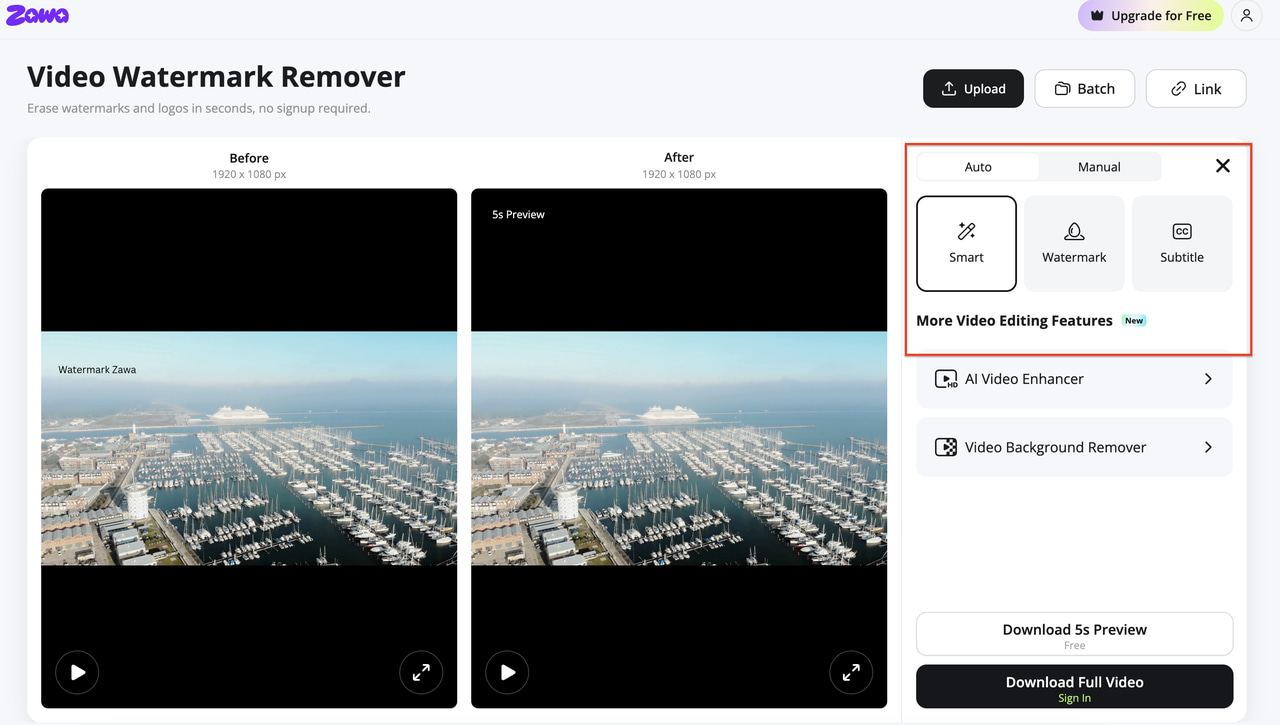
Step 2: Mark the watermark area or let AI detect it automatically
The AI auto-detects logos and badges across the frame in most cases. You can also manually brush a specific area if the detection misses something. The tool tracks the watermark position across the full timeline without needing a separate mask for each frame.
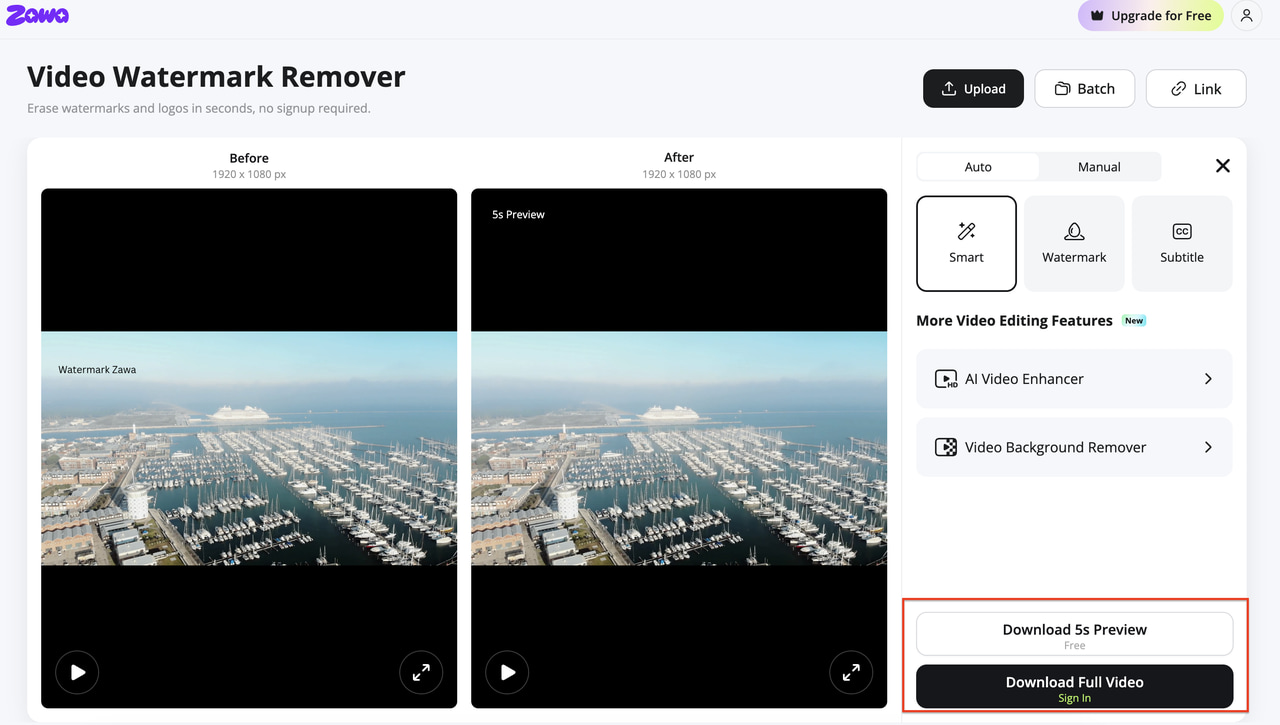
Step 3: Preview and download the enhanced file
A 5-second preview loads when processing finishes. Check the reconstructed zone for artifacts. If the result is clean, use a paid plan credit to download the full-length watermark-free file.
Is Media.io Watermark Remover Worth It?
|
Feature |
Media.io (AniEraser) |
Zawa Video Watermark Remover |
|---|---|---|
|
Removal method |
AI inpainting with manual brush selection |
AI auto-detection + inpainting |
|
AI background reconstruction |
Yes — fills area with surrounding pixels |
Yes — tracks frame by frame |
|
Own watermark on free export |
Yes — Media.io badge on all free exports |
None added on any plan |
|
Free tier limit |
1 video + 1 image trial only |
5-second preview per clip |
|
Full-length output |
Paid plan required |
Paid plan required |
|
Preview before download |
No |
Yes — before committing to download |
|
Browser-based |
Yes |
Yes — no install, no GPU needed |
|
Pricing to export clean |
Monthly/annual subscription or credits |
Plus from $5.83/mo (annual) |
Conclusion
Picking the right watermark remover comes down to what your footage looks like and how often you need it. Media.io handles static watermarks on simple backgrounds well, and the credit option suits occasional use. For footage with moving badges, or when you need clean output without picking up a new watermark in the process, Zawa Video Watermark Remover is the more practical choice.
FAQs
Is Media.io watermark remover free?
The tool is free to use for basic removal, but every export on the free tier includes a Media.io watermark and is capped at 720p resolution. Watermark-free, high-resolution exports require a paid plan or credit purchase.
How does Media.io remove watermarks from video?
Media.io uses AI inpainting. It analyzes the pixels surrounding the watermark area and reconstructs what the background would look like without it. Unlike crop or overlay tools, it does not remove or hide part of the frame — it fills the space in.
Does Media.io work on TikTok watermarks?
Yes. You can upload a downloaded TikTok clip, brush over the TikTok watermark, and the AI attempts to reconstruct the background. Results vary depending on whether the watermark is static or moving and how complex the background is behind it.
What are the best free alternatives to Media.io watermark remover?
For watermark removal: WatermarkRemover.io handles static watermarks on images well at no cost. For video quality enhancement without watermarks on the output: Zawa Video Enhancer produces watermark-free exports on its free tier. For desktop video editing with no watermarks: DaVinci Resolve is free with no output restrictions.
Can Media.io fix video quality after removing a watermark?
Not directly. Media.io removes the watermark and reconstructs the background but does not upscale or improve the overall resolution and quality of the footage. For quality improvement after watermark removal, a dedicated enhancement tool like Zawa Video Enhancer handles upscaling, noise reduction, and compression artifact cleanup in the same processing pass.
You May Be Interested

Media.io AI Video Upscaler Review: Is It Worth It in 2026?
Apowersoft Watermark Remover: Review, Pricing & Alternatives

How to Remove Gemini Watermark?

How to Remove CapCut Watermark: Manual & AI Methods Guide

How to Remove Moving Watermark in Filmora: Official & AI Solutions
