Best Qr Code Generator for Restaurant Menus 2026
This guide compares 10 QR code generators for restaurant menus in 2026, covering branded design, dynamic updates, mobile usability, ordering, payments, analytics, and pricing. It also explains how to choose, test, and publish a reliable menu QR code.

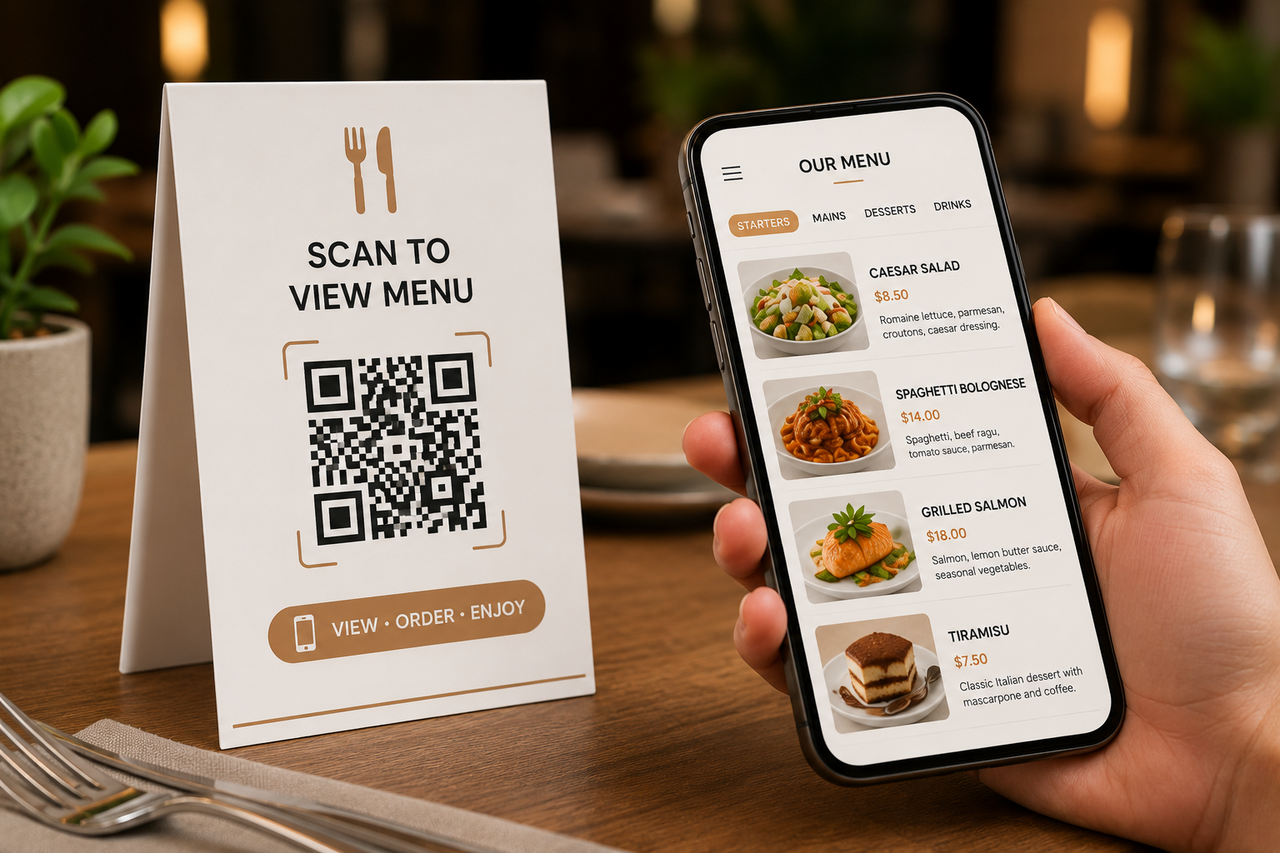
QR code menus give diners a quick way to view dishes, prices, photos, and dietary information from their phones. For restaurants, they also reduce reprinting costs and make it easier to update sold-out items, seasonal specials, or pricing without replacing every table menu.
However, QR menu generators vary widely. Some only create a code for an existing PDF, while others include mobile menu builders, custom branding, scan analytics, multilingual menus, and online ordering. Before comparing the ten best options for 2026, it helps to understand how these tools work and which features restaurants actually need.
How a Restaurant QR Code Menu Works
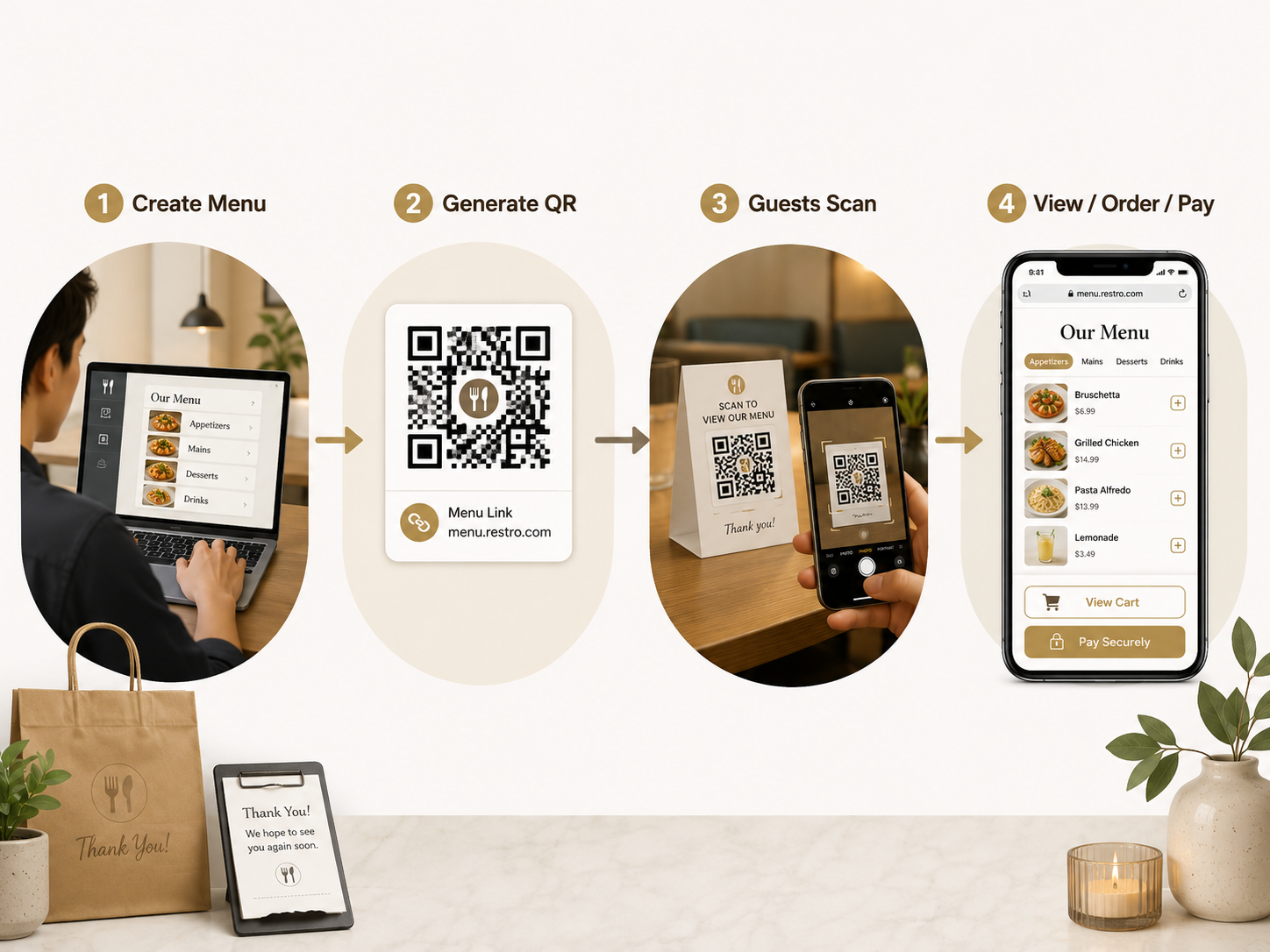
The restaurant creates or uploads a digital menu, and the generator connects it to a unique QR code. Guests scan the code with their phone camera and open the menu in a browser, usually without downloading an app. The restaurant can then place the code on tables, signs, receipts, or takeout packaging. More advanced systems may also let customers select items, submit orders, or pay from their phones.
QR Menu Creator vs. Generic QR Code Generator
Generic QR code generators perform one basic task: turning an existing URL or file into a scannable code. By comparison, dedicated QR menu creators provide restaurant-specific features, including menu categories, prices, food photos, dietary labels, branded designs, and multilingual content. Some platforms also offer table ordering, scan analytics, and centralized updates.
For a permanent menu link, a basic generator may be enough; restaurants managing the entire digital dining experience will benefit more from a specialized platform.
Static vs. Dynamic QR Codes
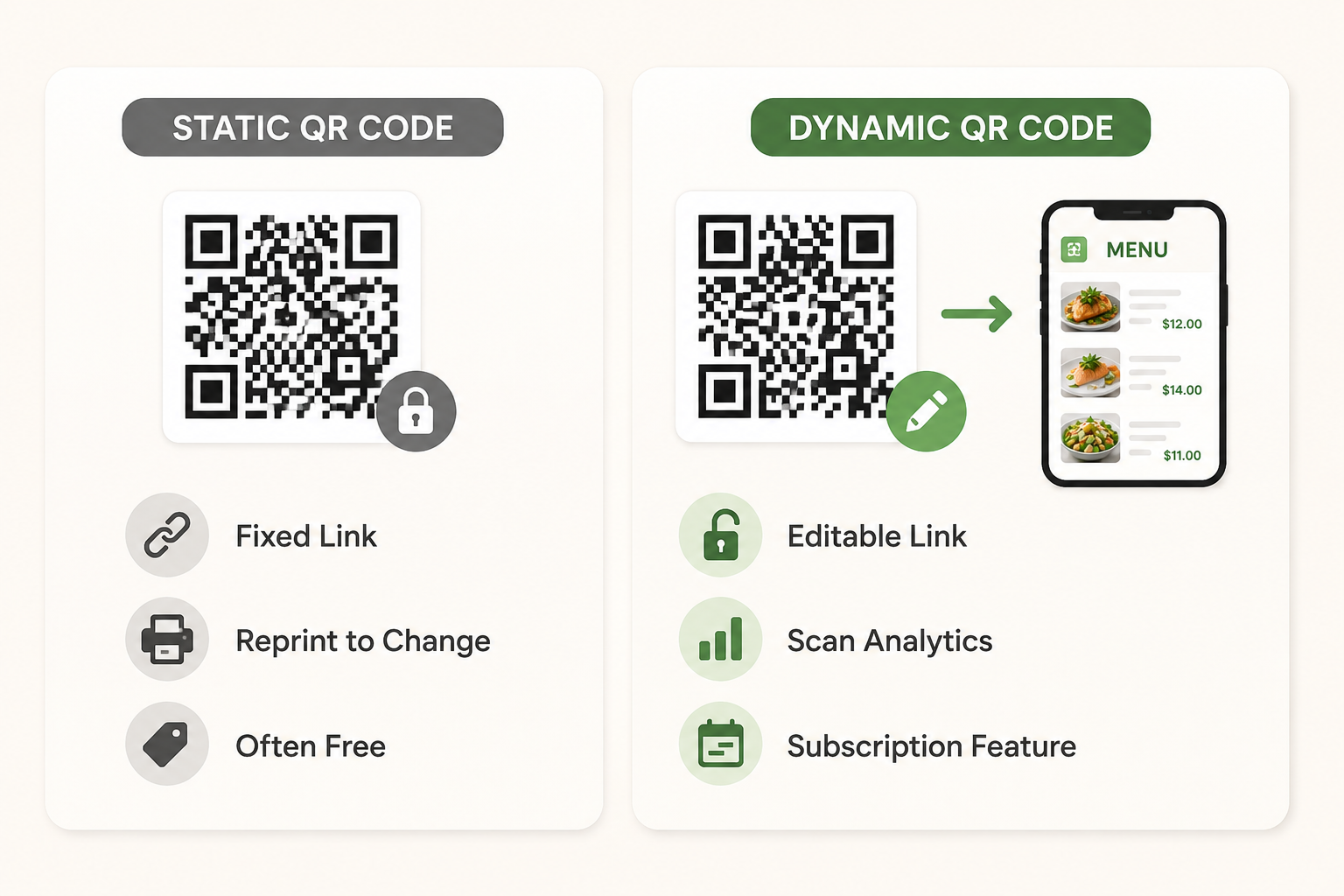
Once printed, the destination stored in a static QR code generally cannot be changed. This option is often free and works well for a permanent menu URL, but redirecting customers to a different page usually means generating and printing a new code.
Dynamic QR codes avoid that limitation by using an editable redirect. Restaurants can update the menu destination without replacing table cards and may also track scans by time, device, or location, although these features often require a subscription.
PDF Menu QR Code vs. Mobile-Friendly Digital Menu
Uploading a PDF is one of the quickest ways to publish a QR menu while preserving the original design. On smaller screens, however, diners may need to zoom, scroll sideways, or wait for a large file to load.
Built specifically for smartphones, a mobile-friendly digital menu adjusts to the screen and makes dishes, prices, and categories easier to browse. It can also support search, accessibility features, live availability, and direct ordering. Restaurants using PDFs should compress the file, enlarge the text, and test the menu on several devices before printing the code.
10 Best QR Code Menu Generators for Restaurants
The tools below solve different parts of the QR menu workflow. Some focus on visual design or fast PDF hosting, while others are built around ordering, payments, print production, or marketing analytics. Matching the platform to the restaurant’s main goal is more useful than choosing the one with the longest feature list.
1. Zawa: Best for Branded QR Menu Design
Zawa is a strong fit for restaurants that want their digital menu and QR presentation to reflect the same brand style. Its AI Menu Maker supports prompt-based menu creation, existing design updates, and brand customization with logos, colors, fonts, and food photos. Restaurants can also combine that workflow with Zawa’s QR code tools when they need branded QR menu materials for print or online use. However, live ordering, payments, and POS integrations may still require a dedicated restaurant operations platform.
2. QR Menu Generator: Best for Structured QR Menus
For restaurants with long menus, dietary requirements, or international guests, QR Menu Generator provides a more structured setup. Its mobile-ready menus support categories, dish images, instant edits, built-in QR codes, EU allergen labels, and AI translation into 11 languages. The focus is on keeping menu information organized and easy to navigate rather than reproducing a print-style layout. This makes it particularly useful for multilingual restaurants and venues that need clear allergen information.
3. MenuHoster: Best Free PDF-to-QR Menu Creator
When the menu is already finished, MenuHoster offers a short route from file to scannable page. Restaurants can upload a PDF, JPG, or PNG, receive a hosted page, and download the corresponding QR code without entering every dish manually. If the file relies heavily on dish images, applying a few basic food photography techniques before uploading can make the menu more appealing without requiring a complete redesign. Its free plan currently supports one active menu and up to 10,000 monthly views and scans, which should cover many independent restaurants.
4. QRCodeKIT: Best for Dynamic Restaurant QR Codes
Instead of locking a printed code to one destination, QRCodeKIT lets restaurant owners redirect it whenever the menu URL changes. The platform also records scan volume, location, and device type, helping teams compare placements such as tables, windows, takeout bags, and receipts. Design controls allow the code to fit branded collateral without rebuilding the menu itself. Choose this option when link flexibility and scan tracking matter more than having a built-in restaurant menu editor.
5. MENU TIGER: Best QR Menu With Order and Pay
Table-service operations sit at the center of MENU TIGER. Diners can scan a code, browse an interactive menu, submit an order, and complete payment from their phones. Supported payment integrations include PayPal, Stripe, and Adyen, while its Loyverse connection can synchronize orders, payments, and sales data with the POS. Those operational tools make it suitable for restaurants reducing server trips, although they may be unnecessary for businesses that only want to display a menu.
6. MustHaveMenus: Best for Print and Digital Menus
Restaurants that still depend heavily on printed materials will find MustHaveMenus particularly useful. Its menu-focused design system can carry the same content across printed menus, table tents, flyers, digital menus, and signage. Managers can also redirect an existing QR code or revise menu items without rebuilding the surrounding design. The platform is therefore a strong fit for restaurants seeking consistent materials across physical and digital channels, rather than an ordering-first system.
7. GloriaFood: Best Free QR Menu With Ordering
Ordering—not decorative menu design—is the main strength of GloriaFood. Its free core system covers QR code ordering, scheduled orders, promotions, table reservations, restaurant analytics, and multi-location management. Guests can use it for dine-in, pickup, or delivery, making it a practical entry point for restaurants that want direct orders without paying commission on each transaction. Online payments, a branded app, POS tools, and certain marketing features are available as optional upgrades.
8. QR TIGER: Best General Dynamic QR Generator
Unlike restaurant-specific builders, QR TIGER can manage codes for menus alongside Wi-Fi access, promotions, feedback forms, social pages, and other campaigns. Its menu solution accepts PDF, JPEG, and PNG files up to 20 MB and includes scan tracking for measuring engagement. That flexibility suits businesses managing several types of QR content from one account. However, restaurants must prepare and update the actual menu file themselves because the platform is primarily a QR management tool.
9. Flowcode: Best for QR Analytics and Campaigns
Flowcode treats each scan as part of a broader offline-to-online campaign. Marketing teams can compare scans, page visits, conversions, traffic sources, and geographic patterns across table displays, packaging, signs, and print ads. Before launching a discount or seasonal offer, restaurants can use proven layout, image, and call-to-action principles to design a clearer food promotion and then measure how guests respond. Since Flowcode does not function as a restaurant menu builder, the destination page still needs to be created and maintained elsewhere.
10.iMenuPro: Best for Traditional Menu Design
Traditional menu layout remains iMenuPro’s specialty. Its auto-design system handles spacing, prices, symbols, headings, and typography, allowing restaurants to switch styles without retyping every item. Live-Sync can then connect the same menu content to mobile QR menus, websites, social channels, and digital displays. Restaurants that care about polished, print-like presentation will gain the most value, while businesses prioritizing checkout, table ordering, or payment processing should consider a more operational platform.
How We Evaluated the Best QR Menu Creators
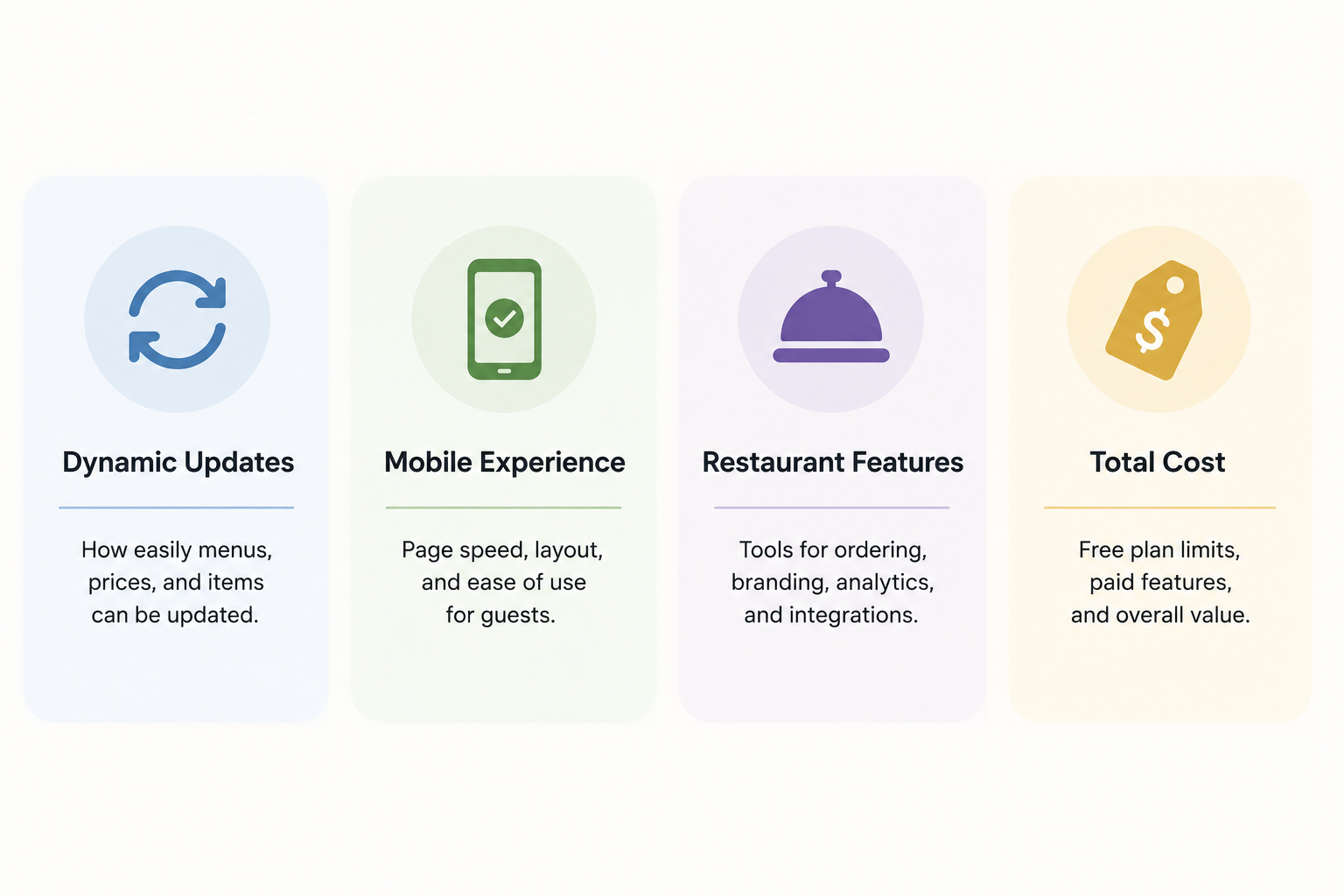
We compared each platform based on how well it handles everyday restaurant needs, from updating prices to serving guests during busy hours. Ease of use mattered, but we also looked beyond the setup process to assess long-term flexibility, restaurant-specific tools, and actual cost.
Dynamic QR Codes and Menu Updates
A useful QR menu should stay current without forcing restaurants to print new codes whenever an item, price, or promotion changes. We favored platforms that let users update the linked menu in real time while keeping the same QR code active. Version control, scheduled changes, and multi-location editing also earned extra consideration.
Mobile Speed and Guest Experience
Since most guests open QR menus on their phones, loading speed and readability directly affect the dining experience. Each option was assessed for mobile-friendly layouts, clear navigation, accessible text, and the number of steps required to view a menu. Extra sign-ins, intrusive ads, or slow-loading images counted against the platform.
Restaurant Features and Integrations
Some restaurants only need a digital menu, while others want online ordering, payments, table service, or POS connectivity. Our evaluation considered whether these features were built in, available through integrations, or missing altogether. We also looked at support for dietary labels, multiple languages, item availability, and separate menus for different locations.
Free Plans, Limits, and Total Cost
A free QR menu creator is only valuable if its main features remain usable after setup. Instead of comparing advertised prices alone, we examined menu limits, QR code restrictions, branding, scan caps, and paid upgrades. This made it easier to identify tools that offer genuine value and those that become costly as a restaurant grows.
How to Create a QR Code Menu for a Restaurant
Creating a QR code menu involves more than linking a code to a document. The menu must work well on mobile devices, remain easy to update, and be clearly displayed wherever guests are likely to scan it.
Build a Digital Menu or Upload an Existing PDF
Begin with a complete content sheet that includes dish names, descriptions, prices, allergens, and current availability. Restaurants without a finished layout can create a branded menu online, then adjust the categories, typography, colors, and food images before publishing it. If you already have a print PDF, review it on a phone because narrow columns and small prices that look fine on paper may be frustrating on a six-inch screen. A neighborhood café could split one crowded breakfast menu into “Coffee,” “Breakfast,” and “Bakery” sections to reduce zooming and scrolling.
Create a Dynamic QR Code for Menu Updates
A dynamic QR code lets you change the linked menu without replacing the printed code. This becomes useful when prices change, dishes sell out, or seasonal specials are introduced. If a seafood restaurant runs out of oysters during dinner service, the manager can remove the item from the online menu while keeping every table code active.
Add Your Restaurant Logo and Brand Colors
Brand customization can make the code feel intentional, but appearance should never reduce scan reliability. If the restaurant does not yet have a clear visual identity, a restaurant logo maker can help create a logo that also works on menus, table cards, signs, and takeaway packaging. Dark foreground colors on a light background generally scan more reliably than low-contrast combinations. After placing the logo inside the code, test it from several angles before applying the design to every printed surface.
Test the QR Menu on iPhone and Android
Before printing, scan the code with several iPhone and Android models under different lighting conditions. The menu should open quickly, fit the screen, and remain readable without excessive zooming or sideways scrolling. During a test run, staff may discover that a dark dining room makes glossy table cards difficult to scan, prompting a switch to matte printing with stronger contrast.
Print QR Codes on Tables, Signs, and Receipts
Place the code where guests can scan it comfortably, such as on table tents, menu covers, entrance signs, takeout packaging, or receipts. Use a high-resolution file and leave clear space around the code to improve reliability. A fast-casual restaurant could display one code near the entrance for guests waiting in line and another on each table for repeat orders.
Keep an Accessible Menu Option Available
Not every guest can or wants to use a smartphone, so a QR menu should not be the only way to view food and drink options. Keep printed menus available and make sure the digital version uses readable text, strong contrast, descriptive labels, and a logical structure. When an older guest arrives without a smartphone or someone has difficulty reading a small screen, staff can immediately offer a large-print menu instead.
FAQs
Do Customers Need an App to Open a QR Menu?
No, customers usually do not need a separate app. Most modern iPhone and Android cameras can scan a menu QR code directly and open the linked page in a web browser. Restaurants should avoid systems that require account creation or an app download before the menu appears.
What Size Should a Restaurant Menu QR Code Be?
A restaurant menu QR code should generally be at least 1 × 1 inch when printed on a table card or receipt. Larger codes are better for entrance signs or displays scanned from farther away; a useful rule is to make the code roughly one-tenth of the expected scanning distance. Always test the final printed version rather than relying only on an on-screen preview.
Why Is My Restaurant Menu QR Code Not Scanning?
A QR code may fail because it is too small, blurry, damaged, poorly contrasted, or surrounded by insufficient blank space. Reflections from glossy paper and an unstable or expired destination URL can also cause problems. Reprint the code at a higher resolution, increase the contrast, and test the link on several phones.
Can I Update a QR Menu Without Printing a New QR Code?
Yes, but only when the restaurant uses a dynamic QR code or keeps the same destination URL. The menu file or webpage can then be updated while the printed code continues to work. A static code that points directly to an old or renamed file may need to be replaced.
Should I Use a PDF Menu or a Digital Menu?
A digital menu is usually better for mobile browsing, frequent updates, dietary filters, and online ordering. A PDF may be sufficient for a small restaurant with a short menu that rarely changes, although guests may need to zoom and scroll. Choose the format based on how often the menu changes and what customers need to do after scanning.
Conclusion
The best QR code menu creator should make the menu easy for guests to open and simple for restaurant staff to maintain. Prioritize mobile performance, reliable dynamic codes, clear pricing, and the restaurant features you will actually use. After choosing a platform, test the complete experience—from scanning the printed code to finding a dish—before placing it in front of customers.
You May Be Interested

100+ Good Quotes for Instagram Bio (Copy & Paste Ideas)

133 Independence Day Captions for Social Media
20 Best Lettermark (Monogram) Logos in the World

35 AI Image Prompt Examples: How to Get Outstanding AI Images

5 Tools to Extract & Convert Images to Text